JavaScript SEO Audit: Why Your Site Ranks Lower Than It Should (And How to Fix It)
If your site runs on React, Vue, Next.js, or any JavaScript-heavy framework, Google may not be reading it the way you think. A JavaScript SEO audit identifies the rendering gaps, crawlability failures, and indexing blind spots that quietly drain your organic rankings.
Quick answer
A JavaScript SEO audit checks whether Googlebot can fully render, crawl, and index your JS-dependent pages. The core issues to look for: content or links hidden until JavaScript executes, structured data only available post-render, slow Time to First Byte caused by heavy JS bundles, and URLs that only exist in client-side routing. Use Google Search Console's URL Inspection tool, a site crawl, and a 'View Page Source vs. Rendered DOM' comparison to surface these gaps. The fix depends on the root cause — server-side rendering (SSR), pre-rendering, or lazy-load restructuring.
Why JavaScript Is the Most Misunderstood Technical SEO Problem
Most small business owners who invested in a modern website — React, Next.js, Vue, Angular, or a Webflow-based build with heavy scripts — did so because it looked great and performed well for users. What they weren't told is that Googlebot doesn't experience their site the same way a human visitor does.
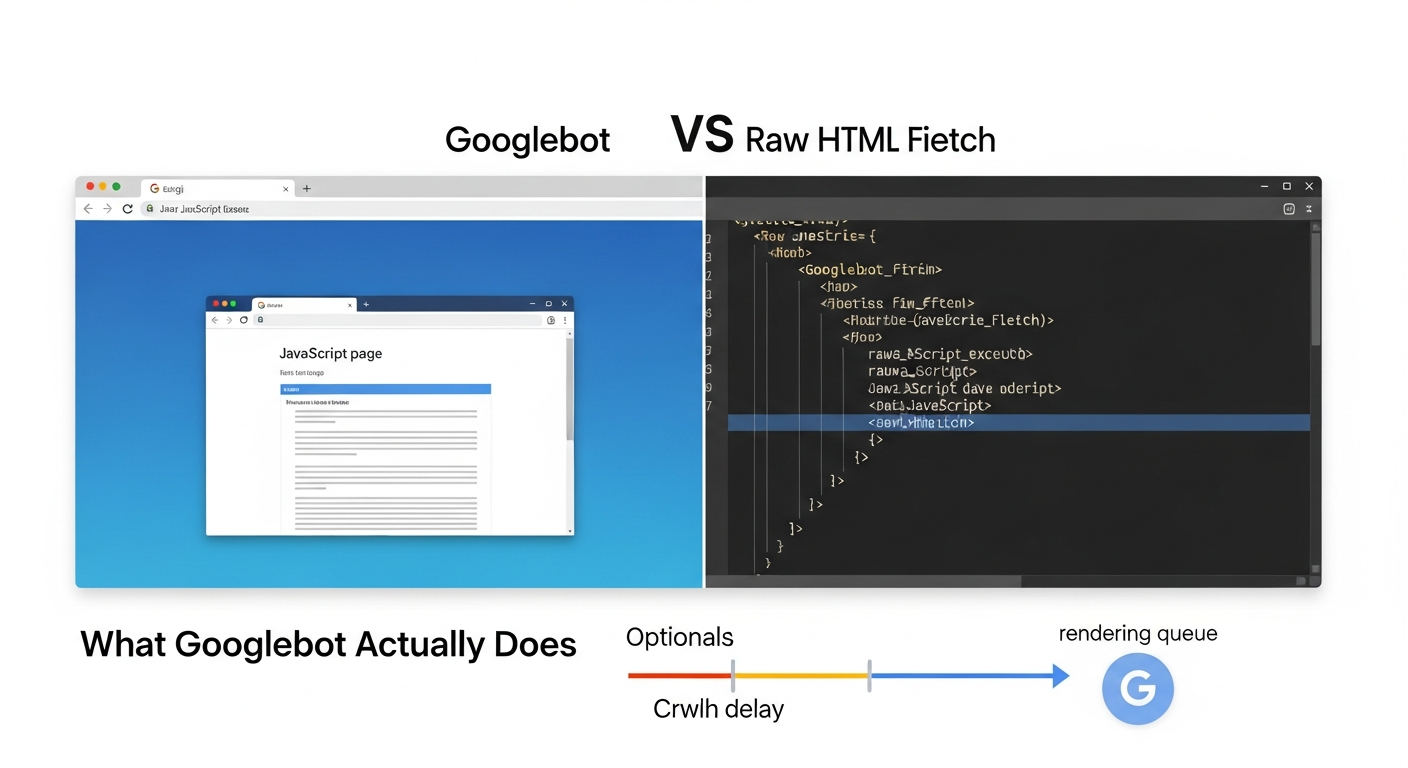
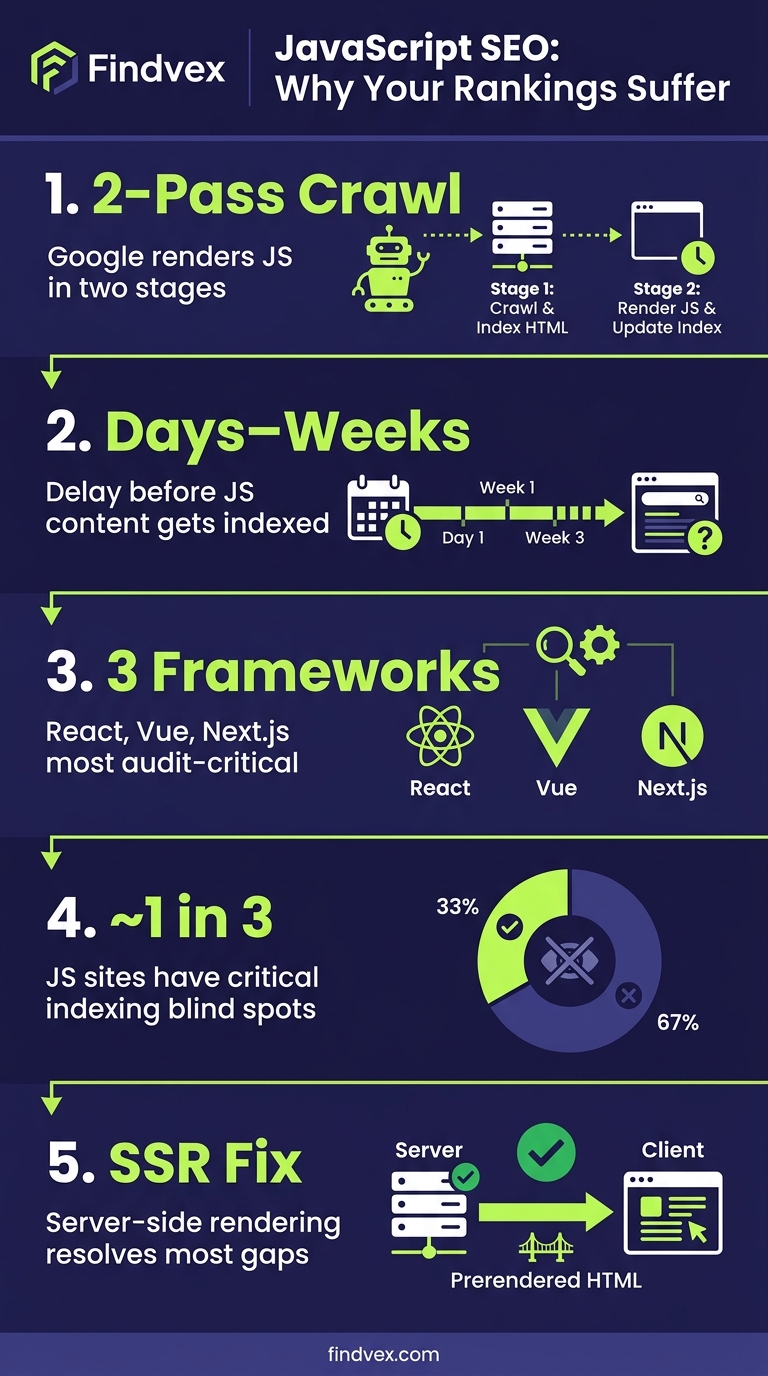
Googlebot crawls the web in two waves. First, it fetches raw HTML. Second — sometimes days later — it queues pages for full JavaScript rendering. During that gap, any content, links, or structured data that only exists after JavaScript executes is effectively invisible to Google. For a site where menus, body content, product listings, or service descriptions are injected by JS, that means large chunks of your site may never make it into Google's index at full fidelity.
This isn't a fringe edge case. It's one of the most common sources of ranking underperformance for businesses that have rebuilt their sites in the last three to four years. A JavaScript SEO audit is how you find out exactly how much your site is leaking.
What Googlebot Actually Does With JavaScript (And Why the Queue Matters)
Googlebot uses a Chromium-based renderer to execute JavaScript. However, rendering is resource-intensive, so Google places pages in a rendering queue after the initial crawl. The time between initial fetch and full render can range from hours to several days. During that window, if you've recently published content or changed your navigation, Google is working from an incomplete picture.
Three specific behaviors create SEO problems for JS-heavy sites:
First, client-side rendering (CSR) means the server sends a near-empty HTML shell and the browser assembles the page using JavaScript. Googlebot's first fetch sees almost nothing. If rendering is delayed, that emptiness is what gets indexed.
Second, lazy loading executed incorrectly can prevent Googlebot from ever seeing content that loads below the fold or on user interaction. This includes images with SEO-relevant alt text, product descriptions, and review modules.
Third, client-side routing in single-page applications (SPAs) creates URLs that don't correspond to distinct server responses. Googlebot may only discover and index the root URL, leaving dozens of pages — service pages, location pages, product pages — unfindable.
Understanding which of these applies to your site is the starting point for any JavaScript SEO audit.
- CSR sends an empty HTML shell — Googlebot's first fetch may see no meaningful content
- Lazy loading on interaction events is often never triggered by crawlers
- SPA client-side routing can leave entire page sets unindexed
- JS-injected structured data may not be present at initial fetch time
- Rendering queue delays can mean recently updated content takes longer to reflect in search
“AI agents do in hours what teams used to do in weeks. The advantage compounds.”
Tools You Need Before You Start the Audit
You don't need an enterprise stack to run a solid JavaScript SEO audit. You do need a few specific tools configured correctly.
- Google Search Console (free): URL Inspection tool is your primary diagnostic. It shows both the crawled HTML and the rendered version, plus which resources were blocked.
- Screaming Frog SEO Spider (free up to 500 URLs): Can crawl in both non-JS and JS-rendered modes. Comparing the two outputs reveals what content only exists post-render.
- Chrome DevTools: 'View Page Source' shows raw HTML. Right-click > Inspect shows the live DOM after rendering. Side-by-side comparison is the fastest manual diagnostic.
- Google's Rich Results Test: Checks whether structured data (schema markup) is accessible to Google at render time.
- PageSpeed Insights / Lighthouse: Surfaces JavaScript-related Core Web Vitals failures — particularly LCP and INP — that stem from script execution timing.
- Search Console Coverage Report: Shows which pages are indexed, excluded, or erroring — a high 'Discovered but not indexed' count often signals a JS rendering problem.
The 5-Step JavaScript SEO Audit Process
Run these five checks in order. Each step builds on the previous one, and the output from steps one and two will tell you whether you need to go deeper on steps three through five.
Step 1: Establish Your Indexation Baseline
Before diagnosing rendering issues, confirm what's actually in Google's index. Run a 'site:yourdomain.com' query in Google Search and compare the count to the number of pages you expect to have indexed. A significant gap — say you have 80 service and location pages but Google shows 22 — is the first signal that JavaScript is blocking discovery.
In Google Search Console, open the Pages report under Indexing. Look specifically at the 'Discovered — currently not indexed' and 'Crawled — currently not indexed' buckets. The former often means Googlebot found the URL but hasn't rendered it yet. The latter means it rendered but chose not to index — possibly because the rendered content was thin or the page appeared similar to others.
If you've already addressed indexing issues and want a deeper reference, our guide to diagnosing and fixing indexing issues in 30 minutes covers the Search Console workflow in full detail.
Step 2: Compare Raw HTML Source to the Rendered DOM
This is the most diagnostic step in a JavaScript SEO audit. Open any important page — a service page, your homepage, a key landing page. Right-click anywhere and choose 'View Page Source.' This is the raw HTML Google gets on its first fetch. Now open DevTools (F12 or right-click > Inspect) and look at the Elements panel. This is what the page looks like after JavaScript has executed.
Compare them systematically. Ask:
If the answers to any of these are 'no,' you have a rendering dependency that may be harming your SEO. The content, links, or data that only exist in the DOM — not in the source — are at risk of being invisible to Googlebot during the initial crawl window.
- Is the primary body content (H1, body paragraphs, service descriptions) present in the raw source?
- Are navigation links and internal links present in the source, or only injected by JS?
- Is structured data (JSON-LD schema blocks) present in the raw source?
- Are canonical tags and meta robots tags present in the source — or could they be overwritten by JS?
Step 3: Use URL Inspection to See What Google Actually Rendered
Google Search Console's URL Inspection tool is the closest you can get to seeing exactly what Googlebot sees. Enter the URL of any page you want to check. Under 'Page availability,' click 'View crawled page.' This shows you the rendered screenshot and the rendered HTML Google captured on its last visit.
What to look for: Does the screenshot show full content, or a partially loaded shell? Does the rendered HTML include your navigation links, body content, and schema markup? Are any JavaScript files listed as 'couldn't load'?
Blocked JavaScript files are a common culprit. If your robots.txt file disallows Googlebot from fetching certain JS files — often a legacy configuration from WordPress or CMS migrations — Googlebot literally cannot execute those scripts and therefore can't render content dependent on them. This is one of the fastest-to-fix issues in a JS SEO audit: identify blocked resources, update robots.txt, and allow Googlebot access.
For a broader technical audit workflow that includes robots.txt and sitemap checks, our technical SEO audit checklist for small business websites is a useful companion reference.
Step 4: Audit Your Schema Markup for Rendering Dependencies
Schema markup is only useful if Google can read it at crawl time. Some developers inject JSON-LD schema blocks via JavaScript after the DOM loads. This creates a timing risk: if Googlebot processes the page before or without full JS execution, your structured data — LocalBusiness schema, Review schema, FAQ schema, Service schema — never gets parsed.
The fastest check: run your key pages through Google's Rich Results Test. If the tool detects your schema, there's a reasonable chance Googlebot can too. If the tool shows no structured data, but you've implemented it, the schema is being injected by JavaScript and may not be reliably read.
The fix is straightforward: move JSON-LD schema into the static HTML of the page, not into a JS-executed script block. Most CMS platforms and frameworks support this natively. For a Next.js or Gatsby site, this means adding the JSON-LD script to the Head component with server-side rendering enabled.
If you're reassessing which schema types are worth implementing for your business type, the question of which structured data markup actually affects rankings is worth its own investigation.
Step 5: Audit JavaScript's Impact on Core Web Vitals
JavaScript execution is one of the primary drivers of poor Core Web Vitals scores, particularly Largest Contentful Paint (LCP) and Interaction to Next Paint (INP). If your LCP element — typically a hero image or headline — is rendered by JavaScript rather than present in static HTML, LCP will be slower than it needs to be because the browser must download, parse, and execute JS before it can paint the element.
Run your key pages through PageSpeed Insights. Look for these specific JavaScript-related diagnostics:
The business case here is direct: pages with poor Core Web Vitals are explicitly used by Google as a page experience signal. Slow JS execution doesn't just frustrate users — it directly affects ranking eligibility for competitive queries. Our guide to Core Web Vitals for business owners goes deeper on what to prioritize and in what order.
For most small business sites, reducing unused JavaScript, deferring non-critical scripts, and ensuring the LCP element is in static HTML will move the needle more than any other single change.
- Eliminate render-blocking resources: JS files that delay the browser from painting the page
- Reduce unused JavaScript: large JS bundles where only a fraction of code is used on a given page
- Avoid enormous network payloads: oversized JS files that delay LCP
- Minimize main thread work: heavy script execution that delays INP (interaction responsiveness)
Server-Side Rendering, Pre-Rendering, and Dynamic Rendering: Which Fix Applies to You
Once you've identified the rendering gaps in your audit, the fix depends on your tech stack and business context. There are three primary approaches, each with different tradeoffs.
Server-Side Rendering (SSR)
SSR generates the full HTML of a page on the server before sending it to the browser. Googlebot gets complete, indexable HTML on its very first fetch — no rendering queue, no dependency on JS execution. This is the gold standard for SEO on JavaScript-heavy sites.
Frameworks like Next.js and Nuxt.js support SSR natively. If you're on a managed platform like Webflow or Squarespace, SSR is handled for you. If you have a custom React SPA that was built without SSR, retrofitting it is a development project — but the SEO payoff is significant for sites where content depth drives leads.
Tradeoff: SSR increases server infrastructure requirements and can add complexity to deployments. For a five-page brochure site, the overhead may not be worth it. For an e-commerce store, a multi-location service business, or a content-heavy site, it almost always is.
Pre-Rendering
Pre-rendering generates static HTML snapshots of your pages at build time. Tools like Gatsby, Next.js with static export, or dedicated pre-rendering services can produce fully-rendered HTML that's served to both users and bots. This works well for sites where content doesn't change frequently.
For small businesses with stable service pages and location pages — the pages that matter most for local SEO — pre-rendering is often the right balance of SEO fidelity and technical simplicity.
Tradeoff: Pre-rendered pages aren't real-time. If your content changes frequently (e-commerce inventory, event listings, pricing), you'll need to trigger rebuilds or use incremental static regeneration.
Dynamic Rendering
Dynamic rendering serves a pre-rendered version of your page specifically to known bots (Googlebot, Bingbot) while serving the full JavaScript experience to human users. It's essentially a cloaking mechanism that Google explicitly endorses as an interim workaround.
Google has indicated dynamic rendering is a workaround, not a permanent solution. It adds infrastructure complexity (you need a rendering service like Rendertron or Prerender.io), and maintaining two versions of your content creates ongoing operational overhead.
Tradeoff: Useful as a bridge solution while you work toward SSR, but not a long-term architecture.
Special Case: Single-Page Applications and the URL Discovery Problem
If your site is a true SPA — one HTML document that manipulates the DOM to simulate page navigation — URL discovery is your primary SEO problem. Googlebot may crawl your root URL and find no internal links to follow, leaving the rest of your site entirely undiscovered.
The minimum viable fix is ensuring your SPA uses the History API for client-side routing (pushState), not hash-based navigation (/#/page). Hash fragments are not sent to servers and are unreliable for SEO. Beyond that, each 'virtual page' in your SPA needs to be discoverable via an XML sitemap submitted to Google Search Console, have distinct meta titles and descriptions rendered in the head at the time of that URL's load, and have canonical tags pointing to themselves (not the root URL).
For service businesses that had a developer build them a fast-looking SPA without SEO architecture in mind, this is often the single biggest indexation leak. A site that looks comprehensive in the browser may have only one or two URLs in Google's index.
- Use History API (pushState) routing, not hash-based navigation
- Submit an XML sitemap listing all virtual page URLs
- Ensure each URL has distinct, rendered meta title and description
- Verify each URL returns a 200 status code — not a redirect to the root
- Check that internal links in your navigation use real href attributes, not JS click handlers
Strategic Takeaway: The Business Cost of Ignoring JavaScript SEO
Here's the business reality: a site that looks polished but has unresolved JavaScript rendering issues is spending marketing budget on a foundation with holes in it. You can invest in content, backlinks, and Google Business Profile optimization — and all of it is less effective than it should be because Google can't fully read what you've built.
The prioritization framework I'd recommend for most small businesses:
Priority 1 — Fix anything that prevents Googlebot from reading your core service and location pages. This is your most direct revenue-connected content. If these pages aren't fully indexable, you're losing search-driven leads right now.
Priority 2 — Ensure schema markup is in static HTML, not JS-injected. This is a low-cost fix with direct upside in rich results eligibility and AI Overview citation potential. Given how AI search systems like ChatGPT, Claude, and Perplexity are increasingly pulling structured data to form answers, accessible schema is more valuable now than it was two years ago.
Priority 3 — Address Core Web Vitals failures driven by JavaScript. This is the longer runway project — often requiring developer time — but it compounds over time as Google continues to use page experience as a ranking signal.
For businesses that have already addressed content gaps and local optimization, a JavaScript SEO audit is frequently where the next meaningful ranking lift lives. It's unglamorous work, but it's high-leverage. The brands that fix their rendering issues while competitors ignore them build a compounding advantage that's difficult to replicate with content alone.
If you're rethinking your broader SEO investment, understanding the full context behind what a modern SEO strategy looks like in 2026 is worth reviewing before making budget decisions.
FAQs
How do I know if my website has JavaScript SEO problems?
The fastest diagnostic is to compare 'View Page Source' (raw HTML) with your browser's DevTools inspector (rendered DOM) on your key pages. If important content, links, or schema markup only appears in the DevTools view and not in the raw source, it's being rendered by JavaScript and may be invisible to Googlebot on its initial crawl. Also check Google Search Console's URL Inspection tool — the rendered screenshot will show you what Google actually saw on its last visit.
Does Google execute JavaScript when crawling?
Yes, Google uses a Chromium-based renderer to execute JavaScript. However, rendering happens in a queue after the initial crawl, which can introduce a delay of hours to several days. During that window, content that only exists post-render isn't yet indexed. Additionally, if JavaScript files are blocked in robots.txt, Googlebot cannot execute them at all.
What is the difference between server-side rendering and client-side rendering for SEO?
With server-side rendering (SSR), the server sends complete, fully-formed HTML to the browser and to Googlebot. With client-side rendering (CSR), the server sends a minimal HTML shell and the browser assembles the page using JavaScript. For SEO, SSR is preferable because Googlebot gets full content on the first fetch without needing to render. CSR creates an indexation risk when rendering is delayed or JavaScript files are blocked.
Can structured data injected by JavaScript affect my rich results?
Yes. If your JSON-LD schema is injected via JavaScript rather than embedded in the static HTML, there's a risk Google's crawler won't always process it, especially if the page enters the rendering queue or if JS files are partially blocked. To ensure reliable schema detection, embed JSON-LD directly in the page's static HTML. Verify with Google's Rich Results Test — if it detects the markup, Googlebot likely can too.
Is a JavaScript SEO audit something I can do myself, or do I need a developer?
The diagnostic phase — identifying whether you have JS rendering issues using Search Console, DevTools, and the Rich Results Test — can be done without developer involvement. The fixes, however, almost always require developer work: moving schema into static HTML, configuring SSR or pre-rendering, updating robots.txt, and restructuring client-side routing are code-level changes. The audit tells you what to fix; implementation is a technical task.
How long does it take to recover rankings after fixing JavaScript SEO issues?
After fixing rendering issues, you need to wait for Googlebot to recrawl and re-index the affected pages. For most sites, this happens within a few days to a few weeks depending on crawl frequency. Submitting updated URLs to Google Search Console via the URL Inspection 'Request Indexing' feature can accelerate the process for your most important pages. Ranking improvements typically follow indexation and may take additional weeks to stabilize in competitive queries.
Do JavaScript SEO issues affect AI search visibility, not just Google?
Yes. AI systems like ChatGPT's search feature, Perplexity, and systems that power AI Overviews rely on crawlers to ingest your content. If those crawlers encounter the same rendering barriers Googlebot does — JS-blocked content, unindexed pages, missing schema — your site won't be well-represented in AI-generated answers either. Fixing JavaScript SEO improves visibility across all crawler-dependent search surfaces.
Related reading
- technical seo audit checklist — Technical SEO Audit Checklist for Small Business Websites
- indexing issues seo — Indexing Issues: How to Diagnose and Fix Them in 30 Minutes
- what is a technical seo audit — What Is a Technical SEO Audit? The 7 Areas That Actually Determine Whether Google Can Rank Your Site
- seo services for small business — SEO Services for Small Business: What You're Actually Buying (and What Moves the Needle)
- crawl budget seo — Crawl Budget SEO: Why Google Skips Pages on Small Business Sites (and How to Fix It)
- technical seo for shopify — Technical SEO for Shopify Stores: A Practical Guide
- core web vitals seo — Core Web Vitals for SEO: What Business Owners Need to Fix First
- digital marketing agency usa — How to Choose a Digital Marketing Agency in the USA: What Small Businesses Actually Need to Know
- law firm seo — Law Firm SEO: What Actually Moves Rankings for Solo Attorneys and Small Practices
- landscaping seo — Landscaping SEO: How to Fill Your Schedule Without Paying for Every Lead
Research notes
Background claims used while researching this article. Verify with the cited authorities before quoting.
- Google places pages in a rendering queue after initial crawl, with delays ranging from hours to several days
- Google explicitly endorses dynamic rendering as an interim workaround, not a permanent solution
Alex Rivera
CEO & Editorial Strategist · Findvex
Alex Rivera leads editorial strategy at Findvex. He sets the weekly content plan, picks topical pillars, and decides what to publish — and what to skip — based on search intent, competitive data, and what genuinely helps US small businesses rank.
Expertise: Editorial strategy · Topical authority · Content prioritisation · Pillar planning
Related reads
Google TurboQuant and Entity-Driven SEO: What the Compression Breakthrough Actually Means for Your Site
TurboQuant is a vector quantization algorithm from Google Research that dramatically compresses the mathematical representations AI uses to understand meaning. If it reaches production search infrastructure, it could lower the cost of semantic retrieval at scale — making entity-based content signals more dominant and keyword-match signals relatively less important.
SEO NewsHow AI Is Changing Local Search Visibility: What the SOCi + Google Webinar Revealed
Google and SOCi's joint webinar on local search visibility highlighted a fundamental shift: AI-powered discovery across Google Search, Maps, and Gemini now requires a different optimization playbook than the one most small businesses are running. Here's what changed and what to prioritize.
Strategic Technical SEODuplicate Content SEO: What Google Actually Penalizes vs. What It Silently Handles
Duplicate content rarely triggers a manual penalty. Google usually picks one version and ignores the rest. But the wrong choice by Google can split your ranking signals, waste crawl budget, and suppress pages you actually want ranked. Here's how to diagnose the difference.