Crawl Budget SEO: Why Google Skips Pages on Small Business Sites (and How to Fix It)
If Google isn't crawling all your pages, new content won't rank — no matter how good it is. Here's how to diagnose crawl budget problems and fix them without developer guesswork.
Quick answer
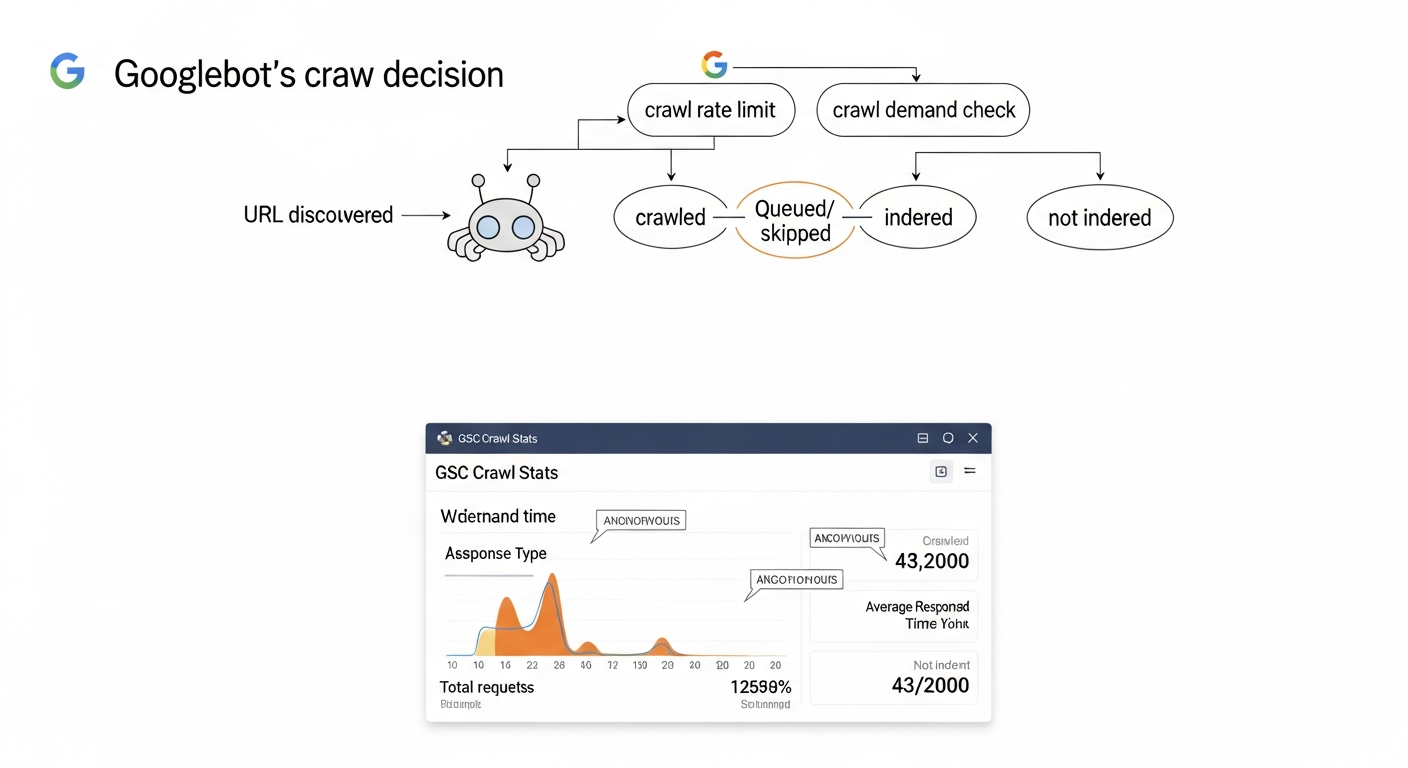
Crawl budget is the number of URLs Googlebot will crawl on your site within a given timeframe. It's determined by two factors: crawl rate limit (how fast Google crawls without overloading your server) and crawl demand (how much Google wants to revisit your pages based on popularity and freshness). When crawl budget runs out before Google reaches all your pages, unvisited pages don't get indexed — and can't rank. Small business sites most commonly waste crawl budget on duplicate URLs, faceted navigation, low-value parameter URLs, and pages blocked incorrectly by robots.txt.
What Crawl Budget Actually Means (and When It Matters)
Crawl budget isn't a single number Google publishes. It's the practical outcome of two interacting signals: how fast Googlebot can crawl your site without causing server strain (crawl rate limit), and how urgently Google wants to revisit your content based on its popularity, freshness, and link signals (crawl demand). The intersection of those two signals determines how many URLs Googlebot processes per day.
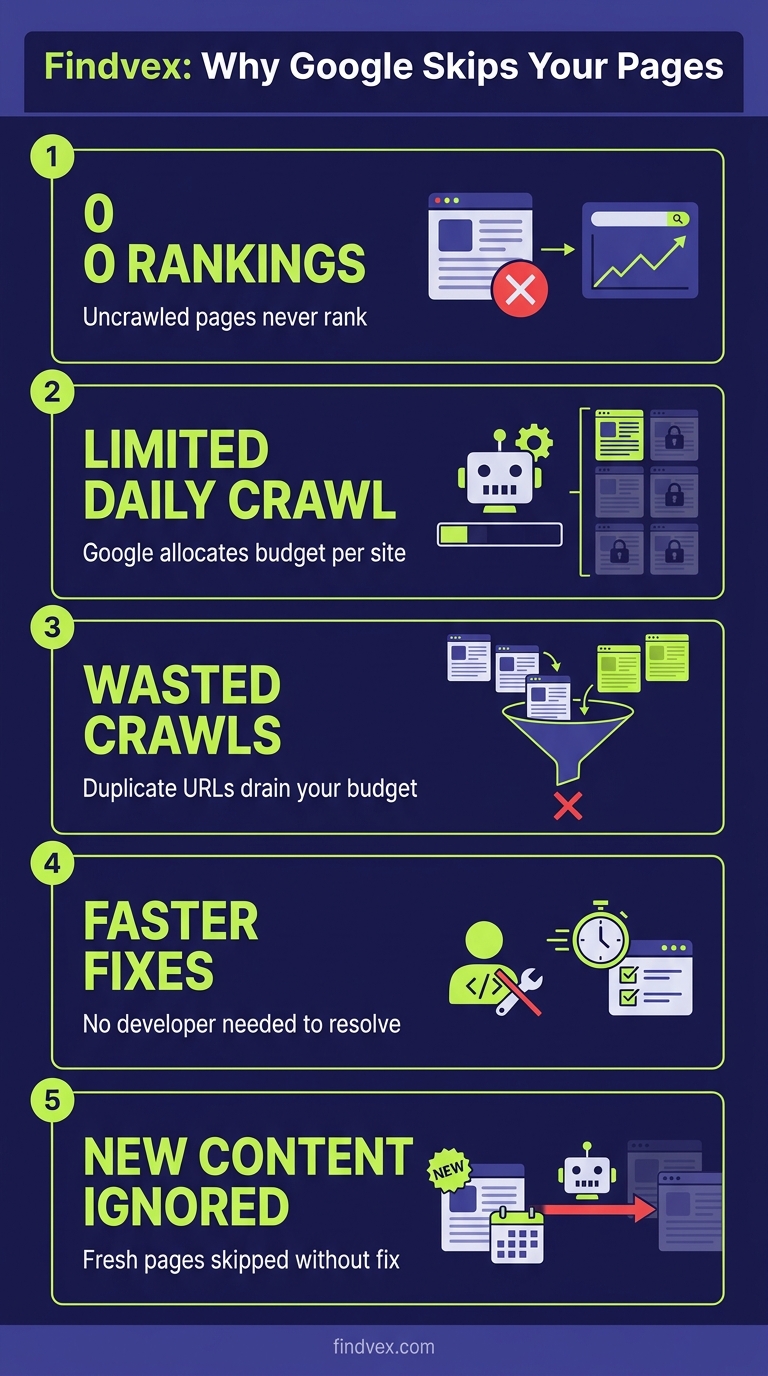
For most small business sites under a few hundred pages, crawl budget is not a limiting factor. Google will crawl a well-structured 50-page site fully, regularly. The problem emerges when your site generates far more crawlable URLs than Googlebot finds worth visiting — through faceted navigation, URL parameters, session IDs, thin duplicate pages, or large paginated archives. At that point, Googlebot starts triaging. Important pages get crawled less frequently, new content takes longer to appear in the index, and some URLs never get crawled at all.
The signal that you have a crawl budget problem is almost always an indexing problem first. If you're publishing new content and it takes weeks to appear in search — or if a significant portion of your submitted sitemap URLs show 'Discovered — currently not indexed' in Google Search Console — crawl efficiency is worth investigating.
Crawl Budget vs. Indexing: Two Separate Problems That Look the Same
A common mistake is treating 'Google isn't indexing my page' as a crawl budget problem when it's actually a content quality or canonicalization issue. Googlebot may have crawled the page and simply decided not to index it — this is a different failure mode with different fixes.
The distinction matters because the remedies diverge. Crawl budget problems are solved by reducing URL waste and improving site structure. Indexing problems (where Google crawled but chose not to index) are solved by improving content quality, fixing canonical signals, or resolving noindex directives.
Use Google Search Console's URL Inspection tool on a specific page to see the last crawl date and the indexing status. If the page shows 'Crawled — currently not indexed,' Google reached it but rejected it. If it shows 'Discovered — currently not indexed,' it's in the queue but hasn't been crawled — that's more likely a crawl budget or crawl prioritization issue.
“AI agents do in hours what teams used to do in weeks. The advantage compounds.”
7 Things That Waste Crawl Budget on Small Business Sites
Most crawl budget waste on small to mid-size sites falls into predictable categories. Identifying which applies to your site is the first diagnostic step.
- Faceted navigation and filter URLs: E-commerce and directory sites that generate URLs for every filter combination (e.g., /products?color=red&size=large&sort=price) can create thousands of low-value URLs from a small product catalog. Googlebot may spend the majority of its crawl budget on these variants.
- Tracking parameters on internal links: UTM parameters appended to internal links (e.g., ?utm_source=newsletter&utm_medium=email) create duplicate URLs from Google's perspective. Each variant may be crawled separately. This is a surprisingly common issue on sites that use marketing automation or run internal A/B tests.
- Session IDs in URLs: If your site appends a session identifier to every URL (/page?sessionid=abc123), every user visit generates a new unique URL. Googlebot treats each as a distinct page.
- Infinite scroll or auto-pagination with crawlable URLs: Pagination that generates deeply nested page sequences (/blog/page/1, /page/2... /page/147) can absorb crawl budget on low-value older content while newer, more important pages wait.
- Duplicate content across HTTP/HTTPS or www/non-www: If your site responds on both https://example.com and http://example.com without a strict redirect, Googlebot crawls both. Same for www vs. non-www variants.
- Low-value thin pages: Tag archives, date archives, author pages with one post, search results pages indexed by mistake — these pages consume crawl budget and provide little ranking value.
- Soft 404s served with 200 status codes: A page that shows 'product not found' but returns a 200 HTTP status looks like a real, crawlable page to Googlebot. These accumulate quickly on sites with dynamic product or listing pages.
Crawl Budget Diagnosis Checklist
Run through this checklist before touching any configuration. Fixing the wrong thing wastes time and can introduce new problems.
- ☐ Check crawl stats in GSC: Navigate to Settings → Crawl Stats in Google Search Console. Review total crawl requests per day over the last 90 days, and look at the 'by response' breakdown. A high volume of 301 redirects, 404s, or 'Other' responses signals waste.
- ☐ Compare sitemap URLs against GSC index coverage: Submit a clean XML sitemap, then check how many submitted URLs are indexed vs. 'Discovered — currently not indexed.' A large gap between submitted and indexed URLs is the clearest crawl demand signal.
- ☐ Run site:yourdomain.com in Google Search: A rough proxy — compare the approximate page count to your known page count. A significant discrepancy may indicate indexing gaps, though this operator is notoriously approximate.
- ☐ Crawl your site with Screaming Frog or Sitebulb: Look for the total URL count vs. what you expect. Large discrepancies usually mean parameter-generated or dynamically created pages are inflating the crawlable URL space.
- ☐ Inspect the URL Inspection report for key pages: Check your highest-priority pages individually. Note the 'Last crawl' date. If important pages were last crawled weeks ago, that's a signal.
- ☐ Check robots.txt for accidental blocks: Verify that key page templates, CSS, JavaScript, and images are not disallowed. A misconfigured robots.txt that blocks JS or CSS files prevents proper rendering.
- ☐ Identify parameter-driven URL bloat: In GSC Legacy or via a crawl tool, look for URL patterns with query strings. Count unique parameter variants — anything with dozens or hundreds of variants needs attention.
- ☐ Review redirect chains: More than one redirect hop between the canonical URL and the destination consumes extra crawl budget. Audit for chains of 301 → 301 → final destination.
What to Check in Google Search Console
Google Search Console provides the only first-party data on how Googlebot is actually interacting with your site. Here's where to look and what the signals mean.
- Settings → Crawl Stats: Shows total crawl requests by day, average response time, and a breakdown by response type (200, 301, 404, etc.) and file type. High redirect or 404 volumes are crawl budget drains. Spike-and-drop patterns in crawl requests can indicate server instability causing Googlebot to back off.
- Index → Pages (Coverage): The 'Discovered — currently not indexed' category is the most important for crawl budget analysis. A large count here means Google knows pages exist (via sitemaps or links) but hasn't crawled them yet — often because it doesn't consider them worth the crawl.
- Index → Sitemaps: Check for sitemap errors and compare submitted vs. indexed counts. A sitemap showing 500 submitted URLs but only 200 indexed is a clear signal worth investigating.
- URL Inspection Tool: Use this on individual important pages to see the exact last crawl date, the crawled URL (which may differ from the canonical), whether the page was indexed, and any crawl errors encountered.
- Legacy Search Console (if accessible): The old URL Parameters tool allowed you to instruct Google how to handle specific query strings (crawl, ignore, or crawl representative URL only). While this tool has been deprecated in the standard interface, parameter handling can still be managed via robots.txt disallow rules or canonical tags.
How to Fix Crawl Budget Waste: Specific Remedies by Cause
Each waste category has a specific fix. Match the remedy to the diagnosis — applying a canonical tag where a robots.txt disallow is appropriate (or vice versa) can cause more harm than leaving the issue alone.
- Faceted navigation / filter URLs → Use canonical tags pointing to the unfiltered page on all parameter variants. For high-volume cases, add Disallow rules in robots.txt for the specific parameter patterns (e.g.,
Disallow: /*?color=). Risk level: Medium — test canonical implementation carefully before deploying at scale. - UTM parameters on internal links → Remove all UTM parameters from internal links. UTMs are for analytics attribution, not user navigation. Tracking internal clicks via GA4 events or via server-side tagging doesn't require URL modification. Risk level: Low — this change also recovers link equity dilution.
- Session IDs in URLs → Fix at the application layer: configure the CMS or framework to use cookie-based sessions, not URL-based. This requires developer involvement. Risk level: Medium (requires code change, but the fix is well-defined).
- Thin archive pages → Add
noindexmeta robots tags to tag archives, date archives, and author pages with minimal content. Alternatively, disallow these URL patterns in robots.txt if you want to prevent crawling entirely (note: noindex + crawl-allowed is often preferable because it lets Google respect the signal). Risk level: Low. - Soft 404s → Fix at the application/server layer: pages that display 'not found' content should return a 404 or 410 HTTP status code, not 200. This requires developer work on the template logic. Risk level: Low once deployed correctly.
- HTTP/HTTPS or www/non-www duplicates → Implement a server-side 301 redirect from all non-canonical variants to the canonical. Do not rely on canonical tags alone for this — a hard redirect is the correct fix. Risk level: Low if implemented correctly, but test thoroughly to avoid redirect loops.
- Long redirect chains → Update internal links and sitemap entries to point directly to final destination URLs. Update external references where possible. Risk level: Low.
AI Crawlers Are Now a Crawl Budget Variable
Crawl budget in 2026 is no longer just about Googlebot. AI crawlers — OAI-SearchBot (OpenAI), ClaudeBot (Anthropic), PerplexityBot, and others — send their own crawl requests, and some are operating at significant volume. Depending on your server capacity and hosting plan, high-frequency AI crawler activity can affect response times, which in turn signals to Googlebot that your server is under load, causing it to reduce its crawl rate.
This is a real, operational issue for smaller sites on shared hosting. If your Crawl Stats report in GSC shows declining crawl rates alongside increased average response times, check your server access logs for non-Googlebot user agents. You may be allocating server resources to AI crawlers rather than Googlebot.
The decision of whether to allow or restrict AI crawlers involves tradeoffs covered in depth elsewhere — but from a pure crawl budget perspective, uncontrolled AI crawler activity can indirectly harm your Google crawl coverage. Review your robots.txt to make an explicit, intentional choice about which AI crawlers you allow.
Developer Handoff Notes
If you're handing these fixes to a developer, be specific. 'Fix crawl budget' isn't a ticket — these are.
- Ticket: Remove UTM parameters from all internal links sitewide. Audit every navigation element, CTA button, and in-body link. No internal href should contain utm_source, utm_medium, utm_campaign, or utm_content parameters. Analytics goals remain unaffected — track internal behavior via GA4 event tagging, not URL parameters.
- Ticket: Ensure all non-200 content returns correct HTTP status codes. Any template that renders a 'page not found,' 'product unavailable,' or 'no results' message must return a 404 (resource never existed) or 410 (resource removed) status code. Audit by crawling the site and filtering for pages whose title contains 'not found' or similar phrases alongside a 200 response.
- Ticket: Implement hard 301 redirects from HTTP to HTTPS and from www to non-www (or vice versa) at the server/CDN level. Confirm that only one canonical domain variant resolves. Test using
curl -I http://yourdomain.comandcurl -I http://www.yourdomain.com— both should chain to a single final HTTPS destination in one hop. - Ticket: Audit robots.txt to confirm CSS, JS, and image files are not disallowed. Use GSC's robots.txt tester to verify. Blocked rendering assets prevent Google from seeing the rendered page, which can cause it to treat the page as lower quality.
- Ticket: Switch session management from URL-based to cookie-based. Session IDs must not appear in any user-facing or crawlable URL. Test by loading the site in incognito mode and checking the address bar after navigation actions.
- Risk note for all tickets: Changes to robots.txt, canonical tags, and redirect configurations can have immediate and site-wide effects. Stage and test each change in a pre-production environment before deploying to production. Monitor GSC crawl stats for 2–4 weeks post-deployment.
How to Prioritize: When Crawl Budget Should Actually Be Your Focus
Crawl budget optimization is high-ROI for some sites and irrelevant for others. Use this decision framework to know which category you're in.
Crawl budget is likely your problem if: Your site has more than 1,000 indexable URLs; you run an e-commerce or directory site with dynamic filtering or search; you've recently migrated and have large volumes of 301 redirects; your GSC Coverage report shows hundreds or thousands of 'Discovered — currently not indexed' pages; or new content consistently takes more than two weeks to appear in search.
Crawl budget is probably not your problem if: Your site is a brochure or service site under 200 pages; all your pages are indexed and indexed quickly; your GSC crawl stats look healthy; or your main ranking challenges are content quality, authority, or on-page relevance.
If your site falls into the second category, time spent on crawl budget optimization is time not spent on content, links, or Core Web Vitals — which will move rankings more meaningfully. Be honest about the diagnosis before choosing the remedy.
FAQs
Does crawl budget affect small business websites with fewer than 100 pages?
Usually not directly. For a well-structured site with fewer than a few hundred pages and no URL parameter bloat, Googlebot will typically crawl all pages regularly. However, even small sites can create crawl waste through UTM parameters on internal links, duplicate www/non-www URLs, or soft 404s. If you're seeing 'Discovered — currently not indexed' in GSC for pages you've published, it's worth a quick audit — the cause may be content quality or canonical issues rather than crawl budget itself.
How do I check my crawl budget in Google Search Console?
Go to Settings → Crawl Stats in Google Search Console. You'll see total crawl requests over 90 days, average response time, and a breakdown by response type. A high volume of 301 or 404 responses indicates crawl waste. Also check Index → Pages and filter for 'Discovered — currently not indexed' — a large number here is a stronger signal of crawl demand problems than the crawl stats alone.
Can I directly tell Google to crawl my important pages more often?
Not directly — Google doesn't accept crawl frequency instructions. What you can do is improve the signals Google uses to determine crawl priority: submit an accurate XML sitemap with correct lastmod dates, ensure important pages are linked prominently in your site navigation, and improve page quality so Google sees the pages as worth revisiting. Removing low-value URLs from the crawlable URL space also indirectly increases the crawl share available to your important pages.
Does blocking AI crawlers help with crawl budget for Googlebot?
It can, indirectly. If AI crawlers (OAI-SearchBot, ClaudeBot, etc.) are generating significant server load on a limited hosting plan, they can degrade response times. Googlebot monitors server response time and reduces its crawl rate when your server is slow. Explicitly managing AI crawler access via robots.txt can free up server capacity for Googlebot. Check your server access logs to see the relative volume of AI vs. Googlebot requests before making this decision.
What's the difference between a crawl budget problem and an indexing problem?
Crawl budget problems mean Googlebot didn't visit the page recently or at all. Indexing problems mean Googlebot visited the page but decided not to include it in the index. In Google Search Console, 'Discovered — currently not indexed' typically suggests a crawl prioritization issue; 'Crawled — currently not indexed' means Google saw the page and rejected it — that's usually a content quality, duplication, or canonicalization issue, not a crawl budget issue. The fixes are different, so getting the diagnosis right matters.
How long does it take to see improvement after fixing crawl budget issues?
It depends on the fix and your site's crawl rate. After removing URL parameter bloat or fixing redirect chains, improvements in crawl coverage typically show up in GSC crawl stats within 2–4 weeks. Newly indexed pages may then start appearing in search results within a few days of being crawled. Large-scale changes (like fixing thousands of soft 404s) take longer to process through Google's systems.
Related reading
- robots txt seo — Robots.txt for Small Business Websites: What to Block, What to Allow, and What Silently Breaks Your SEO
- openai crawl activity tripled since gpt-5 — OpenAI Crawl Activity Tripled Since GPT-5: What It Means for Your Website
- AI crawler blocking strategy — The AI Crawler Protection Paradox: Why Brands Block Bots Then Pay to Be Seen
- what is a technical seo audit — What Is a Technical SEO Audit? The 7 Areas That Actually Determine Whether Google Can Rank Your Site
- how to fix core web vitals — How to Fix Core Web Vitals: The Sequence That Gets Small Business Sites to 'Good' Fastest
- seo news — Tracking Parameters in Internal Links Are Hurting Your SEO — Here's How to Fix Them
- bing grounding vs search indexing — Bing Grounding vs. Search Indexing: What Microsoft's Framework Means for Your Site's AI Visibility
- technical seo for shopify — Technical SEO for Shopify Stores: A Practical Guide
- core web vitals seo — Core Web Vitals for SEO: What Business Owners Need to Fix First
- home services seo — Home Services SEO Benchmark: What It Actually Takes to Rank in the Top 3 in 2026
Research notes
Background claims used while researching this article. Verify with the cited authorities before quoting.
- Google's official documentation on crawl budget — specifically the distinction between crawl rate limit and crawl demand — should be linked to Google Search Central documentation for authoritative sourcing.
- The statement that AI crawler activity can indirectly affect server response time and thereby reduce Googlebot's crawl rate on shared hosting plans would benefit from a source — either server log data, a hosting provider's published analysis, or a Google Search Central community post.
Marcus Chen
Head of Technical SEO · Findvex
Marcus Chen heads technical SEO at Findvex. He writes about Core Web Vitals, indexing, schema, and JavaScript SEO — translating Google’s documentation into checklists small business owners can actually act on.
Expertise: Core Web Vitals · Indexing & crawlability · Schema / structured data · JavaScript SEO
Related reads
Google TurboQuant and Entity-Driven SEO: What the Compression Breakthrough Actually Means for Your Site
TurboQuant is a vector quantization algorithm from Google Research that dramatically compresses the mathematical representations AI uses to understand meaning. If it reaches production search infrastructure, it could lower the cost of semantic retrieval at scale — making entity-based content signals more dominant and keyword-match signals relatively less important.
SEO NewsHow AI Is Changing Local Search Visibility: What the SOCi + Google Webinar Revealed
Google and SOCi's joint webinar on local search visibility highlighted a fundamental shift: AI-powered discovery across Google Search, Maps, and Gemini now requires a different optimization playbook than the one most small businesses are running. Here's what changed and what to prioritize.
Strategic Technical SEODuplicate Content SEO: What Google Actually Penalizes vs. What It Silently Handles
Duplicate content rarely triggers a manual penalty. Google usually picks one version and ignores the rest. But the wrong choice by Google can split your ranking signals, waste crawl budget, and suppress pages you actually want ranked. Here's how to diagnose the difference.