OpenAI Crawl Activity Tripled Since GPT-5: What It Means for Your Website
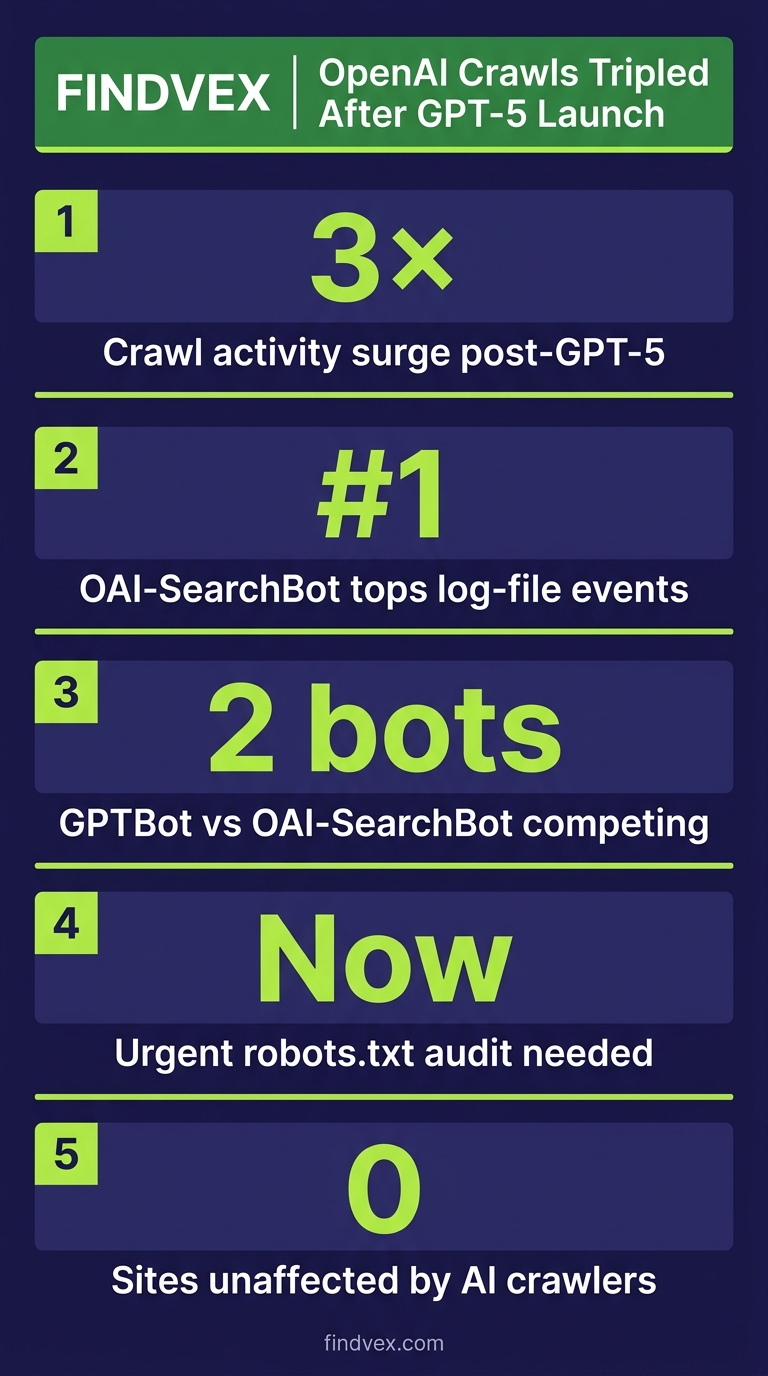
OpenAI's crawl activity roughly tripled following the GPT-5 launch, with OAI-SearchBot overtaking GPTBot in log-file events. If you haven't audited your robots.txt or server logs for AI crawler behavior recently, now is the time.
Quick answer
According to data reported by Search Engine Journal, OpenAI's crawl activity roughly tripled after GPT-5 launched. OAI-SearchBot — the crawler that powers ChatGPT search results — is now generating more server log events than GPTBot, which handles training data. The practical implication: if your robots.txt allows AI crawlers, you may be receiving significantly more crawl traffic from OpenAI than you were six months ago. If you're blocking them, you're likely invisible in ChatGPT-generated answers.
What Actually Happened: OpenAI's Two Crawlers and the GPT-5 Inflection Point
According to data reported by Search Engine Journal (sourced from crawl log analysis published April 2026), OpenAI's total web crawl activity roughly tripled in the period following the GPT-5 launch. The more significant finding is which crawler drove that growth: OAI-SearchBot, not GPTBot.
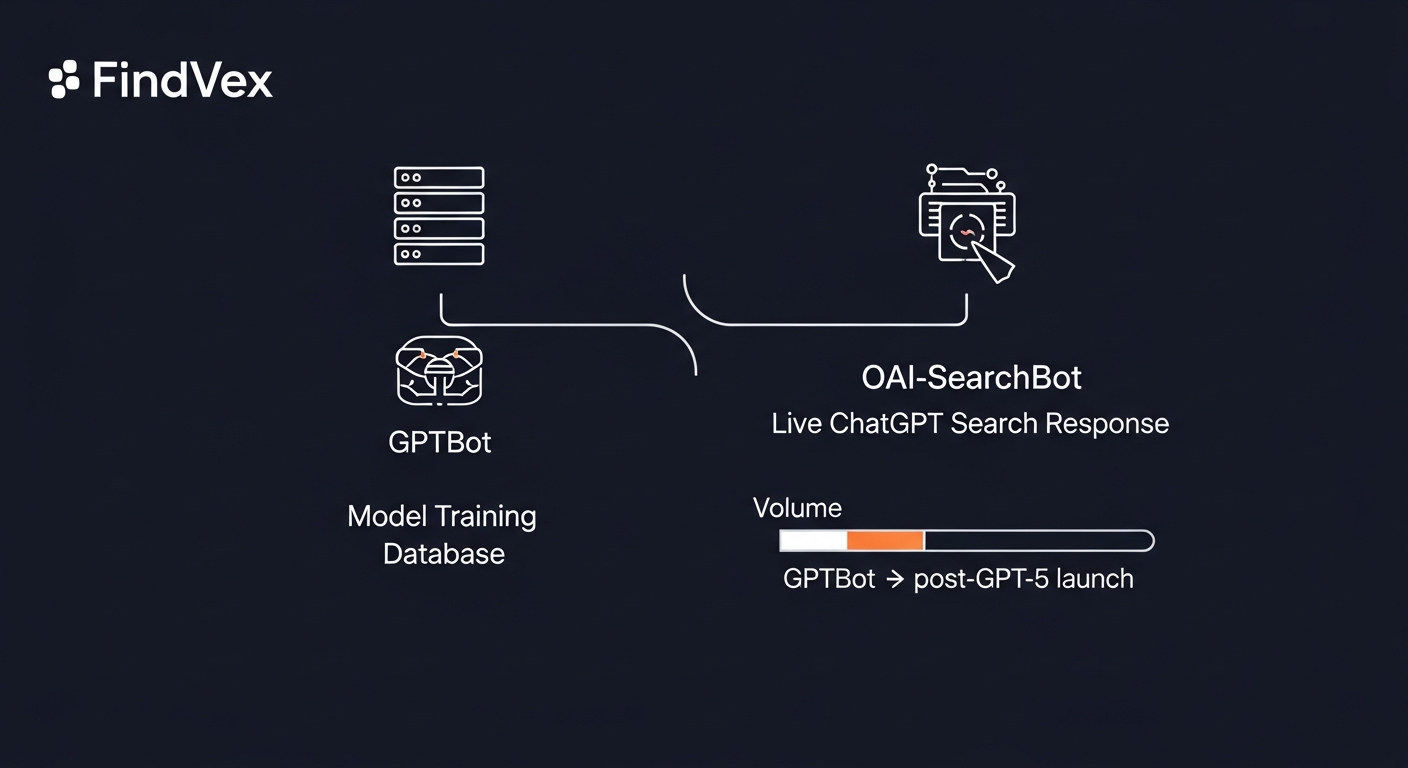
These are two distinct bots with different jobs. GPTBot crawls the web to collect training data — the raw material used to build and update OpenAI's language models. OAI-SearchBot is the real-time retrieval crawler that fetches live web content to power ChatGPT's search responses. When someone asks ChatGPT a question that requires current information, OAI-SearchBot goes out and retrieves it. The fact that OAI-SearchBot is now outpacing GPTBot in log events suggests OpenAI is leaning harder into live search retrieval — not just model training.
That's an important distinction for SEO strategy. GPTBot inclusion matters for long-term model training and brand presence in AI-generated knowledge. OAI-SearchBot inclusion matters for showing up in ChatGPT answers right now, today, when someone asks a question your business could answer.
Who This Affects and How
The crawl surge is not evenly distributed. Site owners fall into three practical categories based on their current robots.txt configuration and content type.
- You're allowing both GPTBot and OAI-SearchBot: Your server is absorbing the full crawl load increase. This is mostly fine, but worth checking your hosting logs if you're on a constrained shared server — a 3x spike in bot traffic from a single source can surface bandwidth or rate-limit issues.
- You're blocking GPTBot but not OAI-SearchBot (or vice versa): This is the most common misconfiguration. Many site owners added a GPTBot block in 2023 when that was the only known OpenAI crawler, and never revisited when OAI-SearchBot appeared. These are separate user-agent strings requiring separate directives.
- You're blocking both: You're invisible to ChatGPT search answers. Whether that's the right call depends on your business model — more on that below.
- You have no explicit robots.txt directives for AI crawlers: OpenAI's crawlers will treat your site as open access by default, which means you're being crawled but have made no deliberate choice about it.
“AI agents do in hours what teams used to do in weeks. The advantage compounds.”
Diagnosis Checklist: Audit Your AI Crawler Configuration
Before deciding what to do, establish your current state. This takes under 20 minutes.
- Check your robots.txt: Visit yourdomain.com/robots.txt. Search for 'GPTBot' and 'OAI-SearchBot'. Note whether each is explicitly allowed, disallowed, or absent.
- Pull your server access logs (or CDN logs): Filter for user-agent strings containing 'GPTBot' and 'OAI-SearchBot'. Compare request volumes over the last 30, 60, and 90 days. A 3x increase in OAI-SearchBot events since late 2025 or early 2026 is consistent with the reported trend.
- Check for crawl errors specific to AI bots: If you're rate-limiting or your server is returning 429s to these user agents, that's a signal your infrastructure isn't sized for the new volume.
- Verify your Cloudflare or CDN settings independently: CDN-level bot rules can override or conflict with robots.txt. If you've enabled Cloudflare's AI bot blocking defaults (which were announced as on-by-default in mid-2025), those rules apply at the edge — before your server ever sees the request. Your robots.txt may say 'allow' while Cloudflare is blocking.
- Check if OAI-SearchBot is respecting your directives: OAI-SearchBot is documented to respect robots.txt. GPTBot is also documented as robots.txt-compliant. However, independent researchers have found inconsistencies in compliance across AI crawlers generally — if you've blocked a user agent and still see it in logs, that's worth escalating.
What to Check in Google Search Console
Google Search Console won't show you OpenAI crawl data directly — that's a server-log problem, not a GSC problem. But GSC gives you useful context for making the allow-or-block decision.
- Crawl Stats report (Settings > Crawl Stats): Review your total crawl requests over time. If overall bot traffic has spiked and your Googlebot crawl rate has stayed flat, other crawlers are consuming crawl budget. For most modern sites this is not a Googlebot crawl budget problem, but for large or slow sites it's worth monitoring.
- Coverage report: Check for any sudden increase in 'Discovered — currently not indexed' pages. Heavy non-Google bot traffic can occasionally create server load that degrades Googlebot's crawl experience.
- Core Web Vitals report: Server load spikes from crawlers can temporarily degrade TTFB (Time to First Byte), which affects real-user experience data. If your CWV scores dipped without an obvious code change, cross-reference with your server access logs for bot traffic spikes on those dates.
- Manual Actions and Security Issues: No direct connection to AI crawlers, but worth checking if you're doing a full audit anyway.
Should You Allow or Block OAI-SearchBot After This Surge?
This is the decision most site owners are circling. The answer isn't universal — it depends on what your website is for.
If your website exists to generate leads, bookings, or service inquiries — a dentist, contractor, law firm, local retailer — allowing OAI-SearchBot is the better default. ChatGPT's user base is actively asking service questions. When someone asks 'who's a good HVAC company in Austin,' OAI-SearchBot retrieves live content from sites it can access. If you've blocked it, you don't exist in that answer. We covered the broader strategic tension around this in our piece on the AI crawler protection paradox.
If your website's revenue model depends on ad impressions or paywalled subscription content — a media publisher, content aggregator, or news site — the calculus shifts. AI retrieval can substitute for a visit, reducing your ad revenue per topic. In that case, blocking OAI-SearchBot while pursuing licensing arrangements is a defensible strategy.
The middle-case businesses (e-commerce, SaaS, content-heavy blogs with affiliate revenue) need to do the math on whether AI citation drives referral traffic or cannibalizes it. There's no clean industry data on this yet [source needed — would benefit from linking to a study on ChatGPT referral traffic conversion rates when one becomes available].
How to Configure robots.txt for GPTBot and OAI-SearchBot
Here are the four configurations you might actually want, written as literal robots.txt syntax.
- Allow both (default behavior if absent — making it explicit): User-agent: GPTBot Allow: / User-agent: OAI-SearchBot Allow: /
- Allow OAI-SearchBot (ChatGPT search) but block GPTBot (training data): User-agent: GPTBot Disallow: / User-agent: OAI-SearchBot Allow: /
- Block both: User-agent: GPTBot Disallow: / User-agent: OAI-SearchBot Disallow: /
- Allow crawling but restrict specific directories (e.g., block /members or /checkout from training): User-agent: GPTBot Disallow: /members/ Disallow: /checkout/ Allow: / User-agent: OAI-SearchBot Allow: /
Risk Assessment for Each Configuration
Every robots.txt change carries tradeoffs. Here's how I'd rate the risk level for each scenario.
- Switching from block to allow (OAI-SearchBot): Low risk. You're opening a door that was closed. The downside risk is minimal for service businesses; the upside is AI search visibility. Implement and monitor log volume for 30 days.
- Switching from allow to block (OAI-SearchBot): Medium risk for service businesses. You immediately lose ChatGPT search citation eligibility. Appropriate for publishers with a deliberate licensing strategy, but shouldn't be done reactively without a plan for what comes next.
- Blocking GPTBot only: Low risk in most cases. Training data exclusion doesn't affect current ChatGPT search answers (that's OAI-SearchBot's job). However, long-term model representation may decline over time — this matters more for brand authority in AI than for immediate search results.
- Doing nothing / leaving robots.txt unchanged: Low operational risk, but potentially high strategic risk if your competitors are actively optimizing for AI crawler access and you're not. The 3x crawl surge suggests OpenAI is investing heavily in real-time retrieval. Not having a deliberate policy is itself a choice.
Developer Handoff Notes
If you need to hand this work to a developer or agency, here's a precise brief they can act on without back-and-forth.
- Task: Review and update robots.txt to include explicit directives for 'GPTBot' and 'OAI-SearchBot' user agents. Current file may predate OAI-SearchBot's existence (it became active post-ChatGPT search launch in 2024).
- Verification: After deployment, fetch yourdomain.com/robots.txt and confirm both user-agent blocks are present. Also use Google's robots.txt Tester in Search Console to confirm parsing is correct.
- CDN conflict check: If the site uses Cloudflare, verify that Zone-level WAF or Bot Management rules are not independently blocking these user agents in a way that conflicts with robots.txt intent. Cloudflare rules take effect before the origin server and before robots.txt is consulted.
- Log monitoring: Set up a filter in your log analysis tool (Cloudflare Analytics, server access logs, or a third-party like Datadog) to track daily request counts for 'OAI-SearchBot' and 'GPTBot' user agents. Baseline for 30 days post-change.
- No code deployment required for robots.txt changes on most platforms — it's a static text file. On WordPress, you can manage it via Yoast SEO or Rank Math. On Shopify, it requires theme file access. On custom platforms, confirm the file isn't being dynamically generated and cached in a way that delays propagation.
What This Trend Signals About AI Crawling in 2026
The OAI-SearchBot volume surge isn't a one-time anomaly — it reflects a structural shift in how AI companies are using the web. Training data collection (GPTBot's job) is becoming less urgent as frontier models mature. Real-time retrieval (OAI-SearchBot's job) is becoming more important as AI assistants compete with Google on freshness and specificity.
That means the web-as-training-data debate of 2023–2024 is giving way to the web-as-live-database model. Your content isn't just being used to train a model once — it's being retrieved repeatedly, in real time, every time a relevant question is asked. The business implications are significant: structured, clearly-authored, crawlable content with strong entity signals (who wrote it, what business it's from, what location it serves) is increasingly what determines whether you appear in AI answers.
This connects directly to the technical fundamentals we cover in our technical SEO audit checklist — crawlability, canonical structure, and clear entity signals aren't just Google optimization anymore. They're table stakes for AI search visibility.
Whether OpenAI's crawl activity stabilizes at 3x or continues growing is unknown. But the direction is clear. Treating AI crawler configuration as a set-and-forget task is no longer viable. Quarterly log reviews for AI bot behavior should be standard practice for any business that depends on organic search traffic.
FAQs
What is OAI-SearchBot and how is it different from GPTBot?
GPTBot collects web content to train OpenAI's AI models. OAI-SearchBot is a separate crawler that retrieves live web content to power ChatGPT's real-time search responses. They have different user-agent strings and require separate robots.txt directives. Blocking one does not block the other.
Will blocking GPTBot hurt my Google rankings?
No. GPTBot is OpenAI's crawler, not Google's. Blocking it has no direct effect on Googlebot crawling or Google Search rankings. Your Google SEO is unaffected by GPTBot directives.
Does OpenAI's OAI-SearchBot respect robots.txt?
OpenAI documents OAI-SearchBot as robots.txt-compliant. However, independent researchers have reported inconsistencies in AI crawler compliance across the industry generally. It's worth monitoring your logs after adding a Disallow directive to verify the bot is honoring it.
Can a 3x increase in AI crawler traffic hurt my site's performance?
For most modern sites on adequate hosting, no. But if you're on a constrained shared hosting plan, or if your server is rate-limiting bots and returning 429 errors, increased crawl load can surface problems. Check your server logs for error rate changes correlated with bot traffic spikes.
If I block OAI-SearchBot, will I still appear in ChatGPT answers?
Not through real-time retrieval. ChatGPT may still reference your content if it was included in model training data (via GPTBot) before your block, but you won't appear in ChatGPT's live search responses. For businesses that want AI search visibility, blocking OAI-SearchBot is a significant tradeoff.
How do I know if Cloudflare is blocking AI crawlers independently of my robots.txt?
Check Cloudflare's Security > WAF > Managed Rules and Bot Management settings. If you're on a Pro plan or higher, Cloudflare may have enabled AI bot blocking rules by default following their 2025 announcement. These operate at the edge and override your robots.txt intent — a bot that's blocked at the CDN layer never reaches your server to read robots.txt.
Sources & Citations
- Search Engine Journal — Primary source for crawl activity data — article should link to or cite the Search Engine Journal report directly
- source-needed — referral traffic study for ChatGPT search citations — Data on ChatGPT referral traffic conversion rates vs. AI citation without visit — no reliable published study found at time of writing; flag for future update when available
Marcus Chen
Writing about AI, search, and what actually moves the needle for US small businesses.
Related reads
The AI Crawler Protection Paradox: Why Brands Block Bots Then Pay to Be Seen
Businesses are simultaneously blocking AI crawlers from scraping their content and paying to appear in AI-generated answers. That contradiction has a name: the protection paradox. Here's what it means technically, and what small businesses should actually do about it.
industry-seo-playbooksReal Estate SEO: A Practical Guide for Small Businesses
Real estate SEO helps agents, brokerages, and property managers rank in local Google searches so buyers and sellers find them first. This guide covers everything from Google Business Profile to IDX optimization and neighborhood content—practical steps you can start this week.
local-seo-for-service-businessesNear Me SEO: A Practical Guide for Small Businesses
"Near me" searches connect high-intent buyers to local businesses — but ranking for them requires more than just adding the phrase to your website. This guide covers every lever you can pull, from your Google Business Profile to on-page signals and review strategy.