Google Business Profile Audit Checklist: 23 Things That Actually Affect Your Local Ranking
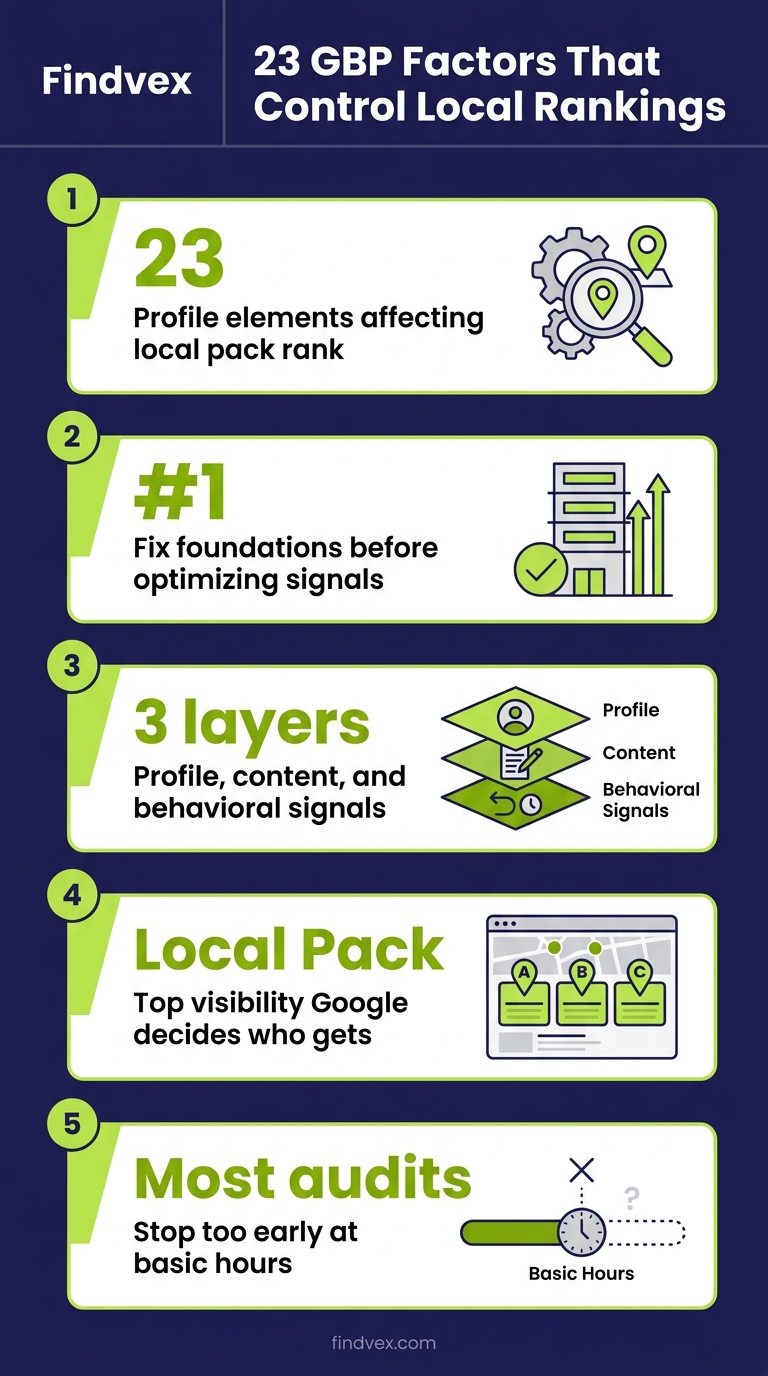
Most Google Business Profile audits stop at 'fill in your hours.' This checklist goes deeper — covering the 23 specific profile elements, content signals, and behavioral factors that correlate with local pack visibility. Work through it in order: fix the foundations first, then optimize the signals Google uses to decide who ranks.
Quick answer
A Google Business Profile audit covers three layers: (1) foundational accuracy — name, address, phone, category, and hours; (2) content completeness — photos, services, attributes, business description, and posts; and (3) behavioral signals — review velocity, Q&A responses, and profile engagement. Missing or inconsistent data in any layer can suppress your Local Pack ranking even if your website SEO is solid.
Section 1
Your Google Business Profile is not a set-and-forget listing. It is a structured data feed that Google uses to decide whether your business belongs in the Local Pack for a given search. Gaps in that feed — wrong categories, missing attributes, stale photos, unacknowledged reviews — create ranking suppression that no amount of website optimization will fix.
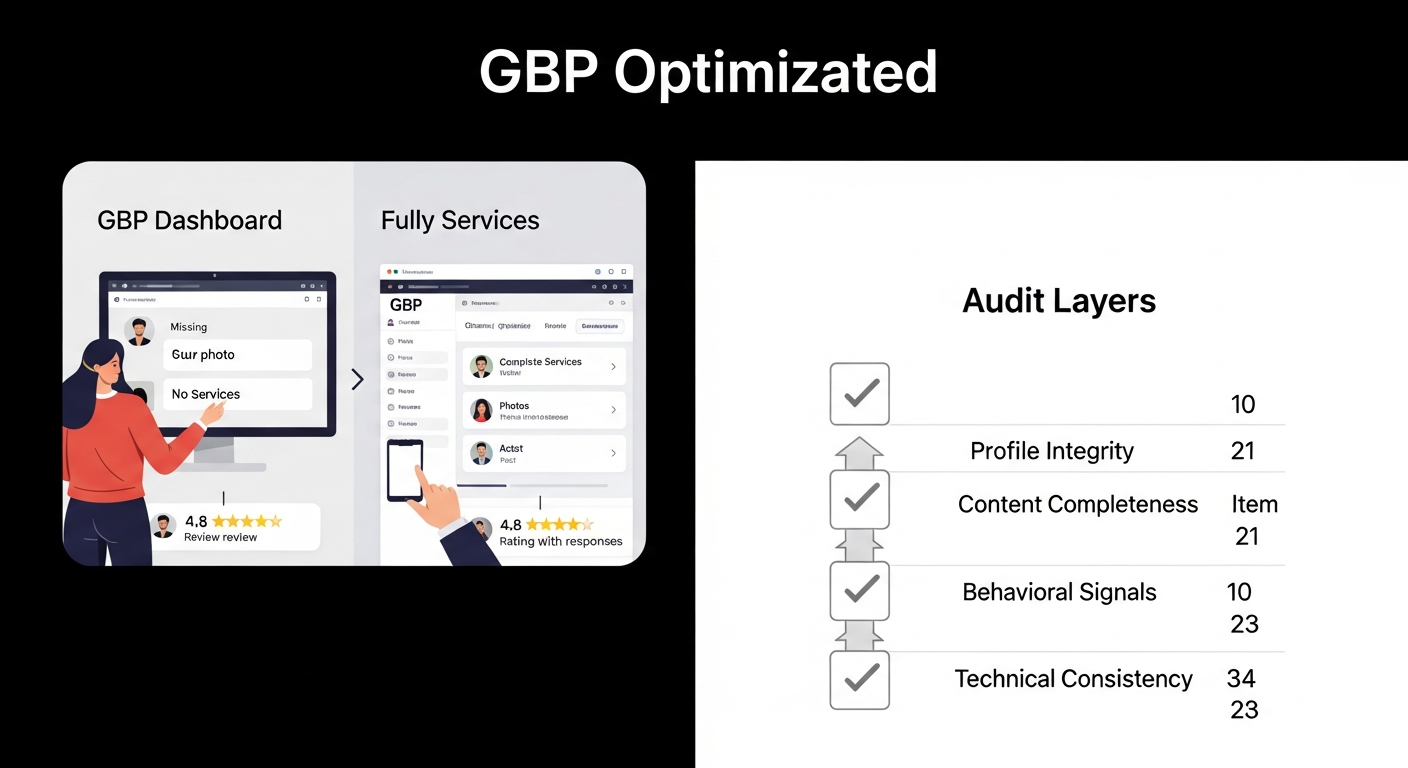
This checklist is organized into four diagnostic layers: Profile Integrity, Content Completeness, Behavioral Signals, and Technical Consistency. Work through them in order. The first two layers are table stakes; the last two are where most businesses leave ranking on the table.
Diagnosis Checklist: How to Use This Audit
Before you start editing, open your GBP dashboard alongside Google Search Console and run a quick baseline. You want to know your current Local Pack position for your primary service keywords, your profile's current impression count from the GBP performance tab, and whether any profile sections show a 'Suggested edit' flag from third-party contributors.
Risk level is noted for each item. Low-risk fixes are safe to implement immediately. Medium-risk changes — like primary category switches — should be monitored for 4–6 weeks post-change. High-risk edits, such as name or address changes, can trigger a re-verification requirement.
- Open: Google Business Profile Manager → Performance → Search queries
- Open: Google Search Console → Search results → filter by branded queries
- Note: Any 'Pending edits' or 'Suggested edits' from Google or third parties
- Note: Current review count, average rating, and last review date
- Note: Last photo upload date and current photo count
“AI agents do in hours what teams used to do in weeks. The advantage compounds.”
Layer 1: Profile Integrity (Items 1–8)
These are the foundational signals Google uses to verify your business is real, legitimate, and operating at a specific location. Errors here create NAP (Name, Address, Phone) inconsistency that suppresses trust across both local search and AI-generated answers.
1. Business Name Matches Legal / Signage Name — No Keyword Stuffing
Risk level: High. Your GBP name must match the name you use on your storefront, website, and legal filings. Adding city names or service keywords to your business name (e.g., 'Smith Plumbing — Austin TX Emergency Plumber') violates Google's guidelines and can result in listing suspension. If competitors are doing this and outranking you, report their listings via the 'Suggest an edit' flag — Google does action these reports.
What to check: Compare the GBP name field against your website header, invoices, and state business registration.
2. Address Is Verified, Accurate, and Consistent with Your Website
Risk level: High. An address mismatch between GBP, your website's footer, and your schema markup (LocalBusiness structured data) is one of the most common causes of local ranking suppression. Google cross-references these sources. Suite numbers, building names, and abbreviations must be identical across all properties.
What to check in Google Search Console: Run a URL inspection on your homepage and confirm the structured data report shows the correct address parsed in your LocalBusiness schema.
3. Primary Phone Number Is a Local Area Code (Not a Tracking Number as the Only Entry)
Risk level: Medium. Google's local ranking system places higher trust on local phone numbers than toll-free or generic tracking numbers. If you use call tracking, the recommended approach is to list your real local number as the primary entry and add the tracking number as a secondary number. This preserves NAP consistency while allowing attribution.
Developer handoff note: If call tracking is implemented via JavaScript number swapping on the website, confirm the static HTML in the page source still shows the local number — Googlebot reads the static source, not the rendered number.
4. Primary Category Is the Most Specific Match for Your Core Service
Risk level: Medium. Primary category is one of the strongest ranking signals in the Local Pack. 'Plumber' outperforms 'Contractor' for plumbing searches. 'Family Dentist' outperforms 'Dentist' for family-oriented queries in most markets. Google's category list is updated periodically — check whether a more specific category has been added since you set up the profile.
What to check: Search your primary service keyword in Google Maps. Look at the category badge on your top 3 competitors' listings. If their primary category differs from yours and they consistently outrank you, that is a signal worth testing.
5. Secondary Categories Cover All Distinct Services You Provide
Risk level: Low. Secondary categories expand the search queries your profile is eligible to appear for. A plumber who also does water heater installation should add 'Water Heater Supplier' or 'Water Treatment Supplier' as applicable secondary categories. Do not add categories for services you do not provide — that is a guideline violation.
6. Service Area Is Defined Correctly (SABs) or Address Is Shown (Storefronts)
Risk level: Medium. Service Area Businesses (SABs) — plumbers, landscapers, HVAC contractors — should hide their physical address and define service areas by city or ZIP code. Showing a home address as a storefront location when you do not receive customers there is a guideline violation and will be rejected during verification. Storefronts that do have a physical location customers visit should show the address, not hide it.
What to check: GBP Dashboard → Info → 'Location' and 'Service area' — confirm only one approach is active and it accurately reflects your business model.
7. Hours Are Current, Including Holiday Hours
Risk level: Low (but high user-experience impact). Incorrect hours generate negative reviews, reduce conversion from profile views, and can trigger 'Temporarily closed' or 'Permanently closed' flags from user-suggested edits. Google sometimes auto-populates 'Popular times' data that conflicts with your listed hours — check this monthly.
What to check: GBP Dashboard → Info → Hours. Add special hours for upcoming public holidays. If you offer 24/7 emergency service, confirm that is reflected either in hours or in the business description.
8. Website URL Points to the Most Relevant Landing Page (Not Always the Homepage)
Risk level: Low. For multi-location businesses, the website URL in each GBP listing should point to the specific location page, not the homepage. For single-location businesses, the homepage is usually correct — unless you have a dedicated 'Contact Us' or 'Service Area' page that converts better. The URL should load without redirects; a redirect chain from GBP → HTTP → HTTPS → trailing slash adds unnecessary crawl latency.
Developer handoff note: Test the URL in a browser incognito session and confirm it resolves in a single step to the canonical URL. Check for redirect chains using a tool like Screaming Frog or your browser's network panel.
Layer 2: Content Completeness (Items 9–16)
A complete profile signals legitimacy and provides Google with more structured data to match your listing to relevant queries. These items also affect the visual real estate your listing occupies in the Local Pack — businesses with photos, attributes, and service listings tend to get more profile actions.
9. Business Description Uses 750 Characters and Includes Primary Service + Location
Risk level: Low. The business description does not directly influence ranking, but it appears in your Knowledge Panel and influences click-through and conversion. Use the full 750 characters. Include your primary service, the city or region you serve, and one clear differentiator (years in business, certifications, specialization). Avoid promotional language like 'best' or 'number one' — Google may reject descriptions containing those terms.
10. Services Section Lists Individual Services with Descriptions and Prices
Risk level: Medium. The Services section is one of the most underutilized ranking levers in GBP. Each service entry creates a structured data node that Google can match to specific queries. A plumber listing 'Drain Cleaning,' 'Water Heater Installation,' and 'Sewer Line Repair' as distinct services — each with a description — is more likely to appear for those individual service searches than a listing with a single generic 'Plumbing Services' entry.
What to check: GBP Dashboard → Services. Ensure every core service has its own entry. Add prices where you can quote a starting rate or flat fee — this reduces 'price anxiety' clicks that bounce immediately.
11. Products Section Is Used for Retail or Physical-Good Businesses
Risk level: Low. If you sell physical products — a hardware store, a bakery, a boutique — the Products section surfaces those items directly in search results and on your profile. Service businesses should skip this and focus on the Services section instead. Mixing both creates content dilution.
12. All Relevant Attributes Are Selected, Including Accessibility and Payment Options
Risk level: Low (but high query-match impact). Attributes filter directly into Google Maps searches. A customer searching 'dentist near me wheelchair accessible' will only see profiles with that attribute checked. Attributes vary by category — some are objective (verified by Google from data sources like third-party accessibility audits), and some are subjective (set by the owner). Review every available attribute for your category.
Common attributes to check: Wheelchair accessible entrance, serves dine-in / takeout / delivery (restaurants), accepts credit cards, LGBTQ+ friendly, women-owned, veteran-owned, Black-owned, online appointments available, free Wi-Fi.
13. Photos Include Exterior, Interior, Team, and Work Samples — Updated Within 90 Days
Risk level: Medium. Photo freshness and variety are correlated with higher profile engagement rates. Profiles with recent, high-quality photos receive more direction requests and website clicks than those with outdated or stock photography. Google's own guidance recommends at least three exterior photos (from different angles and times of day), interior shots, team photos, and product or work samples.
What to check: GBP Dashboard → Photos. Sort by date. If your most recent photo is older than 90 days, that is a gap. Delete blurry, low-resolution, or irrelevant user-uploaded photos that you can control. You cannot delete all user-uploaded photos, but you can flag those that violate guidelines.
14. Logo and Cover Photo Are Set and Sized Correctly
Risk level: Low. The logo appears in search results alongside your listing name. A missing or blurry logo reduces trust signals. Recommended dimensions: logo at 250×250 px minimum, cover photo at 1080×608 px. Both should be JPG or PNG, under 5MB. Google may auto-select a cover photo from your uploaded library if you do not explicitly set one — that auto-selection is often not the best choice.
15. Google Posts Are Active — At Least One Published Within the Last 7 Days
Risk level: Low. Google Posts expire after 7 days (Offer and Event posts have their own timelines). An expired post effectively means your profile has no active post content. While posts are not a confirmed direct ranking factor, they increase the amount of content Google can index from your profile and give searchers a reason to engage. Post types: What's New, Offer, Event. For most service businesses, a 'What's New' post about a recent job, seasonal service reminder, or a direct call-to-action (book now, call today) is sufficient.
16. Q&A Section Has Owner-Answered Questions for Common Queries
Risk level: Medium. The Q&A section is publicly editable — anyone can ask and anyone can answer. This means incorrect information can appear in your profile without your knowledge. More importantly, you can seed your own questions and answer them as the profile owner. Common questions to pre-populate: 'Do you offer free estimates?', 'Are you licensed and insured?', 'What areas do you serve?', 'Do you offer emergency service?'
What to check: View your GBP profile while logged out of your Google account. Read every Q&A entry. Flag and report any incorrect user-submitted answers.
Layer 3: Behavioral Signals (Items 17–20)
These are the signals that competitors cannot directly control on your behalf — but you can systematically improve them. Behavioral signals reflect real-world customer interactions and are weighted heavily in local ranking algorithms.
17. Review Velocity Is Consistent — Not Spiked or Stalled
Risk level: High (if manipulated). Review velocity — the rate at which new reviews arrive — matters more than total review count in isolation. A business with 200 reviews and no new reviews in six months signals inactivity to Google's local ranking system. A business with 40 reviews but three to five new reviews per month signals an active, operating business.
What not to do: Never purchase reviews, post fake reviews, or offer incentives for positive reviews — this violates Google's policies and can result in listing suspension or a review penalty that removes existing legitimate reviews. Build a systematic ask process: email follow-up post-service, a QR code on receipts, a direct GBP review link in your email signature.
18. All Reviews — Positive and Negative — Have an Owner Response
Risk level: Medium. Unanswered reviews signal disengagement. Responding to every review — within 48 hours when possible — demonstrates active profile management. For negative reviews, a professional response that acknowledges the issue, offers resolution, and avoids defensiveness is more valuable than no response. Google has confirmed that responding to reviews is a best practice for local search; whether it directly affects ranking is debated, but its effect on conversion from the profile view is clear.
What to check: GBP Dashboard → Reviews → filter by 'Has no response.' Respond to all outstanding reviews before moving to other optimizations.
19. Recent Reviews Mention Specific Services and Location Keywords
Risk level: Low (cannot be directly controlled, but can be influenced). Review content that mentions specific services ('fixed our water heater in Austin') provides Google with additional topical and geographic signals. You cannot control what customers write, but you can influence it by asking specific questions when making the review request: 'If you're happy with our service, would you mind sharing what we helped you with and where you're located?' This is a legal and ethical ask — it is not scripting or incentivizing.
20. Profile Engagement Metrics Show Direction Requests, Calls, and Website Clicks
Risk level: Low (diagnostic only). The GBP Performance tab shows how many users requested directions, called your business, or clicked through to your website from your profile. Declining trends in these metrics — even if your ranking position is stable — indicate a content or conversion problem on the profile itself. Compare your metrics month-over-month and against the period before any profile changes you made.
What to check in Google Search Console: Cross-reference GBP profile click data with Search Console's branded query impression data. If branded impressions are growing but profile clicks are flat, your profile content may not be compelling enough to drive action.
Layer 4: Technical Consistency (Items 21–23)
The final layer connects your GBP to the broader technical signals Google uses to verify and rank local businesses. These items require coordination between your GBP profile, your website, and any third-party citation sources.
21. NAP Is Consistent Across Top Citation Sources
Risk level: Medium. NAP (Name, Address, Phone) inconsistencies across Yelp, Apple Maps, Bing Places, Facebook, and industry directories (e.g., Healthgrades for medical, Avvo for legal, Houzz for home services) create conflicting signals that can suppress local ranking. The fix is manual: audit each major citation source and correct discrepancies. For scale, citation management tools can automate this, but spot-check them — automated tools sometimes introduce their own formatting inconsistencies.
Developer handoff note: If your business recently moved, changed phone numbers, or rebranded, create a task list of every citation source that needs updating. Do not wait for Google to reconcile the data — it may take months.
22. Website Has Valid LocalBusiness Schema with Matching NAP and GBP Data
Risk level: Medium. Your website's LocalBusiness (or subtype: Plumber, Dentist, Restaurant, etc.) schema markup should contain the exact same name, address, phone, and URL as your GBP. Mismatches create signal conflicts. At minimum, your schema should include: @type, name, address (with streetAddress, addressLocality, addressRegion, postalCode, addressCountry), telephone, url, openingHours, and geo (latitude/longitude).
What to check: Use Google's Rich Results Test (search.google.com/test/rich-results) on your homepage. Confirm the structured data output matches your GBP data field by field. For a deeper walkthrough of which schema types actually affect local search performance, see our guide on schema markup for small business websites.
23. Profile Verification Status Is Current and Not Flagged
Risk level: High. An unverified or suspended profile does not rank in the Local Pack. Verify your current status in GBP Dashboard → Info — a verified profile shows a blue checkmark. If your profile was verified by postcard more than two years ago and you have since changed address or ownership, Google may request re-verification. A suspended profile requires submitting a reinstatement request via the GBP support channel — the process can take several weeks.
What to check: GBP Dashboard → Info → Verification status. Also check your Google account's email for any GBP policy violation notices — these are sometimes filtered as promotional email and missed.
What to Check in Google Search Console After Your GBP Audit
Google Search Console does not show GBP-specific data, but it provides corroborating signals that help you connect profile changes to organic performance.
- Search results → filter by branded query impressions: Are these growing? A declining trend post-profile-edit can indicate a suspension or ranking drop.
- URL inspection on your homepage: Confirm your LocalBusiness schema is parsed correctly and there are no coverage issues.
- Core Web Vitals report: If your website URL is linked from your GBP and has poor CWV scores, that landing page experience affects the full conversion funnel from profile view to booked appointment. Fix the most critical issues first — see our breakdown of Core Web Vitals fixes business owners should prioritize.
- Manual actions: Any active manual action will suppress both organic and local ranking. Check Search Console → Security & Manual Actions → Manual actions.
Developer Handoff Notes for GBP-Adjacent Technical Fixes
Several items in this audit require website-side changes, not just profile edits. These should be handed to your developer with clear acceptance criteria:
- LocalBusiness schema update: Provide the exact NAP string from your verified GBP listing. Ask the developer to implement it in JSON-LD format in the <head> of the homepage and all location pages. JSON-LD is preferred over Microdata — it is easier to audit and update.
- Call tracking implementation: If adding a tracking number, confirm the static HTML phone number in the page source is unchanged. The swap should happen client-side via JavaScript after page load.
- Redirect audit on the GBP website URL: Ask for a redirect trace on the URL entered in GBP. It should resolve 200 OK in one hop. Any redirect chain should be collapsed.
- Location page canonical tags: For multi-location businesses, each location page should have a canonical tag pointing to itself, not the homepage. A misconfigured canonical is a common cause of location page indexation failures — for a full rundown, see our guide on diagnosing and fixing indexing issues.
Audit Priority Order: What to Fix First
Not all 23 items carry equal weight. If you are starting from scratch or responding to a ranking drop, work in this sequence:
- Priority 1 (fix immediately): Verification status, business name compliance, address accuracy, primary category, website URL redirect chain.
- Priority 2 (fix this week): Service area vs. storefront setting, phone number NAP consistency, LocalBusiness schema on website, hours accuracy, Q&A moderation.
- Priority 3 (fix this month): Services section completeness, photos refresh, attributes audit, review response backlog.
- Priority 4 (ongoing): Review velocity process, Google Posts cadence, citation consistency across secondary directories, GBP Performance monitoring.
How Your GBP Audit Connects to Broader Local SEO
A GBP audit in isolation will not move rankings if your website has technical issues that undermine the local signals you are building. The profile and the website work as a system. A well-optimized GBP that links to a page with a 3-second load time, missing LocalBusiness schema, or canonical errors creates a conversion gap that profile optimization alone cannot close.
If you have not yet run a full technical audit on your website, our technical SEO audit checklist for small business websites covers the website-side signals that support local ranking. For businesses managing multiple locations, local landing pages with location-specific content are the on-page complement to your GBP optimization work.
FAQs
How often should I audit my Google Business Profile?
Run a full 23-point audit quarterly. Between full audits, check monthly for: unanswered reviews, expired Google Posts, user-suggested edits pending review, and photo freshness. Google allows third-party users to suggest edits to your profile — these can go live without your explicit approval, so active monitoring is required.
Does changing my primary GBP category affect my ranking immediately?
Category changes typically reflect in local search results within a few days, but ranking shifts take longer to manifest — usually 4–6 weeks, as Google re-evaluates relevance signals across your full profile. Change one thing at a time and monitor GBP Performance impressions before and after.
My GBP listing has duplicate profiles — which one do I fix?
First, claim ownership of both profiles if possible. Then request removal of the duplicate through GBP support, or merge the profiles if that option is available for your account type. Do not simply delete one — deleting a profile removes its review history and can create ranking disruption. The correct process is to report the duplicate via 'Suggest an edit → This place doesn't exist' on the profile you want removed, while keeping the verified, complete profile active.
Can I recover from a Google Business Profile suspension?
Yes, but the process is manual and takes time. Identify the cause of suspension first — common triggers are keyword stuffing in the business name, a virtual office address, missing physical storefront, or a guideline-violating category. Fix the underlying issue, then submit a reinstatement request through the GBP Help Center. Do not create a new profile while the suspension is active — that will result in both profiles being removed.
Do Google Posts actually affect local ranking?
The direct ranking impact of Google Posts is not confirmed by Google. Their primary value is conversion-related: an active post gives searchers more reason to engage with your profile and provides Google with additional indexable content from your listing. Treat Posts as a consistent hygiene task rather than a ranking lever.
What is the difference between a GBP audit and a local SEO audit?
A GBP audit covers only your Business Profile — the 23 elements on this checklist. A local SEO audit is broader and includes your website's technical health (LocalBusiness schema, page speed, crawlability), on-page content for service and location pages, citation consistency across directories, and backlink profile. Your GBP and your website must both be optimized for local pack and local organic results.
How many photos should my Google Business Profile have?
Google does not publish a specific minimum that guarantees ranking improvement. As a practical benchmark, aim for at least 10–15 high-quality photos across the categories of exterior, interior, team, and work samples. More important than count is freshness — add new photos at least monthly. Profiles with no photos added in the past 90 days tend to underperform visually engaged competitors in the Local Pack.
Related reading
- core web vitals seo — Core Web Vitals for SEO: What Business Owners Need to Fix First
- home services seo — Home Services SEO Benchmark: What It Actually Takes to Rank in the Top 3 in 2026
- technical seo audit checklist — Technical SEO Audit Checklist for Small Business Websites
- schema markup for small business — Schema Markup for Small Business Websites: The 5 Types That Actually Affect Your Rankings
- crawl budget seo — Crawl Budget SEO: Why Google Skips Pages on Small Business Sites (and How to Fix It)
- duplicate content seo — Duplicate Content SEO: What Google Actually Penalizes vs. What It Silently Handles
- technical seo for shopify — Technical SEO for Shopify Stores: A Practical Guide
- turboquant entity driven seo — Google TurboQuant and Entity-Driven SEO: What the Compression Breakthrough Actually Means for Your Site
- how to fix core web vitals — How to Fix Core Web Vitals: The Sequence That Gets Small Business Sites to 'Good' Fastest
- openai crawl activity tripled since gpt-5 — OpenAI Crawl Activity Tripled Since GPT-5: What It Means for Your Website
Research notes
Background claims used while researching this article. Verify with the cited authorities before quoting.
- Review velocity and consistency as a local ranking signal
- Google's recommended photo dimensions and minimum counts for GBP
- Category as a primary local ranking signal
Marcus Chen
Head of Technical SEO · Findvex
Marcus Chen heads technical SEO at Findvex. He writes about Core Web Vitals, indexing, schema, and JavaScript SEO — translating Google’s documentation into checklists small business owners can actually act on.
Expertise: Core Web Vitals · Indexing & crawlability · Schema / structured data · JavaScript SEO
Related reads
Google TurboQuant and Entity-Driven SEO: What the Compression Breakthrough Actually Means for Your Site
TurboQuant is a vector quantization algorithm from Google Research that dramatically compresses the mathematical representations AI uses to understand meaning. If it reaches production search infrastructure, it could lower the cost of semantic retrieval at scale — making entity-based content signals more dominant and keyword-match signals relatively less important.
SEO NewsHow AI Is Changing Local Search Visibility: What the SOCi + Google Webinar Revealed
Google and SOCi's joint webinar on local search visibility highlighted a fundamental shift: AI-powered discovery across Google Search, Maps, and Gemini now requires a different optimization playbook than the one most small businesses are running. Here's what changed and what to prioritize.
Strategic Technical SEODuplicate Content SEO: What Google Actually Penalizes vs. What It Silently Handles
Duplicate content rarely triggers a manual penalty. Google usually picks one version and ignores the rest. But the wrong choice by Google can split your ranking signals, waste crawl budget, and suppress pages you actually want ranked. Here's how to diagnose the difference.