Technical SEO for Small Business: The 7 Foundations That Determine Whether Google Can Rank Your Site
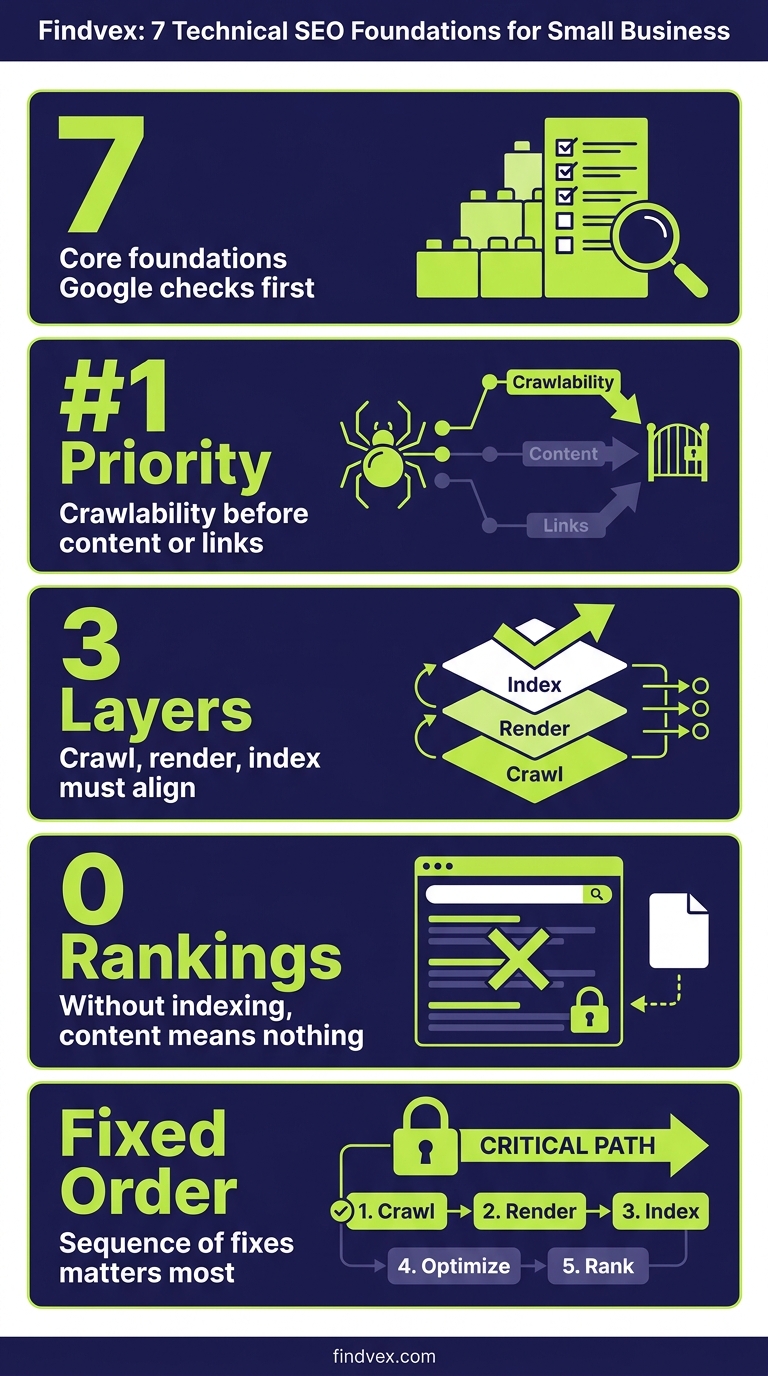
Technical SEO is the infrastructure layer of your search presence. If Google can't crawl, render, and index your pages correctly, no amount of content or link building will move the needle. This guide covers the seven foundations that matter most for small business websites—and the order in which to fix them.
Quick answer
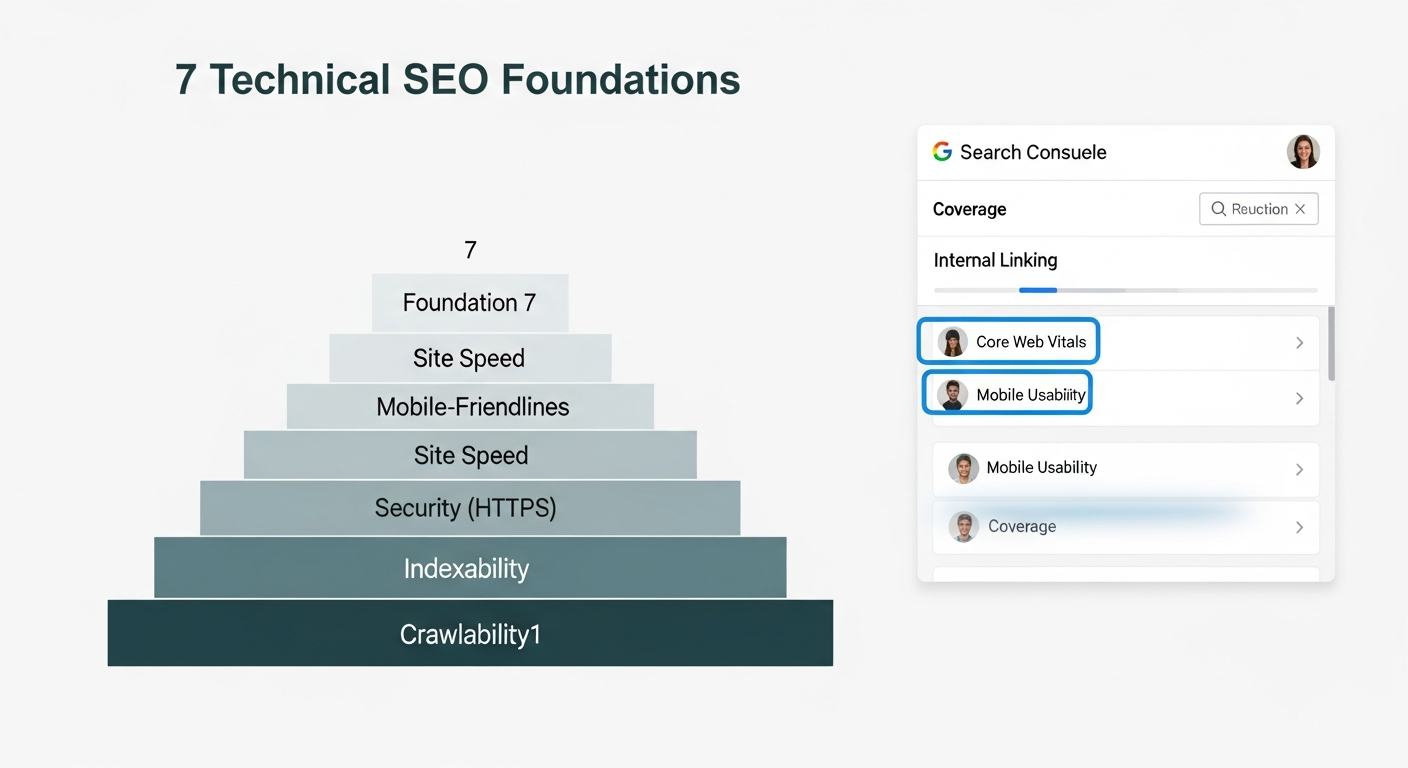
Technical SEO for small businesses means making your website crawlable, indexable, fast, and structurally clear so Google can rank it. The seven areas that matter most—in priority order—are: crawlability and indexing, site speed and Core Web Vitals, mobile usability, HTTPS and security signals, URL structure and canonicalization, structured data, and internal linking. Fix them in that sequence. Most small business sites have one or two critical blockers causing the majority of their ranking drag.
What Technical SEO Actually Means for a Small Business
Technical SEO is not about complexity for its own sake. It is about removing every obstacle between Google's crawlers and your content. If Googlebot can't reach a page, can't render it properly, or can't determine which version of it to rank, that page won't appear in search results—regardless of how well-written it is.
For a small business with a 20 to 200 page website, the technical surface area is manageable. You don't need an enterprise-grade audit process. You need to know which of the seven foundational areas to check, which ones are most likely to be broken, and what fixing them actually looks like in practice.
The strategic lens here is return on effort. Unlike content production, technical fixes are one-time investments with compounding returns. Fixing a misconfigured robots.txt once can unblock dozens of pages permanently. Getting Core Web Vitals into the 'Good' range improves every visitor session indefinitely. That's why I treat technical SEO as the highest-leverage starting point for any small business that hasn't audited their site in the past 12 months.
Why Small Business Technical SEO Differs from Enterprise
Large websites deal with JavaScript rendering at scale, international hreflang matrices, and crawl budget exhaustion across millions of URLs. Small business sites have different failure modes: a single robots.txt disallow directive blocking the entire site, a WordPress plugin generating thousands of duplicate tag archive pages, or a theme update that breaks mobile rendering overnight.
The common errors that actually hurt small business rankings are concentrated in a predictable set of areas. That's the practical advantage here—you don't need to audit everything. You need to audit the right things in the right order.
One nuance worth naming: in 2026, technical SEO serves two audiences simultaneously. Google's crawlers need clean access to your pages for traditional rankings. AI systems—including Google's own AI Overviews, ChatGPT's web search, and Perplexity—need structured, retrievable content to cite your business in generated answers. The technical foundations that satisfy Googlebot largely satisfy these systems too, but structured data and content clarity have become more important than ever.
“AI agents do in hours what teams used to do in weeks. The advantage compounds.”
Foundation 1: Crawlability and Indexing
This is the starting point. A page that can't be crawled can't be indexed. A page that can't be indexed can't rank. Before you invest time in anything else, confirm that your critical pages are actually reachable and indexed.
Start with Google Search Console. Use the URL Inspection tool on your most important pages—homepage, service pages, key landing pages. Check the Coverage report for 'Excluded' pages, specifically the 'Noindex' and 'Blocked by robots.txt' categories. These are the two most common catastrophic errors on small business sites.
A misconfigured robots.txt is the most dangerous single-file error in technical SEO. It's easy to accidentally block the entire site, and the damage is invisible until you notice rankings dropping or disappearing. Equally damaging: a noindex meta tag left on a page after development that was never removed before launch.
- Run site:yourdomain.com in Google to get a rough count of indexed pages
- Check robots.txt at yourdomain.com/robots.txt and verify Disallow rules aren't blocking important content
- Use GSC's Coverage report to identify pages marked 'Discovered but not indexed' or 'Crawled but not indexed'—these signal crawl budget or quality issues
- Confirm your XML sitemap is submitted in GSC and contains only canonical, indexable URLs
- For more on diagnosing indexing failures specifically, see our guide on indexing issues and how to fix them in 30 minutes
Foundation 2: Site Speed and Core Web Vitals
Google uses Core Web Vitals—Largest Contentful Paint (LCP), Interaction to Next Paint (INP), and Cumulative Layout Shift (CLS)—as ranking signals. More importantly, they directly affect whether visitors stay or leave. A site that loads slowly on mobile loses real revenue, not just rankings.
For most small business websites, the performance bottlenecks are predictable: unoptimized images, render-blocking JavaScript loaded in the header, no caching policy, and slow server response times from shared hosting. These four issues account for the majority of Core Web Vitals failures.
The most impactful single action for most small business sites is image optimization: converting to WebP or AVIF format, implementing lazy loading for below-fold images, and properly sizing images for their display dimensions. This typically moves LCP scores faster than any other change.
Strategically, passing Core Web Vitals is a threshold, not a differentiator. Getting into the 'Good' range removes a ranking penalty and improves conversion rates. Getting from 'Good' to 'Excellent' rarely produces meaningful ranking gains. Prioritize reaching the threshold, then move on.
- Measure current scores using Google PageSpeed Insights and GSC's Core Web Vitals report
- Target: LCP under 2.5 seconds, INP under 200ms, CLS under 0.1
- Quick wins: compress and convert images, enable browser caching, use a CDN, defer non-critical JavaScript
- WordPress-specific: a caching plugin plus an image optimization plugin resolves the majority of issues
Foundation 3: Mobile Usability
Google indexes the mobile version of your site first. If your mobile experience is broken, your rankings suffer across all devices. This is not a hypothetical—it's Google's stated indexing architecture.
Mobile usability failures on small business sites are usually theme-level or CSS-level issues: text too small to read without zooming, clickable elements (buttons, links) placed too close together, content wider than the viewport. These are flagged in GSC under the 'Mobile Usability' report.
If you're on a modern responsive theme and haven't customized heavily, you're likely fine. If you've added custom CSS, third-party widgets, or have an older theme, run a mobile usability test and check the GSC report before assuming compliance.
- Use GSC's Mobile Usability report to identify page-level issues
- Test with Google's Mobile-Friendly Test tool for a quick visual check
- Common issues: viewport not configured, font size too small, clickable elements too close together
- Resolve at the theme or CSS level rather than page-by-page when issues are widespread
Foundation 4: HTTPS and Security Signals
HTTPS has been a confirmed Google ranking signal for years. In 2026, virtually every legitimate website hosting provider includes SSL certificates automatically. If you're still on HTTP, this is an immediate fix—not a long-term project.
Beyond the SSL certificate itself, verify that your site enforces HTTPS correctly. This means HTTP requests redirect to HTTPS (301 redirect, not 302), the www and non-www versions resolve consistently to one canonical version, and there are no mixed-content warnings (HTTPS pages loading HTTP resources).
A mixed-content error—where your page is HTTPS but loads images or scripts over HTTP—will trigger browser security warnings, undermine user trust, and signal technical sloppiness to Google's quality systems. Check your browser console for mixed-content warnings on your most important pages.
- Confirm SSL is active: browser shows padlock icon and URL starts with https://
- Test HTTP redirect: type http://yourdomain.com and verify it redirects to https://
- Choose one canonical version: https://www.yourdomain.com or https://yourdomain.com—redirect the other permanently
- Check for mixed content warnings in Chrome DevTools > Console on key pages
Foundation 5: URL Structure and Canonicalization
URL structure affects crawl efficiency, user comprehension, and—more than most people realize—how AI systems retrieve and categorize your content. Clean, descriptive URLs help Googlebot understand page context before it even reads the content.
For small businesses, URL structure problems typically come from platform defaults. WordPress with improper permalink settings generates URLs like /?p=123. Shopify and other e-commerce platforms sometimes generate duplicate URLs through multiple navigation paths to the same product. These create canonicalization problems where Google has to choose which URL to index—and it may not choose the one you want.
Canonical tags tell Google which version of a URL is the authoritative one. They're essential when you have: HTTP and HTTPS versions, www and non-www versions, URL parameters (session IDs, tracking parameters, filter parameters), and paginated content. Every page should have a self-referencing canonical tag at minimum.
One frequently overlooked problem: internal links that use tracking parameters such as ?utm_source=email on links within your own site. These create duplicate URL variants that consume crawl budget and dilute link equity. Internal links should always use clean, canonical URLs.
- Use descriptive, keyword-relevant URL slugs: /services/plumbing-repair/ not /page?id=47
- Keep URLs lowercase, hyphen-separated, and free of stop words where possible
- Implement self-referencing canonical tags on every page
- Audit internal links for tracking parameters—these hurt more than most owners realize
Foundation 6: Structured Data and Schema Markup
Structured data is how you tell search engines—and AI systems—exactly what your content means, not just what it says. For small businesses, schema markup is one of the highest-leverage technical investments available because it unlocks rich results (star ratings, opening hours, FAQs in search results) and improves how AI systems categorize and cite your business.
The five schema types that produce measurable results for small businesses are: LocalBusiness (or its subtype—Restaurant, MedicalBusiness, LegalService, etc.), FAQPage, Service, Review/AggregateRating, and BreadcrumbList. You don't need all of them. Identify which apply to your site and implement those.
The most impactful for most small businesses is LocalBusiness schema on the homepage and contact page: it explicitly communicates your business name, address, phone number, hours, service area, and category to every system that reads your site. This is particularly important as AI systems increasingly use structured data as a grounding signal rather than inferring business details from prose.
After implementing schema, validate it. Use Google's Rich Results Test and Schema.org Validator before pushing to production. A malformed JSON-LD block can trigger GSC warnings and suppress rich results site-wide if it's in a template.
- Priority order for most small businesses: LocalBusiness → FAQPage → Service → BreadcrumbList
- Use JSON-LD format (Google's preferred implementation) over Microdata or RDFa
- Place JSON-LD in the <head> section or at the bottom of <body>—either works
- Validate every implementation before deploying: Rich Results Test at search.google.com/test/rich-results
- Monitor GSC's Enhancements reports post-deployment for errors
Foundation 7: Internal Linking Architecture
Internal linking is both a crawlability tool and a ranking signal distribution mechanism. Pages that receive more internal links are crawled more frequently and treated as more authoritative within your site's topic structure. For small businesses, this means your highest-value pages—service pages, location pages, conversion pages—should receive more internal links than your blog archive or contact page.
The most common internal linking failure on small business sites is what I call the 'island page' problem: content that lives on the site but receives zero internal links from other pages. Googlebot may never discover these pages, or may not crawl them with enough frequency to keep them indexed. Run a crawl with a tool like Screaming Frog, Sitebulb, or even Ahrefs Site Audit and filter for pages with zero incoming internal links.
The opposite problem is also common: navigation-heavy sites where every page receives hundreds of internal links through the global header and footer, making it impossible for Google to distinguish your priority pages from your utility pages. Use contextual body links—links within the actual content of a page—to signal editorial relevance and priority.
Anchor text matters too. Descriptive anchor text (linking to your plumbing repair page with 'residential plumbing repair' rather than 'click here') gives Google explicit topical signals that reinforce keyword relevance.
- Audit for orphan pages—pages with no internal links pointing to them
- Ensure every service page and location page receives at least three contextual internal links from relevant content
- Use descriptive anchor text, not generic phrases like 'learn more' or 'read here'
- Avoid linking internally with UTM or tracking parameters
- Review your site hierarchy: important pages should be reachable within three clicks from the homepage
Strategic Takeaway: Where to Start and How to Prioritize
Most small business websites have one or two critical blockers—typically in Foundation 1 (crawling and indexing) or Foundation 2 (site speed)—that are responsible for the majority of their ranking drag. The priority sequence matters: there's no point building schema markup on pages Google can't crawl, and no point investing in content if your site fails mobile usability checks.
The right sequence is: confirm Google can access and index your pages, then ensure the experience meets performance thresholds, then layer in structured data and internal link optimization. This order maximizes the return on each successive investment.
From a business outcome perspective, the ROI calculus is straightforward. Technical SEO fixes are capital expenditures with long operating lives. A canonical tag error costs you ranking equity every day it persists. Fixing it once delivers value indefinitely. Compare that to paid search, where spend stops the moment you pause the campaign.
For businesses with limited budgets, I recommend starting with a focused technical audit before committing to any ongoing SEO retainer. If your site has fundamental crawlability or indexing problems, you need those resolved before content production or link building will have meaningful impact. A technical audit surfaces the highest-priority fixes and gives you a clear sequenced roadmap.
- Phase 1 (Week 1–2): Fix any crawling or indexing blockers identified in GSC
- Phase 2 (Week 2–4): Address Core Web Vitals failures, starting with image optimization
- Phase 3 (Month 2): Implement or correct structured data on high-priority pages
- Phase 4 (Ongoing): Audit and improve internal linking as content is added
- Re-audit every six months—platform updates and theme changes routinely introduce new technical issues
Technical SEO and AI Search: What's Different in 2026
The seven foundations above have been important for years. What's changed in 2026 is that the same technical decisions now affect your visibility in AI-generated answers, not just traditional rankings.
When ChatGPT, Perplexity, or Google's AI Overviews are generating an answer about plumbers in your city, HVAC contractors in your market, or lawyers in your practice area, they're drawing on indexed, structured, retrievable content. Sites that are technically clean—properly indexed, schema-marked, with clear entity signals—are more likely to be cited and referenced in these outputs.
The most direct connection: LocalBusiness schema is increasingly used by AI systems as a structured data source for business information. Clean URL structures help AI retrieval systems understand content hierarchy. Properly indexed pages are eligible for AI Overview citations; blocked or noindexed pages are invisible to these systems entirely.
There's also an emerging consideration around AI crawler access. OpenAI's crawlers and other AI training bots operate separately from Googlebot. Your robots.txt controls which of these can access your site. If you've blocked AI crawlers without a deliberate strategy, you may be limiting your visibility in AI-generated answers. This is worth examining as a deliberate business decision, not a default.
The Tools Small Businesses Actually Need for Technical SEO
You don't need an enterprise toolset to execute technical SEO on a small business website. The free tools, used well, cover the critical ground.
- Google Search Console (free): The essential starting point. Covers indexing status, Core Web Vitals, mobile usability, structured data errors, and manual actions. No substitute exists.
- Google PageSpeed Insights (free): Measures Core Web Vitals with field data and lab diagnostics. Use it on your homepage and top service pages.
- Rich Results Test (free): Validates structured data and shows which rich result types your page qualifies for.
- Screaming Frog SEO Spider (free up to 500 URLs): Crawls your site as Googlebot would. Identifies broken links, missing canonical tags, duplicate content, redirect chains, and orphan pages.
- Ahrefs Webmaster Tools (free): Site audit capabilities with crawl error detection, indexability issues, and internal link reporting.
- Chrome DevTools (free): Indispensable for diagnosing mixed content warnings, JavaScript rendering issues, and network performance.
FAQs
How do I know if my small business website has technical SEO problems?
Start with Google Search Console. Check the Coverage report for pages flagged as 'Noindex,' 'Excluded,' or 'Crawled but not indexed.' Check the Core Web Vitals report for pages rated 'Poor' or 'Needs Improvement.' Check the Mobile Usability report for flagged pages. These three reports will surface the majority of problems that are actively hurting your rankings.
What is the most common technical SEO mistake on small business websites?
The most common critical error is a misconfigured robots.txt or noindex tag that accidentally blocks important pages from Google. The most common impactful-but-not-catastrophic error is failing Core Web Vitals due to unoptimized images and render-blocking JavaScript. Both are fixable in a single working session once identified.
Does technical SEO matter if I have a new website?
Yes, and it matters most at launch. Technical errors introduced at build time can prevent a site from being indexed at all. The most important technical checks for a new site are: confirming the site is not set to 'discourage search engine indexing' (a WordPress setting often enabled during development), verifying the sitemap is submitted to GSC, and ensuring HTTPS is configured correctly before any content marketing begins.
How long does it take to see results from fixing technical SEO issues?
It depends on the fix. Resolving a crawling blocker (misconfigured robots.txt or noindex) can produce indexing changes within days once Google recrawls the affected pages. Core Web Vitals improvements can show up in GSC's field data within 28 days as new user data replaces old. Structural improvements like internal linking take longer—typically four to twelve weeks—to influence rankings as Google reassesses page authority signals.
Is technical SEO a one-time fix or ongoing work?
Both. Critical issues like robots.txt errors, canonicalization problems, or HTTPS misconfigurations are fixed once and stay fixed until something changes the configuration. But platform updates, theme changes, new plugins, and content additions regularly introduce new technical issues. A quarterly spot-check of your GSC Coverage, Core Web Vitals, and Mobile Usability reports—plus a full audit every six to twelve months—is the right maintenance cadence for most small business sites.
Do I need to worry about technical SEO for AI search visibility?
Yes. The same technical foundations that help Google rank your pages—proper indexing, clean URL structure, structured data, accessible content—are what AI systems like Google's AI Overviews, ChatGPT search, and Perplexity rely on to retrieve and cite your content. Specifically, LocalBusiness schema and properly indexed service pages are increasingly important signals for AI-generated local business recommendations.
Should I hire someone for technical SEO or do it myself?
For most small business sites, the critical technical checks can be done without an agency. Google Search Console, PageSpeed Insights, and Screaming Frog cover the ground. Where an expert adds value is in diagnosing problems that aren't surface-level: JavaScript rendering issues, complex redirect chains, crawl budget inefficiencies, or Shopify-specific structural problems. If your GSC reports look clean and your Core Web Vitals are in the 'Good' range, you're likely in a reasonable position without outside help.
Research notes
Background claims used while researching this article. Verify with the cited authorities before quoting.
- Google uses Core Web Vitals—LCP, INP, CLS—as ranking signals — verify via Google Search Central documentation confirming Core Web Vitals as ranking signals and the current metric definitions post-FID-to-INP transition
- Google indexes the mobile version of your site first (mobile-first indexing) — verify via Google Search Central documentation confirming mobile-first indexing as the default for all sites
- HTTPS is a confirmed Google ranking signal — verify via Google blog post or Search Central documentation from the original HTTPS ranking signal announcement
Alex Rivera
CEO & Editorial Strategist · Findvex
Alex Rivera leads editorial strategy at Findvex. He sets the weekly content plan, picks topical pillars, and decides what to publish — and what to skip — based on search intent, competitive data, and what genuinely helps US small businesses rank.
Expertise: Editorial strategy · Topical authority · Content prioritisation · Pillar planning
Related reads
Internal Linking Strategy: How to Route Authority to the Pages That Drive Revenue
Internal linking is the most underused lever in small business SEO. A deliberate linking system routes PageRank from content pages to the service and location pages that actually generate leads — and most sites have it entirely backwards.
Strategic Technical SEOHreflang Is Not for You: Why US-Only Small Businesses Don't Need It (And What to Do Instead)
If your small business only serves US customers in English, hreflang tags are not on your to-do list. This article explains what hreflang actually does, which businesses genuinely need it, and what technical SEO work actually moves the needle for a US-only site.
Strategic Technical SEOStructured Data Testing: How to Validate Schema Markup Before and After You Deploy It
Deploying schema markup without testing it first is one of the most common technical SEO mistakes on small business sites. This guide walks through the exact validation workflow — pre-deployment, post-deployment, and ongoing monitoring — so errors never quietly kill your rich result eligibility.