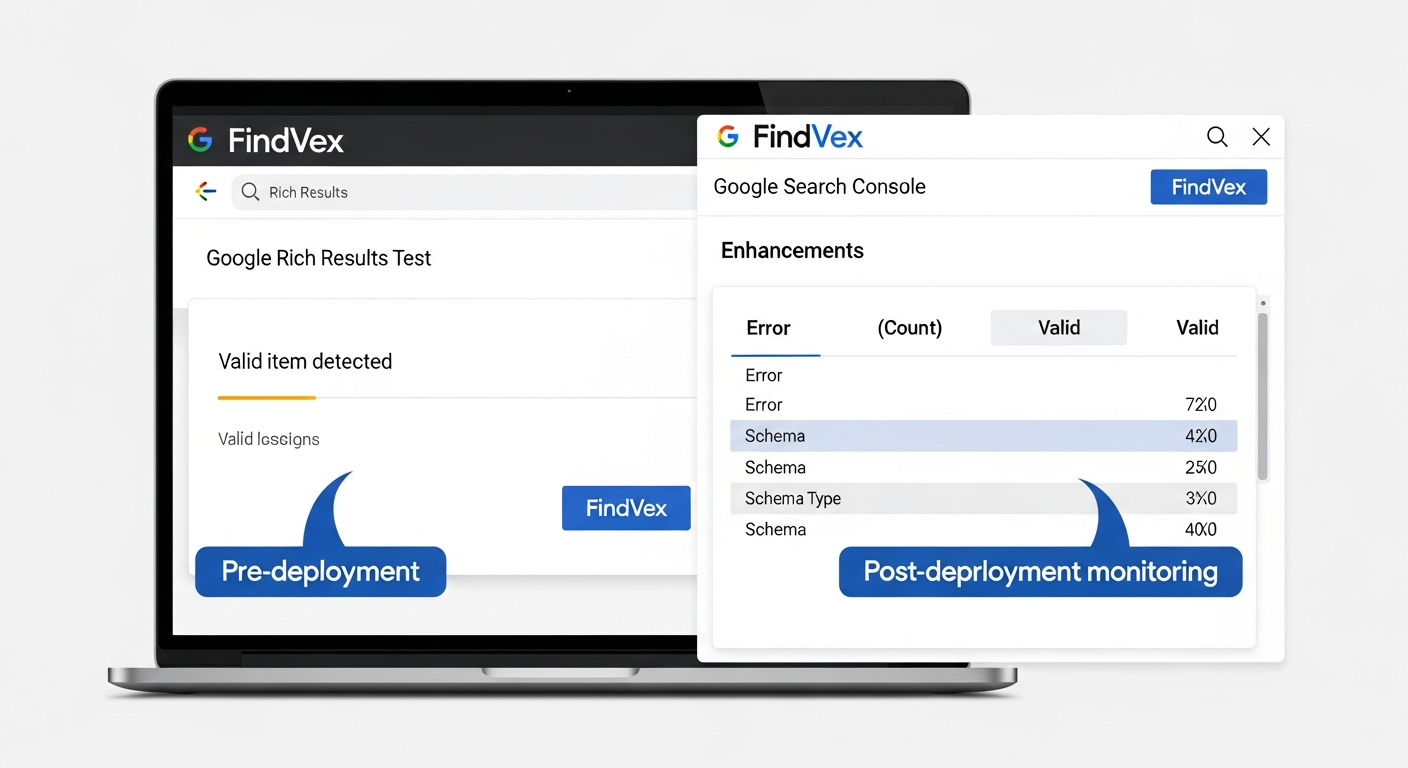
Structured Data Testing: How to Validate Schema Markup Before and After You Deploy It
Deploying schema markup without testing it first is one of the most common technical SEO mistakes on small business sites. This guide walks through the exact validation workflow — pre-deployment, post-deployment, and ongoing monitoring — so errors never quietly kill your rich result eligibility.
Quick answer
To validate schema markup, run your page URL through Google's Rich Results Test (search.google.com/test/rich-results) before deployment to catch syntax errors and missing required fields, and again 48–72 hours after going live to confirm Google has processed it. Monitor ongoing errors in Google Search Console under Enhancements > [Schema Type]. Always fix 'required field missing' errors first — warnings are secondary.
Why Schema Markup Testing Is a Separate Step, Not an Afterthought
Adding schema markup to a page and having it work correctly are two different things. You can write technically valid JSON-LD — no syntax errors, no missing brackets — and still produce zero rich results because a required property is absent or the wrong schema type is used for the content. Google's structured data pipeline has specific requirements per type, and the only way to know whether your markup meets them is to test against those requirements directly.
This matters operationally because broken schema has no visible symptom on the front end. The page looks normal. The markup is in the source. But Google quietly ignores it, and you never get the star ratings, FAQ accordion, or breadcrumb trail in the SERP you were expecting. The testing workflow described here closes that gap.
There are three testing moments that matter: before you deploy (catching syntax and structural errors), immediately after deployment (confirming Google can render and read the markup), and on an ongoing basis (catching regressions when a CMS update or template change silently breaks the schema).
The 4 Tools That Actually Matter for Schema Validation
The SERP for 'structured data testing' is dominated by tool landing pages and list roundups. Most of them include tools you will never use in practice. Below are the four that cover the full testing lifecycle for a real website.
- Google Rich Results Test (search.google.com/test/rich-results): The primary tool for pre- and post-deployment testing. Paste a URL or raw code snippet. It renders the page the way Googlebot would, extracts all structured data, and reports which rich result types your markup qualifies for — along with specific errors and warnings. This is the tool that most directly maps to SERP eligibility.
- Schema.org Validator (validator.schema.org): Validates markup against the full Schema.org vocabulary, not just the subset Google uses for rich results. Useful for catching property name typos (e.g., 'streetAdress' instead of 'streetAddress') and for schema types that don't trigger Google rich results but still signal entity context to crawlers.
- Google Search Console — Enhancements reports: The post-deployment monitoring tool. Under the 'Enhancements' section, GSC shows errors and warnings at scale across your entire site, grouped by schema type. It also shows which URLs are affected and when the issue was first detected. This is where you catch regressions — a template change that breaks FAQ schema across 40 service pages, for example.
- JSON-LD Playground (json-ld.org/playground): A syntax-level debugger. Useful before touching any validator — if your JSON-LD has malformed syntax (missing commas, unclosed brackets), the other tools will fail silently or produce confusing errors. The Playground shows the parsed graph so you can confirm the structure is what you intended.
“AI agents do in hours what teams used to do in weeks. The advantage compounds.”
Tool Selection: What to Use and When
These tools are not interchangeable. Using the wrong one at the wrong stage wastes time.
- Syntax check → JSON-LD Playground: Use this first if you hand-coded the markup or edited existing JSON-LD. Fix parse errors before running any other test.
- Pre-deployment validation → Rich Results Test (code input mode): Paste the raw JSON-LD block. This lets you test markup before it's live on a page — useful when a developer is writing schema in a staging environment.
- Post-deployment confirmation → Rich Results Test (URL mode): Run the live URL 48–72 hours after going live. Googlebot needs time to recrawl before the tool reflects real-world rendering.
- Ongoing monitoring → Google Search Console Enhancements: Check weekly or after any CMS or template update. GSC catches site-wide regressions that single-page tests miss.
- Schema.org compliance → schema.org validator: Run this when you're implementing schema types that go beyond the core Google-supported set (e.g., Event, Course, JobPosting) or when you want to verify property accuracy before a developer handoff.
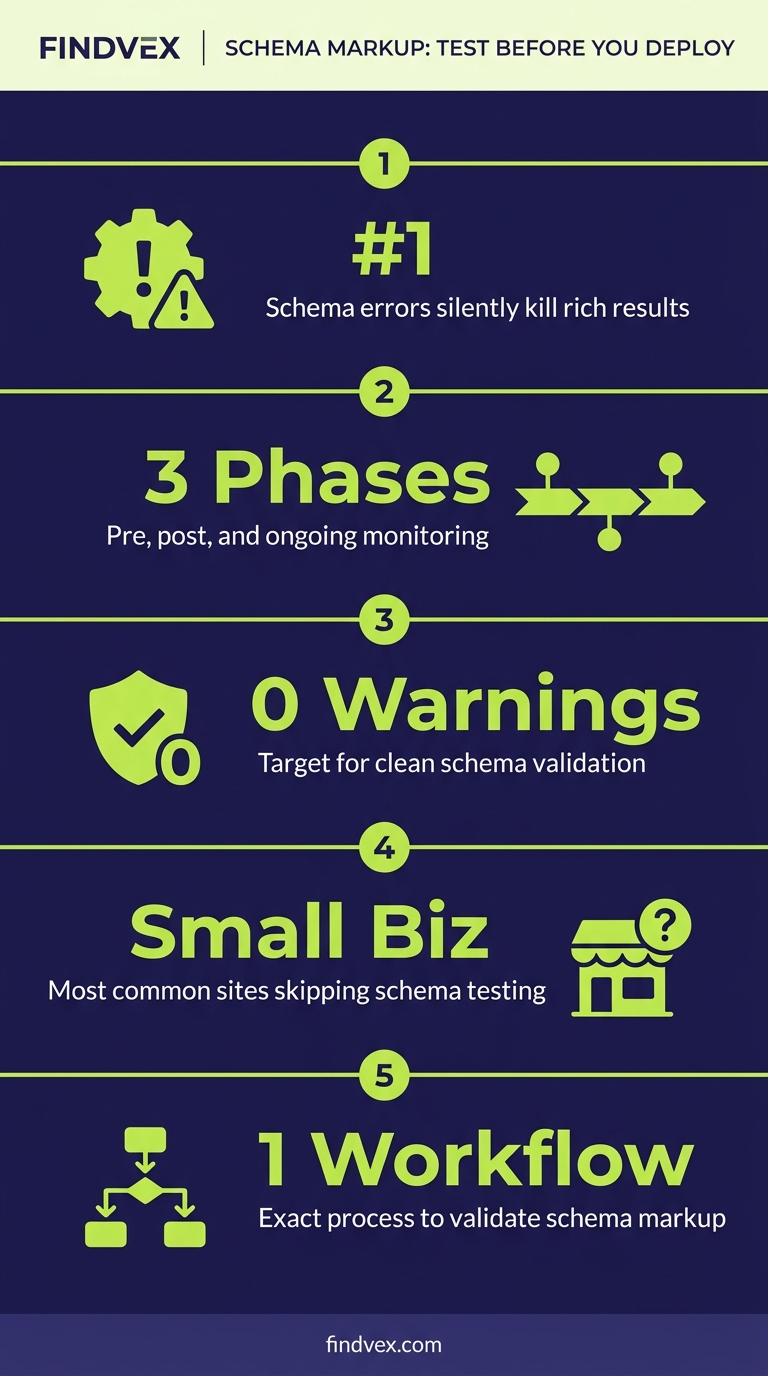
Pre-Deployment Testing Workflow: Step by Step
The goal before deployment is to confirm that the markup is syntactically correct, uses the right schema type for the content, and includes all required properties for the rich result you're targeting. Here is the exact sequence.
- Step 1 — Identify the target rich result type: Before writing a line of schema, confirm which rich result type you're targeting (FAQ, LocalBusiness, Product, Review, HowTo, etc.) and read Google's documentation for that type at developers.google.com/search/docs/appearance/structured-data. Each type has a list of required and recommended properties. Required properties are non-negotiable — missing any one of them disqualifies the page from that rich result.
- Step 2 — Write or generate the JSON-LD: JSON-LD is the preferred format over Microdata or RDFa for new implementations. It lives in a <script> tag in the page head, does not require HTML restructuring, and is easier to maintain.
- Step 3 — Syntax check in JSON-LD Playground: Paste the block into json-ld.org/playground and confirm the parsed output matches your intent. Look for mismatched brackets, missing commas, and incorrect nesting.
- Step 4 — Validate in Rich Results Test (code mode): Copy the full JSON-LD block, open the Rich Results Test, select 'Code snippet', and paste it. The tool will show which rich results the snippet qualifies for and list any errors (blocking) or warnings (advisory).
- Step 5 — Resolve all errors before deployment: Errors are blocking. Warnings are not — address them after launch if they're relevant, but don't delay deployment over a warning. Common pre-deployment errors include missing required fields, incorrect @type values, and using a property that doesn't exist in the schema vocabulary.
Diagnosis Checklist: Pre-Deployment Schema Review
Run through this before handing any schema implementation to a developer for deployment.
- ☐ @context is set to 'https://schema.org' (not 'http://')
- ☐ @type matches the intended rich result exactly (e.g., 'FAQPage', not 'FAQ' or 'FaqPage')
- ☐ All required properties for the target rich result are present (verified against Google's documentation)
- ☐ No placeholder values left in fields (e.g., 'YOUR_PHONE_NUMBER' or empty strings)
- ☐ JSON-LD parses without errors in the JSON-LD Playground
- ☐ Rich Results Test (code mode) shows at least one qualifying rich result with no errors
- ☐ Dates are in ISO 8601 format (e.g., '2026-05-17', not 'May 17, 2026')
- ☐ URLs in the markup are absolute, not relative (e.g., 'https://example.com/about', not '/about')
- ☐ If testing a LocalBusiness type: name, address, telephone, and url are all populated
- ☐ Markup accurately describes the page content — Google's guidelines prohibit schema that misrepresents the actual page
Post-Deployment Testing: Confirming Google Processed Your Schema
Deploying correct schema does not immediately mean Google has processed it. Googlebot needs to recrawl and rerender the page before the Rich Results Test URL mode reflects real-world behavior, and before GSC Enhancements reports update. The typical delay is 48–72 hours for pages that are crawled regularly, but it can be longer for low-priority pages on sites with constrained crawl budgets.
If you need faster confirmation, use Google Search Console's URL Inspection tool to request indexing immediately after deployment. This pushes the URL into Googlebot's priority queue and typically triggers a crawl within 24 hours. After the crawl completes, the URL Inspection tool will show the last crawl date and whether structured data was detected.
Post-Deployment Steps
- Immediately after deployment: Use Google Search Console URL Inspection → 'Request Indexing' to prompt a recrawl. This is especially important for pages that aren't in your XML sitemap or haven't been crawled recently.
- 48–72 hours after deployment: Run the live URL through the Rich Results Test (URL mode). Confirm the target rich result type appears with no errors. If it shows errors that weren't present in pre-deployment testing, the markup was likely altered during CMS insertion — compare the live source to your original JSON-LD.
- Within 1 week: Check Google Search Console → Enhancements for the relevant schema type. The report shows the number of valid, warning, and error URLs. A newly added schema type will appear here once Google has processed at least one URL with that markup.
- Ongoing (weekly or post-update): Return to the Enhancements report after any theme update, plugin update, or CMS migration. Template changes are the most common cause of schema regressions — a plugin update can strip JSON-LD blocks or alter the @type field without any visible front-end change.
What to Check in Google Search Console
Google Search Console is the only tool that shows schema health at scale across your full site. The Rich Results Test shows one URL at a time. GSC shows every URL Google has crawled with a given schema type, grouped by status.
- Enhancements section (left sidebar): Each schema type Google has detected on your site appears as a separate report (e.g., 'FAQ', 'Product', 'Local Business'). Click into each one to see valid counts, warning counts, and error counts.
- Error details: Click any error to see a description, the affected URLs, and an example URL. The error descriptions match the property names in Google's structured data documentation — cross-reference them directly.
- 'Validate Fix' button: After correcting a schema error and redeploying, click 'Validate Fix' on the affected error in GSC. Google will recrawl the affected URLs and update the report. This typically takes 1–2 weeks to fully resolve on larger sites.
- URL Inspection → 'Structured data' section: Inspect any individual URL to see exactly which schema types Google detected and parsed. This shows the raw interpreted data — useful for confirming that nested properties (like PostalAddress inside LocalBusiness) are being read correctly.
- Performance report → Search appearance filter: Filter by 'Rich result' to see which schema-driven SERP features your pages are generating clicks and impressions for. If a schema type is valid in the Enhancements report but showing zero rich result impressions, the content may not meet Google's quality thresholds for that feature — not a schema error, but a content issue.
Common Schema Errors: Symptoms, Causes, and Fixes
The following errors appear repeatedly across small business sites. Each one has a distinct cause and a straightforward fix — but the fix is only useful if you know which layer of your stack owns the problem.
- Error: 'Missing field: name' (LocalBusiness) — Symptom: LocalBusiness schema validates but fails in GSC Enhancements. Cause: The 'name' property is absent or populated with an empty string. Fix: Add the business name as a string value. Risk level: Low — straightforward text field addition. Owner: Developer or CMS admin.
- Error: 'Either reviewRating or positiveNotes is required' (Product/Review) — Symptom: Product schema detected but no rich results generated. Cause: Review markup lacks a numeric rating. Fix: Add a reviewRating object with ratingValue and bestRating properties. Risk level: Low. Owner: Developer.
- Error: 'Invalid value type for field: startDate' — Symptom: Event schema fails validation. Cause: Date is formatted as plain text ('June 1, 2026') instead of ISO 8601 ('2026-06-01'). Fix: Reformat all date fields to ISO 8601. Risk level: Low. Owner: Developer or content team if using a plugin.
- Error: 'Schema not found' after deployment — Symptom: Rich Results Test URL mode shows no schema detected, but the pre-deployment code test passed. Cause: The CMS or page builder is rendering schema inside a JavaScript framework that Googlebot doesn't render. Fix: Check the page source (not DevTools — use View Source) to confirm the JSON-LD is in the raw HTML, not injected client-side. If it's client-side only, move schema to server-side rendering or static injection. Risk level: Medium — may require developer involvement. Owner: Developer.
- Error: Schema type correct but no rich results — Symptom: Enhancements report shows valid URLs, but Performance report shows zero rich result impressions. Cause: Content doesn't meet Google's quality thresholds for that feature, or the page doesn't have enough authority for Google to show the feature. This is not a schema error. Fix: Improve the underlying content quality and ensure the marked-up content is the primary content of the page. Risk level: N/A — this is a content issue, not a technical one.
Developer Handoff Notes: What Your Dev Team Needs Before Implementation
If you're handing schema implementation to a developer or a third-party agency, these are the specific requirements they need to know before writing a single line of code. Vague briefs produce vague schema.
- Specify the exact @type: Don't say 'add business schema.' Say 'add LocalBusiness schema with the subtype PlumbingBusiness (or the appropriate subtype from schema.org/LocalBusiness).' Subtypes inherit all LocalBusiness properties and give Google more entity specificity.
- List the required properties by name: Pull the required properties from Google's documentation and list them explicitly in the brief. Include example values. Developers who aren't SEO-focused may populate required fields with placeholder text or omit optional-but-valuable fields like openingHoursSpecification.
- Specify JSON-LD placement: JSON-LD should be injected in the <head> of the page or immediately before the closing </body> tag. It must be in the static HTML source, not appended via JavaScript after page load, unless the site uses server-side rendering.
- Define the testing acceptance criteria: The implementation is not complete until the Rich Results Test (URL mode) shows the target schema type with zero errors on the live URL. Include this as a completion requirement in the brief.
- Specify which pages get which schema: LocalBusiness schema typically belongs on the homepage and contact page. Article schema on blog posts. FAQPage on pages with genuine Q&A content. Product schema on product pages. Don't add schema types to pages where the content doesn't match the type — Google's guidelines explicitly prohibit this and it can trigger manual actions.
A Note on Schema and AI Search Visibility
Schema markup has traditionally been evaluated by its ability to unlock rich results in Google Search. That remains the primary business case. But structured data also plays a role in how AI search systems like Google's AI Overviews and Bing's AI answers interpret and retrieve content from your pages.
When an AI system is grounding a response, it benefits from explicit entity definitions — schema that tells it unambiguously what type of business you are, where you're located, and what services you offer. FAQPage markup, in particular, structures content in a question-answer format that maps directly to how AI retrieval systems extract answerable content from pages.
This doesn't mean schema alone determines AI citation. Content quality, crawlability, and overall site authority all matter. But valid, comprehensive schema removes ambiguity and makes your pages structurally easier for both traditional crawlers and AI retrieval pipelines to classify correctly. If you're investing in AI search visibility, getting schema right is foundational infrastructure — not a nice-to-have.
Ongoing Monitoring: A Realistic Schedule for Small Business Sites
Schema testing isn't a one-time activity. CMS updates, plugin changes, and template modifications regularly break schema that was working correctly. The following schedule is achievable for most small business site owners without specialized tools.
- After any deployment: Run the Rich Results Test on the URLs affected by the deployment. Takes 5 minutes per URL type.
- Weekly (Monday): Check Google Search Console Enhancements for new errors. If error count is increasing, identify the affected URLs and compare their current source against the last known-good version.
- After CMS or plugin updates: Run a spot check on one representative URL from each schema type in use on the site. Plugin updates are the single most common cause of silent schema regressions on WordPress sites.
- Quarterly: Re-read Google's structured data documentation for the schema types you use. Google periodically adds new required or recommended properties. Keeping schema current with documentation improvements is low-effort but often overlooked.
- After a site migration or redesign: Re-test every schema type from scratch using the pre-deployment workflow. Redesigns frequently break schema, especially when moving between page builders or CMS platforms.
FAQs
What is the difference between the Google Rich Results Test and the Schema.org Validator?
The Google Rich Results Test checks whether your markup qualifies for Google's specific rich result features (FAQ accordions, star ratings, product carousels, etc.) using Google's subset of Schema.org requirements. The Schema.org Validator checks conformance against the full Schema.org vocabulary. Use the Rich Results Test to diagnose SERP eligibility and the Schema.org Validator to verify property accuracy for any schema type, including those Google doesn't surface as rich results.
How long does it take for schema markup to appear in Google Search after deployment?
Typically 48–72 hours for regularly crawled pages, but it can take longer for pages with low crawl frequency. Use the URL Inspection tool in Google Search Console and click 'Request Indexing' immediately after deployment to accelerate the recrawl. Check back in the Rich Results Test (URL mode) after 48–72 hours to confirm Google has processed the markup.
Why does my schema pass the Rich Results Test but not show rich results in the SERP?
Passing validation means your markup is structurally correct. It does not guarantee rich results. Google decides whether to display rich results based on additional factors including page quality, content relevance, and whether the schema accurately represents the page content. A page with valid Product schema but thin content may never trigger star ratings. Focus on making the underlying content genuinely useful and ensuring the markup accurately reflects that content.
Can I test schema markup before a page is live?
Yes. The Google Rich Results Test has a 'Code snippet' input mode that lets you paste raw JSON-LD and validate it without a live URL. This is the recommended approach for pre-deployment testing — catch and fix errors before the page goes live rather than after.
What happens if I have schema errors on my site — will Google penalize me?
Schema errors generally result in Google ignoring the markup, not penalizing the page. The page continues to rank based on its regular signals — it just doesn't qualify for rich results. The exception is schema that deliberately misrepresents the page content (e.g., adding review schema to a page with no reviews), which can trigger a manual action. Fix errors for rich result eligibility, not to avoid penalties.
What's the most common schema mistake on small business websites?
Missing required properties is the most common issue — particularly on LocalBusiness schema where fields like 'address', 'telephone', or 'openingHoursSpecification' are omitted or left with placeholder values. The second most common issue is schema being injected via JavaScript that Googlebot doesn't render, meaning the markup is invisible to Google despite appearing in DevTools. Always verify schema in the page's raw HTML source, not the browser-rendered DOM.
Should I use JSON-LD, Microdata, or RDFa for schema markup?
JSON-LD is the recommended format for new implementations. It lives in a <script> tag in the page head, doesn't require changes to your HTML structure, and is easier to maintain and debug. Microdata and RDFa require markup to be embedded directly in the HTML elements, making them harder to update and more prone to breaking during redesigns. Google supports all three formats, but JSON-LD is explicitly preferred.
Research notes
Background claims used while researching this article. Verify with the cited authorities before quoting.
- Google's official documentation lists required and recommended properties for each rich result type
- JSON-LD is Google's preferred format for structured data
Marcus Chen
Head of Technical SEO · Findvex
Marcus Chen heads technical SEO at Findvex. He writes about Core Web Vitals, indexing, schema, and JavaScript SEO — translating Google’s documentation into checklists small business owners can actually act on.
Expertise: Core Web Vitals · Indexing & crawlability · Schema / structured data · JavaScript SEO
Related reads
Internal Linking Strategy: How to Route Authority to the Pages That Drive Revenue
Internal linking is the most underused lever in small business SEO. A deliberate linking system routes PageRank from content pages to the service and location pages that actually generate leads — and most sites have it entirely backwards.
Strategic Technical SEOTechnical SEO for Small Business: The 7 Foundations That Determine Whether Google Can Rank Your Site
Technical SEO is the infrastructure layer of your search presence. If Google can't crawl, render, and index your pages correctly, no amount of content or link building will move the needle. This guide covers the seven foundations that matter most for small business websites—and the order in which to fix them.
Strategic Technical SEOHreflang Is Not for You: Why US-Only Small Businesses Don't Need It (And What to Do Instead)
If your small business only serves US customers in English, hreflang tags are not on your to-do list. This article explains what hreflang actually does, which businesses genuinely need it, and what technical SEO work actually moves the needle for a US-only site.