Hreflang Is Not for You: Why US-Only Small Businesses Don't Need It (And What to Do Instead)
If your small business only serves US customers in English, hreflang tags are not on your to-do list. This article explains what hreflang actually does, which businesses genuinely need it, and what technical SEO work actually moves the needle for a US-only site.
Quick answer
Hreflang is an HTML attribute that tells Google which language and regional version of a page to show to which audience. It is only necessary if your website has the same content translated or adapted for multiple languages or regions (e.g., English for US users and Spanish for Mexican users). If your business serves only English-speaking US customers and has one version of each page, you do not need hreflang tags. Adding them incorrectly can create indexing confusion. Spend that time on canonical tags, structured data, and local SEO signals instead.
What Hreflang Actually Does (And Doesn't Do)
Hreflang is an HTML attribute — specifically a link element placed in the <head> of a page or in your XML sitemap — that signals to Google which language and geographic audience a specific URL is intended for. The attribute uses ISO 639-1 language codes (like en for English or es for Spanish) and optional ISO 3166-1 country codes (like US or MX) to tell search engines: 'Show this version of the page to users matching this language and region.'
Google introduced hreflang in 2010 specifically to address one problem: websites with multiple translated or region-adapted versions of the same content were confusing Googlebot. Without hreflang, Google might show a UK English page to a US searcher, or an English page to a Spanish speaker in Mexico — hurting both rankings and user experience.
What hreflang does not do: it is not a ranking boost signal, it does not help with duplicate content between unrelated pages, and it has zero effect on a site where every page exists in a single language for a single market. It is purely a disambiguation tool for multi-language, multi-regional content.
Who Actually Needs Hreflang Tags
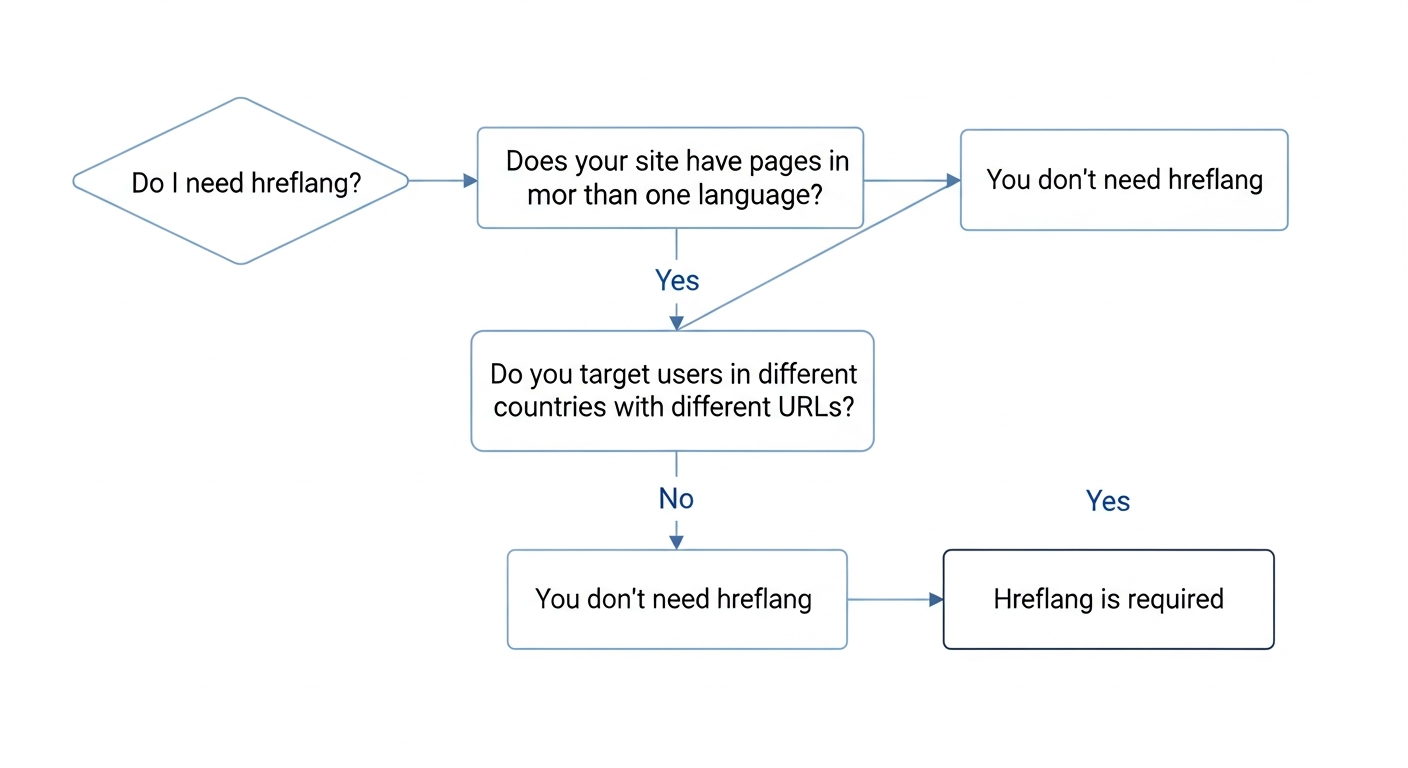
The threshold for needing hreflang is specific. You need it if — and only if — your site meets one or more of these conditions:
If none of these apply, hreflang is not a legitimate item on your technical SEO checklist. It is not a best practice for all sites. It is a specialized fix for a specific class of problem.
- You publish the same content in two or more languages (e.g., English and Spanish versions of your services pages)
- You target different countries with region-specific content using different URLs (e.g., /en-us/ and /en-gb/ for US vs. UK audiences)
- You have a single language but need to differentiate regional variants — such as US English and Australian English with different pricing or legal disclaimers
- You operate an e-commerce store that sells internationally with country-specific product pages, currencies, and shipping terms
“AI agents do in hours what teams used to do in weeks. The advantage compounds.”
Why a US-Only Small Business Should Ignore Hreflang Entirely
Let's be direct about what 'US-only small business' means in practice: a plumber in Denver, a dental practice in Atlanta, a law firm in Chicago, a landscaping company serving three counties in Ohio. These businesses have one website, one language, one target audience — US English speakers in a defined geographic area.
For these sites, hreflang tags are not just unnecessary — misconfigured hreflang can actively create problems. Common mistakes include: pointing hreflang tags at pages that return 404 errors, setting up one-directional hreflang references (where Page A points to Page B but Page B doesn't return the reference), or accidentally marking pages as non-English when they are not. Each of these can introduce indexing signals that conflict with your canonical setup.
Google's own documentation is clear: hreflang is for sites that have 'multiple versions of a page for different languages or regions.' If your site has one version of each page and all pages are in US English, there is nothing for hreflang to resolve. You are not helping Google — you are adding noise.
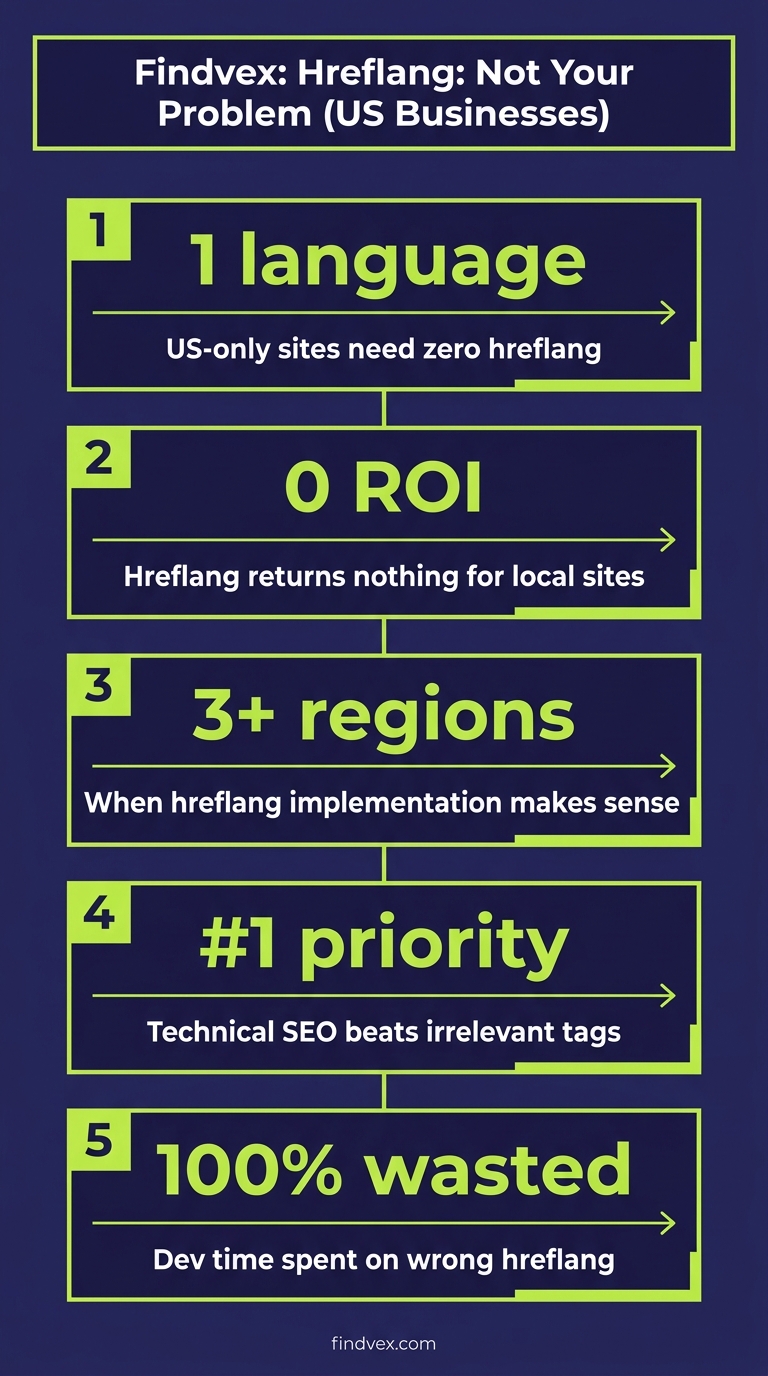
The opportunity cost matters too. Every hour spent researching and implementing hreflang for a site that doesn't need it is an hour not spent on technical fixes that actually move local rankings: structured data, Core Web Vitals, crawl efficiency, and canonical hygiene.
What to Work On Instead: The Technical SEO Priorities That Actually Matter for US Small Businesses
If you've been told you need hreflang and you're a US-only business, here is a practical list of what you should be doing with that technical SEO attention. These items have a direct, documentable effect on crawlability, indexing, and local search performance.
Priority 2: LocalBusiness Schema Markup
For a US-based local business, structured data in the form of LocalBusiness schema (or one of its subtypes like Plumber, Dentist, LegalService, Restaurant) is one of the highest-value technical tasks available. It communicates your business name, address, phone number, hours, service area, and categories directly to Google in a machine-readable format.
This is particularly important for AI Overviews and answer engines, which rely on structured, extractable data to build quick answers. A well-implemented LocalBusiness schema with accurate NAP data and service area definitions gives Google and LLMs a clean source of truth about what you do and where.
The five schema types that most affect small business rankings are covered in depth in our guide to schema markup for small business websites.
Priority 3: Core Web Vitals
Page experience signals — Largest Contentful Paint (LCP), Interaction to Next Paint (INP), and Cumulative Layout Shift (CLS) — are ranking factors Google applies to all sites. For a US-only small business, these are the technical items that directly affect whether Google considers your pages competitive against others targeting the same local queries.
LCP above 4 seconds is a significant disadvantage in competitive local markets. CLS above 0.25 damages user experience metrics that feed back into ranking signals. INP above 500ms is a measure of page responsiveness that Google now uses in its Core Web Vitals assessment. Check your actual field data (not just lab scores) in Google Search Console's Core Web Vitals report.
For a sequenced approach to fixing these, see our guide on how to fix Core Web Vitals for small business sites.
Priority 4: Crawlability and Indexing Hygiene
Before worrying about any attribute-level SEO, verify that Google can actually find, crawl, and index your important pages. This sounds basic but it's where many small business sites have silent problems: a robots.txt rule blocking a CSS file, a noindex tag left on a key service page from a staging migration, or a sitemap that still lists URLs returning 301 redirects.
Use Google Search Console's URL Inspection tool to verify that your highest-priority pages (homepage, service pages, location pages) are indexed and that the indexed version matches what you want users to see.
Our full technical SEO audit checklist walks through every crawlability checkpoint a small business site should run through regularly.
Priority 5: XML Sitemap Quality
Your XML sitemap should contain only canonical, indexable URLs that return 200 status codes. It should not include paginated URLs (unless you've deliberately made them indexable), redirect targets, noindex pages, or URLs with tracking parameters.
A clean sitemap helps Google allocate crawl budget more efficiently to your actual content pages rather than wasting crawl capacity on redirect chains or dead ends. For a small business site with 20–100 pages, sitemap hygiene takes less than an hour to audit and fix.
The nine rules that keep Google from ignoring your pages are covered in our XML sitemap best practices guide.
Diagnosis Checklist: Should You Add Hreflang?
Run through these questions before spending any time on hreflang implementation:
- Does your site have pages in more than one language? → If no, stop. You don't need hreflang.
- Do you have region-specific versions of the same page targeting different countries? → If no, stop. You don't need hreflang.
- Do you have a /en-us/ and /en-gb/ (or similar) URL structure? → If no, stop. You don't need hreflang.
- Does your business generate revenue from customers in non-US countries? → If no, stop. You don't need hreflang.
- Has your SEO tool flagged 'missing hreflang' as an error on a single-language US-only site? → This is a false positive. The tool is flagging an opportunity that doesn't apply to your architecture.
- Are you running Screaming Frog, Semrush, or Ahrefs and seeing hreflang 'issues'? → Check the specific issue. For a single-language US site, these flags are informational at best and distracting at worst.
What to Check in Google Search Console Instead
Google Search Console has no dedicated hreflang report for single-language sites because there's nothing to report. Your time in GSC should go to:
- Coverage report → 'Excluded' tab: Look for pages marked 'Noindex' or 'Crawled – currently not indexed' that shouldn't be excluded
- Core Web Vitals report: Check field data (real user measurements) for LCP, INP, and CLS across mobile and desktop
- URL Inspection: Verify that your canonical service pages and location pages are indexed and returning the correct canonical URL
- Sitemap report: Confirm your submitted sitemap has no errors, redirect loops, or excluded URLs
- Manual Actions: Rule out any manual penalties before investigating technical improvements
- Search results performance: Confirm your top-performing pages by clicks and impressions — these are the pages worth auditing technically first
When Hreflang Does Become Relevant for a Growing Small Business
There are legitimate growth scenarios where a currently US-only small business would need to add hreflang. Plan ahead if you're moving in any of these directions:
If you expand to serve Spanish-speaking customers with a translated version of your site (e.g., adding /es/ pages for a dental practice in a bilingual market), hreflang becomes necessary. Without it, Google may struggle to determine which version to serve to which user, potentially showing the Spanish version to English speakers or vice versa.
If you sell products or services internationally and create country-specific landing pages with different pricing, legal terms, or shipping information, you'll need hreflang to prevent those pages from competing with each other and to ensure the right version appears for the right audience.
In either case, the implementation follows a specific pattern: every language/region variant must include a self-referencing hreflang tag pointing to itself, plus outbound hreflang tags pointing to every other variant. The relationship must be bidirectional — if Page A points to Page B, Page B must point back to Page A. An x-default tag is used to specify the fallback for users who don't match any defined language/region combination.
This is developer work. The HTML goes in the <head> of every affected page, or alternatively in your XML sitemap using the appropriate namespace. If you're on WordPress, plugins like Yoast SEO (with multilingual extension) or Polylang handle this automatically when configured correctly. If you're on a custom build, a developer handoff note is included below.
Developer Handoff Notes: If You Do Need Hreflang Later
If your business reaches the point where hreflang is genuinely required, here is what the implementation requires from your development team:
- Risk level: Low (when implemented correctly) / Medium (if errors are introduced — missing reciprocal tags or invalid language codes can create indexing confusion)
- Placement options: HTML <head> of every affected page, HTTP response headers (for non-HTML documents), or XML sitemap (preferred for large sites, easier to audit)
- Required attributes: language code only (e.g., hreflang="es") OR language + region (e.g., hreflang="es-mx") — use language-only unless you need to differentiate between regions
- Self-referencing tag: Every page must include a hreflang tag pointing to itself — this is the most commonly missed requirement
- x-default tag: Required for the fallback URL when no language/region match is found — typically points to your main English-language page
- Reciprocal linking: If /en/ references /es/, then /es/ must also reference /en/ — one-directional hreflang is silently ignored by Google
- Use absolute URLs: Relative URLs in hreflang attributes are not supported
- Validation tool: Ahrefs Site Audit and Screaming Frog both have dedicated hreflang crawl checks — run a full crawl post-deployment before submitting the updated sitemap
Hreflang vs. Canonical: The Actual Difference
This is a frequent source of confusion because both tags deal with multiple versions of content. The distinction is fundamental:
The canonical tag (rel="canonical") says: 'Of these similar or duplicate URLs, this is the one version I want Google to index and rank. Ignore the others as duplicates.' It consolidates authority to one URL.
The hreflang attribute says: 'These are not duplicate pages — they are separate, intentional versions for different languages or regions. Index all of them, and show each one to the right audience.' It prevents consolidation.
Using a canonical tag across language variants is a mistake because it would tell Google to treat your Spanish pages as duplicates of your English pages and suppress them from results. Using hreflang on a single-language site is a mistake because there is nothing to disambiguate — every 'variant' is the same page.
If you're struggling with duplicate content on a US-only site, canonical tags are the right tool. Hreflang is not a substitute. See our complete guide on duplicate content SEO for the canonical implementation workflow.
FAQs
Do I need hreflang if my US business serves Spanish-speaking customers?
If you serve Spanish-speaking customers but your entire website is in English only, you don't need hreflang. You only need hreflang if you have created Spanish-language versions of your pages at separate URLs (e.g., yoursite.com/es/services/). If you're publishing everything in English and just happen to have Spanish-speaking customers, there's nothing for hreflang to signal to Google.
My SEO tool is flagging missing hreflang as an error. Should I fix it?
Not necessarily. Many SEO crawlers flag the absence of hreflang as an 'opportunity' on every site, regardless of whether the site actually needs it. If your site is single-language and targets only US English users, this is a false positive. Dismiss the flag and focus on issues that actually apply to your architecture: crawlability errors, Core Web Vitals failures, missing canonical tags, and structured data gaps.
What's the difference between hreflang and the canonical tag?
They solve opposite problems. A canonical tag tells Google to consolidate multiple similar URLs into one for indexing — it reduces duplication. Hreflang tells Google that multiple URLs are intentionally different versions for different audiences and should all be indexed — it prevents incorrect consolidation. Using the wrong one creates the wrong signal. US-only sites need canonical hygiene; multilingual sites need hreflang.
Does hreflang help with rankings in US local search?
No. Hreflang has no effect on rankings within a single language and region. It is purely a disambiguation signal for multi-language, multi-regional sites. US local search rankings are influenced by Google Business Profile signals, on-page relevance, local schema markup, Core Web Vitals, backlinks, and review quality — none of which are affected by hreflang.
What if I add hreflang tags to a site that doesn't need them?
At best, they'll be ignored. At worst, if they're implemented incorrectly — missing self-referential tags, broken reciprocal links, or invalid language codes — they can introduce conflicting signals into Google's indexing decisions. There's no upside to adding hreflang to a single-language US site, and there's a real downside if the implementation contains errors.
How should a US small business with one location handle multi-language content?
If you genuinely need to serve both English and Spanish (or another language) speakers, create separate URL paths for each language (e.g., /services/ and /es/services/), translate the content properly, and implement hreflang correctly with self-referencing and bidirectional tags. Don't use Google Translate auto-rendered content for this — Google can identify auto-translated pages and may treat them as low-quality. Hire a professional translator for your core service pages.
Research notes
Background claims used while researching this article. Verify with the cited authorities before quoting.
- Google introduced hreflang in 2010 — verify via Google Search Central blog or official documentation reference confirming the 2010 introduction date for the hreflang attribute
- Google's documentation states hreflang is for sites with multiple versions of a page for different languages or regions — verify via Direct link to Google Search Central documentation on hreflang to confirm this exact framing
Marcus Chen
Head of Technical SEO · Findvex
Marcus Chen heads technical SEO at Findvex. He writes about Core Web Vitals, indexing, schema, and JavaScript SEO — translating Google’s documentation into checklists small business owners can actually act on.
Expertise: Core Web Vitals · Indexing & crawlability · Schema / structured data · JavaScript SEO
Related reads
Internal Linking Strategy: How to Route Authority to the Pages That Drive Revenue
Internal linking is the most underused lever in small business SEO. A deliberate linking system routes PageRank from content pages to the service and location pages that actually generate leads — and most sites have it entirely backwards.
Strategic Technical SEOTechnical SEO for Small Business: The 7 Foundations That Determine Whether Google Can Rank Your Site
Technical SEO is the infrastructure layer of your search presence. If Google can't crawl, render, and index your pages correctly, no amount of content or link building will move the needle. This guide covers the seven foundations that matter most for small business websites—and the order in which to fix them.
Strategic Technical SEOStructured Data Testing: How to Validate Schema Markup Before and After You Deploy It
Deploying schema markup without testing it first is one of the most common technical SEO mistakes on small business sites. This guide walks through the exact validation workflow — pre-deployment, post-deployment, and ongoing monitoring — so errors never quietly kill your rich result eligibility.