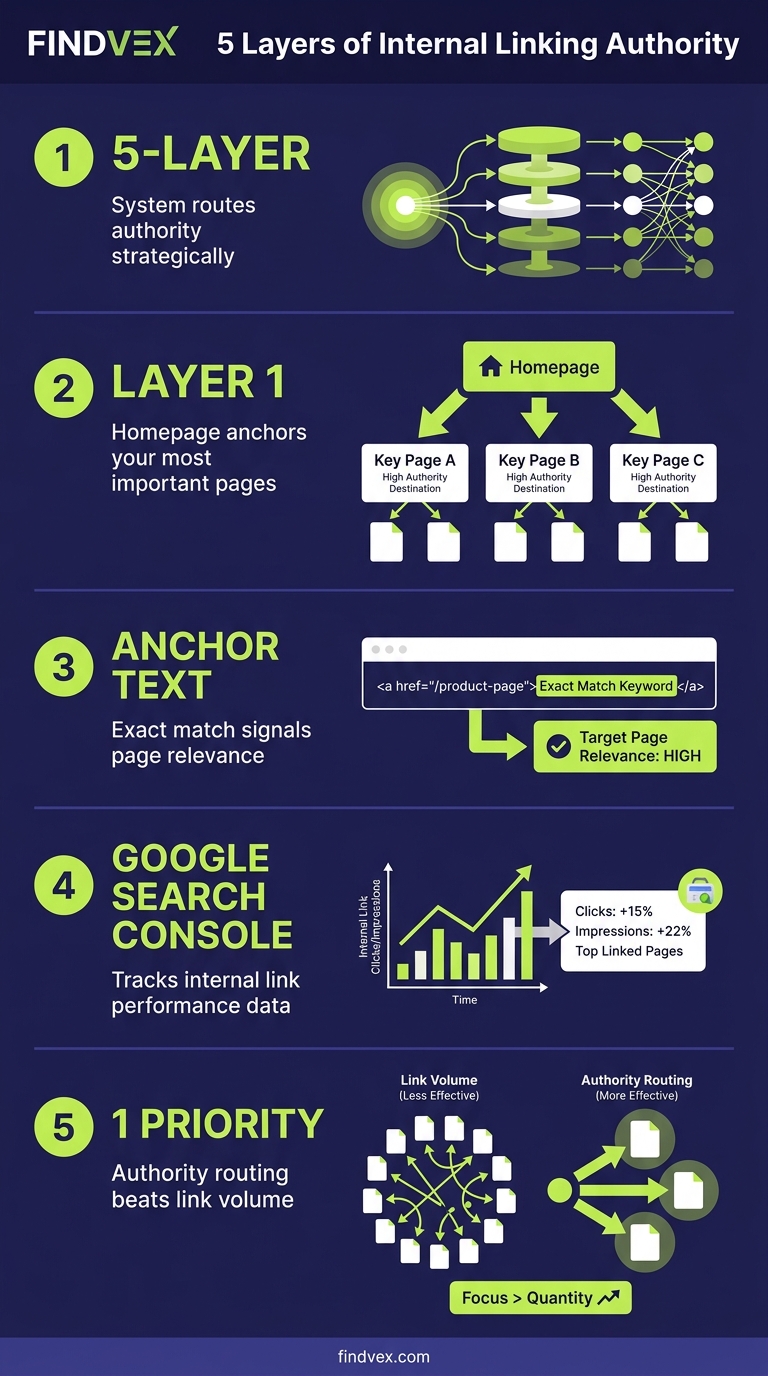
Internal Linking SEO: The 5-Layer System That Routes Authority to Your Most Important Pages
Internal linking isn't about volume — it's about deliberate authority routing. This guide breaks down a five-layer internal linking system built specifically for small business websites, including which pages to prioritize, how to write anchor text, and exactly what to check in Google Search Console.
Quick answer
Effective internal linking SEO means creating a deliberate hierarchy: your homepage passes authority to pillar pages, pillar pages pass it to supporting content, and every supporting page links back up. Use descriptive anchor text (not 'click here'), keep key pages within 3 clicks of the homepage, and audit for orphan pages and broken links in Google Search Console quarterly. For small business sites with 20–100 pages, this takes about 2–3 hours to set up and maybe 30 minutes per quarter to maintain.
Why Random Internal Linking Wastes the Authority You've Already Earned
Most small business websites have an internal linking problem that isn't obvious from the outside: they link pages based on whatever felt relevant at the time of writing, not based on where they actually need Google to send authority.
The result is service pages buried three or four clicks deep, blog posts that link nowhere useful, and homepages whose equity disperses into pages that will never rank. Your site may have earned external links and built topical content, but if the internal architecture doesn't route that authority toward the pages you're trying to rank, you're leaving ranking potential on the table.
Internal linking SEO isn't complicated — but it requires a system, not instinct. The five-layer approach below gives small business sites a framework you can audit, implement, and maintain without a developer on speed dial.
What Internal Links Actually Do for SEO
Internal links do three distinct jobs. First, they pass PageRank — the signal Google uses to assess how important a page is relative to others on your site. Pages with more links pointing to them (from other well-linked pages) accumulate more authority and tend to rank higher for competitive terms.
Second, they define crawl paths. Googlebot discovers pages by following links. A page with no internal links pointing to it — an 'orphan page' — may never be crawled or indexed, even if it's in your XML sitemap. This is a surprisingly common issue on small business sites that grow organically without a linking plan.
Third, anchor text provides context signals. When you link to your HVAC maintenance service page using the anchor text 'AC tune-up services in Phoenix,' you're giving Google a relevance signal about what that destination page covers. Generic anchors like 'click here' or 'learn more' forfeit that signal entirely.
“AI agents do in hours what teams used to do in weeks. The advantage compounds.”
The 5-Layer Internal Linking System for Small Business Sites
Think of your site's link architecture as a tiered network, not a flat list of pages. Each layer has a specific role in authority flow.
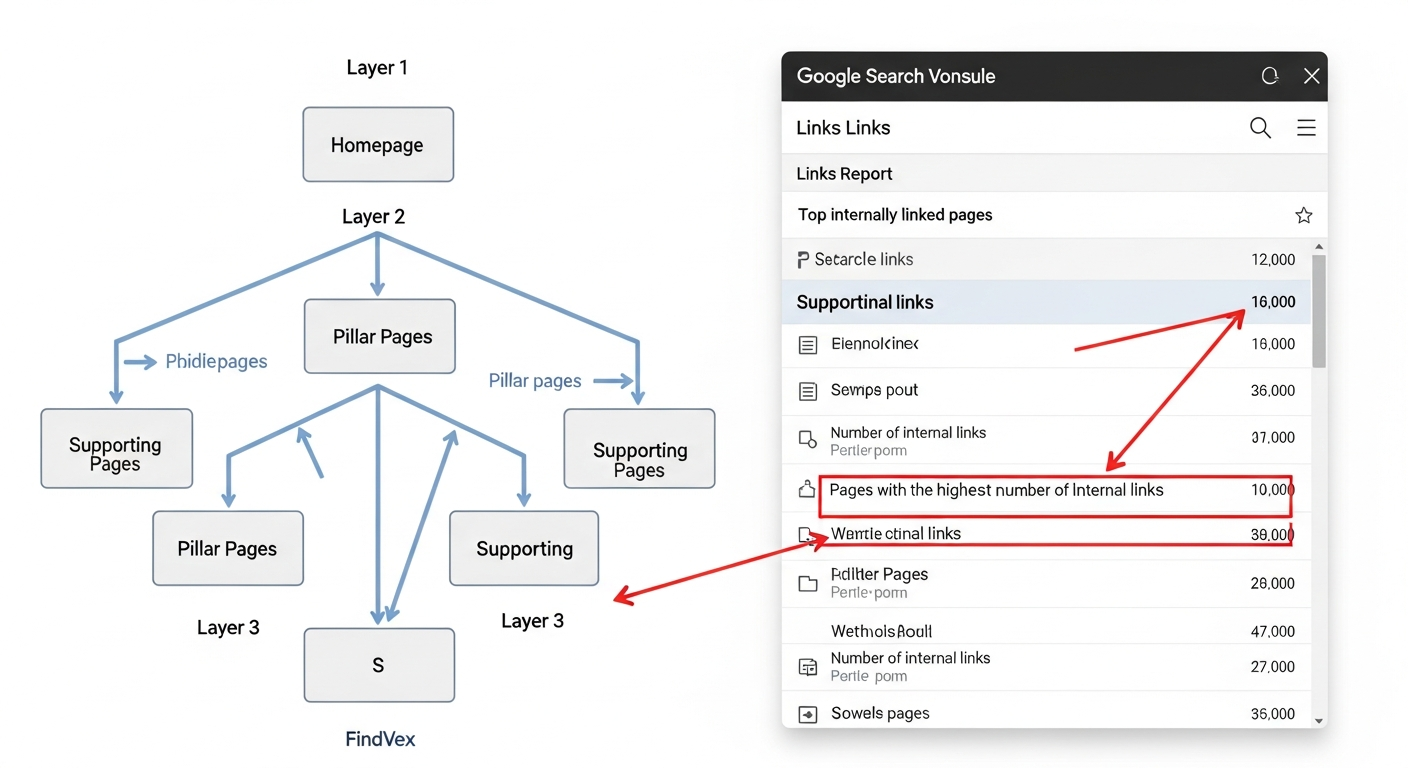
Layer 1: Homepage → Pillar Pages
Your homepage receives the most external links and is the highest-authority page on your site. Every primary service or category page should receive a direct link from the homepage — ideally in the main navigation, but also in the body or footer for reinforcement.
For a plumbing company: the homepage should link directly to 'Emergency Plumbing,' 'Drain Cleaning,' 'Water Heaters,' and 'Commercial Plumbing' — not just to a generic 'Services' hub that then requires another click. Each extra click dilutes authority and increases the chance Google won't crawl the page as frequently.
Risk level: Low. Navigation changes are safe to make in any CMS without developer involvement in most cases.
- Link to every primary service or category directly from the homepage
- Use keyword-descriptive anchor text in navigation (e.g., 'Emergency Plumber Austin' not just 'Emergency')
- Confirm these links are crawlable HTML — not JavaScript-rendered dropdown items that Googlebot may not follow
Layer 2: Pillar Pages → Supporting Pages
Each pillar page (a core service or category page) should link out to the supporting pages beneath it: specific service variants, location pages, or related blog posts that add depth.
Example: A law firm's 'Family Law' pillar page should link to 'Divorce Attorney,' 'Child Custody Lawyer,' and 'Prenuptial Agreement Attorney' — each a separate page targeting a distinct query. The pillar page acts as a hub that distributes its own authority to the more specific pages beneath it.
This is where most small business sites break down. Pillar pages are often written as standalone sales pages with no outbound links to supporting content. That's a missed authority transfer opportunity. Our guide on site architecture for small business websites explains how the hub-and-spoke structure supports this at the architectural level.
- Each pillar should link to at least 3–5 supporting pages beneath it
- Use in-body links, not just sidebar widgets — Google weights body links more heavily
- Anchor text should reflect what the supporting page actually targets
Layer 3: Supporting Pages → Pillar Pages (Upward Links)
This is the most underused layer. Every supporting page — whether a service detail page, a location page, or a blog post — should include at least one contextual link back up to its parent pillar page.
Why? Because supporting pages often accumulate their own inbound links over time, especially blog posts that earn backlinks. When a blog post links back to a service page, it pushes some of that authority upward to the page you most need to rank.
This also reinforces topical clustering: blog posts about 'how to know if your roof needs repair' linking back to a 'Roofing Services' pillar page signal to Google that both pages are related, strengthening the topic authority of the whole cluster.
- Every blog post should link to at least one relevant service or pillar page
- Don't use the exact same anchor text on every upward link — vary it naturally
- A single strong upward contextual link is more valuable than three footer links
Layer 5: Blog Posts → Each Other (Within Topic Clusters)
If your site publishes content regularly, blog posts should link to other blog posts within the same topic cluster. This builds topical depth and keeps Googlebot cycling through your content more efficiently.
The practical rule: when you publish a new post, identify two or three existing posts it relates to and add links to them. Then go back to those older posts and add a link to the new one. This two-direction linking ensures new content gets indexed faster and older content benefits from the new post's crawl activity.
This is also how you prevent your older content from becoming invisible over time — a problem we've covered in depth in our article on crawl budget for small business sites.
- New posts should link to 2–3 existing posts in the same cluster
- Update older posts to link to relevant newer content
- Use content audit tools or a simple spreadsheet to track which posts cover which topics
Anchor Text: The Exact Rules for Small Business Sites
Anchor text is one of the strongest on-page signals in internal linking, and most small business sites either ignore it or overoptimize it. Here's a practical framework.
Use descriptive, keyword-relevant anchor text for links to pages you want to rank. If you want your 'Emergency Plumbing Philadelphia' page to rank, links to it from other pages should use anchors like 'emergency plumber in Philadelphia' or 'same-day plumbing service.' Not 'here,' not 'this page,' and not the same exact phrase every single time.
Vary the phrasing naturally. Google is looking for natural language patterns. Three internal links all using the identical exact-match anchor text to the same page looks unnatural and may be discounted. Use synonyms and natural variations: 'roof repair contractor,' 'roofing services in Denver,' 'local roofer' — all pointing to the same page.
- Descriptive anchor text: Always use for links to priority pages
- Branded anchor text: Appropriate for homepage links ('FindVex' or your business name)
- Generic anchor text ('click here', 'read more'): Avoid for any page you want to rank
- Exact-match keyword anchor: Use sparingly — one or two per page at most, vary with synonyms
- Naked URLs: Only appropriate in citations, bylines, or technical contexts
Internal Linking Diagnosis Checklist
Before you add a single new link, audit what you already have. These are the five diagnostic checks that surface the most common internal linking problems on small business sites.
- ✅ Orphan pages check: Use Screaming Frog (free up to 500 URLs) or Ahrefs Site Audit to find pages with zero internal links pointing to them. Any page not linked from elsewhere is at crawl risk.
- ✅ Click depth check: From the homepage, can you reach every important page in 3 clicks or fewer? Pages buried at 4+ clicks are crawled less frequently and typically receive less PageRank.
- ✅ Broken internal links check: Links pointing to 404 pages waste crawl budget and lose the authority that should pass through. Google Search Console > Coverage > Not Found will surface these.
- ✅ Over-linked pages check: Does every page link to your Contact page 12 times in the footer? Sitewide footer links that repeat excessively dilute anchor text signals and reduce the weight of each individual link.
- ✅ Anchor text audit: Export all internal links from Screaming Frog. Sort by anchor text. Look for overuse of generic anchors on pages you want to rank, and for exact-match over-optimization on any single target page.
What to Check in Google Search Console
Google Search Console gives you two critical internal linking signals you won't find in crawl tools.
- Links report (Legacy Search Console > Links): Shows 'Top internally linked pages' — this tells you which pages your site links to most. If your highest-linked pages don't match your revenue-driving pages, your link architecture is misaligned.
- Coverage report: Any page marked 'Discovered — currently not indexed' or 'Crawled — currently not indexed' may be suffering from insufficient internal link equity. Adding more authoritative internal links to these pages can push Google to index them.
- URL Inspection tool: Paste in a specific page URL and check 'Referring pages' to see how many internal pages link to it. If a high-priority service page has zero or one referring internal pages, that's a clear gap.
- Core Web Vitals and Performance reports: Not directly about linking, but pages with poor Core Web Vitals that also receive little internal link equity are doubly disadvantaged. Fix both in parallel.
- Sitemaps report: Confirms which pages Google has discovered. If important pages appear only via sitemap submission and not via internal links, they're structurally isolated — a crawl vulnerability.
Developer Handoff Notes
Most internal linking work is content-layer and can be done by a site owner or content manager in any CMS. However, a few items require developer attention.
- Navigation link crawlability: Confirm that dropdown navigation menus are rendered as crawlable HTML anchor tags, not JavaScript-rendered elements that Googlebot may not follow consistently. Ask your developer to view-source the navigation and confirm links appear in the raw HTML.
- Pagination and faceted navigation: If your site uses filters (e.g., an e-commerce category with color/size filters), these can generate thousands of parameterized URLs that fragment internal link equity. Work with your developer to implement canonical tags or disallow filtered URLs via robots.txt — but test before deploying. Risk level: Medium-High.
- Footer link audits: If your CMS injects the same sitewide footer links on every page, check whether these are diluting anchor text signals. In many cases, a developer can conditionally suppress footer links on the pages where they create noise.
- JavaScript-rendered content: If your site renders any content via JavaScript (common in React or Vue-based sites), internal links inside that JS content may not be followed by Googlebot. Use Google Search Console's URL Inspection tool to render your pages and confirm links appear in the rendered HTML. Our JavaScript SEO audit guide covers this diagnostic in detail.
- Risk level for all navigation changes: Low to Medium. Always test on staging before deploying sitewide changes.
5 Internal Linking Mistakes That Hurt Small Business Rankings
These are the patterns that appear most frequently in technical SEO audits of small business sites.
- Mistake 1 — Linking only to the homepage: Many sites link their logo back to the homepage on every page (correct) but have no other homepage-pointing links. The homepage already ranks for branded terms; your service pages need the link equity more.
- Mistake 2 — New content never linked from existing content: A post published today that receives no internal links from existing pages may take weeks longer to be crawled and indexed. Establish a workflow: every new page gets links added from at least two existing relevant pages within 48 hours of publication.
- Mistake 3 — Using tracking parameters in internal links: UTM parameters in internal links create duplicate URL variants that fragment PageRank and inflate crawl budget. Google Search Console will treat /services?utm_source=footer as a separate URL from /services. See our dedicated guide on tracking parameters in internal links for the fix.
- Mistake 4 — Canonical tags on paginated pages without internal links: If you set a canonical tag pointing to page 1 of a paginated series but also want pages 2, 3, 4 to be indexed, ensure internal links point to those deeper pages — otherwise the canonical will win and they'll be folded out of the index. Risk level: Medium.
- Mistake 5 — Ignoring thin pages in link flow: Short pages (under 300 words) with weak content but lots of internal links pointing to them can dilute the authority those links could be passing to stronger pages. Address thin content first, then update link architecture.
Quarterly Internal Link Maintenance: A 30-Minute Workflow
Internal linking isn't a one-time project. As you add and remove pages, the architecture drifts. This quarterly workflow keeps it clean.
- Step 1 (5 min): Open Google Search Console > Coverage. Flag any new 'Not indexed' pages that should be indexed. Add internal links to those pages from related content.
- Step 2 (5 min): Open GSC > Links > Top internally linked pages. Confirm your highest-priority revenue pages are in the top 10. If a Contact or Privacy page outranks your Services pages in internal link count, redistribute links.
- Step 3 (10 min): Run a Screaming Frog crawl (or use Ahrefs Site Audit). Filter for broken internal links (4xx). Fix each by updating the link to the correct URL or to a 301-redirected destination.
- Step 4 (5 min): For any content published in the last 90 days, confirm each new page has at least 2 internal links from existing relevant pages.
- Step 5 (5 min): Spot-check anchor text on 5 random high-priority pages. Look for generic anchors and update them to descriptive text.
Internal Linking in the Context of AI Search and Crawlability
There's a less-discussed dimension of internal linking that's becoming more relevant as AI crawlers (GPTBot, OAI-SearchBot, ClaudeBot) index the web for training and retrieval. These bots also follow internal links to discover your content — a well-linked site structure increases the surface area they can access.
Strong internal linking also improves your crawl efficiency signal to Google, which is one of the factors that affects how frequently Googlebot returns to your site. Faster re-crawling means newer content gets indexed sooner and content updates are reflected in search results more quickly.
For a deeper look at how your crawl architecture affects AI search visibility, see our guide on why AI search skips your content — the crawlability section maps directly to internal linking failures.
FAQs
How many internal links should a page have?
There's no fixed rule, but Google's guidance historically suggested keeping links to a reasonable number — roughly under 100 per page for most sites. For small business pages (typically under 2,000 words), 5–15 internal links per page is practical and sufficient. The more important constraint is quality over quantity: every link should serve a purpose for the reader or for authority flow.
Does the position of an internal link on the page matter?
Yes, position affects how Google weights a link. Links appearing in the main body content of a page carry more weight than links in headers, footers, or sidebars. Contextual in-body links with descriptive anchor text are the most valuable internal links you can create. Sitewide footer links have diminishing value the more pages they appear on.
Should I link to competitor pages or external sources in my internal linking strategy?
Internal linking refers specifically to links between your own pages. External links to competitors would only be appropriate if they genuinely help the reader — and most small business sites don't need to do that on service pages. Outbound links to authoritative reference sources (like Google's documentation or industry bodies) can be used where they add credibility, but they're separate from your internal linking strategy.
Can too many internal links hurt my SEO?
Excessive internal links dilute the PageRank passed to any single page — you're spreading the same amount of authority across more destinations. More practically, sitewide links that repeat on every page (like a footer linking to every service 20 times) reduce the weight of each individual link signal. Focus on contextual, purposeful links rather than adding links in bulk.
How do I find orphan pages on my site?
Use Screaming Frog (free for up to 500 URLs) and run a full site crawl. Export the 'All Inlinks' report and look for pages with zero inlinks from internal sources. You can also cross-reference your XML sitemap against your crawl to find pages listed in the sitemap that have no internal links pointing to them — those are structurally isolated and at risk of being under-crawled.
Do internal links pass the same value as external backlinks?
No. External backlinks carry significantly more authority because they come from third-party domains that Google has independently assessed for trust and quality. Internal links pass PageRank that has already been accumulated — they redistribute existing authority, they don't generate new authority. That said, poor internal link architecture can cause you to rank well below your potential even with strong external backlinks, because the equity never reaches the right pages.
What's the difference between internal linking and site architecture?
Site architecture refers to the overall hierarchy and structure of your pages — how sections and categories are organized. Internal linking is the implementation layer: the actual links you create between those pages. Good site architecture without deliberate internal linking still fails to route authority effectively. You need both. Our site architecture guide covers the structural decisions; this article covers the linking execution on top of that structure.
Related reading
Research notes
Background claims used while researching this article. Verify with the cited authorities before quoting.
- Google's historical guidance on the number of links per page
- PageRank passes through internal links
Marcus Chen
Head of Technical SEO · Findvex
Marcus Chen heads technical SEO at Findvex. He writes about Core Web Vitals, indexing, schema, and JavaScript SEO — translating Google’s documentation into checklists small business owners can actually act on.
Expertise: Core Web Vitals · Indexing & crawlability · Schema / structured data · JavaScript SEO
Related reads
Answer Engine Optimization (AEO): The 2026 Guide for Small Businesses
Learn answer engine optimization (AEO) in 2026. This practical guide helps small businesses get found in AI search, voice assistants, and answer engines.
SEOGenerative Engine Optimization (GEO): The 2026 Guide for Small Businesses
Learn how generative engine optimization helps small businesses get found in AI search. Our 2026 GEO guide covers strategies, tactics, and tips to boost visibility.
SEOSEO Agency in USA: AI-Powered SEO for Small Businesses | Findvex
Findvex is a leading SEO agency in USA delivering AI-powered SEO strategies that help small businesses rank higher, drive traffic, and grow revenue. Get started today.