Technical SEO FAQ: 35 Questions Small Business Owners Actually Ask (Answered Without Jargon)
Crawl errors, canonical tags, Core Web Vitals, robots.txt — technical SEO terminology can feel like a foreign language. This FAQ answers 35 questions that real small business owners search for, in plain English, with concrete next steps for each.
Quick answer
Technical SEO is everything Google needs to crawl, understand, and index your site before it can rank your content. The most common issues small businesses face are: pages blocked by robots.txt, missing or broken XML sitemaps, slow page speed, no HTTPS, duplicate content without canonical tags, and missing schema markup. Fix these foundations first — content and links matter far less if Google can't reliably access your pages.
Why Technical SEO Questions Trip Up Business Owners
You've probably Googled something like 'why isn't my website showing up on Google' or 'what is a canonical tag' at 11pm wondering why your competitors rank above you despite having a worse-looking site. Technical SEO is the answer most of the time — and it's far more learnable than the jargon suggests.
This FAQ compiles 35 of the most common technical SEO questions from small business owners, organized by topic. Each answer is written to be actionable: you'll know what the term means, why it matters for your leads and revenue, and what to do next. No filler.
If you want the full framework behind these questions, our guide to technical SEO for small business covers all seven foundational areas in depth.
The Basics: What Technical SEO Actually Is
- 1. What is technical SEO? Technical SEO is the process of making sure search engines can find, crawl, understand, and index your website. It covers site speed, mobile usability, URL structure, crawlability, indexing signals, structured data, and security. Think of it as the infrastructure layer underneath your content.
- 2. Is technical SEO different from regular SEO? Yes. Regular SEO includes content creation, keyword targeting, and building backlinks. Technical SEO is the behind-the-scenes infrastructure. You need both: great content on a technically broken site won't rank, and a perfectly structured site with thin content won't either.
- 3. Do small businesses really need technical SEO? Yes — more than most people realize. Many small business sites have at least one issue that is actively preventing pages from ranking: an accidental noindex tag, a slow mobile experience, or a sitemap that hasn't been updated in years. These aren't edge cases; they're common.
- 4. What's the fastest way to check if my site has technical SEO problems? Type 'site:yourdomain.com' into Google. If fewer pages show up than you have published, you have an indexing problem. Then run your URL through Google Search Console's URL Inspection tool to check crawl and index status. For a deeper check, run a free crawl with Screaming Frog (up to 500 URLs free) or use Google Search Console's Coverage report.
- 5. How much does fixing technical SEO actually affect my rankings? It depends on how broken things are. If Google can't crawl your pages at all, fixing that can cause rankings to appear almost immediately. If everything is accessible but you have speed or schema issues, you'll typically see gradual improvement over weeks. Technical fixes rarely produce overnight results unless you're correcting a serious blocking issue.
“AI agents do in hours what teams used to do in weeks. The advantage compounds.”
Crawling and Indexing Questions
These questions come up constantly — and the answers matter directly to whether Google can even see your pages.
- 6. What does it mean for Google to 'crawl' my website? Crawling means Googlebot (Google's automated browser) visits your pages, follows links, and collects the content it finds. Think of it like Google reading your site. If Googlebot can't reach a page, that page can't appear in search results.
- 7. How do I know if Google is crawling my site? Open Google Search Console, go to Settings > Crawl Stats. You'll see how many pages Google requested per day and any crawl anomalies. You can also paste any URL into the URL Inspection tool to see when Google last crawled it and what it rendered.
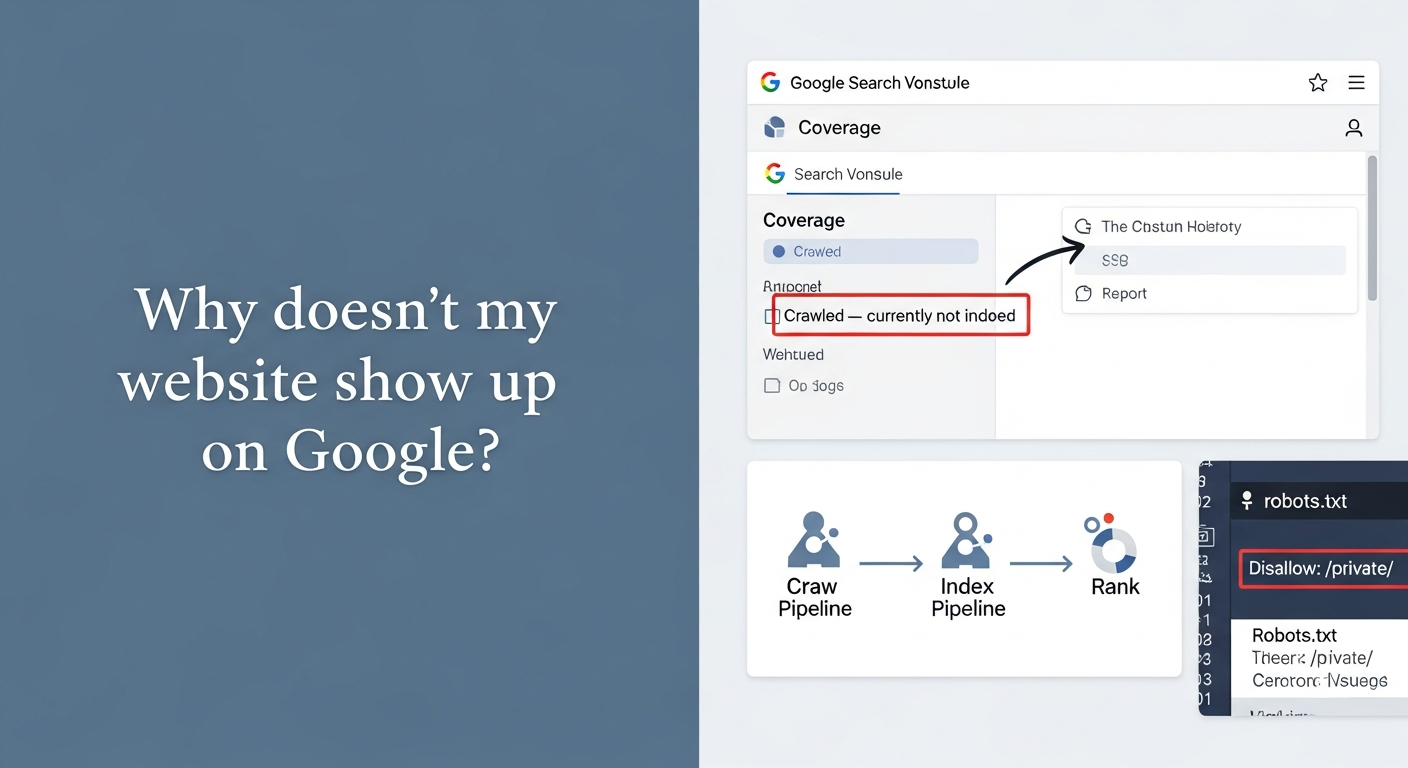
- 8. My page is on my website but doesn't appear in Google. Why? The most common reasons: the page has a noindex tag, it's blocked in robots.txt, it has no internal links pointing to it (so Google never discovered it), it was published recently (Google hasn't crawled it yet), or it has a canonical tag pointing to a different URL. Check URL Inspection in Search Console to find the specific cause.
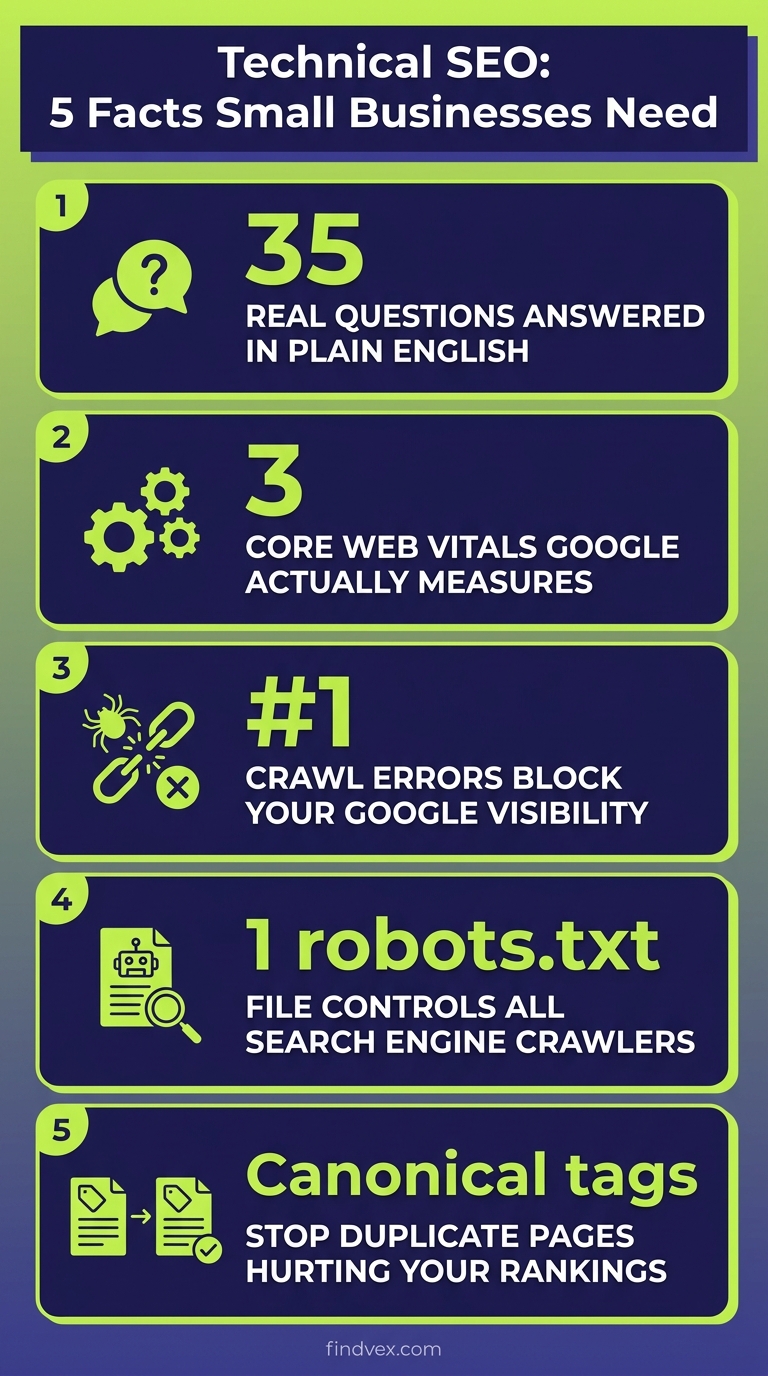
- 9. What is a robots.txt file and can I accidentally break my site with it? Robots.txt is a text file at yourdomain.com/robots.txt that tells search engines which pages or sections to avoid crawling. Yes, you can absolutely break your site with it — a single misplaced line can block your entire site from Google. Check yours regularly, especially after a site migration. We have a full breakdown of what to block, allow, and what silently breaks your SEO in our robots.txt guide.
- 10. What is crawl budget and does it matter for a small business site? Crawl budget is the number of pages Googlebot will crawl on your site in a given time period. For most small business sites (under 500 pages), crawl budget isn't a concern. It becomes relevant when you have thousands of pages, lots of duplicate or low-quality URLs, or heavy parameterized URLs. Focus on crawl budget only after you've fixed more fundamental issues.
- 11. What are 404 errors and do they hurt my rankings? A 404 error means a page your site links to (or that other sites link to) no longer exists. A small number of 404s is normal. They hurt you when important pages return 404s, when inbound links from other sites point to dead URLs, or when internal links send visitors to broken pages. Redirect important broken URLs to relevant working pages using a 301 redirect.
- 12. What is an XML sitemap and do I need one? An XML sitemap is a file that lists all the pages on your site you want Google to index. You do need one — it's the clearest way to tell Google what exists on your site. Submit it in Google Search Console under Sitemaps. Most platforms (WordPress with Yoast/RankMath, Squarespace, Wix) generate one automatically. Make sure it's up to date and doesn't include noindex pages.
- 13. What is indexing and how is it different from crawling? Crawling is when Google visits your page. Indexing is when Google decides to store it in its database and make it eligible to appear in search results. A page can be crawled but not indexed (Google visited it but didn't think it was worth including). Check for 'Crawled — currently not indexed' errors in Google Search Console's Pages report for pages falling into this gap.
Page Speed and Core Web Vitals Questions
Page speed isn't just a ranking signal — it directly affects whether visitors stick around long enough to contact you. These are the questions we hear most often about speed.
- 14. Does page speed actually affect my Google rankings? Yes. Page speed is a confirmed Google ranking factor, particularly through Core Web Vitals. But the more immediate business impact is on conversions: slower pages have higher bounce rates, which means fewer inquiries and phone calls, regardless of your ranking position.
- 15. What are Core Web Vitals and which ones should I focus on first? Core Web Vitals are three speed and stability metrics Google uses to evaluate page experience: LCP (Largest Contentful Paint — how fast the main content loads), INP (Interaction to Next Paint — how quickly your page responds to clicks), and CLS (Cumulative Layout Shift — how much elements jump around as the page loads). For most small business sites, LCP is the biggest issue and the highest-impact fix. Check your scores in Google Search Console under Experience > Core Web Vitals.
- 16. How do I check my site's page speed? Use Google's PageSpeed Insights (pagespeed.web.dev) — paste your URL and get scored. The tool shows both mobile and desktop scores and lists specific issues to fix. Run it on your homepage AND your most important service pages, not just your homepage, since performance varies page by page.
- 17. What are the quickest wins for improving page speed on a small business site? In order of typical impact: (1) Compress and convert images to WebP format. (2) Install a caching plugin if you're on WordPress. (3) Enable a CDN (Cloudflare's free plan works well). (4) Remove unused plugins or scripts. (5) Switch to a faster hosting plan if you're on shared hosting. Images alone account for the majority of load time on most small business sites.
- 18. My site scores poorly on mobile but fine on desktop. What should I fix first? Google uses mobile-first indexing, meaning your mobile performance is what Google primarily evaluates. Focus on: reducing image file sizes for mobile, eliminating render-blocking scripts that delay the mobile display, and ensuring your layout doesn't shift on smaller screens (CLS). Our guide to mobile SEO for service businesses breaks down the seven most common causes.
HTTPS, SSL, and Site Security Questions
- 19. Does HTTPS affect my Google ranking? Yes, HTTPS is a confirmed (minor) ranking signal. More importantly, Google Chrome flags HTTP sites as 'Not Secure,' which actively discourages visitors from trusting your site. If your URL starts with http:// instead of https://, get an SSL certificate — most hosts offer free ones through Let's Encrypt.
- 20. My site has an SSL certificate but some pages still show as 'not secure.' Why? This is called mixed content — your page loads over HTTPS, but some elements on it (images, scripts, stylesheets) still load over HTTP. Browsers block or warn about these. Use a tool like Why No Padlock (whynopadlock.com) to identify the mixed content elements. WordPress users can fix most cases with a plugin like Really Simple SSL.
- 21. I switched from HTTP to HTTPS. Do I need to do anything for SEO? Yes — several things. Make sure every HTTP URL redirects to its HTTPS version with a 301 redirect. Update your XML sitemap to use HTTPS URLs. Update your Google Search Console properties (HTTPS is treated as a separate property). Check that your canonical tags all use HTTPS. Missing any of these means split authority between two versions of your site.
Duplicate Content and Canonical Tag Questions
Duplicate content confuses Google about which version of a page to rank. It's more common on small business sites than most owners realize.
- 22. What is duplicate content and does Google penalize it? Duplicate content means the same (or nearly identical) content exists at multiple URLs on your site. Google doesn't penalize most duplicate content — it simply picks one version to rank and ignores the others. The risk is that the version it picks might not be the one you want, and that link authority gets split. Common sources: www vs non-www versions, HTTP vs HTTPS versions, trailing slash variants, filtered or paginated URLs.
- 23. What is a canonical tag and when do I use one? A canonical tag (rel='canonical') tells Google which version of a page is the 'master' version you want ranked. Use it when multiple URLs show the same content — for example, an e-commerce product page accessible through different category paths. It's a directive, not a guarantee: Google may still choose a different canonical. Make sure your canonical tags are consistent and always point to the HTTPS, www-preferred version.
- 24. Can I accidentally create duplicate content on my own site? Absolutely. The most common accidental sources: session IDs in URLs (yourdomain.com/page?sessionid=123), printer-friendly page versions, tag and category archive pages in WordPress, URL parameters added by tracking tools, and having both www and non-www versions of your site accessible. A site crawl with Screaming Frog will surface these.
Schema Markup and Structured Data Questions
Schema is one of the most underutilized tools in small business SEO. Done correctly, it can trigger rich results in Google Search and help AI systems understand exactly what your business does.
- 25. What is schema markup? Schema markup is structured code (usually JSON-LD format) you add to your pages to tell Google specifically what the content represents — a local business, a review, a FAQ, a service, an event. It doesn't automatically boost rankings, but it can trigger rich results (star ratings, business hours, FAQs directly in search) that increase your click-through rate.
- 26. What schema types matter most for a small business? The five that actually move the needle for most local businesses: LocalBusiness (your NAP — name, address, phone), Review/AggregateRating (star displays in results), FAQPage (FAQ accordions in results), Service (defines what you offer), and BreadcrumbList (improves navigation display). Our schema markup guide covers each one with implementation examples.
- 27. How do I add schema without a developer? If you use WordPress, plugins like Rank Math or Yoast SEO handle basic LocalBusiness and FAQ schema without code. For custom schema, use Google's Structured Data Markup Helper to generate JSON-LD, then paste it into your page's HTML head section. Always validate with Google's Rich Results Test before going live.
- 28. How do I test if my schema is working? Use Google's Rich Results Test (search.google.com/test/rich-results) — paste your URL or code snippet and see exactly what Google reads. Also check Google Search Console under Enhancements to see if your schema types are generating impressions and any errors. We have a full structured data testing walkthrough if you want to go deeper.
Mobile SEO Questions
- 29. What is mobile-first indexing? Mobile-first indexing means Google primarily uses your mobile site version to determine your rankings — not your desktop version. If your mobile site has less content, slower load times, or broken elements compared to your desktop version, your overall rankings suffer even for users on desktop computers.
- 30. How do I know if my site is mobile-friendly? The fastest check: open Google Search Console and go to Experience > Mobile Usability. It shows specific pages with mobile issues. Also run your URL through Google's Mobile-Friendly Test. For a real-world check, open your site on your phone and look for text that's too small to read without zooming, buttons that are too close together, and content that overflows the screen.
- 31. My mobile site looks fine visually but my mobile rankings are worse than desktop. Why? Visual appearance and technical performance are different things. Your mobile site might look fine but load slowly (bad LCP), shift layout as it loads (bad CLS), or have JavaScript rendering issues that cause Googlebot to see a different version than your visitors. Run PageSpeed Insights on mobile specifically and check the Core Web Vitals section.
URL Structure and Site Architecture Questions
- 32. Does URL structure actually affect SEO? Yes, but less than it used to. Google understands your content regardless of URL structure. That said, clean URLs (yourdomain.com/plumbing-services/emergency-repairs) are easier for users to understand and share, and keywords in URLs provide a small relevancy signal. Avoid dynamic parameters in URLs for your core service and location pages.
- 33. How should I structure my URLs for service pages? Keep them short, descriptive, and lowercase. Use hyphens between words (not underscores). Match the URL to what the page is about: yourdomain.com/services/hvac-repair is better than yourdomain.com/page?id=44. For local businesses, including your city in service page URLs can help: yourdomain.com/plumber-austin-tx.
- 34. What is internal linking and why does it matter technically? Internal links are links from one page on your site to another. Technically, they do two things: they help Googlebot discover and crawl pages it might not otherwise find, and they pass authority (PageRank) between pages. Pages with no internal links pointing to them (called orphan pages) are often under-crawled and under-ranked. A deliberate internal linking strategy routes authority to your most important revenue-driving pages.
- 35. Should I have separate pages for each service or put everything on one page? Separate pages for each distinct service. Google ranks pages, not websites — a single 'Services' page with five services listed can only rank for one primary query. Individual service pages (Plumbing Repair, Water Heater Installation, Drain Cleaning) each get their own chance to rank for the terms people actually search. This is one of the highest-ROI structural changes small business sites can make.
Technical SEO for AI Search: What's New in 2026
Technical SEO doesn't stop at Google's traditional crawler. AI Overviews, ChatGPT Search, Perplexity, and Bing's AI answers all use technical signals to decide what content to cite. Here's what you need to know now.
- Bonus Q: Do AI tools like ChatGPT use technical SEO signals? Yes. AI systems crawl your site using bots (OpenAIBot, GPTBot, ClaudeBot) and parse your content structure. Sites with clear heading hierarchies, structured data, fast load times, and no robots.txt blocks on AI crawlers are more likely to be cited in AI-generated answers. If your robots.txt blocks all bots (some security tools do this automatically), you're invisible to AI search. Check your robots.txt for any Disallow: / rules applied to AI crawlers.
- Bonus Q: What technical signals help AI systems cite my content? Clear H1/H2/H3 structure that organizes information logically, FAQ schema that pre-packages question-answer pairs, fast load times (AI crawlers also prioritize easily-parsed content), clean URL structures, and structured data that identifies your entity type. Pages written in a clear question-answer format — like this one — are more retrievable by AI systems.
Do This Week: Your 5-Step Technical SEO Triage
Don't try to fix everything at once. These five steps take under two hours and address the issues most likely to be actively blocking your rankings right now.
- Step 1 — Check your index coverage: Open Google Search Console > Pages. If you see 'Crawled — currently not indexed' or 'Discovered — currently not indexed' for important pages, that's your first priority. Find the cause for each using URL Inspection.
- Step 2 — Audit your robots.txt: Go to yourdomain.com/robots.txt. Make sure you don't have 'Disallow: /' applying to all crawlers or blocking your important directories. Also check that your sitemap URL is listed at the bottom.
- Step 3 — Run PageSpeed Insights on your most important page: Test your homepage and your top service page (not just homepage). If mobile LCP is over 4 seconds, image compression and caching are your first fixes.
- Step 4 — Check for duplicate site versions: Type both 'http://yourdomain.com' and 'http://www.yourdomain.com' into a browser. Both should automatically redirect to your preferred HTTPS version. If they don't, you're splitting authority.
- Step 5 — Verify your XML sitemap is submitted: In Google Search Console, go to Sitemaps. Submit your sitemap URL if it isn't listed. Check the status — it should say 'Success' not 'Couldn't fetch.'
When to Get Help vs. When to DIY
Most small business owners can handle the triage above themselves. Where things get complex — and where bad DIY decisions cost rankings — is in site migrations, JavaScript rendering issues, large-scale duplicate content problems, and structured data implementation at scale.
If you've worked through the steps above and still aren't sure why your pages aren't indexing or ranking, a technical SEO audit from an experienced team will identify the specific issue within hours rather than weeks of trial and error. FindVex runs technical audits that prioritize fixes by revenue impact — not just SEO score.
If you're just getting started with understanding the full framework, our guide to what a technical SEO audit actually covers is a good next read.
FAQs
What is the most common technical SEO mistake small businesses make?
Accidentally blocking pages from being indexed — either through a noindex tag added during a site build that was never removed, or through a robots.txt rule that blocks entire sections. This is usually only discovered when a business owner notices that certain pages don't appear in Google search results.
How long does it take for technical SEO fixes to affect rankings?
It depends on the fix. Resolving a blocking issue (noindex removed, robots.txt corrected) can show results within days as Google recrawls those pages. Speed improvements, schema additions, and structural changes typically take several weeks to reflect in rankings, because Google needs to recrawl, reindex, and reassess your pages.
Do I need to hire an SEO agency to handle technical SEO?
Not for the basics. Checking indexing in Google Search Console, submitting a sitemap, fixing HTTPS, and improving page speed are all things a business owner or their web developer can handle. You should bring in a specialist for complex issues: JavaScript rendering problems, large-scale duplicate content, post-migration audits, or structured data implementation across hundreds of pages.
Is technical SEO a one-time fix or ongoing?
Both. There are foundational fixes you set up once and maintain (HTTPS, sitemap, robots.txt, canonical tags). But your site changes over time — new pages are added, plugins are updated, developers make changes — and any of these can introduce new technical issues. A quarterly technical audit is a reasonable cadence for most small business sites.
Does technical SEO apply to AI search tools like ChatGPT and Perplexity?
Yes. AI search tools use their own crawlers to access your content, and many of the same technical signals apply: clear structure, accessible content (not blocked by robots.txt), fast load times, and structured data. If your robots.txt blocks all bots indiscriminately, you may be invisible to AI search systems even if your Google rankings are fine.
What tools do I need to do technical SEO for my small business website?
You can cover most of the fundamentals with free tools: Google Search Console (crawl data, indexing, Core Web Vitals), Google PageSpeed Insights (speed analysis), Screaming Frog free tier (site crawl up to 500 URLs), Google's Rich Results Test (schema validation), and Why No Padlock (mixed content checker). Paid tools like Ahrefs, Semrush, or Sitebulb add depth but aren't required to fix most small business technical issues.
My site was recently redesigned. What technical SEO checks should I run immediately?
Run these within the first week after launch: (1) Confirm all pages are returning 200 status codes, not 404s. (2) Check that old URLs redirect to new ones with 301 redirects. (3) Verify robots.txt isn't blocking the live site (development sites often have broad noindex rules left in place). (4) Resubmit your XML sitemap in Google Search Console. (5) Run a crawl to find orphaned pages or broken internal links. Post-launch is when the most damaging technical issues get introduced.
Related reading
- technical SEO for small business covers all seven foundational areas in depth
- what to block, allow, and what silently breaks your SEO in our robots.txt guide
- crawl budget
- mobile SEO for service businesses breaks down the seven most common causes
- schema markup guide covers each one with implementation examples
- full structured data testing walkthrough
- deliberate internal linking strategy routes authority to your most important revenue-driving pages
- Core Web Vitals section
- what a technical SEO audit actually covers
- 'Crawled — currently not indexed'
Research notes
Background claims used while researching this article. Verify with the cited authorities before quoting.
- HTTPS is a confirmed Google ranking signal
- Page speed is a confirmed Google ranking factor through Core Web Vitals
Sofia Patel
Head of Content & Growth · Findvex
Sofia Patel leads content and growth at Findvex. She writes about local SEO, conversion-focused content, and AEO/GEO strategy — the work that turns search visibility into booked calls and qualified leads for service businesses.
Expertise: Local SEO · Conversion content · AEO / GEO strategy · Content-led link building
Related reads
Answer Engine Optimization (AEO): The 2026 Guide for Small Businesses
Learn answer engine optimization (AEO) in 2026. This practical guide helps small businesses get found in AI search, voice assistants, and answer engines.
SEOGenerative Engine Optimization (GEO): The 2026 Guide for Small Businesses
Learn how generative engine optimization helps small businesses get found in AI search. Our 2026 GEO guide covers strategies, tactics, and tips to boost visibility.
SEOSEO Agency in USA: AI-Powered SEO for Small Businesses | Findvex
Findvex is a leading SEO agency in USA delivering AI-powered SEO strategies that help small businesses rank higher, drive traffic, and grow revenue. Get started today.