Canonical Tags SEO: How to Stop Google From Splitting Your Rankings Across Duplicate URLs
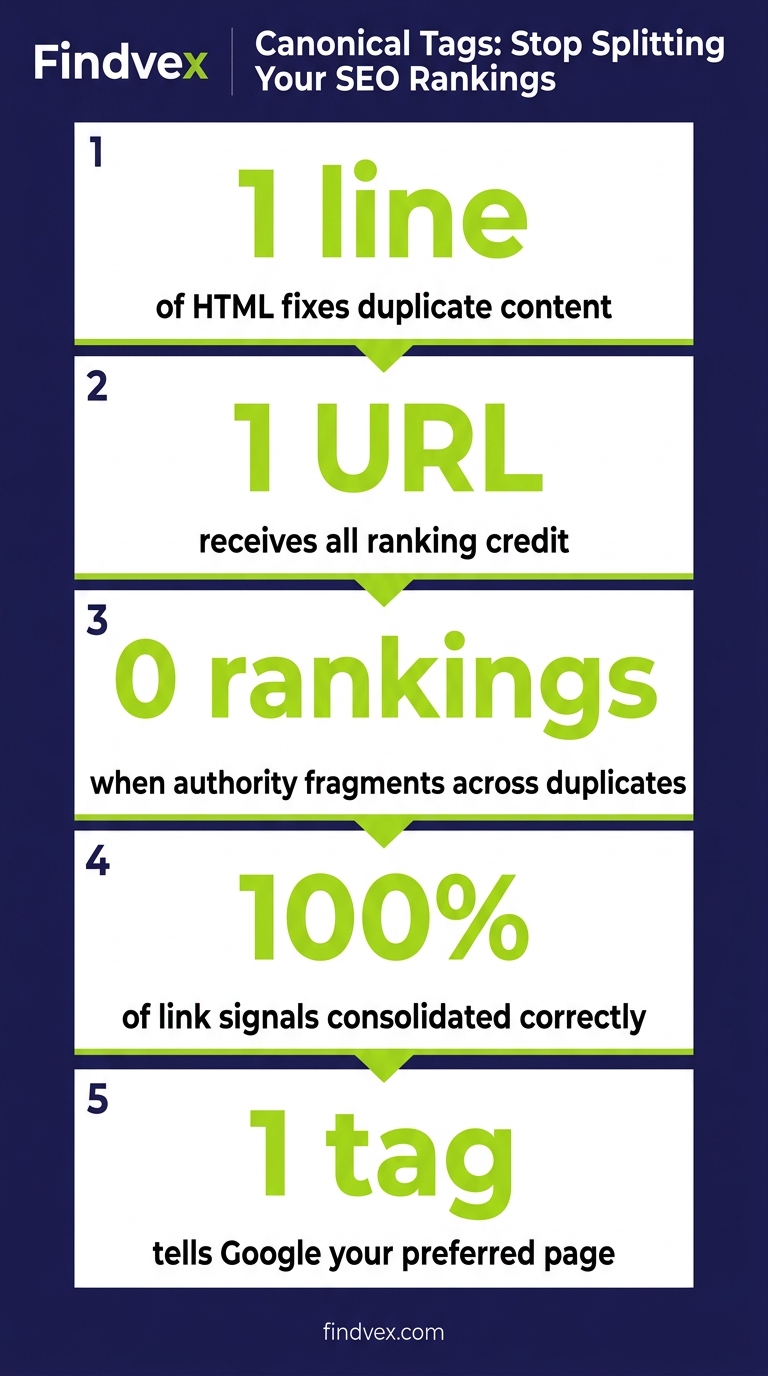
A canonical tag is a single line of HTML that tells Google which version of a page should receive ranking credit. Get it wrong and your authority fragments across multiple URLs. Get it right and you consolidate signals into the one page you actually want to rank.
Quick answer
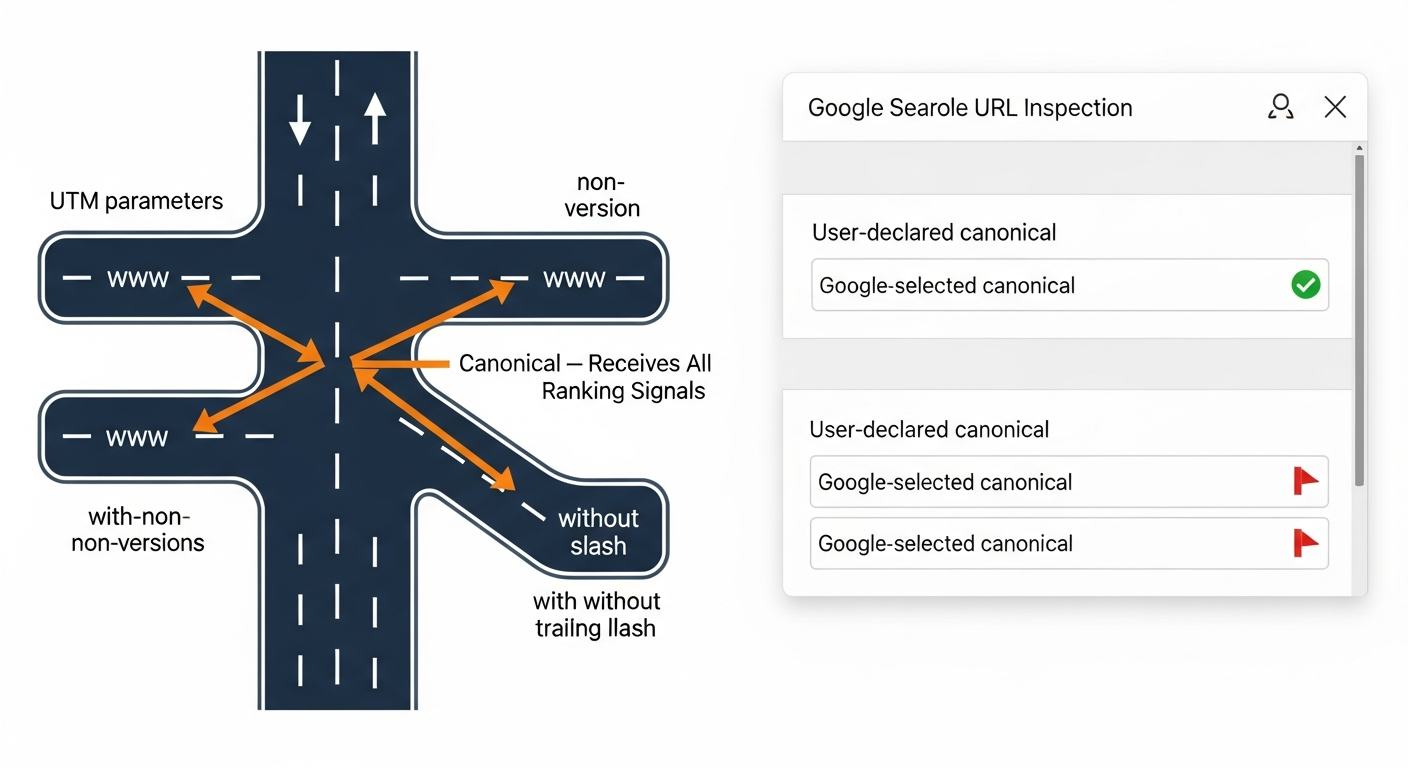
A canonical tag (rel="canonical") is an HTML link element placed in a page's <head> that tells Google which URL is the authoritative version when duplicate or near-duplicate content exists across multiple URLs. It consolidates ranking signals — backlinks, crawl equity, and page authority — into a single preferred URL instead of splitting them across variants like example.com/page, example.com/page?utm_source=email, and www.example.com/page. To implement it, add <link rel="canonical" href="https://example.com/your-preferred-url" /> to every page, including a self-referencing tag on the canonical page itself.
What a Canonical Tag Actually Does (and What It Doesn't)
When Google crawls your site, it often discovers the same content reachable through multiple URLs. A product page might be accessible via /products/widget, /products/widget?color=blue, /products/widget/, and m.example.com/products/widget. Without a signal telling Google which version matters, it has to guess — and it frequently guesses wrong, or worse, it splits the ranking signals across all variants.
The rel="canonical" tag is that signal. It sits inside the <head> of your HTML and points to the URL you want indexed and ranked. Google treats it as a strong hint, not an absolute directive. That distinction matters: if your canonical tag contradicts other signals (like your sitemap, internal links, or robots.txt), Google may override your preference.
What canonicalization does NOT do: it doesn't prevent a page from being crawled, it doesn't hide content from users, and it doesn't work like a 301 redirect. Redirects physically move traffic; canonical tags only consolidate indexing signals. A visitor can still land on a non-canonical URL — they just won't see it rank in search results once Google honors your tag.
How to Implement rel="canonical" Correctly: 3 Methods
There are three valid implementation methods. For most small business sites, the HTML head method is the right choice. The other two are relevant for specific technical contexts.
- Method 1 — HTML <head> tag (recommended for most sites): Place
<link rel="canonical" href="https://www.example.com/preferred-page-url" />inside the <head> element of every page. Use absolute URLs, not relative ones. This is what WordPress, Squarespace, and most CMS platforms generate automatically if configured correctly. - Method 2 — HTTP header (for PDFs and non-HTML files): If you have PDF documents, CSV files, or other non-HTML content you want indexed, you can't put an HTML tag inside them. Instead, configure your server to send a Link HTTP response header:
Link: <https://example.com/preferred-url>; rel="canonical". This requires server configuration — hand this to your developer. - Method 3 — XML sitemap (supporting signal only): Including only your canonical URLs in your sitemap reinforces your preference. Do not include non-canonical URLs in your sitemap. However, this is a supporting signal, not a substitute for the canonical tag itself.
The Self-Referencing Canonical: Why Every Page Needs One
A self-referencing canonical tag is a canonical tag on the canonical page itself — pointing to its own URL. Example: the page at example.com/services has a canonical tag that says <link rel="canonical" href="https://www.example.com/services" />.
This is not redundant. It serves a specific defensive purpose: it prevents any external party (another site syndicating your content, a scraper, or a misconfigured CDN) from inadvertently making their copy of your page the canonical. It also prevents Google from choosing a different URL as the canonical if someone links to a parameter variant of your page.
The rule: every indexable page on your site should have a canonical tag, and for pages you consider authoritative, that canonical tag should be self-referencing. If you use WordPress with Yoast SEO or RankMath, self-referencing canonicals are generated automatically — but verify this hasn't been overridden for specific page types.
7 Canonical Tag Errors That Split Your Rankings
These are the errors I see most frequently when auditing small business sites. Each one sends conflicting signals to Google and can cause ranking dilution or indexing problems.
- Error 1 — Canonical pointing to a 404 or redirected URL: If your canonical tag points to a URL that no longer exists or redirects elsewhere, Google ignores the tag. Regularly audit canonical targets with a crawler like Screaming Frog.
- Error 2 — Canonical pointing to a noindex page: A noindex directive and a canonical tag are contradictory signals on the same page. If the canonical target has noindex, Google won't rank that page. Either remove the noindex from the target or update the canonical.
- Error 3 — Multiple canonical tags on the same page: If a page has two <link rel="canonical"> tags (often caused by conflicting plugins or theme code), Google will likely ignore both. Use your browser's "View Source" or a tool like Screaming Frog to check for duplicates.
- Error 4 — Canonical tag in the <body> instead of <head>: The canonical tag is only valid inside the <head> element. A canonical placed in the body is ignored. This occasionally happens when page builders inject code in the wrong location.
- Error 5 — Relative URLs in canonical tags: Using
<link rel="canonical" href="/services" />instead of the full absolute URLhttps://www.example.com/servicescan cause misinterpretation across domains, especially with CDNs or subdomains. Always use the full URL including the protocol. - Error 6 — Canonical chain: Page A canonicals to Page B, which canonicals to Page C. Google may not follow the chain and may ignore both tags. Canonical tags should point directly to the final preferred URL.
- Error 7 — Canonicalizing a paginated page to the first page: /blog?page=2 canonicalled to /blog is incorrect and causes Google to think all paginated pages are duplicates of page 1. Use self-referencing canonicals on paginated pages, or implement rel="next" / rel="prev" if your CMS supports it.
Canonical vs. 301 Redirect vs. Noindex: When to Use Which
These three tools are not interchangeable. Using the wrong one creates problems that take months to diagnose.
- Use a canonical tag when: duplicate content exists but both URLs should remain accessible to users (e.g., parameter variants, content syndication, slight URL variations). The canonical tells Google which version to rank without breaking any user-facing links.
- Use a 301 redirect when: one URL is permanently replacing another and the old URL should never be accessed directly. This is the right tool for site migrations, domain changes, HTTP-to-HTTPS, and www-to-non-www consolidation. A 301 passes ranking signals and prevents the old URL from ever appearing in search results. Note: always add a canonical tag on the destination URL as well.
- Use noindex when: a page exists for a functional reason (login pages, thank-you pages, admin dashboards, filtered search results with no unique value) but should never appear in search results at all. Noindex removes a page from Google's index entirely — don't use it for pages you want ranked.
- The overlap case: Sometimes you need both a canonical and a noindex on different pages in the same cluster. For example, /products?sort=price-low might have a canonical pointing to /products and also be fine with noindex as a belt-and-suspenders approach. However, don't put both canonical and noindex on the same page — they send contradictory signals.
Canonical Tag Diagnosis Checklist
Work through this checklist before making any changes. Diagnosis before implementation prevents new problems.
- ☐ Run a crawl with Screaming Frog or Sitebulb. Export the canonical column and check: are all canonical URLs returning 200 status codes?
- ☐ Check for pages with no canonical tag — these are exposed to Google's arbitrary canonical selection.
- ☐ Check for pages with multiple canonical tags (View Source → Ctrl+F 'canonical').
- ☐ Verify canonical tags use absolute URLs with the correct protocol (https://).
- ☐ Check that no canonical target has a noindex directive.
- ☐ Check for canonical chains (A → B → C) — any tag that points to a URL with its own canonical pointing elsewhere.
- ☐ Confirm paginated pages are not canonicalling to page 1.
- ☐ Open your sitemap and verify it contains only canonical URLs — remove any non-canonical variants.
- ☐ Check your internal links — do they consistently link to canonical URLs, or do they sometimes link to parameter variants? Inconsistent internal linking weakens the canonical signal.
What to Check in Google Search Console for Canonical Issues
Google Search Console gives you direct visibility into how Google is interpreting your canonical tags — and where it's overriding your preferences.
- URL Inspection Tool → Canonical: Enter any URL and look at two fields: 'User-declared canonical' (what your tag says) and 'Google-selected canonical' (what Google actually chose). If they differ, Google has overridden your tag — investigate why.
- Index → Pages → 'Duplicate without user-selected canonical': These pages have duplicate content but no canonical tag at all. Google is making arbitrary choices here. Add canonical tags to all of them.
- Index → Pages → 'Duplicate, Google chose different canonical than user': Google is explicitly disagreeing with your canonical tags. The most common causes: the canonical target has lower PageRank than the variant, internal links predominantly point to a different URL, or there's a conflict with a redirect.
- Index → Pages → 'Alternate page with proper canonical tag': These are working correctly — alternate pages are being recognized as non-canonical. This is the expected state for parameter variants and duplicate URLs you've already handled.
- Coverage report filter by 'Excluded': Canonicalized pages appear in the Excluded section, not as errors. If you're seeing pages you want indexed appearing as 'Excluded by canonical tag,' your canonical is either pointing to the wrong URL or you've accidentally added a canonical pointing away from the intended page.
Canonical Tags on WordPress, Shopify, and Other Common Platforms
Most CMS platforms handle canonical tags automatically — but the defaults aren't always right, and plugin conflicts are common.
- WordPress with Yoast SEO or RankMath: Both plugins generate self-referencing canonical tags automatically for all published posts and pages. However, check: (1) that you haven't disabled 'canonical URLs' in plugin settings, (2) that your theme isn't injecting its own canonical tag that conflicts, and (3) that WooCommerce product pages with variant parameters have correct canonicals. Verify by View Source on any page and search for 'canonical'.
- Shopify: Shopify generates canonical tags automatically, but the platform's URL structure creates a known issue — products are accessible at both /products/item-name and /collections/collection-name/products/item-name. Shopify sets the canonical to /products/ by default, which is correct. However, if you're using third-party apps that add custom URL structures, audit those specifically.
- Squarespace and Wix: Both generate canonical tags automatically and generally handle this correctly for standard page types. The main risk: if you've manually added a code injection in the header and included a canonical tag, it may conflict with the platform's auto-generated one. Check View Source for duplicate canonical tags.
- Custom / headless sites: No automatic canonical generation. Your development team needs to implement canonical tags as part of the page template for every page type. This is the highest-risk configuration — add to the developer handoff notes below.
Developer Handoff Notes
If you're handing canonical tag implementation to a developer, here's what they need to know and the risk level of each task.
- Task: Add self-referencing canonical tags to all page templates — Risk: Low. Standard implementation. Use the canonical URL from the CMS or build it from the current request URL with protocol, domain, and path. No query string, no fragment.
- Task: Strip tracking parameters from canonical URLs — Risk: Low-Medium. The canonical should use the clean base URL even if the user loaded a parameter variant. Test that the canonical doesn't accidentally strip meaningful URL segments.
- Task: Fix canonical chains identified in crawl audit — Risk: Medium. Update the tag to point directly to the final destination URL. Test before and after with URL Inspection in GSC.
- Task: Implement canonical via HTTP header for PDFs/documents — Risk: Medium. Server configuration change. Requires testing to confirm headers are being sent correctly (use curl -I to verify).
- Task: Audit for duplicate canonical tags from conflicting plugins — Risk: Low. Use View Source + Ctrl+F or a crawler export. The fix is typically disabling canonical output in one of the conflicting sources.
- Task: Rewrite canonical logic on headless/custom site — Risk: High. Any logic error here will either create a site-wide noindex equivalent (if every page canonicals to the homepage) or strip canonical tags entirely. QA every page type individually with the URL Inspection tool after deployment.
Canonical Tags and AI Search: Why Consolidation Matters More Now
Canonical tags have always mattered for Google rankings, but their importance has expanded as AI search engines index and retrieve content differently from traditional crawlers.
When AI models like Google's AI Overviews, ChatGPT Search, or Perplexity crawl your site to build their knowledge base, they process individual URLs. If the same content is reachable through multiple URLs — some with thin or parameter-bloated versions — AI crawlers may index the lower-quality variants instead of your clean, authoritative pages. This can affect which version of your content gets cited in AI-generated answers.
The practical implication: clean canonical implementation isn't just a Google rankings concern in 2026. It's a prerequisite for any AI visibility strategy. A fragmented URL structure dilutes the signal that tells AI retrieval systems which page represents your authoritative take on a topic.
FAQs
Does a canonical tag pass link equity (PageRank)?
Yes. A canonical tag consolidates link equity from all URL variants into the canonical URL, similar to how a 301 redirect consolidates PageRank. If five different parameter variants of your page each have backlinks pointing to them, a canonical tag pointing all five to your preferred URL consolidates that link equity. This is one of the primary SEO reasons to implement canonicals correctly.
What happens if I put a canonical tag on a page pointing to a different domain?
Cross-domain canonical tags are valid and Google supports them. If you publish content on Medium and want Google to attribute ranking signals to your own site, Medium can add a canonical pointing to your original URL. However, Google treats cross-domain canonicals as a stronger hint than same-domain ones and will scrutinize the content match more carefully. Don't use cross-domain canonicals on pages where the content isn't essentially the same.
Should I use canonical tags or 301 redirects for duplicate URLs?
Use 301 redirects when you want the old URL to stop being accessible entirely and traffic should automatically land on the new URL. Use canonical tags when both URLs need to remain accessible to users but you want only one to rank. For www vs. non-www and HTTP vs. HTTPS, use 301 redirects plus a self-referencing canonical on the destination — not just a canonical tag on the non-preferred version.
Can I use both a canonical tag and a noindex on the same page?
You can, but it creates conflicting signals. Noindex tells Google not to index the page; canonical tells Google which page to prefer for indexing. Google may honor the noindex and ignore the canonical, or it may try to reconcile them in unpredictable ways. The cleaner approach: use noindex for pages you never want indexed, use canonical tags for pages you want to consolidate but keep accessible.
Why is Google ignoring my canonical tag?
Google treats canonical tags as hints, not directives. It will override your tag if: the canonical target has significantly weaker signals than the variant (fewer internal links, lower PageRank), your internal links predominantly point to a different URL, the canonical target has a noindex or returns a non-200 status, there's a canonical chain (A points to B which points to C), or there are conflicting signals between your canonical tag and your sitemap. Check the URL Inspection tool in Google Search Console — it shows both your declared canonical and Google's selected canonical.
How do I check if my canonical tags are working?
Three methods: (1) View Source on any page, search for 'canonical' — verify the href is the correct absolute URL. (2) Google Search Console → URL Inspection → enter the URL → check 'User-declared canonical' vs 'Google-selected canonical'. (3) Run a site crawl with Screaming Frog (free up to 500 URLs) and export the canonical column to audit all pages at once. The GSC method is the most authoritative because it shows you what Google actually chose.
Does every page on my site need a canonical tag?
Every indexable page should have a self-referencing canonical tag. Pages with noindex don't strictly need one, but having one doesn't hurt. Pages you've intentionally set as non-canonical (parameter variants, etc.) should have canonicals pointing to the preferred URL. The one type of page where you might skip the canonical entirely: pages blocked by robots.txt, since Googlebot can't read the tag if it can't crawl the page.
Are canonical tags important for Shopify stores?
Yes — Shopify's URL structure creates a specific canonical challenge because products are accessible under both /products/ and /collections/. Shopify handles this automatically by canonicalling collection-path URLs to the /products/ path. However, third-party apps, duplicate product pages, and filter/sort parameters can undermine this. A technical SEO audit specific to Shopify is worth running to confirm canonicals are functioning correctly across all product and collection templates.
Related reading
- what Google actually penalizes for duplicate content
- diagnose indexing issues in 30 minutes
- complete technical SEO audit checklist
- technical SEO audit specific to Shopify
- tracking parameters in internal links that hurt crawl efficiency
- how parameter variants waste crawl budget
- when to use a 301 redirect instead of a canonical
- why fragmented URLs can cause AI search to skip your content
Research notes
Background claims used while researching this article. Verify with the cited authorities before quoting.
- Google treats rel=canonical as a hint rather than a directive
- Cross-domain canonical tags are supported by Google
Marcus Chen
Head of Technical SEO · Findvex
Marcus Chen heads technical SEO at Findvex. He writes about Core Web Vitals, indexing, schema, and JavaScript SEO — translating Google’s documentation into checklists small business owners can actually act on.
Expertise: Core Web Vitals · Indexing & crawlability · Schema / structured data · JavaScript SEO
Related reads
Answer Engine Optimization (AEO): The 2026 Guide for Small Businesses
Learn answer engine optimization (AEO) in 2026. This practical guide helps small businesses get found in AI search, voice assistants, and answer engines.
SEOGenerative Engine Optimization (GEO): The 2026 Guide for Small Businesses
Learn how generative engine optimization helps small businesses get found in AI search. Our 2026 GEO guide covers strategies, tactics, and tips to boost visibility.
SEOSEO Agency in USA: AI-Powered SEO for Small Businesses | Findvex
Findvex is a leading SEO agency in USA delivering AI-powered SEO strategies that help small businesses rank higher, drive traffic, and grow revenue. Get started today.