Title Tag and Meta Description SEO: The Exact Formula Small Businesses Should Use to Lift CTR
Your title tag and meta description are your billboard on Google. Get the formula right and you can lift CTR without changing a single ranking factor. This guide gives you the exact structure, character counts, and copy patterns that work for small business pages.
Quick answer
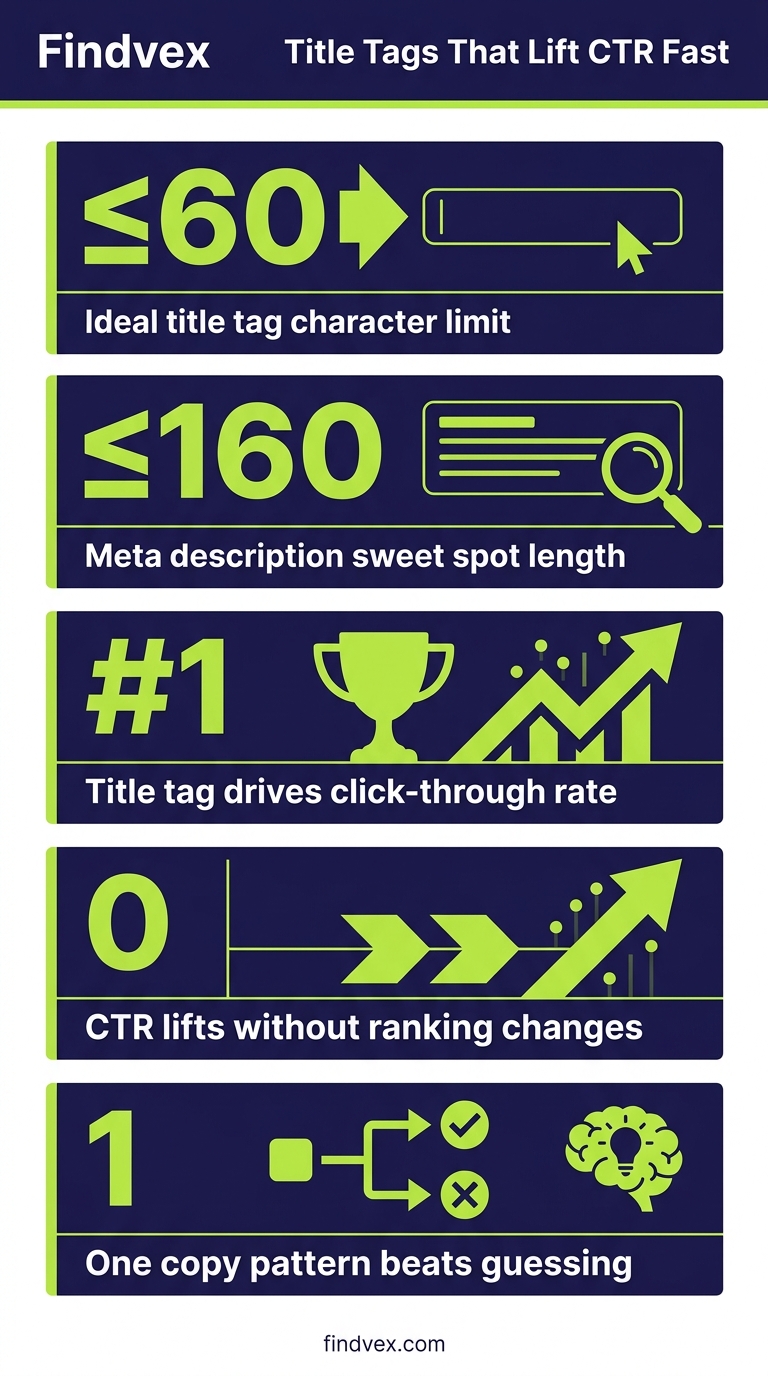
A strong SEO title tag puts the primary keyword near the front, stays under 60 characters, and names a specific benefit or audience. A strong meta description summarizes the page value in 150–160 characters, includes a secondary keyword, and ends with a soft call to action. Together, they are the single fastest lever for improving organic click-through rate without changing your rankings.
Section 1
You can rank in position three and still lose clicks to position five — if your title tag and meta description are weaker. Most small business websites write these as afterthoughts. That's a problem, because they are the first conversion point in your entire SEO funnel.
This guide gives you the exact formula: specific character counts, copy structures, and the most common mistakes that suppress CTR on otherwise solid pages. Apply it this week and you will see the difference in Google Search Console within 28 days.
Why Title Tags and Meta Descriptions Are the Fastest CTR Lever You Have
Google uses your title tag as the primary clickable headline in organic results. It also uses it — along with page content — as a signal for topical relevance. The meta description does not directly affect rankings, but it does affect whether someone clicks. Higher CTR signals relevance to Google and can indirectly support ranking stability over time.
For small businesses, this matters even more than for large brands. A national chain gets brand recognition clicks. You get clicks from copy. That means every character in your title tag and meta description is doing work that your brand recognition is not.
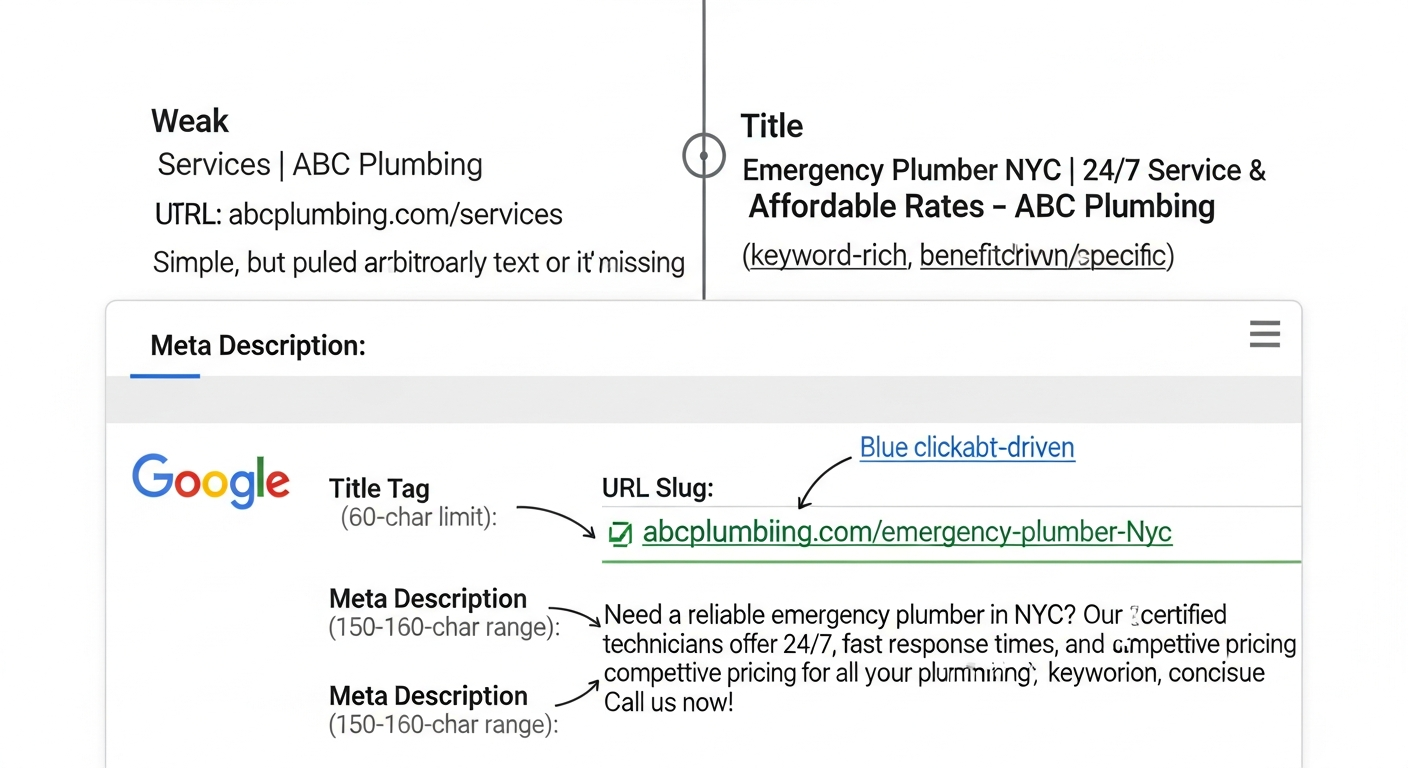
The gap in most small business websites is not that these elements are missing — it's that they are generic. A title like 'Home | ABC Plumbing' tells Google and the searcher almost nothing. A title like 'Emergency Plumber in Denver — Same-Day Service | ABC Plumbing' tells both exactly what to expect.
“AI agents do in hours what teams used to do in weeks. The advantage compounds.”
The Title Tag Formula That Works for Small Business Pages
There is no single template, but there is a repeatable structure. Here it is broken down by page type.
The Core Structure
For most small business pages, this structure works: [Primary Keyword or Service] + [Differentiator or Benefit] + [Brand Name or Location].
Keep the total under 60 characters — not because Google hard-truncates at exactly 60, but because titles that exceed roughly 600 pixels of display width get cut off in most desktop results. Short, specific titles also perform better on mobile, where screen real estate is tighter.
Put your keyword as close to the start as possible. Search engines weight the front of the title more heavily, and users scan left to right.
- Homepage: [Brand Name] — [Primary Service] in [City] | [Short Tagline]
- Service page: [Service Name] in [City] — [Differentiator, e.g., 'Same-Day' or 'Free Estimate']
- Blog/article: [Number or Hook] + [Topic] + [Outcome or Audience]
- Location page: [Service] in [City, State] — [Trust Signal, e.g., 'Licensed & Insured']
- Product page: [Product Name] — [Key Benefit] | [Brand]
Real Examples: Weak vs. Strong Title Tags
The fastest way to understand the formula is to see it applied side by side.
- WEAK: 'Services | Denver Plumbing Co.' → STRONG: 'Plumber in Denver — Same-Day Emergency Service | ABC Plumbing' (57 chars)
- WEAK: 'About Us — Smith Family Law' → STRONG: 'Denver Family Attorney — Divorce & Custody Cases | Smith Law' (59 chars)
- WEAK: 'Our Menu | Rosaria Italian Restaurant' → STRONG: 'Italian Restaurant in Austin — Dine-In, Takeout & Catering' (58 chars)
- WEAK: 'Blog Post Title Here' → STRONG: '7 Ways Denver Homeowners Save on AC Repair This Summer' (54 chars)
5 Title Tag Mistakes That Suppress CTR
- Keyword stuffing: 'Denver Plumber | Plumbing Denver | Denver Plumbing Services' reads as spam and gets fewer clicks.
- Brand name first on non-homepage pages: Wastes prime real estate on pages where brand recognition doesn't drive the click.
- All caps or excessive punctuation: 'BEST PLUMBER IN DENVER!!!' reduces perceived credibility.
- Duplicate title tags: If five service pages share the same title, Google may rewrite all of them unpredictably.
- Ignoring Google rewrites: Check Google Search Console's Performance report for queries where Google is showing a different title than you wrote — that's a signal your title isn't matching user intent well.
The Meta Description Formula: 150–160 Characters That Earn the Click
Meta descriptions do not affect keyword rankings. What they do affect is the decision a searcher makes in the 2–3 seconds they spend scanning the results page. Think of your meta description as ad copy for a free ad slot.
The formula: [What the page delivers] + [Key differentiator or trust signal] + [Action or next step].
Stay between 150 and 160 characters. Shorter is often fine, but anything under 120 characters frequently gets padded by Google with unrelated page text — and Google's auto-generated excerpt is almost never as compelling as what you would write.
Meta Description Templates by Page Type
- Service page: 'Need [service] in [city]? [Brand] offers [differentiator]. [Trust signal]. Call today for a free estimate.' (~150 chars)
- Blog post: 'Learn [specific outcome] with this step-by-step guide. Covers [subtopic 1], [subtopic 2], and [subtopic 3]. No jargon, just actionable steps.' (~145 chars)
- Homepage: '[Brand] helps [target audience] with [service category] in [city]. [Trust signal or year established]. [CTA].' (~140 chars)
- Location page: 'Looking for [service] near [neighborhood/city]? [Brand] serves [area] with [differentiator]. Licensed, insured, and locally owned.' (~145 chars)
Meta Description Mistakes That Cost You Clicks
The most common mistake is writing a meta description that describes the page rather than selling the click. 'This page covers our plumbing services' tells the searcher nothing they didn't already assume. 'Same-day plumber in Denver — no dispatch fee, arrives in 60 minutes or less' gives them a reason to click you over the next result.
Other mistakes to avoid:
- Leaving it blank: Google will pull random page text, often the nav menu or footer.
- Duplicating the title tag text: Wastes the opportunity to add new information.
- Writing for Google instead of the human: Meta descriptions are for people. The keyword should appear naturally, not forced.
- Forgetting mobile truncation: On mobile, Google often cuts to around 120 characters. Lead with the most important information.
When Google Rewrites Your Title Tags (and How to Prevent It)
Google rewrites title tags when it determines the written title doesn't match what it believes the page is about, or when the title is too long, too short, stuffed with keywords, or purely brand-focused. Google has confirmed it rewrites titles in a significant portion of cases — the exact rate varies and is not publicly specified, so avoid citing any specific percentage without a verified source.
To reduce rewrites, follow these rules:
- Match the title to the dominant purpose of the page — don't use a clever headline that obscures the topic.
- Avoid wrapping the entire title in pipes or dashes: 'Plumber | Denver | Emergency | Affordable' reads as a list, not a title.
- Ensure the H1 on the page aligns with the title tag. Significant mismatch between H1 and title tag is a common rewrite trigger.
- Don't include promotional phrases like 'best' or 'cheapest' unless they are genuinely supported by page content.
- Check Search Console's Performance report monthly and compare the 'query' and 'page' columns to spot where Google is serving a rewritten title.
How to Audit Your Current Title Tags and Meta Descriptions in 30 Minutes
You don't need expensive software to start. Here's the workflow:
- Step 1 — Export from Google Search Console: Go to Performance > Search Results, click 'Pages', and export. This shows you which pages get impressions but low CTR — those are your priority pages.
- Step 2 — Check for missing or duplicate tags: Use Screaming Frog's free version (up to 500 URLs) or the free version of Ahrefs Webmaster Tools to crawl your site and flag missing, duplicate, or over-length title tags and meta descriptions.
- Step 3 — Identify low-CTR pages: In Search Console, filter for pages with more than 100 impressions and a CTR below 3%. These pages are ranking but not converting the impression into a click — title/meta is likely the issue.
- Step 4 — Rewrite using the formula: Apply the templates from this article, prioritizing your top 5 revenue-driving pages first.
- Step 5 — Track changes: Note the date you made each change. Give it 28 days and compare CTR in Search Console before and after.
Do This This Week: Your 5-Step Action Plan
Skip the theory. Here is exactly what to do in the next five business days.
- Day 1 — Pull your CTR data from Google Search Console. Export all pages with 100+ impressions and sort by CTR ascending. Circle your bottom 10.
- Day 2 — Audit those 10 pages with Screaming Frog or Ahrefs Webmaster Tools. Note which have missing, duplicate, or over-length title tags.
- Day 3 — Rewrite the title tags for your top 5 revenue pages using the [Primary Keyword] + [Differentiator] + [Brand/Location] formula. Keep each under 60 characters.
- Day 4 — Write new meta descriptions for those same 5 pages: 150–160 characters, one key differentiator, and a clear next step.
- Day 5 — Deploy, log the change date in a spreadsheet, and set a 28-day reminder to review CTR in Search Console.
How Better Title Tags Affect Leads, Not Just Traffic
Here's what this work actually delivers for your business: more clicks from the same ranking position, which means more leads without spending more on SEO or ads.
If your service page ranks position four for 'emergency plumber Denver' and gets a 2% CTR, improving the title and description to lift CTR to 5% triples your lead volume from that page — with zero change to your rankings. That is a direct revenue impact.
The pages where this matters most are your core service pages, your location pages, and any blog posts that rank for transactional or near-transactional queries. Prioritize those first. For local businesses especially, combining a strong title tag with a properly optimized Google Business Profile creates a consistent brand signal across both organic and map results — something that compounds over time.
FAQs
What is the ideal title tag length for SEO?
Keep title tags under 60 characters. Google typically displays titles up to around 600 pixels wide, which corresponds to roughly 55–60 characters in most fonts. Titles that exceed this get truncated in search results. Shorter is fine as long as the title includes the primary keyword and a differentiator.
Do meta descriptions affect SEO rankings?
Meta descriptions do not directly affect keyword rankings. Google has confirmed this. However, a well-written meta description improves click-through rate (CTR), which can indirectly support your rankings by signaling relevance. For small businesses, the CTR lift is the primary reason to invest in meta descriptions.
How do I stop Google from rewriting my title tags?
Write titles that clearly describe the page's primary topic, match the H1, avoid keyword stuffing, and stay under 60 characters. Google tends to rewrite titles that are too promotional, too keyword-heavy, or mismatched with the actual page content. Check Search Console's Performance report to see which of your titles are being rewritten.
Should I put my brand name in every title tag?
On your homepage, yes. On interior pages, it depends on your character budget. If your brand name is long, consider reserving it for the homepage and major landing pages only, and using those characters for a keyword or differentiator on other pages. Some CMS platforms append it automatically — check your settings.
How often should I update title tags and meta descriptions?
Review them when: you launch new pages, you notice a CTR drop in Search Console, a competitor changes their copy, or you want to test a different angle. For established pages that are performing well, don't change them without a clear reason — unnecessary edits can temporarily disrupt click patterns and give Google a reason to re-evaluate the title.
What is the ideal meta description length?
Aim for 150–160 characters. Google truncates longer descriptions, particularly on mobile where the cutoff can be closer to 120 characters. Lead with the most important information — your key benefit or differentiator — so even a truncated version delivers a complete message.
Does the keyword need to appear in the meta description?
Not strictly required, but recommended. When a user's search term appears in the meta description, Google bolds it in the snippet — which increases visual prominence and click-through rate. Include the primary or secondary keyword naturally, without forcing it.
Related reading
Research notes
Background claims used while researching this article. Verify with the cited authorities before quoting.
- Google rewrites title tags in a significant percentage of cases
- Google displays titles up to approximately 600 pixels / 60 characters
Sofia Patel
Head of Content & Growth · Findvex
Sofia Patel leads content and growth at Findvex. She writes about local SEO, conversion-focused content, and AEO/GEO strategy — the work that turns search visibility into booked calls and qualified leads for service businesses.
Expertise: Local SEO · Conversion content · AEO / GEO strategy · Content-led link building
Related reads
Answer Engine Optimization (AEO): The 2026 Guide for Small Businesses
Learn answer engine optimization (AEO) in 2026. This practical guide helps small businesses get found in AI search, voice assistants, and answer engines.
SEOGenerative Engine Optimization (GEO): The 2026 Guide for Small Businesses
Learn how generative engine optimization helps small businesses get found in AI search. Our 2026 GEO guide covers strategies, tactics, and tips to boost visibility.
SEOSEO Agency in USA: AI-Powered SEO for Small Businesses | Findvex
Findvex is a leading SEO agency in USA delivering AI-powered SEO strategies that help small businesses rank higher, drive traffic, and grow revenue. Get started today.