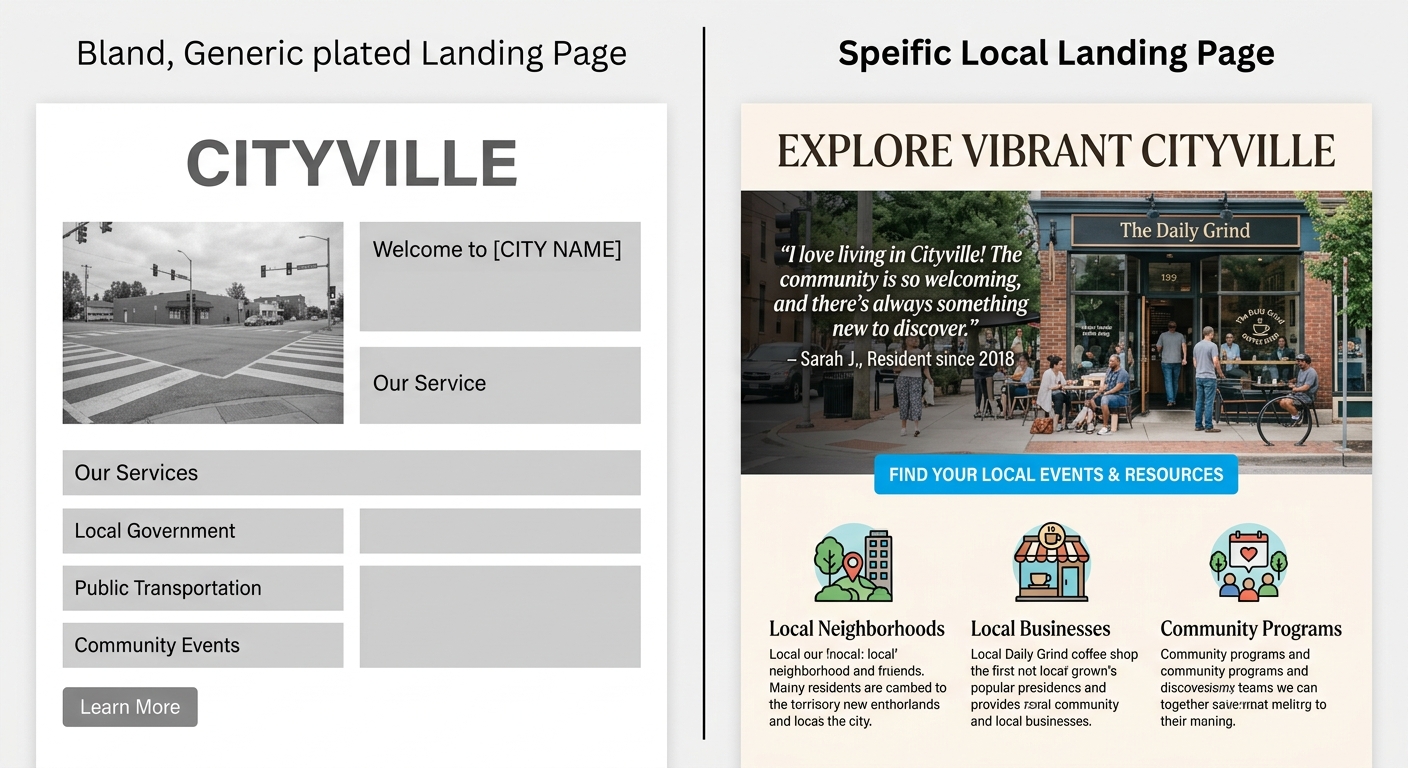
Local Landing Pages That Rank Without Sounding Generic
Most local landing pages are the same page with a different city name dropped in. Here's how to build location pages that earn Google's trust, pass the human sniff test, and turn local searchers into real leads.
Quick answer
A local landing page ranks well when it contains genuinely location-specific content — real service details, local landmarks or context, unique trust signals, and a clear call to action — rather than templated text with a swapped city name. Google can detect thin location pages and often deindexes or deprioritizes them. Pages that treat each location as a real audience earn both rankings and leads.
Why Most Local Landing Pages Fail Before Anyone Reads Them
Here's the hard truth: if your location pages are built on a template where you swapped 'Austin' for 'Dallas' and called it done, Google already knows. So do your visitors. The result is pages that either don't rank at all, rank briefly then drop, or rank but convert at embarrassingly low rates.
A local landing page that works has to do two things simultaneously: convince a search engine the page is genuinely relevant to that location, and convince a real person in that city that you actually serve them — not just that you listed their city in a header.
The good news? Most of your competitors are doing it wrong. That's your opening.
Quick Answer: What Makes a Local Landing Page Rank?
A local landing page ranks when it demonstrates genuine relevance to a specific location through unique content, local entity signals, and a user experience designed for that market — not when it repeats the city name 15 times in boilerplate text.
- Unique, location-specific body copy (not just swapped city names)
- Local entity signals: neighborhoods, landmarks, service areas, local associations
- Consistent NAP (Name, Address, Phone) data matching your Google Business Profile
- LocalBusiness schema markup
- Location-specific trust signals: testimonials from local customers, local press mentions
- A clear, frictionless conversion path built for that audience
“AI agents do in hours what teams used to do in weeks. The advantage compounds.”
What 'Generic' Actually Looks Like (And Why It Costs You Leads)
Generic local pages follow a predictable pattern: '[Business Name] provides [Service] in [City, State]. We are the leading [Service] provider in [City]. Call us today.' That's it. Same paragraph, different city slug in the URL.
Google's quality evaluators and its algorithms have seen this pattern millions of times. These pages often get crawled, indexed briefly, then quietly pushed down because they offer no unique value for the searcher in that location. From a conversion standpoint, a potential customer in Phoenix who lands on this page has zero reason to believe you actually work in their market.
The cost isn't just rankings — it's trust. A generic page signals 'we'll take your money but we don't really know your area.' That's not a business most people want to hire for a plumbing emergency, a dental appointment, or a legal consultation.
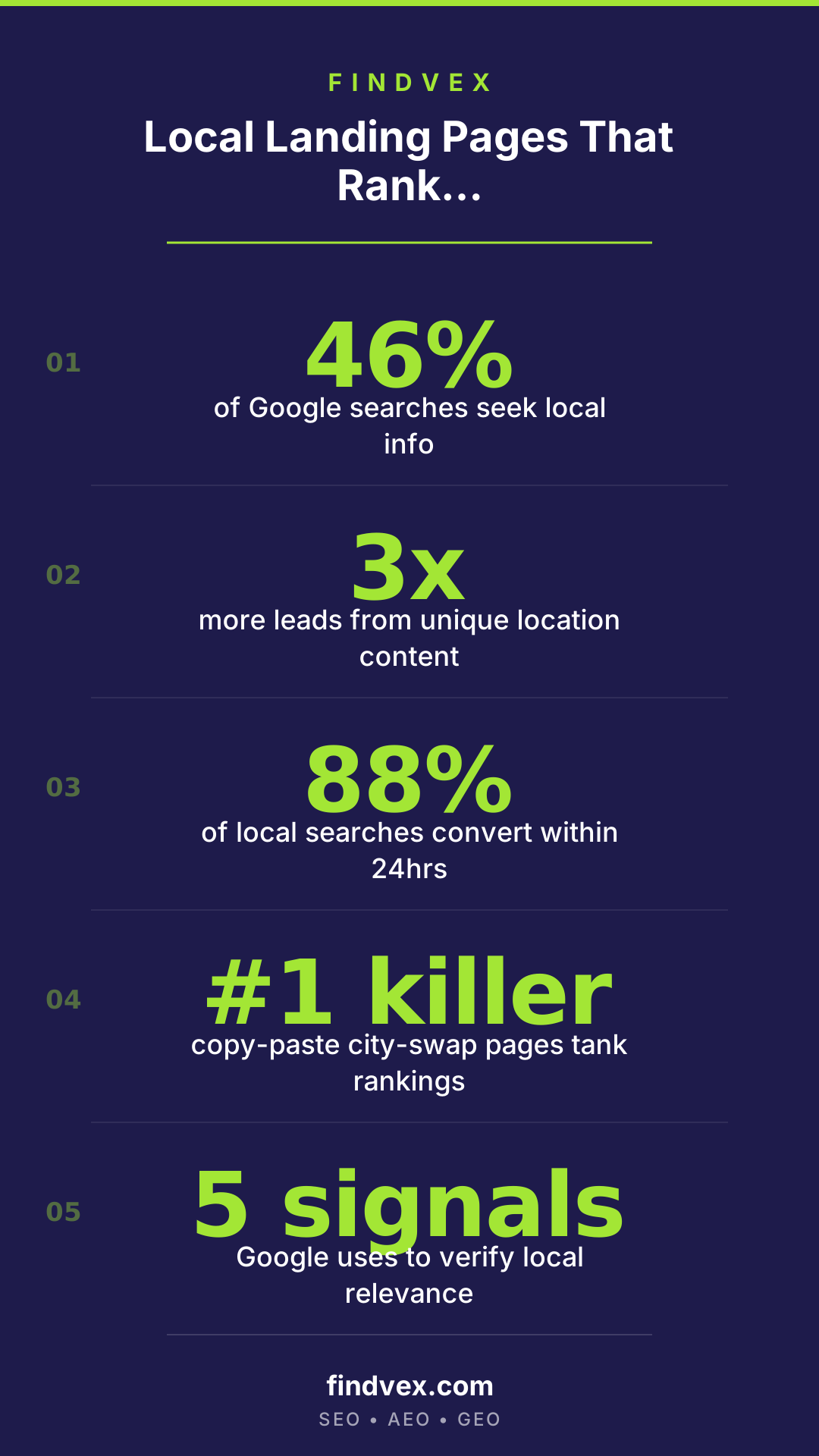
The Location Content Framework: Five Layers That Actually Work
Think of each location page as having five layers of specificity. Most businesses only build the first one. The businesses that rank — and convert — build all five.
- Layer 1 — Service detail: What exactly do you offer in this location? Are there service variations, pricing tiers, or availability differences by market? Say so explicitly.
- Layer 2 — Geographic context: Reference real neighborhoods, service zones, or landmarks relevant to the work. A roofing company in Tampa can mention serving Ybor City, South Tampa, and Westchase. This isn't keyword stuffing — it's proof you know the area.
- Layer 3 — Local trust signals: Include reviews or testimonials from customers in that city. Even one or two location-specific quotes outperform a generic five-star badge.
- Layer 4 — Local entities and associations: Are you a member of the local chamber of commerce? Do you hold a city-specific contractor license? Sponsor a local event? These signals matter to both readers and search engines.
- Layer 5 — Conversion specifics: Does response time differ by location? Do you have a local office or technician in the area? A local phone number (not a national toll-free number) increases call conversion rates meaningfully.
SEO Structure for Local Landing Pages: The Technical Minimum
Great content on a poorly structured page won't rank. Get the technical foundation right before you worry about prose.
Your URL structure should be clean and consistent. For a service business covering multiple cities, use either /locations/[city-name] or /[service]/[city-name] — pick one pattern and stay with it sitewide. Mixed URL structures create internal hierarchy confusion that hurts crawlability.
If you want to go deeper on the technical side of this, our guide to running a technical SEO audit for small business websites covers crawlability, indexing checks, and schema implementation in detail.
- Title tag: [Primary Service] in [City, State] | [Brand Name] — keep it under 60 characters
- H1: Should match or closely mirror the title tag intent, not just repeat it verbatim
- Meta description: Write for the click, not just the keyword — mention a differentiator or local detail
- LocalBusiness schema: Include name, address, phone, areaServed, and geo coordinates
- Canonical tags: Each location page should canonicalize to itself — never to a parent page
- Internal links: Link from service pages, blog posts, and your homepage to each location page
- NAP consistency: The address and phone number on the page must exactly match your Google Business Profile
How to Write Location Page Content That Doesn't Read Like a Robot Wrote It
Here's where most businesses give up and reach for a template. Don't. The content investment on location pages pays back in conversions, not just rankings.
Start by asking: what does a customer in this specific city actually care about that's different from your other markets? In some cases it's weather (HVAC companies serving both Phoenix and Chicago have very different seasonal demand). In others it's local competition, permitting requirements, neighborhood-specific logistics, or price expectations.
If you genuinely serve multiple cities, consider doing brief interviews with your local technicians, sales reps, or franchise operators. Their language, their knowledge of local quirks, and their customer stories are the raw material for pages that read like they were written by someone who actually lives there.
For service businesses that don't have staff in every city they target, be honest about your service model. 'We dispatch from our [City A] office and typically reach [City B] within 90 minutes' is more credible than pretending you have a local office you don't.
Conversion Design for Local Pages: Turn Rankings Into Booked Jobs
A page that ranks but doesn't convert is just expensive traffic. Local landing pages have one job beyond ranking: get the visitor to take the next step.
The CTA on a local page should feel local. 'Call our Austin team' outperforms 'Call us today' because it confirms to the visitor that they've reached the right place. Similarly, a contact form that says 'Tell us your [City] project details' removes doubt about whether you actually serve the area.
For more on turning local traffic into actual booked calls and appointments, see our piece on how local SEO turns website traffic into booked calls — it covers the conversion layer that most local SEO guides skip entirely.
- Place your primary CTA (phone number or form) above the fold — local searchers are often on mobile and ready to act
- Use a local phone number where possible; it signals proximity and increases answer rates
- Add a Google Maps embed or service-area map to visually confirm coverage
- Include a secondary CTA mid-page for visitors who need more convincing before they call
- Show social proof near the CTA: a local review, a local project photo, or a recognizable local client name
How to Scale Location Pages Without Building a Spam Farm
Here's the tension every multi-location business faces: you need pages for 20 cities, but you can't afford to hand-write 2,000 words for each one from scratch. The answer isn't to use AI to spin the same template — it's to build a smarter framework.
Create a modular content system. Some sections can be templated (your core service description, your licensing and insurance info, your process). Other sections must be unique per location (local testimonials, service area specifics, local entity mentions, any market-specific pricing or availability notes). The minimum unique content per location page should be at least 30–40% original — not recycled from other city pages.
Prioritize your highest-opportunity cities first. Build those pages properly, let them rank and convert, then use that proof to justify the investment in the next tier. Starting with 5 excellent location pages beats 50 mediocre ones — and Google will reward the pattern.
Do This This Week: Your Local Landing Page Action Plan
You don't need to overhaul every location page at once. Start here and you'll see movement within 4–8 weeks.
- Day 1: Audit your existing location pages. Open each one and ask honestly: does this page say anything a competitor couldn't copy by changing the city name? If not, flag it for a rewrite.
- Day 2: Pick your top 3 target cities by search volume or revenue potential. These get the full treatment first.
- Day 3: Gather local content assets — pull 2–3 customer reviews that mention the city, find your local license numbers, note any local landmarks or neighborhoods you serve, identify any local associations you're part of.
- Day 4: Rewrite the body copy for Page 1 using the Five Layer Framework above. Aim for 500–800 words of genuinely unique content.
- Day 5: Add LocalBusiness schema, check NAP consistency against your Google Business Profile, and verify the page is internally linked from at least 2 other pages on your site.
- Week 2+: Repeat for the next two priority cities. Once all three are live, monitor impressions and clicks in Google Search Console — you're looking for indexing within 2 weeks and ranking movement within 6–8 weeks.
FAQs
How many words should a local landing page be?
There's no magic number, but 400–800 words of unique, useful content is a solid target for most local service pages. The key word is unique — 400 words of genuinely location-specific content will outperform 1,500 words of generic text with the city name inserted throughout. If your service is complex (legal, medical, construction), longer pages with detailed local context can justify more depth.
Should each city get its own page, or can I use a single page with a city selector?
Each city should get its own indexed URL. A JavaScript-based city selector that loads content dynamically on one URL creates one indexable page, not many — which means you're competing for one ranking instead of many. Separate URLs for each location allow each page to rank independently for its city-specific queries.
Will Google penalize me for having too many location pages?
Google doesn't penalize based on the number of location pages. It penalizes thin, duplicate, or low-quality content. A business with 50 cities and 50 genuinely useful, unique location pages is fine. A business with 50 cities and 50 copy-pasted pages risks a manual action or algorithmic devaluation for thin content. Quality per page is what matters, not count.
Do I need a physical address in every city to create a location page?
No. Service-area businesses (plumbers, landscapers, consultants) regularly rank for cities where they have no physical office. Your page and Google Business Profile should accurately represent your service model — if you travel to the customer, say so. What you should not do is list fake addresses or create pages for cities you don't actually serve.
How do local landing pages connect to Google Business Profile?
Your Google Business Profile and your location landing page should reinforce each other. The NAP data (name, address or service area, phone number) must match exactly. Your GBP should link to the relevant location page, not your homepage. Consistency between these two signals helps Google confirm your legitimacy and local relevance for that market.
Can I use AI to write local landing page content?
AI can help with structure, drafts, and scaling — but it needs to be fed real local data to produce useful output. If you give an AI tool generic prompts like 'write a plumbing page for Dallas,' you'll get generic output. Feed it specific inputs: local neighborhoods you serve, real customer testimonials, your actual service radius, local licensing details. The output will be dramatically better, and you'll still need a human review pass to catch anything that reads as templated.
Sources & Citations
Sofia Patel
Writing about AI, search, and what actually moves the needle for US small businesses.
Related reads
The AI Crawler Protection Paradox: Why Brands Block Bots Then Pay to Be Seen
Businesses are simultaneously blocking AI crawlers from scraping their content and paying to appear in AI-generated answers. That contradiction has a name: the protection paradox. Here's what it means technically, and what small businesses should actually do about it.
industry-seo-playbooksReal Estate SEO: A Practical Guide for Small Businesses
Real estate SEO helps agents, brokerages, and property managers rank in local Google searches so buyers and sellers find them first. This guide covers everything from Google Business Profile to IDX optimization and neighborhood content—practical steps you can start this week.
local-seo-for-service-businessesNear Me SEO: A Practical Guide for Small Businesses
"Near me" searches connect high-intent buyers to local businesses — but ranking for them requires more than just adding the phrase to your website. This guide covers every lever you can pull, from your Google Business Profile to on-page signals and review strategy.