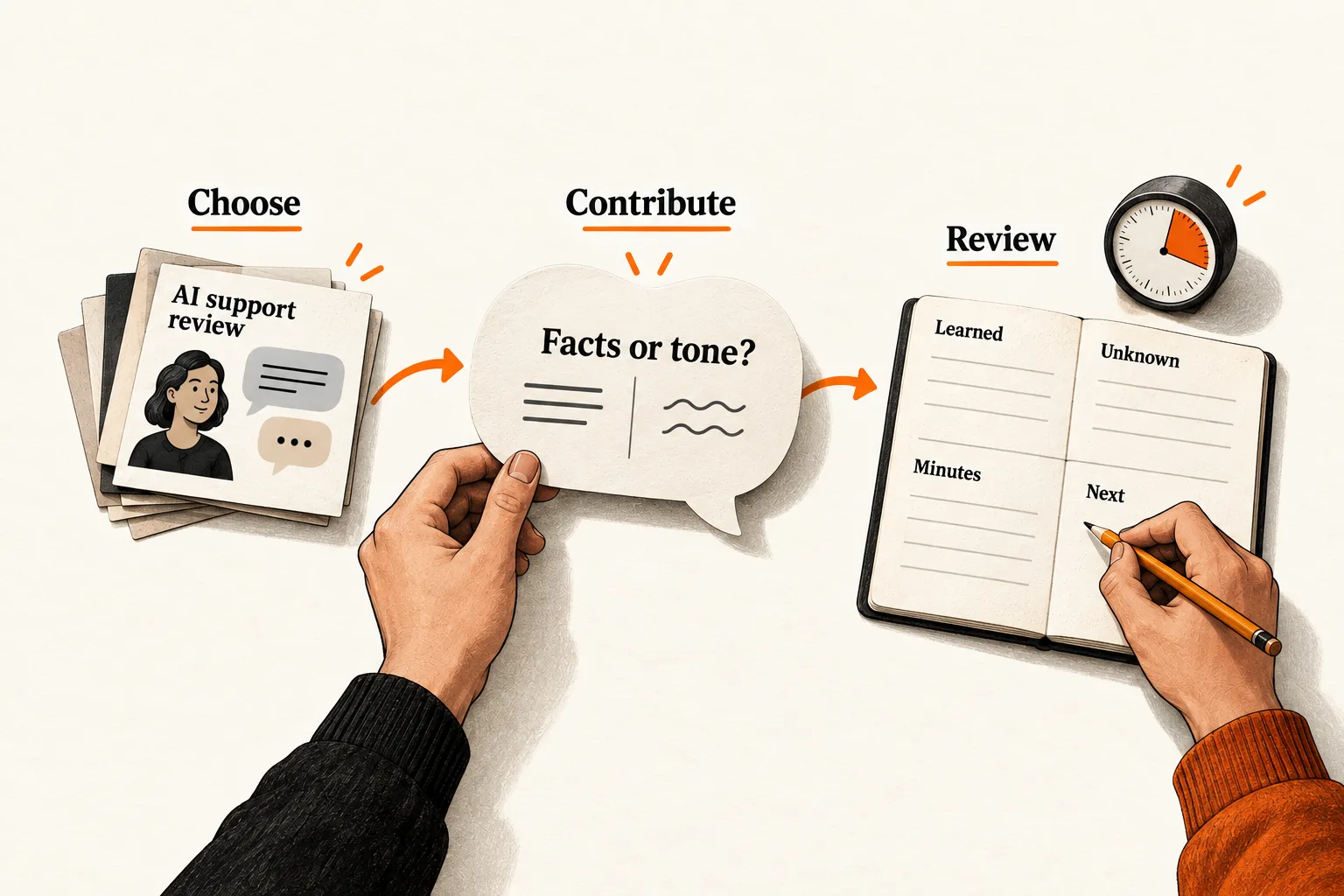
Set aside a small block of time to join LinkedIn discussions about a problem your product addresses. Read the thread, contribute something specific, and record what you learn or what the other person requests. Review those exchanges alongside the time they take.
For an AI or SaaS founder, this is a manageable way to test a LinkedIn commenting strategy. The routine below uses three 15-minute sessions per week for two weeks. Those are suggested limits you can adjust, not platform benchmarks or promises of leads.
Choose the people and problem you want to understand
Before opening the feed, write one sentence describing your audience and its problem. For an AI support product, that might be: “Support managers at small SaaS companies who need to review AI answers before customers see them.”
Decide what would make a conversation worthwhile. You might learn how a team handles exceptions, hear a practitioner challenge your assumption, or receive a request for more detail. A friendly acknowledgment alone does not establish buying interest.
Start with five people whose recent discussions touch that problem. Include practitioners, potential buyers, and specialists who teach the work. Read their threads before adding them; a relevant job title tells you little about what someone discusses or who participates.
Save each person’s profile link and a sentence explaining the fit. “Support lead discussing failed handoffs” gives you a reason to return. Audience size alone does not.
If you already follow a weekly LinkedIn plan for founders, fit this experiment into its conversation blocks. Include the time in your existing budget.
Decide whether a thread deserves a reply
Read the full post and enough of the discussion to see what has already been answered. Reply when the subject fits your audience and you can add a useful distinction, example, source, or question. Your contribution should make sense in that particular thread without relying on an unrelated product pitch.
A question from another commenter may be a better opening than the original post. Answer the person whose question you can help with. If you have nothing to add, move on; the routine has no comment quota.
When you lack relevant experience, ask a sincere question or label your proposed approach as a suggestion. An untested idea should never become “what we’ve seen with customers.”
Avoid groups that coordinate likes and comments to inflate visibility. LinkedIn prohibits engagement pods and automated comments, including comments posted through tools without a person taking the commenting action. It describes possible visibility limits and account restrictions. LinkedIn’s explanation of authentic engagement
Write a comment that adds one useful point
Refer to the specific point you are answering, add your contribution, and stop when it is complete. You could explain when the advice applies, identify a missing condition, suggest a diagnostic step, or cite primary documentation that resolves a factual question. Ask a question when the answer would advance the discussion.
Before posting, check whether your comment could sit unchanged under twenty unrelated posts. If it could, replace the general agreement with the detail that made this thread worth answering.
LinkedIn describes its concern about low-quality AI content in terms of missing substance or perspective, including generic, repetitive, recycled material and content designed primarily to game attention. It also distinguishes proofreading assistance from that content. LinkedIn’s explanation of AI slop
A practical editing rule is to write your own point before using a writing aid to improve clarity. Check every factual claim, especially if the tool expands your draft, then read and submit the comment yourself.
If your product directly answers the question, disclose your connection and explain any relevant limitations. Make the reply useful on its own; include a link when it helps the reader investigate further.
Worked example: a founder responds to an AI support problem
This hypothetical exchange illustrates the routine. It reports no customer experience or product result.
Suppose a founder is building software that drafts support replies. A support manager posts that agents still review every answer, so the pilot has not reduced their workload. Several people have already recommended trying a different model.
The founder has no verified customer result to share, but can suggest a way to investigate:
Have you separated factual corrections from tone edits in a sample of reviewed replies? That could help you decide what to inspect next, such as the source material or writing guidance. Does your review process capture why agents change an answer?
The comment introduces a distinction without claiming to know the cause or fix.
Imagine the manager replies that most edits involve exceptions to the refund policy. The founder could continue:
I’d look at a few of those exceptions next. Are reviewers applying a documented rule, or making a judgment that the draft system doesn’t have enough context to make?
If the manager asks whether the founder’s product handles that situation, the founder can explain what it supports and what remains untested.
A record of this fictional exchange could look like this:
| Field | Hypothetical entry |
|---|---|
| Audience fit | Support manager discussing review work |
| Reported problem | Most edits involve refund-policy exceptions |
| Contribution | Suggested separating edit reasons, then examining exceptions |
| Observed outcome | Manager supplied more detail about the edits |
| Hypothesis | Missing policy context may explain some review work |
| Still unknown | Whether the rules are documented; how much time the edits take |
| Further discussion requested | None established |
| Next action | Investigate how teams document policy exceptions |
In a real entry, preserve any useful exact wording separately from your interpretation. This example contains paraphrases of an imagined exchange, not quotations from a customer. One conversation would not establish how common the problem is.
Use the pain-point evidence sheet if you want to compare observations across discussions while keeping their sources and uncertainties attached.
Keep each session within its time budget
Try three 15-minute sessions per week for two weeks. Begin by returning to earlier exchanges and answering substantive replies. Then review recent posts from your short list and choose a thread where you can contribute. Use the remaining time to write, check, and record your comment.
One exchange may use the entire block. A session may also end without a comment. If finding a suitable thread repeatedly takes all your time, revise the list of people you follow before expanding the budget.
Return to notifications during the next planned session unless a conversation warrants a deliberate exception. Record that extra time, along with sessions spent searching that produced no comment. Otherwise, your log will understate the cost of the routine.
Copy the worksheet and define useful results
Use one record per thread, updating it as the conversation develops:
Date and thread URL:
Person or role, and why the discussion fits:
Specific problem or question raised:
Contribution made and evidence used:
Reply or other outcome observed:
Exact wording worth preserving, if any:
Interpretation or hypothesis:
Follow-up requested, if any:
Minutes spent finding, writing, checking, and replying:
Next action:
Keep a separate session total so time spent without a comment still counts:
Session date:
Total minutes, including extra notification checks:
Threads joined or revisited:
Reason no comment was made, if applicable:
Separate substantive replies, explicit requests for further discussion, and later business outcomes. For this experiment, count a reply as substantive when it adds information about the problem, challenges an assumption, or asks a relevant question. Record who participated so repeated replies from one person remain distinguishable from conversations with several people.
Comment impressions can add context, but they do not measure unique people reached. LinkedIn’s Help documentation says repeat views and your own views count; it also says comment impressions appear with comments rather than in a dashboard. LinkedIn’s comment analytics documentation
Before starting, choose a continuation rule. For example: “Keep the same budget if the trial produces substantive exchanges with two relevant practitioners and one question worth investigating further.” This is a suggested decision threshold, not an expected result.
Review the exchanges and choose the next task
At the end of two weeks, read the entries alongside your total time. Look at sessions that produced little as well as the useful conversations.
If the threads were relevant but your comments repeated the post, work on the contribution. If thoughtful exchanges consistently involved people outside your intended audience, change the list. Reduce or pause the routine if it produces neither useful learning nor relevant conversations.
Keep any later inquiry separate unless you have evidence connecting it to a thread. Even when someone mentions your comment, that does not establish that commenting alone caused the inquiry.
Two weeks can help you judge the workload and identify questions worth pursuing. It cannot establish a reliable customer acquisition rate or rule out value that takes longer to appear. Give any extension its own time limit and review date.
For your first session, write the audience-and-problem sentence, choose five people whose recent discussions fit it, and draft one reply to a specific point. Post it if it adds something useful, then record the exchange and the time spent.


