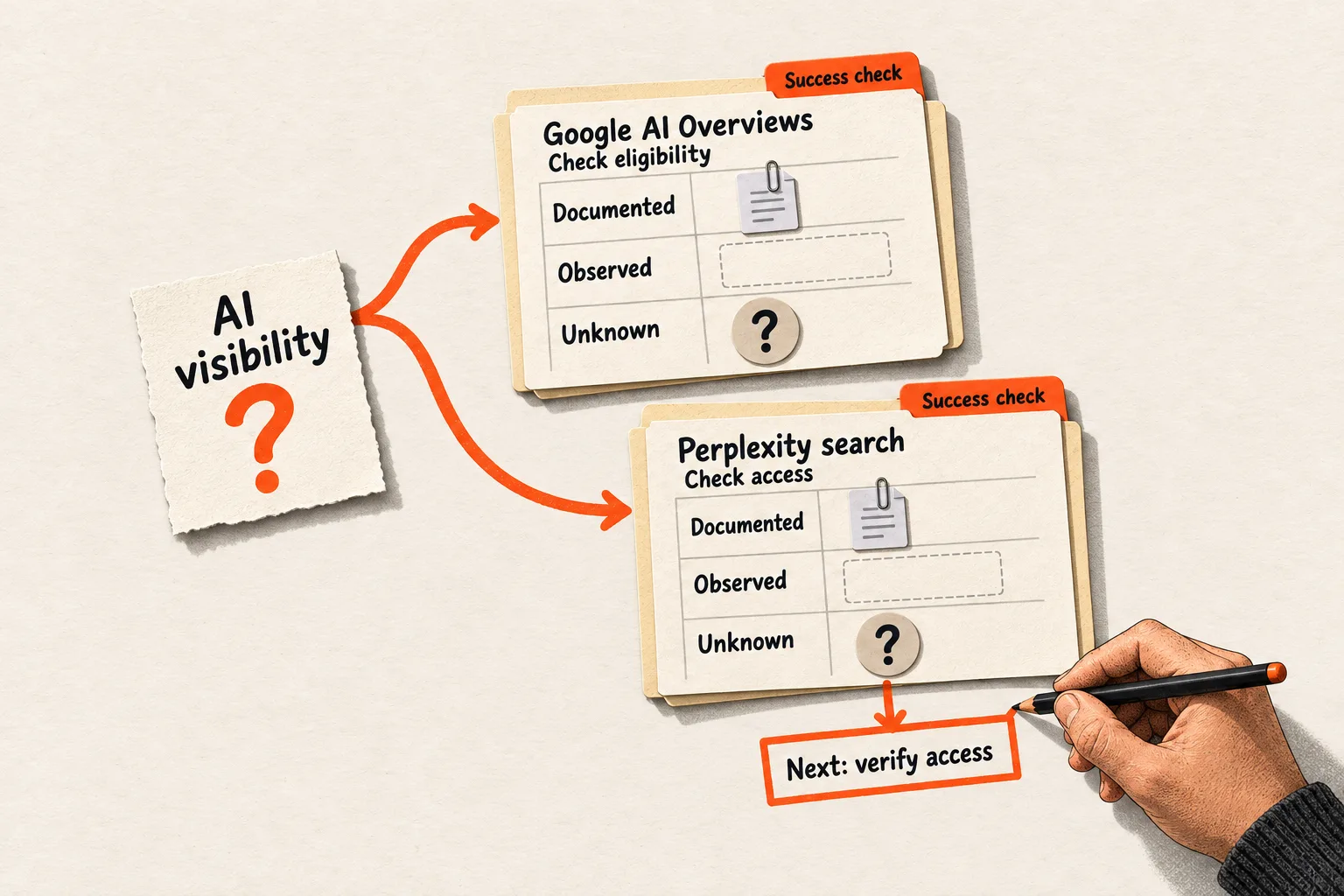
Before adding an “AI optimization” task to your backlog, name the product and outcome it should affect. Making a page eligible for Google AI Overviews and allowing Perplexity to fetch it call for different checks.
Google’s documentation supports decisions about Google Search. Applying that advice to another assistant requires evidence about that assistant. Use the table and worksheet below to give each proposed change a documented scope, an evidence status, and a success check.
Check the product and its current requirements
Google’s AI-features documentation says a page must be indexed and eligible for a Search snippet to qualify as a supporting link in AI Overviews or AI Mode. It describes no additional technical requirements and makes clear that eligibility does not guarantee appearance. Google’s AI-features documentation
There is another control to check. Google’s optimization guide also requires inclusion in Search generative AI features through Search Console. The linked help page places this control under Settings > Search generative AI. Inclusion is the default for properties without a parent; child properties can inherit a parent’s choice. Check the effective setting for the property that covers your page. Search generative AI control
The documentation is not fully aligned: the AI-features page describes the technical requirements without this separate inclusion control. For a practical eligibility review, check both the page requirements and the property’s control. Record the source and date so someone can revisit the decision when the guidance changes.
For llms.txt, Google says the file neither helps nor harms Search visibility because Search ignores it. The guide allows for maintaining such files for other systems that use them. Any proposed benefit elsewhere needs evidence about the intended consumer. Google’s generative AI optimization guide
Rewrite each recommendation in this form:
For [provider and product], [documented condition or proposed change] affects [specific outcome], according to [source and date checked].
If the product or outcome is missing, define it before assigning implementation work.
Build a provider-scope table
Put the official statement beside the question your team still needs to answer. Preserve the difference between a requirement and a recommendation.
| Product or process | Documented scope | Check or open question |
|---|---|---|
| Google AI Overviews and AI Mode | Pages need indexing and snippet eligibility; the site also needs inclusion through the Search generative AI control. | Does the page meet the requirements, and what setting applies to its property? Appearance remains uncertain. |
Google Search and llms.txt |
Google says Search ignores the file. | Is there a separately documented consumer that justifies maintaining it? |
| Gemini uses covered by Google-Extended | The token controls specified training and grounding uses. | Does the setting match the team’s content-use policy? |
| Perplexity search | Perplexity recommends allowing PerplexityBot and its published IP ranges. | Can verified requests access the target page? |
| Perplexity user-requested fetching | Perplexity-User supports visits prompted by user actions. | Did the particular request fetch the page and use it accurately? |
The Google Search rows follow the sources above. The other rows need their own documentation.
Google-Extended is a robots.txt product token covering specified uses of crawled content for future Gemini model training and grounding in Gemini Apps and certain Vertex AI experiences. Google’s crawler reference says it does not affect Google Search inclusion or ranking. Keep it separate from the Search Console inclusion control. Google’s crawler reference
Perplexity distinguishes its search crawler, PerplexityBot, from Perplexity-User. Its documentation says the latter may fetch pages in response to user actions and generally ignores robots.txt rules. These descriptions explain access behavior; they do not establish why a particular page earns a citation. Perplexity’s crawler documentation
Label what is documented, observed, and unknown
Use three evidence labels in your working notes:
| Status | What to record | Example |
|---|---|---|
| Documented | The official statement, named product, URL, and date checked. Preserve qualifiers such as “required,” “recommended,” and “may.” | Perplexity recommends allowing PerplexityBot for search access. |
| Observed | Evidence your team saved, with the page, date, product, mode, query or prompt, and relevant settings. | A saved answer contains a link to the target page. |
| Unknown | The unanswered question and the next action, or a decision to defer it. | Whether changing the page’s format affects source selection. |
One ticket can contain all three. A documented capability does not prove that it occurred in your test, and an observed answer does not explain its cause. If an assistant links to your page after you shorten the introduction, the saved answer establishes the link. It does not establish that the shorter introduction caused it.
When a recommendation starts in a community discussion, retain the author’s audience and circumstances. A founder’s question can justify investigation without establishing how common the problem is among your buyers. Use the related guide to verifying claims about AI assistants and web sources when you need to assess the original assertion.
Worked example: revise an API documentation ticket
Consider a hypothetical three-person SaaS team with a public guide to webhook retries. One ticket proposes adding llms.txt, splitting the guide into short pages, and changing crawler rules to “improve AI visibility.” No results are assumed in this example.
The founder replaces that broad objective with two questions: is the guide eligible for Google Search’s AI features, and can Perplexity access it when prospects research webhook behavior?
For Google, the team reviews indexing, snippet eligibility, and the effective Search generative AI setting. It removes llms.txt from the Google objective. A demonstrated need from another documentation consumer could justify a separate ticket.
The proposed page split needs a reader benefit. Google says there is no required content chunking or ideal page length for its generative AI search features. Google’s optimization guide
In this example, retry timing, duplicate delivery, and idempotency belong to one implementation task. The team keeps them together and improves navigation within the guide. That is an editorial choice about helping readers complete the task.
For Perplexity, the engineer reviews access against the provider’s documentation. The founder separately saves answers to relevant buyer questions. The access review can identify a fetch problem; the answer review can show whether a particular response linked to the guide or described it accurately.
The resulting ticket could read:
| Field | Hypothetical ticket entry |
|---|---|
| Product and page | Perplexity search; the public webhook retry guide |
| Desired outcome | Determine whether PerplexityBot can access the guide |
| Documented basis | Perplexity’s recommendation to allow its search crawler and published IP ranges |
| Current observation | No access result recorded yet |
| Proposed work | Inspect access rules and verified request evidence; correct a demonstrated block if access is intended |
| Success check | Save evidence of the verified request and response; if no request is observed, leave access unconfirmed |
| Separate unknown | Whether the guide will be selected or cited for a buyer question |
| Owner and review point | Engineer; review the evidence before closing the ticket |
This produces a smaller, testable task. It also leaves room to fix confusing instructions without pretending that every useful edit needs a citation experiment.
Match the success check to the outcome
An access fix needs request and response evidence. A content revision needs review for accuracy and whether a reader can complete the intended task. A hypothesis about source selection needs a separate observation plan.
For an exploratory answer review, choose a manageable set of buyer questions before looking at results. Record the exact wording, product, mode, date, page version, and linked sources. Save missing links and incorrect descriptions alongside favorable answers. Repeat the review on a schedule your team can maintain.
Such a review can identify cases worth investigating. It cannot represent every user, establish market-wide visibility, or isolate the effect of a rewrite when other conditions also change. Keep results from different products separate so those limits remain visible.
Monitoring has a cost. If the answer will not change a decision, fixing a broken example or explaining an unsupported integration may be a better use of the time. For a more detailed observation plan, read how to measure AI citations.
Complete one scope worksheet before scheduling work
Copy this template into an existing ticket:
Provider and exact product or feature:
Reader task and target page:
Desired outcome:
Proposed change:

Official source URL:
Source update date, if shown:
Date checked:
Documented requirement, recommendation, or statement:
Conditions and applicable settings:

Observation and saved evidence:
Observation date, product mode, and test conditions:
Unknown or untested explanation:

Expected effort and possible downside:
Success check:
Owner:
Review date or recheck trigger:
Decision: proceed / investigate / defer
Check that the source names the product you intend to affect and that the success check measures the stated outcome. Keep any inference visible to the person doing the work.
Choose one “AI visibility” ticket now. Fill in the worksheet, identify the first evidence gap, and assign a concrete next action to its owner.


