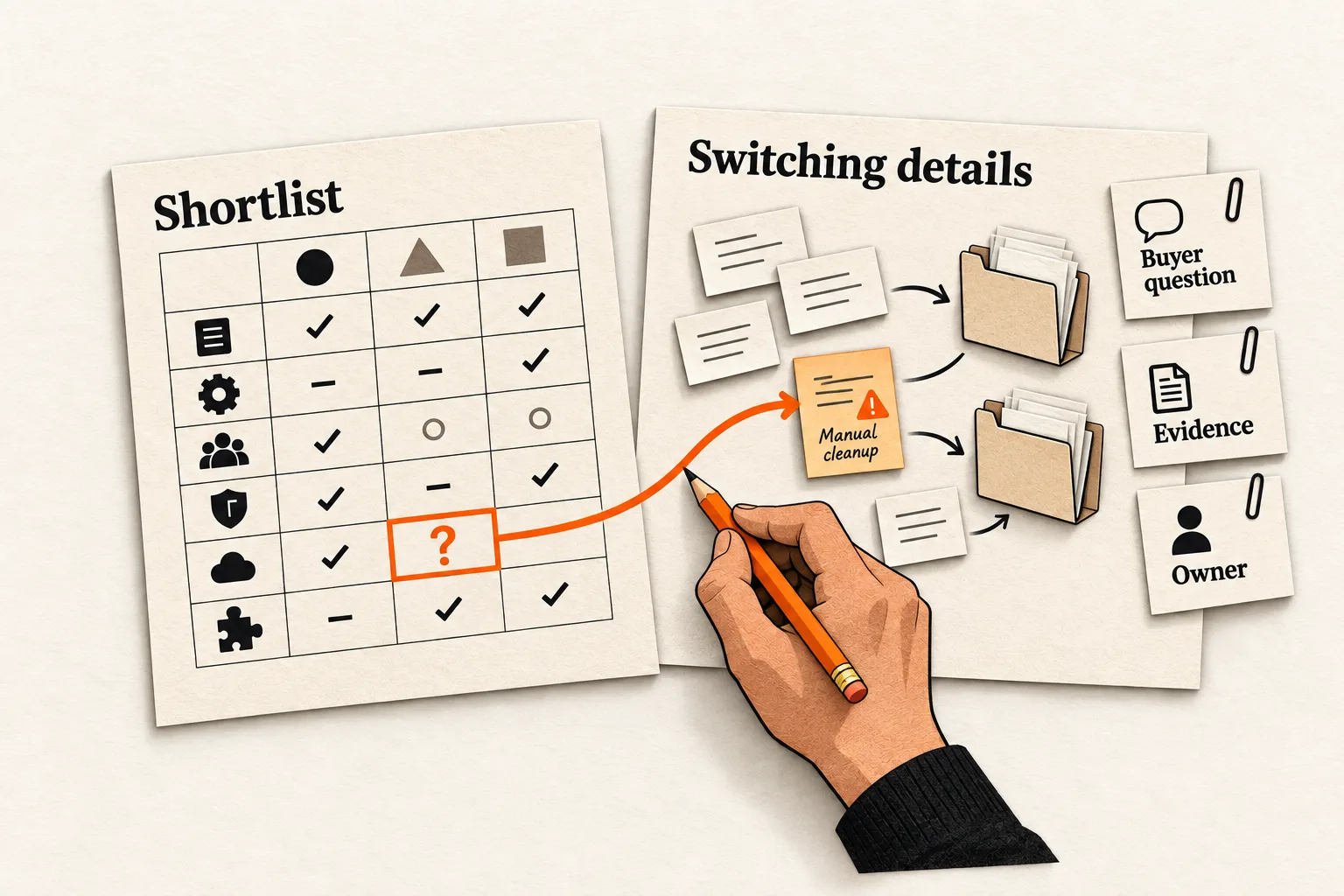
Use one comparison chart when buyers need to compare the same criteria across a shortlist. Add a dedicated competitor page when a particular choice needs an explanation, evidence, or switching guidance that the chart cannot provide. Use both when the chart helps readers narrow their options and selected pages answer the remaining questions.
A crowded chart is a reason to review the format, but it doesn’t establish that every competitor needs a page. For a small AI or SaaS team, start with the fewest pages that answer the buyer’s questions accurately and that someone can keep current.
Start with the choice your buyer is making
A founder comparing three transcription tools for occasional interviews has a different task from an operations lead replacing a tool used across the company. The first might need a compact comparison of usage limits and exports. The second may need migration details, permissions, and an explanation of what happens to existing records.
April Dunford’s positioning method starts with the alternatives customers would use if your product did not exist, then connects differentiated capabilities to customer value. Those alternatives can include a manual process or staying with the current setup. Apply that sequence when deciding which comparisons deserve attention. Dunford’s positioning guide
Collect comparison questions from interviews, support requests, and sales conversations. Keep each person’s wording, situation, and source separate from your interpretation. A public discussion can suggest a question to investigate; it does not establish how common that question is among your buyers.
For each proposed page, finish this sentence:
A buyer currently using or considering ___ needs to decide ___, and the chart cannot answer it because ___.
If you cannot fill the last blank with a specific gap, investigate the buyer’s question before outlining another page.
Choose the format from the depth of the decision
| Buyer need | Starting format |
|---|---|
| Compare several options on the same criteria | One comparison chart |
| Understand a specific pair’s workflow or switching tradeoffs | Dedicated comparison page |
| Narrow a shortlist, then investigate selected pairs | Chart linking to selected pages |
| Resolve a question you cannot yet substantiate | Research before expanding |
A chart works well when its cells give meaningful answers without a chain of exceptions. Tie the criteria to the use case: supported inputs, required integrations, billing assumptions, or export options. A row labeled “AI features” is too broad to resolve much.
A dedicated page needs an explanation specific to that competitor. Moving from one product might require rebuilding automations, while moving from another mainly requires importing records. Those are different buyer tasks even if both products receive the same checkmark for “Import supported.”
With a chart and detail pages, shared facts need to agree, and each page needs enough context for readers who land there directly. Start with the comparisons you can support and maintain. The chart can include competitors that have no dedicated page.
Once you have chosen the format, use FindVex’s guide to accessible comparison tables readers can verify for the table’s presentation and evidence notes.
Require evidence that changes the recommendation
Before approving a separate page, gather material that helps someone choose under specific circumstances. That might be a documented import test, an example workflow, a pricing calculation with stated assumptions, or a limitation that rules out one option for the intended buyer.
Google’s review guidance recommends evaluating from the user’s perspective, explaining differences, and supporting judgments with evidence. It also emphasizes original research, benefits and drawbacks, and quality over length. These principles offer an editorial standard for product comparisons; they do not guarantee rankings. Google’s review guidance
Keep the claim within the evidence’s scope. Vendor documentation can establish what the vendor says a named plan supports. A recorded test can establish what happened under those test conditions. Neither supports a blanket claim that one tool is easier, faster, or more reliable for everyone.
For AI products, record the settings and test inputs when they affect the comparison. Label results from a small test accordingly. If you have not tested a capability, describe the documented capability and leave the performance judgment open.
Try removing the competitor names from two outlines. If the argument, evidence, and recommendation remain interchangeable, investigate further or combine the material. This is an editorial planning test, not a Google rule.
Worked hypothetical: one chart and one detailed comparison
Suppose a fictional company, HarborNote, sells an AI meeting-notes tool. Its team is considering pages against two fictional alternatives, MeetingDesk and ClipMemo. The products, interviews, and test evidence below are invented solely to demonstrate the decision.
HarborNote’s target buyer is a small agency that needs to transfer meeting decisions into a project system. The proposed chart covers export formats, project integrations, review steps, and billing units.
For MeetingDesk, assume buyer interviews repeatedly raise a specific question: can the agency move its old notes while preserving project assignments? HarborNote has a documented sample import showing which fields transfer and which require manual cleanup. It can also explain when staying with MeetingDesk avoids unnecessary migration work.
The page decision would read:
Buyer and situation: A small agency considering moving its meeting notes from MeetingDesk to HarborNote.
Unresolved question: Will old notes retain their project assignments, and what cleanup will the move require?
Distinct evidence: A sample import with a record of transferred fields and manual corrections.
Destination: A dedicated comparison linked from the chart, with the tested scope and migration limits visible.
Recommendation boundary: Staying with MeetingDesk may make sense when the migration work outweighs the expected benefit.
The chart can summarize import support. The dedicated page explains the procedure, limitations, and work involved so the agency can assess the move.
For ClipMemo, assume the team has verified feature documentation but has no distinct buyer question or workflow evidence beyond the chart. Expanding its column into several paragraphs would add little. Keep ClipMemo in the chart while investigating whether buyers need a deeper comparison.
That leaves one overview and one detailed comparison. Before approving the detailed page, the team still needs to assign its maintenance owner. Once the page has a clear purpose and supporting evidence, FindVex’s SaaS comparison page outline can help organize it.
Keep distinct pages distinct, and consolidate repetition
Two pages mentioning the same features can serve different purposes. The overview might support shortlisting, while a comparison between two products explains migration. Some repeated facts are necessary for readers arriving directly on either page.
Review pages whose only meaningful difference is the competitor name. Google’s doorway policy addresses pages created to rank for similar queries that send readers through less useful intermediate destinations. Its scaled-content policy addresses generating many pages primarily to manipulate rankings while providing little value. These policies concern purpose and usefulness; using a shared layout alone does not establish a violation. Google’s spam policies
A shared layout can help readers navigate, but each page still needs a distinct answer. Link from the chart with text that describes what the detailed comparison covers, and give that page a route back to the broader shortlist.
If existing pages are substantially redundant, decide which content should survive before changing technical settings. Google’s canonicalization guidance covers duplicate or very similar pages and describes redirects and canonical annotations as signals for selecting a preferred URL. A canonical tag does not create an editorial reason to maintain two separate articles. Google’s canonicalization guidance
Copy the page decision worksheet
Complete one record for each proposed comparison. Attach the evidence before choosing the destination.
Buyer and situation:
Current product or process:
Decision the buyer needs to make:
Question the existing chart cannot answer:
Supporting documentation, test, or calculation:
Evidence limits and unresolved facts:
When the alternative would be a better fit:
Destination: chart row / expanded section / separate page
What the reader should be able to decide or do:
Facts shared with other pages:
Source URLs, relevant plans or versions, and checked dates:
Maintenance owner:
Next review date or event that triggers a recheck:
If the question is distinct but the evidence is missing, assign a research task. If the answer fits comfortably in the chart, update the chart or add a short explanatory section. Choose a separate page when the supported explanation needs that space and has an owner who can maintain it.
Keep shared facts in one maintained record, even if you reuse them manually. Recheck affected pages when pricing, limits, integrations, or your own product changes.
Check whether the extra page helps
Set the intended outcome before releasing a new comparison. For a shortlist page, ask a reader from the intended audience to identify the relevant options and explain why they chose them. For a switching comparison, ask them to describe the migration limits and their next verification step. Record where the page leaves them uncertain.
Search Console provides clicks, impressions, click-through rate, and average position, with dimensions including queries and pages. Use those views to investigate whether the page reaches relevant searches. They do not tell you whether the comparison resolved the buyer’s problem. Search Console performance documentation
Pair search observations with on-site behavior and direct feedback. A click through to a detail page shows interest; it does not prove the answer helped. A small traffic sample cannot establish that one architecture performs better, and a before-and-after change can have several causes.
Decide the destination for one comparison
Choose one proposed competitor page and complete the worksheet. Mark it for a chart update, an expanded section, a separate page, or further research. Approve the separate URL only when you can name the unresolved buyer question, show evidence that answers it, and assign someone to keep that answer accurate.


