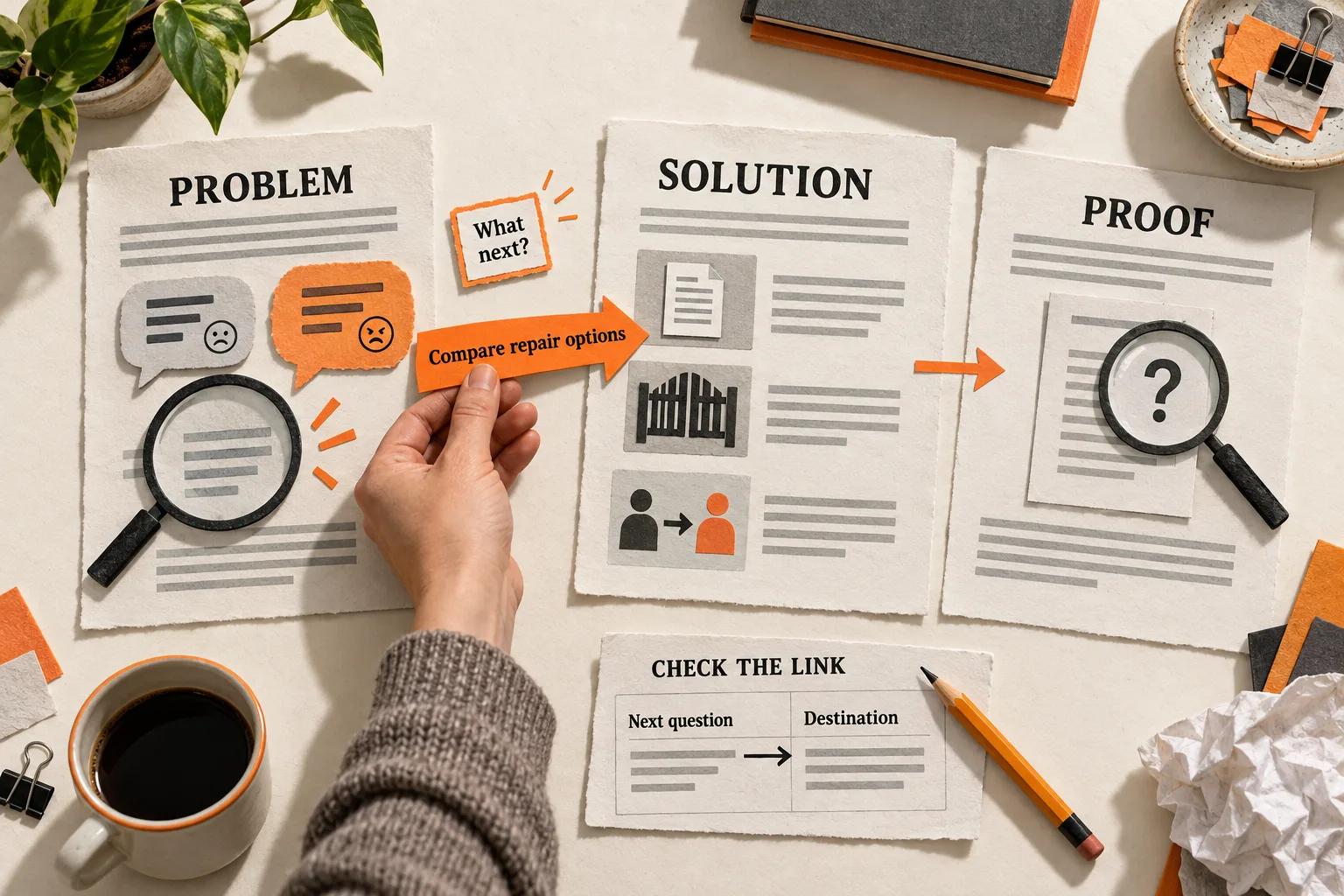
Connect each blog article to the question its reader needs to answer next. A useful B2B blog reading path gives someone a reason to continue: diagnose a problem, compare possible solutions, or inspect the evidence behind an approach.
Imagine a support lead finishing your article about unreliable AI answers. The footer recommends a product announcement and another introductory AI guide. The reader still needs to decide how to repair the answers. If you already have a guide to those options, a contextual link can make it easier to find.
Start with a few existing posts. Give each one a clear job and one recommended next action. The worksheet below will help you map the connections.
Start with the reader’s unresolved question
Choose one reader in one situation. “SaaS buyers” gives you little basis for choosing a link. “A support lead deciding whether AI can answer questions from an outdated help center” gives you a specific task.
Write down the question that brings this person to the entry article. Then finish this sentence:
After reading this page, they can ___, but they still need to know ___.
The second blank identifies a possible destination. If the article helps someone diagnose missing documentation, the next step might be a documentation audit. An automation comparison would skip work they still need to do.
Use customer questions, support conversations, or relevant public discussions to inform the choice. Keep the original wording, audience, and source beside your interpretation. A vivid comment can suggest a useful question without establishing how common it is. FindVex’s pain-point evidence sheet provides a way to organize those observations before choosing a path.
Choose a question you can answer well. Call it recurring only when you have multiple records that support that description.
Give problem, solution, and proof pages different jobs
Use these labels when reviewing your content. They do not need to appear in navigation, and a topic does not always need three separate articles.
| Page role | Reader’s question | Useful result |
|---|---|---|
| Problem | What is going wrong? | A diagnosis or constraint |
| Solution | What could we do? | An approach and its tradeoffs |
| Proof | What evidence supports this approach? | A claim the reader can assess |
A problem article helps someone recognize whether the issue applies to them. A solution article explains a method and when another approach makes more sense. A proof article lets readers examine a documented test, an inspectable example, or a case study with relevant conditions and limits.
Match the evidence to the claim. A worked example can show how to use a method. A claim about customer results needs evidence of those results. If effectiveness remains untested, say so and give readers a way to evaluate it themselves.
Audit a handful of existing posts. Record each URL, its main question, what it enables, and what remains unresolved. Two posts with different titles may do the same job. One strong guide may already cover diagnosis and implementation; splitting it would add unnecessary navigation.
Allow entry at any point. Someone arriving on a comparison page may need evidence immediately. Someone reading a test report may need to revisit the method. Keep those routes available while making one next action prominent.
Explain what each link helps the reader do
A “Related posts” heading leaves readers to work out why the recommendations matter. Add a transition where the next question arises.
For the support example, the sentence might read:
If your audit found conflicting answers across help articles, compare the repair options in Choose a repair method for unreliable support answers.
Link the guide’s title. The sentence gives the reader a condition, a task, and a destination. Use the same title or a close description on the destination page so the connection is easy to recognize.
Google recommends descriptive, concise anchor text and contextual links to relevant pages within a site. It also says important pages should receive a link from at least one other page. These practices help people and Google understand the connections; they do not guarantee a ranking improvement. Google Search Central’s link guidance.
Descriptive links also support accessibility. W3C explains that a link’s purpose should be understandable from its text or programmatically associated context, and recommends meaningful standalone link text where possible. W3C’s explanation of link purpose.
Keep citations, definitions, and necessary background links. At the end of the article, make the action that best follows from its promise prominent: complete a worksheet, inspect evidence, or read a specific guide.
Open the destination and check that it delivers what the transition promises. If the link names a testing checklist, the reader should be able to find that checklist easily.
Worked example: connect an AI support blog
Imagine a small team planning a reading path about unreliable AI support answers. The article titles, scenario, and sample transitions below are hypothetical. They demonstrate the editorial method and provide no evidence of customer results.
| Page | What it helps the reader do | Recommended next action |
|---|---|---|
| Why your support bot gives conflicting answers | Distinguish outdated documentation from questions that lack an approved answer | Compare repair options |
| Choose a repair method for unreliable support answers | Compare documentation cleanup, answer restrictions, and human handoff, including maintenance work and unresolved risks | Inspect a relevant test report, if one exists |
| How we tested answers against conflicting help articles | Examine how a particular approach was tested and where it failed | Draft an evaluation for the reader’s own situation |
The first transition could read:
Once you know which questions lack a reliable source, compare documentation cleanup, answer restrictions, and human handoff in Choose a repair method for unreliable support answers.
The linked text would be the solution guide’s title. That guide should explain the options before asking readers to assess evidence for one of them.
Before using the proposed test-report title, the team would need to run and document the test. The report should identify the system configuration, test questions, assessment criteria, observed failures, and limits. Its transition could then explain exactly what the reader will inspect:
To examine how we evaluated this approach, read How we tested answers against conflicting help articles, including the questions it still answered incorrectly.
That wording is appropriate only if the report contains those findings. If no test exists, link to a clearly labeled evaluation plan and state that effectiveness remains untested. Keep the proof gap visible in the content audit.
The report or evaluation plan can end with a worksheet for designing the reader’s own test. Each page should still answer its main question fully, including for someone who arrives directly and never follows another link.
Measure whether readers use the connection
Decide what useful progress would look like before changing the links. For this example, you might look for readers reaching the repair guide and then starting an evaluation worksheet.
Record the source article, destination, link placement, and revision date. If your analytics setup supports custom events, use a consistent event for the internal link and include enough information to distinguish its source, destination, and placement. Verify that a test click is recorded correctly.
GA4’s enhanced-measurement click event covers outbound links leading away from the current domain, with an exception for domains configured for cross-domain measurement. Ordinary internal article links need separate measurement if you want click-level detail. GA4 enhanced measurement documentation.
GA4 path exploration can show recorded pages or events after a chosen starting point, or work backward from an endpoint. Use it to inspect whether the intended destination appears in the observed path. Page sequences alone do not identify which link placement a reader used. GA4 path exploration documentation.
Keep the observation separate from your interpretation. A recorded click shows that someone followed the link; it does not establish comprehension or even deliberate interest. A worksheet download does not establish completion. A reader who leaves after finding the answer may have succeeded.
For a small blog, ask a few relevant readers to try the path and explain what they expect each link to provide. Their comments can reveal confusing transitions, though they are not a representative survey. If you compare performance before and after a change, record shifts in traffic sources and audience mix. The comparison alone cannot isolate the link’s effect.
Copy the reading-path worksheet
Complete one copy for each entry article. Replace the brackets with your own details and mark missing evidence explicitly.
READING PATH

Reader and situation: [Role, trigger, and relevant constraint]
Entry URL: [Existing article]
Entry question: [What the page promises to answer]
After reading, the reader can: [Specific result]
Unresolved question: [What they still need for the next decision]

CONNECTION

Destination URL: [Existing resource, or "missing"]
Destination's job: [Problem, solution, or proof]
Transition sentence: [Why this reader should follow the link now]
Linked words: [Accurate title or description]
Primary next action: [Read, inspect, complete, or test what?]
Evidence limit: [What remains uncertain or untested]

CHECK AND REVIEW

Destination delivers the promise: [Yes, or revision needed]
Source, destination, placement, and revision date: [Record]
Observation plan: [Behavior or reader feedback to collect]
Reason to revise the connection: [Mismatch or unresolved confusion]
Owner and review date: [Name and date]
In the hypothetical support example, the entry article helps readers identify questions without a reliable source. The unresolved question is which repair method to choose. The destination is the repair guide, and the first sample transition supplies the reason to follow it. Effectiveness remains untested until the team has evidence to inspect.
If the destination is missing, use the SaaS content brief template to scope that one unanswered question.
Connect one existing article
Complete the worksheet for one post and write its transition sentence. Follow the proposed link on a phone, check that the destination delivers the promised resource, and confirm that both articles remain useful when visited directly.
Remove recommendations that share a topic label but serve a different reader or task. Ask a teammate to read the transition and describe what they expect to find next. Revise any mismatch before expanding the path.


