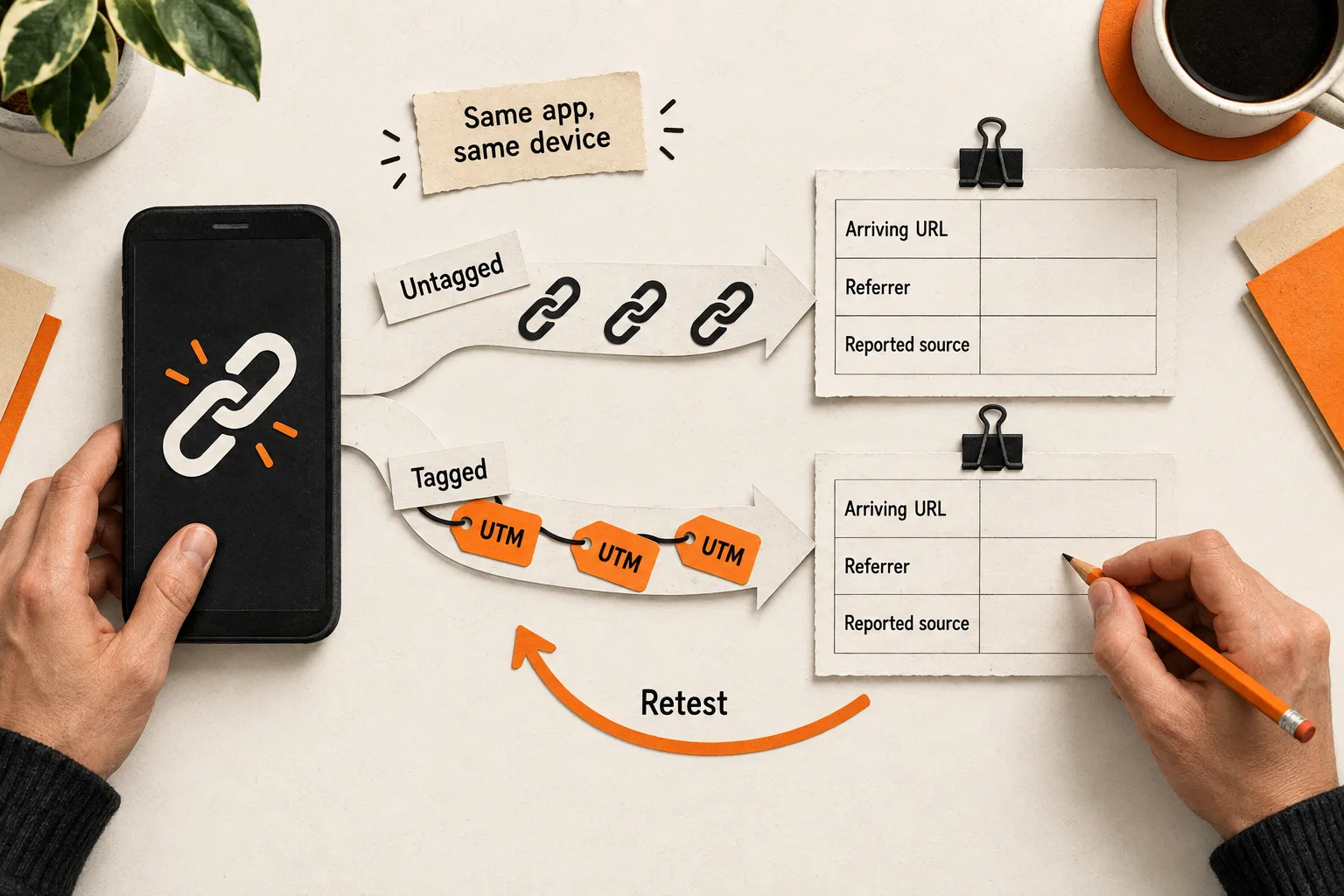
To test whether a social link preserves referral data, open tagged and untagged versions through the same app, placement, and device. Record the arriving URL, browser referrer, and processed analytics source separately. Those observations help you locate a tracking problem before changing your distribution strategy.
This social referral tracking test produces a worksheet for fixing links and interpreting channel reports. It cannot estimate what share of all direct traffic came from social.
Separate referrers, campaign tags, and reported sources
The browser referrer provides information about the page that linked to your destination, when available. A developer can inspect document.referrer on the landing page. An empty value is possible, including when someone navigates directly. MDN’s referrer documentation.
UTM parameters are campaign labels attached to a destination URL. They can supply source information even when the browser referrer is empty. Google’s campaign URL guide.
The reported analytics source is a separate observation. In GA4, (direct) / (none) represents traffic without a clear referral source. Google lists missing campaign information and redirects that strip parameters among possible causes. The label alone cannot identify a preceding social app. Google’s explanation of direct traffic.
Keep separate fields for the referrer, tags received, and session source recorded. A visit might retain your campaign labels while providing no browser referrer.
Build a matrix around the routes your buyers use
Start with one app and one placement you rely on, such as a profile link. Write a specific question: “Does our profile link retain its campaign tags when opened through the app’s default browser?”
Use the devices available to your team, and record gaps in coverage. A starting matrix could look like this:
| Device | Opening method | Link versions |
|---|---|---|
| iPhone | Default app behavior | Tagged and untagged |
| iPhone | Open in external browser, if available | Tagged and untagged |
| Android phone | Default app behavior | Tagged and untagged |
| Desktop | Click from the social website | Tagged and untagged |
These are proposed conditions, not claims about options every app provides. Record what actually opens: an embedded browser, Safari, Chrome, or another destination. Mark unavailable routes as untested. Give feed posts, profile links, and private messages separate records if you test more than one placement.
Log the OS, app, and destination browser versions, along with consent choices, blocking tools, and any existing destination-site activity. You will need those details to reproduce an unexpected result.
If a customer reported the problem, preserve their description separately from your suspected cause. The pain-point evidence sheet guide shows how to keep observations and interpretations distinct.
Prepare paired links and an observable landing page
Use a destination you control with the same redirect and analytics behavior as the page you normally share. A simplified test page can help isolate a problem, but you will still need to retest the production route.
Create an untagged URL and a tagged version of that destination. For a hypothetical LinkedIn test:
https://example.com/demo

https://example.com/demo?utm_source=linkedin&utm_medium=social&utm_campaign=referral_qa&utm_content=ios_profile_default_r1
Keep source, medium, and campaign consistent within the comparison. Use utm_content to distinguish tagged runs, such as android_profile_default_r1. These are supported campaign parameters, and their values are case sensitive. Google’s campaign parameter documentation.
Identify untagged runs with timestamps and your worksheet. Adding campaign labels to the control would change the test. Use neutral run IDs and keep names, email addresses, and customer details out of test URLs.
Ask a developer to capture the landing page’s URL and document.referrer as soon as the page loads, before page code changes the URL. A temporary diagnostic display restricted to testing can make these values visible. Record “not observed” when you cannot inspect a value; reserve “empty” for a value you actually checked.
Inspect earlier redirects separately. An HTTP redirect sends the browser to another URL before the destination page loads, so a display on that final page cannot show every earlier hop. Ask the developer to inspect the redirect requests and destination URLs when needed. MDN’s explanation of HTTP redirects.
Use a dedicated QA analytics property where feasible. Keep its measurement configuration comparable to production and document differences. Check that filters will allow the visits you need to inspect. If you use production analytics, label the test campaign and exclude its activity from business performance comparisons.
Run each click as a separate observation
First verify that analytics collection works in an ordinary browser. Then test the actual social route.
For each run:
- Record the run ID, timestamp and time zone, device, placement, opening method, and consent state.
- Reset destination-site storage in the browser that will actually open the link, where practical. Document the reset method and any prior activity you cannot rule out.
- Tap the link from its intended placement. Pasting it into the address bar tests a different route.
- Capture the landing URL and referrer before navigating further.
- Check whether the intended analytics event arrives and inspect its parameters.
- Record the processed session source and campaign when reporting is ready.
Apply the same consent choices to both versions. If you cannot isolate the destination browser’s storage and session history, you can still test URL survival, but mark attribution as potentially affected by prior activity. A reset in your desktop browser does not establish the state of a phone’s embedded browser.
For GA4, enable debug mode in the destination context under test, then use DebugView to inspect events and their parameters. Consent or privacy controls can prevent events from appearing there. DebugView and Realtime also perform limited attribution analysis, so use acquisition reporting for the processed source. Google’s DebugView documentation.
Capture the event’s page location and page referrer when available. For UTM checks in reporting, use Page location: Google says UTM parameters are omitted from the Landing page + query string and Page path + query string dimensions. Their absence from those dimensions does not establish that the link lost them. Google’s campaign URL guide.
Check Session source / medium and Session campaign in Traffic acquisition. First user dimensions describe the user’s original acquisition and may differ from the visit you are testing. Prior acquisition history can also affect attribution, which is why the reset record matters. Google’s guide to traffic-source scopes.
Confirm that the report row can be tied to your run. Use the recorded campaign, timing, and test conditions; if other activity makes the match ambiguous, mark the processed result “not isolated.”
Allow for processing. Google says processing can take 24 to 48 hours and reports may change during that time. A missing row immediately after a click is inconclusive. GA4 data freshness documentation.
Repeat an unexpected result under the same conditions. Then change one factor, such as bypassing your short link, and repeat again. Keep each attempt in its own record.
Worked example: campaign tags survive an empty referrer
Suppose a two-person AI meeting-notes startup tests a profile link on one iPhone. These hypothetical results illustrate the method; they are not findings about any platform.
| Observation | Untagged run | Separate tagged run |
|---|---|---|
| Destination | Intended page loads | Intended page loads |
| Observed browser referrer | Empty | Empty |
| Campaign parameters at arrival | None supplied | All supplied values present |
| Page-view event | Collected | Collected |
| Processed Session source / medium | (direct) / (none) |
Matches the supplied source and medium |
Assume both runs have isolated destination contexts and the processed records can be identified. The team can conclude that referrer information was absent in these runs while campaign labels survived the tagged route. That does not establish app-wide behavior or explain other direct sessions.
Next, the team repeats the tagged test through its usual short link. The landing URL lacks the campaign parameters. A comparison using the full tagged URL retains them.
The difference points to the short-link route for further investigation. It does not yet identify the responsible redirect or service. The next task is to inspect those hops, repair the route, and repeat the same comparison.
Copy the test record and choose the next check
Duplicate this template for each run:
Test question:
Run ID, timestamp, and time zone:
App, placement, and app version:
Device, OS, destination browser, and versions:
Opening method:
Consent and blocker state:
Destination storage/session reset method and limits:
Tagged or untagged:
Shared URL:
Observed landing URL:
Redirect observations, if inspected:
Observed referrer, empty, or not observed:
Analytics property and configuration differences:
Analytics event received, absent, or not observed:
Collected page location and page referrer:
Processed Session source / medium:
Processed Session campaign:
How the report result was matched to this run:
Filters checked and report check time:
Observation:
Possible explanation:
Next comparison, owner, and retest date:
Use the first reproducible discrepancy to choose the next check:
| Observation | Next check |
|---|---|
| Tags are missing from the landing URL | Inspect the shared link and redirect destinations. |
| Tags arrive, but no event is observed | Check collection, consent, blocking, and debug setup. |
| Collection looks correct, but reporting differs | Check session history, dimension scope, filters, processing time, and whether the row belongs to the run. |
| Referrer is empty, but supplied campaign labels appear in reporting | Record that result for this route; repeat on another relevant device or opening method. |
Keep conclusions attached to the tested conditions. One device cannot establish app-wide behavior. If someone forwards an unchanged tagged URL into another channel, it still carries the original label, so that label alone does not prove where the final click happened. Successful tracking also does not establish that a channel produces qualified customers.
Complete one paired test this week
Choose one social placement you rely on. Complete its tagged and untagged records, then repeat the first unexpected result. Assign an owner to the next comparison or repair, and save the conditions needed to retest it.


