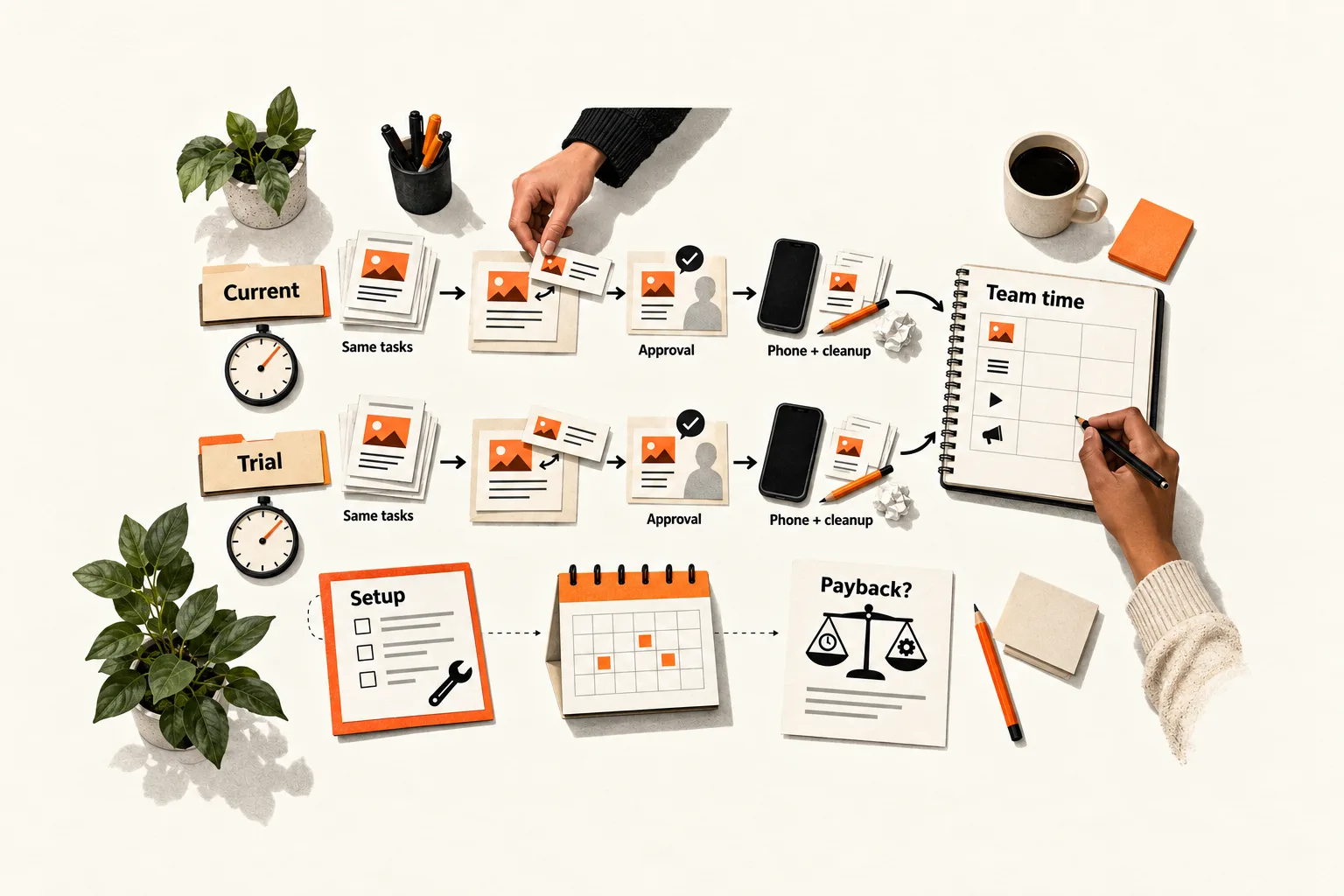
Test a social scheduler by timing the same posting tasks in your current workflow and one trial tool. Include everyone’s preparation, approvals, and cleanup, then calculate how many normal weeks of savings would repay setup time.
Loading posts may get faster while other work grows: configuring accounts, chasing approvals, correcting previews, or finishing a post on a phone. This one-week social media scheduler evaluation gives a small SaaS team a way to decide whether to adopt the tool, extend the trial, or keep its existing process.
Define the workload and decision rule
Ask the people who prepare, approve, and publish posts where they lose time. Keep their descriptions separate from your explanation. Searching for the approved image calls for a different test than copying captions into several apps every afternoon.
Choose a normal week’s workload. Keep the channels, formats, assets, reviewer, and quality requirements the same in both workflows. If your routine is still unsettled, use the weekly LinkedIn routine guide to define a manageable baseline first.
Write a decision rule before opening the trial. For example: adopt only if the tool saves at least 45 team minutes per normal week, preserves required approval checks, and repays setup time within eight weeks. These numbers are illustrative choices, not industry benchmarks.
Define completion, too. A post might need the correct account, approved copy, a working destination link, a readable image, and the correct scheduled time. Apply those checks to both workflows so skipped work cannot count as a saving.
Build identical task packets
Prepare a set of realistic posts with copy and assets already supplied. Include your common formats and an awkward task you regularly encounter, such as changing an approved link or replacing an image. Each packet should specify the destination account, content, assets, intended time and time zone, approval requirement, and requested revision.
Run every packet through both workflows with the same people in the same roles. Start timing when someone begins adapting or entering the supplied material. Stop at the same checkpoint: approved and ready to publish. Exclude original research and writing unless those are explicitly part of the workflow you want to evaluate. Keep AI writing features out of the first comparison because reviewing their output would add another variable.
Use drafts or a safe test environment for duplicate work. Never leave two copies queued for your public audience. If one workflow cannot save a draft, use the final preview as the shared checkpoint and record which scheduling steps remain untested.
The paired rehearsal measures preparation and coordination. Check delivery separately through your normal, approved posting schedule, publishing each public post only once. Log manual completion, verification, and repairs after the preparation checkpoint so those minutes are not counted twice.
Check permissions, manual steps, and the paid plan
Confirm that the trial includes the features you would actually pay for. Buffer, for example, makes draft approvals available on its Team plan. Users with Full Access and users who need approval have different actions available to them. Buffer’s approval documentation
Test with the actual drafter and reviewer roles. Include requesting approval, finding the request, making a revision, and returning the post to the queue. A solo owner clicking through every step will not test the team’s handoff. Count work outside the scheduler, including messages used to chase approval.
Check whether each format publishes automatically or requires someone to finish it. Buffer’s notification publishing sends a mobile reminder, after which the user completes the post in the social network. Its documented uses include adding native music and handling certain technical restrictions. Include that phone work in the log. Buffer’s notification publishing guide
Price the configuration you tested. Record the channels, users, required features, billing interval, and trial end date. Buffer’s plans differ in channel allowances, user allowances, and collaboration features, so check that the paid plan supports the workflow you evaluated. Buffer’s plan comparison
Follow a five-day measurement schedule
On Monday, write the decision rule, prepare the packets, and configure the trial. Log account connections, permissions, training, and practice as setup time. Keep the work of designing and recording the evaluation in a separate category.
On Tuesday and Wednesday, run the paired packets. Alternate which workflow goes first: current process first for one packet, trial first for the next. This helps balance the benefit of remembering a task on the second attempt, though it cannot remove that effect.
On Thursday, run the revision tasks in both workflows. Throughout the week, check the normal posts assigned to the trial for delivery and appearance. Time any manual completion, troubleshooting, or correction. Keep these live observations separate from rehearsal results.
On Friday, total the logs and examine the slowest tasks with the people who performed them. Record the cause of each delay before deciding what to change. A confusing approval route may be fixable; a required format that keeps needing manual work may alter the decision.
Use active person-minutes as the main measure. Two people working together for ten minutes use 20 team minutes. If a reviewer leaves a post untouched for three hours, record that wait separately. Time spent chasing the reviewer counts as active work.
Record interruptions and missed posting windows as well. A tool may reduce hands-on work while leaving someone responsible for a reminder during dinner. Decide whether that availability requirement is acceptable, even if the minutes look favorable.
Copy the time log and calculation template
Create one row per person and task segment. Use a batch ID for shared work, such as reviewing a whole calendar, and record that effort once rather than assigning the full time to every post.
Copy this header into a spreadsheet:
Date,Packet or live-post or batch ID,Workflow,Person,Role,Channel,Format,Activity,Cost category,Active minutes,Waiting minutes,Result,Evidence reference,Measurement type,Interruption or missed windowFor activity, record preparation, approval, scheduling, verification, repair, or the specific setup task. For cost category, use setup, recurring work, or evaluation overhead. Label measurement type as paired rehearsal, observed live work, or estimate. A short problem description can serve as evidence when there is no draft reference or published link.
Keep the timer running through task-related troubleshooting and pause it for unrelated work. Mark reconstructed times as estimates. Record blocked and failed tasks, including any later repair, so unfinished work does not make a workflow look faster.
Use a second sheet for the decision:
Normal weekly workload and format mix:
Shared preparation checkpoint:
Required quality and approval checks:
Minimum weekly saving:
Maximum acceptable setup payback:

Current preparation minutes for that workload:
Trial preparation minutes for that workload:
Current publishing and cleanup minutes (observed or estimated):
Trial publishing and cleanup minutes (observed or estimated):
Weekly recurring saving = current total - trial total:
Trial setup minutes, including training and practice:
Setup payback in equivalent weeks = setup minutes / weekly saving:
Evaluation overhead, recorded separately:

Paid configuration and subscription cost:
Remaining manual steps and owner:
Untested formats or uncertain estimates:
Decision, reason, and next review date:
If your packets cover only part of a normal week, report the saving for those packets. Any projection to a full week needs an explicit workload assumption and an estimate label. Calculate setup payback only when recurring savings are positive.
Worked example: include publishing work in payback
Suppose a founder and a marketer test packets representing eight weekly posts. All numbers in this example are invented to demonstrate the calculation.
Their paired rehearsals produce these totals:
| Active team minutes | Current workflow | Trial workflow |
|---|---|---|
| Preparation and formatting | 80 | 45 |
| Approval and revisions | 35 | 30 |
| Scheduling and final checks | 40 | 25 |
| Preparation total | 155 | 100 |
The trial saves 55 minutes on preparation. Account setup, permissions, training, and practice take another 110 minutes. Using preparation alone would give a setup payback of 110 ÷ 55, or two equivalent weeks.
Live checks also reveal phone work. Based on the tested format mix, the team estimates that publishing and cleanup would take 30 minutes per normal week in the trial workflow and 20 in the current workflow. These were different live posts, so the team treats this part of the comparison as an estimate.
| Weekly calculation | Current workflow | Trial workflow |
|---|---|---|
| Preparation minutes | 155 | 100 |
| Estimated publishing and cleanup minutes | 20 | 30 |
| Estimated recurring total | 175 | 130 |
Estimated recurring savings are 175 − 130 = 45 team minutes per week. Setup payback is therefore 110 ÷ 45, or about 2.4 equivalent weeks, assuming the workload and savings continue.
One normal week’s work in the trial configuration would take an estimated 240 minutes including setup: 130 + 110. That compares with 175 minutes in the existing process. These figures exclude the extra work of running both workflows for the evaluation; keep that overhead visible in its own total.
At a hypothetical internal value of $60 per hour, 45 minutes represents $45 of capacity per week. Cash savings depend on whether paid work actually falls. Otherwise, identify the task that could use the freed time and compare its value with the subscription cost on the same time basis.
The estimated saving exactly meets the example’s 45-minute threshold. Because publishing effort is still uncertain, the next useful test is to time more live publishing work for the same format mix before treating that threshold as reliably met.
Decide what the evidence supports
Adopt when the total recurring saving meets your chosen threshold, the required checks still happen, and the paid configuration matches the trial. If estimates could change that decision, extend the trial and name the task that will resolve the uncertainty. Do not assume every slow step will disappear with practice.
Keep the current process when coordination or manual completion consumes the expected savings. You may still value a shared calendar or clearer permissions; record those benefits separately from time savings. If recurring savings are zero or negative, there is no time-based setup payback under the tested conditions.
Before deciding, confirm that every participant’s time is included, both workflows meet the same completion criteria, and setup and evaluation overhead remain separate from recurring work. Keep rehearsals, live observations, and estimates distinguishable. Assign an owner to any remaining manual publishing steps.
One week can expose routine friction. It cannot establish long-term reliability or prove that a scheduler improves reach, leads, or revenue. Save the worksheet and schedule another review after several normal weeks.
Start with one post and one revision
Choose one routine post and one revision task. Write their completion criteria, set your minimum useful saving, and book time with everyone who prepares or approves them. Run both workflows on the timer, then use the log to decide what else the week’s test needs to cover.