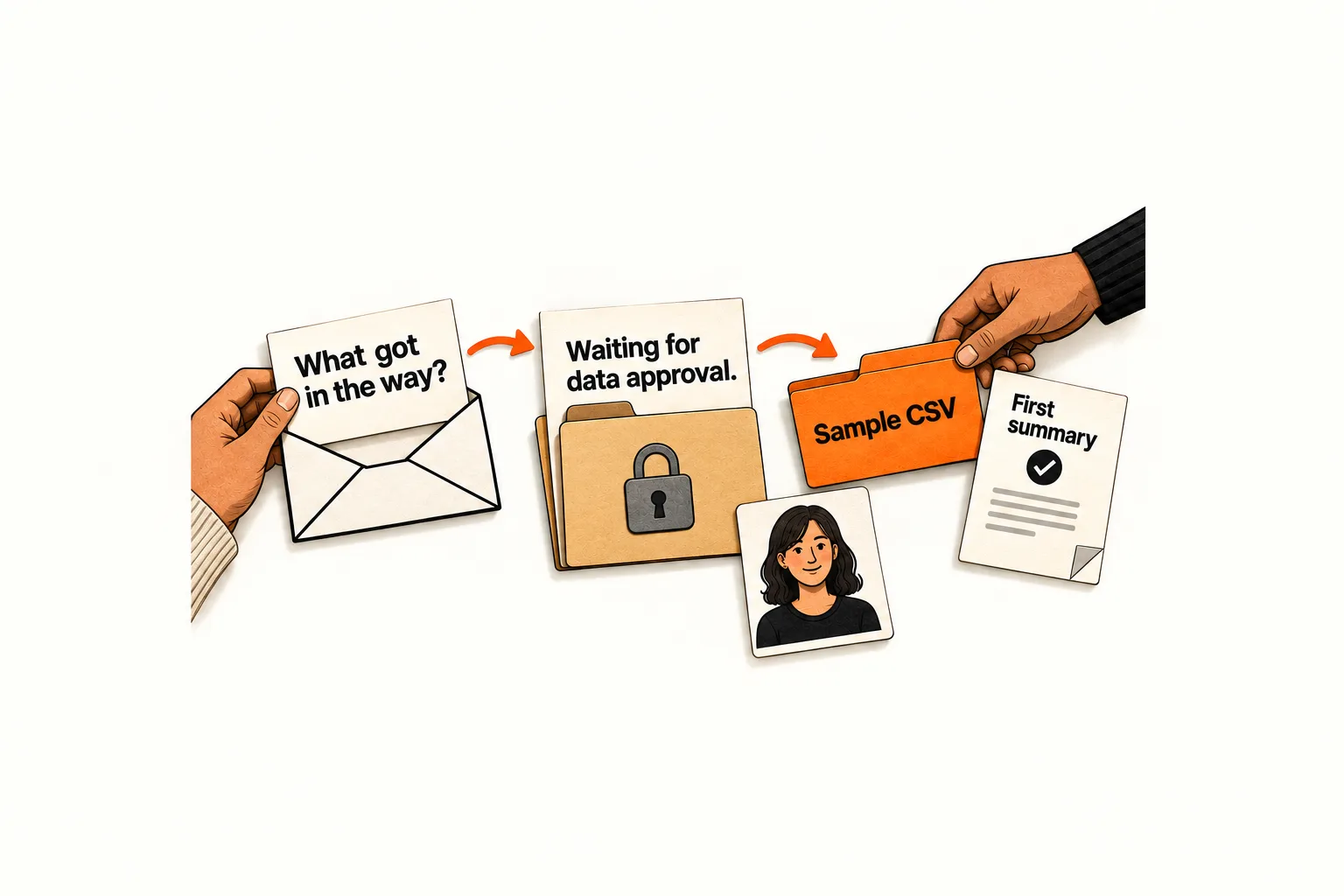
A trial user starts an import but never reaches a useful result. They might be waiting for permission to upload data, struggling with a file, or testing something your product cannot do. Another dashboard tip may leave the problem unresolved.
Write a SaaS trial check-in email around one question the user can answer in a sentence. Send it from a monitored address, and assign someone to handle replies before the first message goes out. The aim is to learn what stopped the user and offer an appropriate next step.
Choose an unfinished task worth asking about
Start with a task that matters to the user’s outcome: importing a file, connecting a data source, or reviewing a first generated result. A missing completion event gives you a place to investigate; the reason for the pause remains unknown.
Allow enough time for someone to attempt the task. Two business days after an unfinished import could be a starting point for a pilot. Adjust that interval to the work involved: a product requiring security approval needs a different timeline from a tool someone can try in five minutes.
Before sending, recheck whether the user has completed the task, contacted support, opted out, or received another onboarding message recently. Select one relevant contact per workspace so teammates do not receive duplicate questions about the same problem.
If you still need to define the event and eligibility rules, use the guide to triggering an onboarding email from a missing activation step. With those rules in place, this check-in can focus on learning why the user paused.
Ask a question the user can answer in a sentence
“How is everything going?” gives the user a lot to summarize. “What would make you upgrade?” asks for a buying decision before you understand their experience.
Ask about the unfinished task while leaving room for the possibility that nothing went wrong:
What, if anything, got in the way of importing your first file?
The user could answer “I haven’t had time,” “The upload failed,” or “I only wanted to look around.” Leave your suspected causes out of the first message unless the user needs that structure. Give them room to describe the situation in their own words.
When activity data is unreliable, use a question that does not assume a missing step: “What are you hoping to try first with [Product]?” This avoids telling someone they failed to finish work they already completed.
Use a simple subject line, such as “Your first import in [Product].” The sender name should accurately identify who is communicating. If a support teammate handles the exchange, use their identity or the team’s identity.
Adapt this plain-text check-in template
Replace the placeholders with one task, a recognizable product name, and an accurate sender identity:
Subject: Your first [task] in [Product]
Hi [First name],
I’m [Name], and I help with [Product] setup.
What, if anything, got in the way of [specific task]?
A sentence is plenty. Replies come to our team, and we can help with the next step.
[Name] [Product]
Only promise help your team can provide. If you name a response time, assign someone to cover it during vacations and busy periods. Keep the main request to a reply; send a tutorial or other resource once you know what the user needs.
Plain text suits a short exchange, but there is no evidence here that this format improves delivery or response rates. An HTML email that looks simple is still different from an actual plain-text email.
That distinction affects measurement. Mailchimp’s image-based open tracking cannot work in plain-text emails. Its documentation also describes inflated metrics from bots and Apple Mail Privacy Protection. Treat an open report cautiously: it cannot establish that a particular user read or ignored your question. Mailchimp’s open-tracking documentation
The template still needs your sending setup and any required footer. Under FTC guidance, a message’s primary purpose determines its classification; an existing customer relationship alone does not make an email transactional. Where commercial email requirements apply, include accurate sender information, a truthful subject, required advertising identification, a valid postal address, and a clear opt-out method. Keep your provider’s required unsubscribe controls. FTC CAN-SPAM guidance
Give each reply an owner and a next action
Assign an inbox owner and a backup before the pilot. Choose a response target your team can meet, such as the next business day, and limit the batch to the conversations you can support.
Use provisional categories to organize replies, keeping the user’s wording alongside your interpretation:
| Reply describes | Useful next action |
|---|---|
| A confusing step | Explain that step and offer one relevant resource. |
| An error | Acknowledge it and request only the diagnostic detail needed. |
| An internal dependency | Ask whether a later check-in would be useful. |
| A missing capability | State the current limitation accurately. |
| No current need | Acknowledge it and stop this check-in sequence. |
Pause overlapping automated nudges while a person handles the conversation. Test whether your workflow receives the reply signal from the inbox. For a small pilot, the owner can maintain a manual suppression list if the systems do not share that information.
For an error report, use your established support process for sensitive diagnostics. Do not ask someone to email passwords, API keys, or confidential source files. For a missing capability, distinguish a working option from a feature request and avoid promising an unconfirmed roadmap date.
If someone is busy, let them choose whether to resume the conversation. Process marketing opt-outs across the relevant systems. For this pilot, send one check-in and record silence as an unknown outcome.
Worked example: approval blocks an AI reporting trial
Suppose a fictional AI reporting product lets teams upload a CSV and generate a weekly summary. Its team selects workspaces where someone opened the import screen but no summary was completed within two business days. Opening that screen records an attempt to begin, not a successful upload. Before sending, the team rechecks completion and excludes contacts with an active support conversation, an opt-out, or a recent onboarding message.
The message asks:
What, if anything, got in the way of creating your first weekly summary?
In this hypothetical exchange, the user replies:
I need approval before uploading a customer export. I was looking for a sample file.
The inbox owner saves that wording and assigns the provisional category “data approval.” If the product has a working sample-data walkthrough, the owner could reply:
You can try the summary with our sample CSV without uploading your customer export. The sample file is available from the import screen under “Try sample data.”
Those instructions depend on that option existing and working. If it is unavailable, explain the limitation and record the request. An upload tutorial would leave the approval problem unresolved.
The owner pauses overlapping nudges and records the resource sent. The next product task is to check whether the sample option is easy to find. The next observation is whether the user completes a sample summary after receiving help. That progress would show what happened next, but would not establish that the email caused an increase in paid conversion.
Record useful explanations and subsequent progress
Before sending, define a useful reply as one that identifies a task, obstacle, constraint, or reason for postponing. Count automatic replies separately. A polite “thanks” is a response, but it does not explain the blocker.
Keep a compact record for each conversation:
- Workspace or user ID, eligibility reason, and send date.
- Message version and delivery status where available.
- Reply date and the user’s relevant wording.
- Provisional blocker category, interpretation, and unresolved questions.
- Owner, action taken, and follow-up permission.
- Whether and when the intended product step was later completed.
Restrict access and omit unnecessary personal or business information from the research sheet.
Joanna Wiebe’s account of review mining describes using customer language to identify recurring concerns and checking product capabilities before writing copy. The same listening method can help organize trial replies, although her article does not test this email template. Copyhackers on customer research
At the review, count messages sent, delivery failures, substantive replies, distinct blockers, completed next steps, and support time. If you report a reply rate, state its denominator and observation window. Keep the same definitions across batches.
Respondents are a self-selected group. Their answers may reveal a problem worth fixing without showing how common it is among all trial users. A few helpful conversations also cannot establish a conversion lift.
If you have enough eligible users for an experiment, randomly assign them to receive the check-in or the existing experience, with a predefined outcome and observation window. For a smaller pilot, use the replies to identify problems and test whether your team can handle the conversations.
Prepare and test your first batch
Complete this worksheet before scheduling the email:
- Unfinished task and evidence that it remains incomplete: ___
- Eligible recipients, waiting period, and batch limit: ___
- Exclusions and final eligibility check: ___
- One question, answerable in a sentence: ___
- Monitored reply address, owner, backup, and response target: ___
- Process for pausing overlapping messages: ___
- Opt-out handling and required sender details: ___
- Useful-reply definition, observation window, and review date: ___
Send a test to a teammate and have them reply. Confirm that the owner receives it, overlapping nudges pause, and a stop request reaches the relevant systems. Then schedule a batch your team can handle. At the review, choose one action supported by the replies: clarify a step, fix an error, make an existing option easier to find, or explain a product limitation.