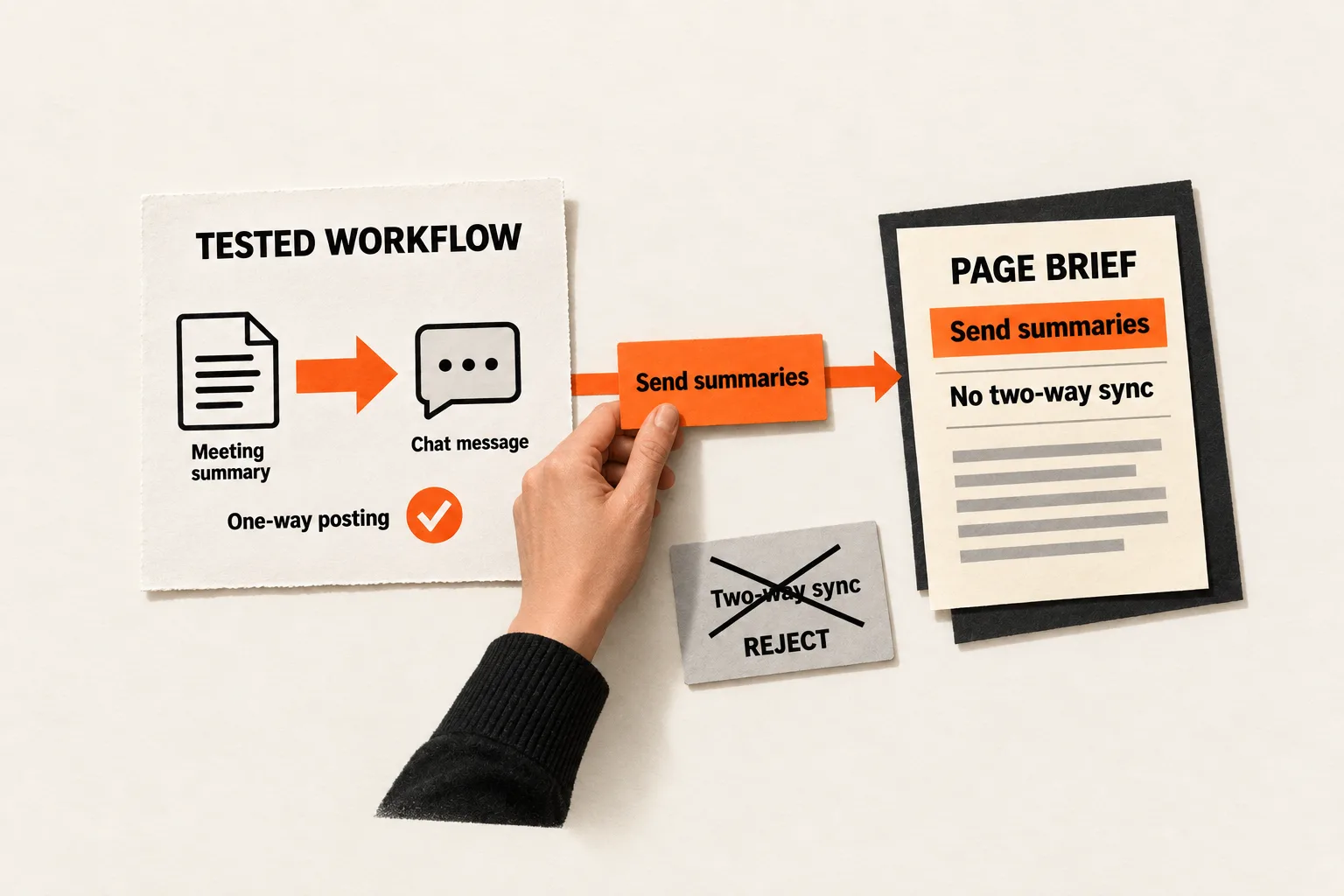
A buyer searching for your product’s Slack integration may want notifications, searchable message history, or two-way updates. If your product only sends alerts, a page promising “Slack sync” can set the wrong expectation before anyone starts a trial.
Start SaaS integration keyword research by documenting what connects, which data moves, and what users must do to make it work. Match candidate searches to those verified workflows, then choose which deserve a page. The output is a short list of page briefs, each with a supported promise and clear limits.
Build an inventory of supported workflows
Put one workflow on each spreadsheet row. A single partner app may need several rows because sending a notification, importing records, and updating those records are different capabilities.
For each row, record:
- Source app, destination app, and direction of data movement.
- Trigger, action, supported objects, and included fields.
- Connection method: built-in connector, automation service, custom API work, or manual file transfer.
- Required plans, permissions, setup steps, and additional costs.
- Timing, historical imports, update behavior, and known exclusions.
- Documentation, a dated test result, and the teammate responsible for maintenance.
Record availability separately from connection method. A built-in connector can be in beta; a workflow through an automation service can be fully supported. An API that could enable a connection does not establish that your product delivers it.
Ask the product owner to demonstrate the workflow in a test environment. Follow a sample record through the connection. Check what happens when a required field is missing or authorization expires, and save a result another teammate can understand.
Platform documentation helps identify what to test. Slack’s incoming webhooks post messages into Slack, and each webhook URL is specific to a user and channel. A posting workflow alone does not establish that your product reads messages or synchronizes conversations. See Slack’s incoming webhook documentation.
Stripe documents that webhook events can arrive out of order and may be delivered more than once. Before describing a billing workflow as automatic, verify how your implementation handles those conditions. See Stripe’s webhook guidance.
Turn customer language into candidate searches
Review integration questions your team is authorized to use, such as support requests, interview notes, and public discussions. Keep the original wording separate from your interpretation, and remove identifying details from shared research sheets.
Look for the requested outcome behind the app name. “Does it work with our CRM?” leaves several questions unresolved: which CRM, which records, which direction, and whether changes must flow back.
Once those details are clear, draft candidate searches using patterns such as:
[your product] [partner app] integrationsend [specific output] to [partner app]import [record type] from [partner app][product category] that works with [partner app]how to connect [your product] to [partner app]
These patterns generate ideas; they do not establish search demand. Keep a column for each idea’s origin. A customer request, competitor page, autocomplete suggestion, and keyword database estimate provide different evidence. Competitor pages can suggest questions to investigate, but cannot verify your capabilities.
If your notes mostly contain app names and vague complaints, use FindVex’s pain-point evidence sheet to capture the situation and desired outcome before expanding the list.
Check the task behind each query
Search each serious candidate in Google using your audience’s language and location. For a US audience, record the US context, date, query, and device. Inspect the organic results and open several relevant pages.
Record what the reader is trying to do: evaluate compatibility, configure a connection, or fix a failure. Setup documentation suggests a different task from product comparisons or marketplace listings. Record mixed intent when the results serve several tasks.
Keep broad research terms separate from searches for your product’s connections. “SaaS integration guide” may concern architecture or integration platforms, while “best keyword research software” concerns research tools. Shared words alone are a weak reason to target either phrase on an integration page.
Treat missing volume as unknown demand. A provider’s reported zero is a separate estimate; neither value establishes whether a workflow is commercially worthwhile. Keep the metric’s update date beside it, avoid adding overlapping keyword volumes, and do not use paid advertising competition as organic ranking difficulty.
For a small team, prioritize supported workflows with specific customer evidence and a manageable documentation burden. FindVex’s low-volume keyword worksheet can help weigh the work without inventing a traffic forecast.
Keep, narrow, hold, or reject each candidate
Assign a decision before writing a page:
| Decision | When to use it | What to record |
|---|---|---|
| Keep | The verified workflow satisfies the expected task. | Supported behavior, setup requirements, and page format. |
| Narrow | A broad phrase can be made more precise while still addressing the intended task. | Original phrase, narrower candidate, and the capability it describes. |
| Hold | A relevant workflow is planned or awaiting verification. | Unresolved question, owner, and condition for reconsidering it. |
| Reject | The requested connection or outcome is unsupported. | The missing capability and reason for rejection. |
Narrowing must preserve the buyer’s need. If a vague “Slack sync” request turns out to mean posting a summary, “send meeting summaries to Slack” may fit. If the buyer explicitly needs two-way updates, a one-way posting page cannot satisfy that query. Reject it as a target for the current product.
Keep rejected candidates in the sheet so the same misleading query does not return in the next keyword export. A rejected search can still inform product research without becoming a page promise.
Choose the page format around the reader’s next decision. An integration overview can explain compatibility, supported workflows, and prerequisites. A setup guide can cover authorization and configuration. A troubleshooting article can address a specific failure. Create separate pages when each task has enough useful content to stand alone.
Combine wording variations that one page can answer clearly. Google’s doorway abuse policy covers pages created for similar queries that send readers through less useful intermediate destinations. Its examples include pages that funnel visitors elsewhere and substantially similar pages. See Google’s spam policies. Use the reader’s task to decide where separate integration pages are justified.
Worked example: an AI meeting assistant
Suppose a fictional meeting assistant, MeetingDraft, has two tested capabilities: it posts approved summaries to a selected Slack channel and exports action items as a CSV file. It has no supported Salesforce connection, and editing a Slack message does not update the original summary. These are hypothetical product capabilities.
| Candidate query | Decision | Reason |
|---|---|---|
| MeetingDraft Slack integration | Keep | Explain summary posting and its limits. |
| Send MeetingDraft summaries to Slack | Keep on the same page | Same supported workflow, more specific wording. |
| MeetingDraft Slack two-way sync | Reject | Changes do not move both ways. |
| MeetingDraft Salesforce integration | Reject | The product has no supported Salesforce connection. |
| Export MeetingDraft action items to CSV | Keep as a help topic | A tested manual export exists. |
A suitable Slack page title is “Send MeetingDraft meeting summaries to Slack.” Its opening could read:
Post an approved MeetingDraft summary to your selected Slack channel. Changes made to the Slack message do not update the summary in MeetingDraft.
The page would then show what gets posted, who approves it, required permissions, setup instructions, and an example output. The broad integration phrase and specific summary query can share that page. A higher volume estimate for two-way sync would not change the product’s capabilities.
The CSV export also stays separate from a Salesforce integration claim. A downloadable file does not establish that Salesforce accepts its fields or that the team supports the import process.
If the team later plans a Salesforce connector, it can move that candidate to hold and name the verification needed before reconsidering a page. A roadmap item still cannot support a claim of current availability.
Copy this integration page brief
Use one copy per proposed page. Leave missing evidence marked as unknown.
Reader's task:
Candidate query and related wording:
Demand evidence and source:
Search check: market, language, device, date, and observed tasks:
Verified workflow: trigger, action, direction, fields, connection method:
Requirements: plans, permissions, setup, and costs:
Limits: timing, exclusions, and unsupported behavior:
Proof: documentation, test date, result, and responsible teammate:
Decision: keep, narrow, hold, or reject, with a reason:
Proposed page format and title:
Reader's next step:
Review trigger:
Before approving the brief, check whether a reader could infer a capability you have not verified. Pay particular attention to “sync,” “native,” “automatic,” and “real time.” Replace vague terms with the behavior you can demonstrate.
A review trigger might be a change to the connector, required permissions, plan availability, or workflow behavior. Assign someone to check whether that change affects the page’s promise.
Finish one brief, then track discovery and use
Start with one existing integration. Verify one workflow, inspect its candidate searches, and complete one brief. Keep a reason beside every held or rejected query, and give each held item an owner and a condition for reconsideration.
After the page is published, review search visibility and successful use separately. Search Console reports impressions and clicks, with groupings by query and page. Those measures describe discovery; they do not establish whether the connection worked. See Google’s Performance report documentation.
Where your product analytics allow it, track setup starts, completed connections, and the first successful supported action. Record the page version and review period. A setup drop-off identifies something to investigate, but does not by itself prove that the copy caused it.
Your immediate task is complete when one page brief names a verified workflow, the searches it can satisfy, and the promises it must leave out.


