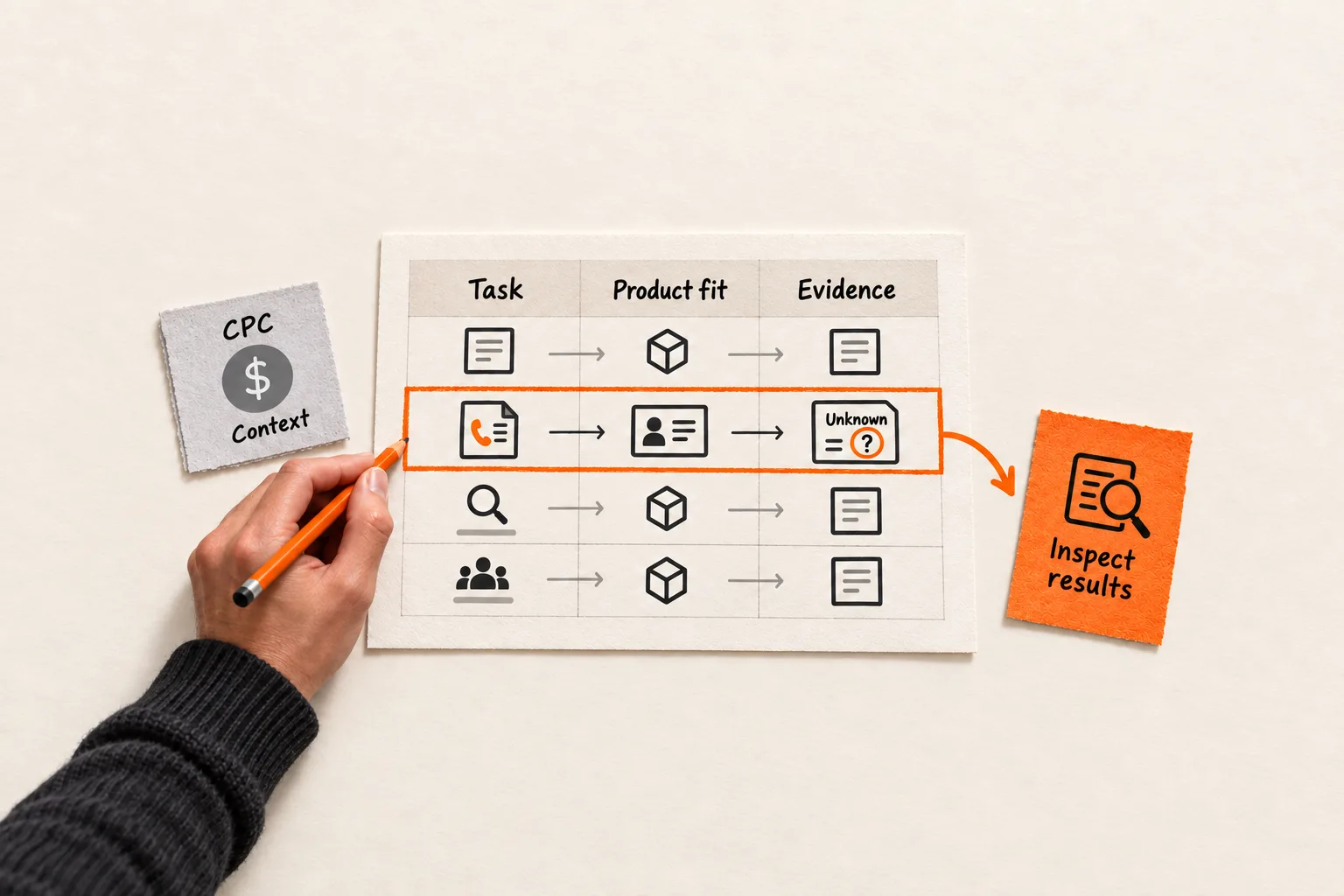
Before assigning your next SEO page, add two fields beside CPC in your keyword spreadsheet: the task the searcher wants to complete and the evidence that connects that task to your product.
Cost per click supplies paid advertising context. It cannot establish whether an organic visitor will become your customer. Prioritize candidates by product fit, the task suggested by search results, and measured outcomes. Keep those inputs separate so you can see which parts of the decision remain assumptions.
Identify what the CPC column measures
In a Google Ads campaign, average CPC is total click cost divided by total clicks. It describes what an advertiser paid and can differ from the advertiser’s maximum bid. Google’s average CPC definition explains that distinction.
A keyword research export may contain a different measure. Keyword Planner provides forecast average CPC and historical top-of-page bid ranges. Its competition field describes advertiser competition for the selected location and network; it does not measure organic ranking difficulty. Google’s Keyword Planner documentation defines these measures separately.
Before comparing prices, record the provider, exact field name, currency, market, and data date. A historical bid range and an observed average click cost answer different questions.
Even a correctly labeled CPC leaves your conversion question unanswered. Another advertiser may serve a different customer, sell a larger contract, or send visitors to a different offer. A keyword price does not reveal those economics. Use it as a reason to investigate a query, then check whether your product addresses the task and whether you can create a useful page.
Read search results for the task behind the query
For each serious candidate, inspect Google results in your target market. Open several organic results and describe what readers can accomplish on those pages. Keep ads separate from organic listings in your notes.
Be specific: compare software, finish a task with a free template, troubleshoot an integration, or find an account’s login page. A label such as “commercial” leaves too much unresolved to choose a page or offer.
Record the query, country, language, device, and date. Note recurring page formats, the audiences they appear to serve, and conflicting interpretations. Then describe the page you could create and the evidence it would need.
Google says results vary with time, place, device, and recent search history. Treat your observations as a snapshot of the results, with room to revise your interpretation of the searcher’s needs. Search Console’s documentation describes that variability.
If results mostly help readers complete a task for free, a high CPC does not establish demand for your subscription. A useful template may still deserve a page, with later product adoption treated as a hypothesis.
When results support several tasks, record the ambiguity and consider a narrower query. FindVex’s guide to mapping SaaS keywords to the buyer’s next decision can help you define the decision before choosing a format.
Separate customer language from measured outcomes
Collect descriptions of the problem from interviews, support requests, sales conversations, or relevant public discussions. Keep the original wording, source, and speaker’s role beside your interpretation.
A founder describing a painful workflow gives you a reason to investigate it. That statement establishes neither search volume nor conversion potential. Several comments from people outside your target audience may tell you less than one detailed account from a suitable prospect.
For conversion evidence, define the outcome before comparing pages. An AI SaaS team might track completion of a first workflow. A team selling through demos might track qualified meetings. Keep signups and form submissions visible, then follow through to activation and paid adoption when those records become available.
Use Search Console to examine clicks, impressions, click-through rate, and average position by query and page. These metrics describe search performance. Google’s Performance report guide documents them.
Use analytics and customer records to examine what happened after the visit. In GA4, the Landing page report includes sessions and configured key events. Adding Session source / medium lets you examine traffic sources for each landing page. Google’s Landing page report guide explains the setup.
These reports alone do not connect an individual customer to an organic query. A page can receive traffic from several queries and audiences. Unless you have a defensible connection to a specific query, describe the outcome as evidence about the page and the traffic group you measured.
Choose a review window long enough for your expected activation or sales process. Keep the outcome and denominator consistent: divide activated accounts by eligible signup accounts, or sessions with an event by eligible sessions. Repeated event counts are not automatically distinct customers.
Worked example: choose the next investigation
Suppose a small SaaS turns customer calls into structured CRM notes. The following queries, CPC comparisons, search observations, interviews, and outcomes are all hypothetical. They demonstrate the method, not actual keyword or customer performance.
| Candidate query | Hypothetical evidence | Next action |
|---|---|---|
| “sales software” | Highest CPC; broad suite comparisons; weak product fit | Defer the page |
| “sales call notes template” | Lower CPC; downloadable templates; relevant workflow; an existing page | Review the page’s outcomes |
| “automate call notes to CRM” | CPC unavailable; workflow guides; direct product fit | Investigate the query first |
The existing template page records 200 eligible organic landing sessions, eight distinct trial accounts linked to those sessions, and two accounts completing their first CRM export during a defined observation period. These are outcomes for the page under the team’s tracking rules. The exact template query cannot receive credit for them.
The workflow candidate has no conversion history. Three interviews with suitable prospects describe the manual handoff, which supports its relevance while leaving acquisition performance unknown.
The team can now make two concrete decisions. For the new page, inspect the workflow results more closely and outline the supported CRM connection, setup effort, and failure cases. For the existing template page, investigate the six trial accounts without a recorded export during the observation period. Check whether the audience fit, setup process, page expectations, or time available to activate explains the gap.
The workflow query earns a small research task because its product connection is clear. There is still insufficient evidence to rank its conversion potential above the template page. The broad “sales software” page stays deferred because the proposed content would poorly match its audience and scope.
Copy this keyword prioritization worksheet
Create one record per candidate. Write “unknown” where evidence is missing, and keep that separate from a measured zero.
Query:
Intended audience and reader's task:
Product capability that addresses the task:

CPC value and exact metric name:
Provider, currency, market, and data date:
Search demand estimate, source, and data date, or unknown:

Search results checked: date, country, language, device:
Observed page formats, audiences, and competing interpretations:
Proposed page and useful next action:
Evidence needed to create that page:

Customer wording, source, and audience label:
Conversion evidence: page, channel, dates, outcome, count, denominator:
Attribution limits and missing measurements:

Creation and maintenance effort:
Decision and reason:
Next action, owner, and review date:
Evidence that would change the decision:
Apply the worksheet in order. First confirm that the task belongs to an audience you can help. Then assess whether you can produce the page it requires. Weigh conversion evidence and effort before using CPC as supporting context between otherwise similar candidates.
Keep the reasons visible instead of collapsing everything into an unexplained score. High CPC cannot make up for an unsupported product capability. A page with no conversion history also needs a different decision from one that has received qualified visits but produced few useful outcomes.
Choose one action before expanding the content plan
A page with little relevant exposure has had limited opportunity to demonstrate conversion potential. Visits with few qualified signups call for a different investigation from signups that stall during onboarding.
Small samples also limit comparisons. Two customers from one page and none from another may justify closer inspection without establishing a reliable winner. Page quality, audience mix, measurement gaps, and the length of the buying process can complicate the result.
For your next planning session, complete the worksheet for three candidates, including one with missing CPC. Choose one action: inspect its search results, interview a relevant prospect, improve an existing page, or verify an outcome event. Assign an owner and review date, then write down what you expect to learn and what evidence would change your next content decision.