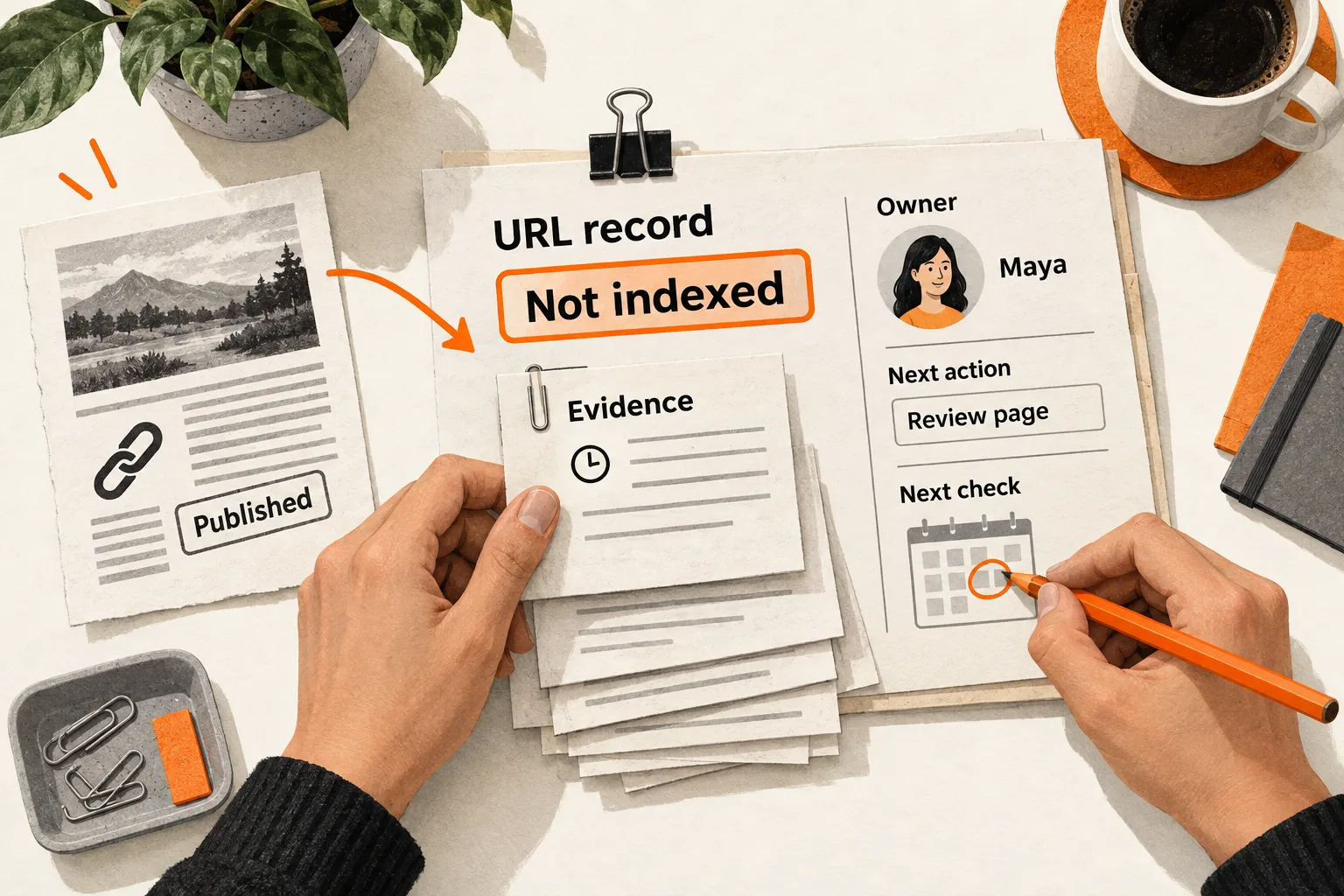
Before closing an article’s publication task, assign someone to check whether Google has indexed the intended URL. Give that person a date and a place to save the result.
For a small AI or SaaS team, a spreadsheet and Google Search Console are enough to start. Keep one row per article, a dated log of observations, and a next action for every unresolved URL. This content indexing monitoring workflow covers Google indexing; measure traffic, buyer response, and AI citations separately.
Separate publication from Google’s reported status
Record publication as your team’s action. In another field, record what Google reports about the URL, keeping the exact reason alongside a simplified label.
| Tracker label | Evidence to record |
|---|---|
| Published, unchecked | Public URL and publication timestamp |
| Unknown to Google | URL Inspection reports that the URL is unknown |
| Discovered, not crawled | Reported discovery status |
| Crawled, not indexed | Reported crawl status and available crawl date |
| Indexed | Indexed result for the intended URL |
| Other reported exclusion or error | Exact reason, such as a duplicate, redirect, or indexing block |
Google describes discovered but not indexed as a URL it has found but has not yet crawled. Crawled but not indexed means Google fetched the page without including it in the index; it may or may not index it later. Some exclusions, such as an intentionally removed page or an alternate version of another page, are expected. See Google’s Page indexing report explanations.
Keep your judgment about whether an exclusion is expected in a separate field. That preserves both what Google reported and what your team decided to do about it.
These labels describe observations, not a required sequence in your sheet. If your first inspection finds a URL indexed, leave earlier discovery and crawl dates unknown unless the report supplies them.
Build a tracker that preserves earlier observations
Create two tabs: Articles for each URL’s latest state, and Observations for the history behind it. Use the following fields as column headings in Articles:
Article title
Public URL
Intended canonical URL
Should this URL be indexed? Yes / No, with reason
Published at, including time zone
Latest material update
Owner
Priority and reason
Current observed state
Exact reported reason
Is this state expected? Yes / No / Uncertain, with reason
Last successful check at
Evidence reference
First observed indexed at
Open issue or question
Next action
Next check date
The intended canonical URL is the address you want Google to treat as the main version of the article. Keeping it explicit helps you notice when Google selects a different version.
Add one row to Observations for each check:
URL
Checked at, including time zone
Tool or report; indexed result or live test
Check completed? Yes / No, with error if any
Observed state and exact reported reason
Reported last crawl time, if available
User-declared canonical, if available
Google-selected canonical, if available
Evidence reference: saved report details or screenshot
Action taken and time
Next action, owner, and check date
Record missing information as unavailable. If a check fails, log the failure and schedule another attempt while preserving the previous indexing state and its timestamp.
Choose one named owner even when an engineer handles the repair. For a founder doing both jobs, attach a calendar task to the row. Write down why a URL deserves attention: a guide supporting a current launch may warrant closer monitoring than an old announcement.
Check access and discovery paths on publication day
Open the final URL without signing in and confirm that it displays the intended article. Check its HTTP response, whether Googlebot can access it, whether an unintended indexing block exists, and whether the article text is present.
Google’s minimum technical requirements include crawler access, an HTTP 200 response, and indexable content. Meeting them makes a page eligible without guaranteeing indexing. Google’s technical requirements explain these checks.
Include the intended URL in the appropriate sitemap and link to it from a relevant existing page. Internal links help Google discover pages, and a sitemap can assist discovery without guaranteeing crawling or indexing. See Google’s sitemap guidance.
Choose a link that also helps readers continue their task. The guide to B2B blog reading paths can help you decide which existing article should introduce the new one.
Log the sitemap entry and internal link as actions your team took. Neither action establishes that Google has discovered the URL.
Read the indexed result and live test separately
In Search Console, enter the complete article URL in the correct property. Save the indexed result before running a live test. Expand Page indexing and record the reason, available crawl date, and Google-selected canonical.
The indexed result describes Google’s stored view. A live test checks the page now and can help verify a repair, but a successful test does not confirm indexing or predict Google’s canonical selection. Google’s URL Inspection documentation explains the distinction.
Keep the check time separate from the reported crawl time. If you fix a page on Tuesday and inspect it on Wednesday, the indexed result may still describe Monday’s crawl. Record all three dates. To assess Google’s stored view after the repair, look for evidence that it processed the updated page; a later check timestamp alone is insufficient.
For this workflow, complete the indexing milestone when the intended URL is reported indexed and the canonical result matches your intent. That milestone does not promise appearance for a target query, traffic, or customers.
Set review dates and investigation triggers
Start with checks on publication day, day 7, and day 14. Choose later dates according to the unresolved issue and the article’s priority. These are suggested team review intervals, not Google deadlines or expected indexing times.
Google says crawling can take days to weeks. Requesting a crawl does not guarantee inclusion, and repeating the request for the same URL does not accelerate crawling. When appropriate, use URL Inspection to request indexing for a new or materially changed page, then log the request and monitor. See Google’s recrawl guidance.
Use the evidence to choose the next investigation:
| Observation | Next investigation |
|---|---|
| URL remains unknown | Recheck the exact URL, public access, internal links, and sitemap entry. |
| Discovered but uncrawled | Check for access or server problems and compare other recent articles. The label alone does not identify the cause. |
| Crawled but unindexed | Review the rendered article, possible duplication, and the useful information it adds. Treat these as questions to investigate. |
| Google selected another canonical | Compare that page with the intended article and decide whether the selection is expected. |
| Previously indexed article loses that status | Reopen its task and compare the latest evidence with the last successful check. |
Investigate confirmed breakage immediately. A missing article, unintended indexing block, or incorrect redirect should not wait for a scheduled review. If several affected URLs share a template, investigate the shared cause before assigning separate rewrites.
Google’s Indexing API supports pages containing JobPosting or BroadcastEvent embedded in VideoObject. Ordinary blog posts fall outside that scope, so a submission loop using that API does not belong in this workflow. See the Indexing API documentation.
Worked example: an AI evaluation guide
Suppose a two-person SaaS team publishes a guide to comparing AI evaluation datasets. Maya owns the content; Luis maintains the website. This example is hypothetical and does not establish an expected indexing timeline.
On publication day, Maya logs the publication time, intended canonical, sitemap entry, and internal link. The page passes the publication checks, and she schedules the day 7 review.
At that review, Google reports the page crawled but unindexed. Maya saves the report and its available crawl time. Her tracker entry reads:
Article: Comparing AI evaluation datasets
Owner: Maya
Current observed state: Crawled, not indexed
Exact reported reason: Crawled - currently not indexed
Is this state expected? No; this guide is intended for indexing
Open question: Does this guide answer the same question as our existing guide?
Next action: Maya compares the guides; Luis checks canonical settings and links
Next check date: Day 14 after publication
In an actual tracker, replace relative days with calendar dates and save the full URL, check timestamp, and evidence reference.
The comparison reveals that the guides answer nearly the same question. Maya gives the new article a distinct purpose by adding a worked dataset-selection exercise and clarifying when to use each guide. Luis checks that the canonical and links reflect those choices. They log the changes and update time together.
On day 14, the intended URL is reported indexed with the expected canonical. Maya saves the result and records day 14 as the first observed indexing date.
The record supports a narrow conclusion: the URL was observed unindexed on day 7 and indexed on day 14. It does not reveal the exact indexing moment or prove that the changes caused indexing. Google could have indexed the page later anyway.
Review the backlog and assign the next check
At a weekly content review, count articles by their latest observed state and identify overdue actions. Keep the comparison set explicit, such as articles published during one calendar month that were intended for indexing.
If you calculate elapsed time to first observed indexing, use that full label. Include unresolved URLs alongside completed ones. An average covering only successfully indexed articles leaves out the pages that may need the most attention.
Start with your five most recent articles:
- Give each intended URL a row and a named owner.
- Record whether it should be indexed and why.
- Save the current inspection evidence with a timestamp.
- Keep publication, crawl, and observation dates separate.
- Assign an investigation where the evidence warrants one.
- Set the next check date for every unresolved URL.
When the cause remains uncertain, write the unanswered question in the row and name the person responsible for the next check.