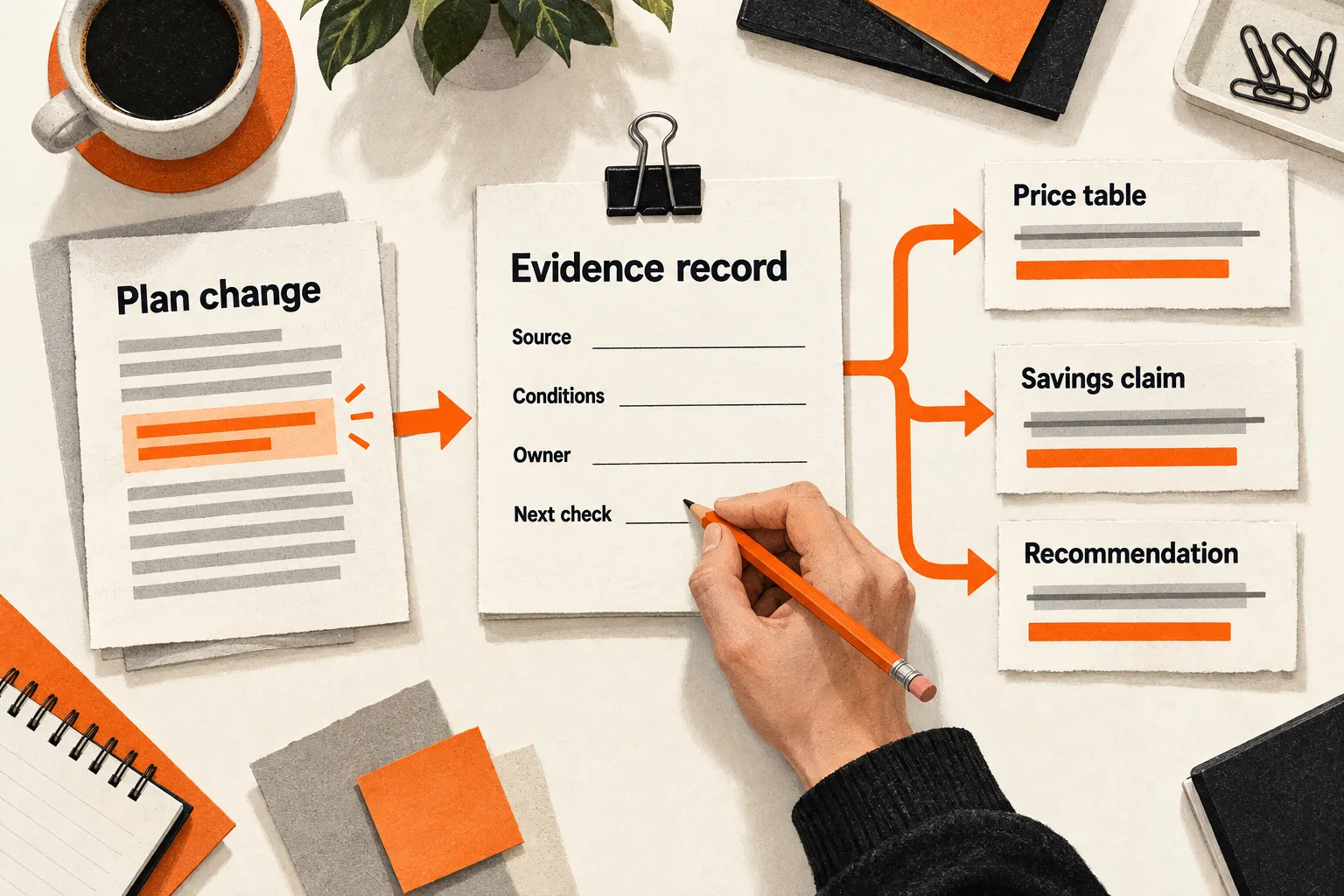
Suppose your comparison page says a competitor charges extra for an AI feature. The competitor adds it to the plan you compare, but your table still shows the fee. The price row, feature checkmark, and recommendation may all need to change.
Comparison page maintenance starts with individual claims. Keep an evidence register: a spreadsheet that connects each changeable statement to its source, review owner, and next check. Include every place that uses the claim so a correction reaches the summary and recommendation as well as the table.
Start with claims that could change a buying decision
Choose one comparison page that prospects use. Read its headline, table, explanatory copy, FAQ, and recommendation. Pull out statements about price, availability, limits, integrations, and implementation requirements.
Prioritize errors that could reverse the reader’s choice. A price difference usually deserves attention before a cosmetic screenshot change. A claim that a competitor cannot perform a required task deserves attention before a general description of its interface.
Keep the buyer’s situation attached to the comparison. “Better for a five-person support team that needs shared approvals” gives you a specific recommendation to reconsider when features change.
If the page lacks that context, use the SaaS comparison page outline to define it before expanding the register. This helps you choose which rows deserve ongoing maintenance.
Apply the same scrutiny to your own product. An outdated claim about your free plan can mislead readers just as easily as an outdated competitor price.
Give each claim its own evidence record
Price, AI usage, and export permissions can change independently and rely on different sources. Give each material claim a separate record:
Claim ID:
Page URL and section:
Exact published wording:
Buyer scenario or requirement:
Product, feature, and plan version:
Region, currency, and billing term:
New or existing customer; other eligibility conditions:
Usage limits or other restrictions:
Primary source URL and page section:
Short supporting excerpt or observation:
Source checked on:
Announced effective date, if different:
Status: verified / qualified / unresolved / removed
Owner:
Next review date:
Earlier review trigger:
Other places using this claim:
Dependent totals or recommendations:
Correction made and date:
Resolution deadline, if unresolved:
“Checked on” means someone inspected evidence for that claim, including its relevant conditions. Record the effective date separately: an announcement can describe a change that has not yet reached every customer.
Use “verified” when the evidence supports the wording and scope. Use “qualified” when the statement needs a visible condition, such as eligibility for new subscriptions. Mark missing or conflicting evidence “unresolved.” Keep removed claims in the register so their correction history remains available.
Save enough context to reconstruct the decision. A short excerpt with the plan name and billing condition is more useful than a screenshot cropped to a dollar amount. Keep supporting captures private; link readers to the public source.
Give a reused claim the same ID across pages. If a price appears in three comparisons and a downloadable guide, identify all four locations. Link any savings calculation or recommendation that depends on it, too.
Verify the conditions behind prices and checkmarks
For prices, start with the vendor’s pricing page and follow its links to billing explanations. Record the currency, billing interval, seat minimum, usage allowance, required add-ons, and eligibility restrictions that affect your scenario.
For capabilities, use product documentation to determine what the feature does and where it is available. A launch announcement can identify a change without settling current access conditions.
Slack’s June 2025 plan changes illustrate why eligibility belongs in the register. Its documentation describes expanded AI availability and a Business+ price change. It says customers who purchased Business+ through Slack’s website would move to the new version at their first renewal after August 17, 2025; customers with contracts through an account executive are directed to that representative for details. A comparison must account for the plan version and purchase route. Slack’s plan-change documentation
Trial access needs its own label. Notion’s help page says users can try AI with complimentary responses, then need a Business or Enterprise upgrade to continue after those responses are exhausted. Describe that as limited trial access. The page does not establish unrestricted free AI use. Notion’s explanation of complimentary AI responses
Replace ambiguous checkmarks with wording such as “included on the compared plan,” “requires an upgrade,” “limited trial,” or “not verified.” Distinguish a native feature from an integration or manual workaround when that difference affects the buyer’s task.
Absence from a pricing table does not prove a capability is unavailable. If official pages conflict, record both sources and mark the claim unresolved. Narrow the published wording to what the evidence establishes, or remove the disputed statement while you investigate.
Combine scheduled checks with specific update triggers
Assign a named owner even if the founder owns every row. A department label leaves responsibility unclear when someone needs to investigate a discrepancy.
As a starting schedule, review prices, quotas, and plan restrictions that drive the recommendation monthly. Review less volatile descriptions quarterly. These are suggested operating intervals, not measured industry standards. Shorten them when a vendor changes frequently or an error would materially affect the recommendation.
Check sooner when:
- A vendor announces a relevant plan, price, feature, or retirement.
- Your own product changes its packaging or limits.
- A prospect identifies a contradiction.
- A cited page disappears or changes the relevant section.
- A scheduled effective date arrives.
Treat a prospect’s report or a page-change alert as a reason to investigate. Verify the underlying claim before changing the comparison. Navigation edits can trigger alerts, and a feature change may be documented somewhere other than the page you monitor.
When the owner cannot verify a material claim, set a resolution deadline and qualify or remove the disputed wording immediately. If the workload repeatedly exceeds your capacity, reduce the comparison to fewer rows that matter to the buyer.
Worked example: a bundled feature changes the recommendation
Suppose fictional AI support products Cedar and Harbor appear on your comparison page. All prices, product details, and events in this example are invented to demonstrate the workflow.
The page compares five seats on monthly billing in US dollars, excluding taxes and other fees. Cedar costs $25 per seat per month and includes shared approvals. Harbor costs $20 per seat per month plus a $10 approval add-on per seat per month.
The monthly subscription totals are:
- Cedar: 5 × $25 = $125.
- Harbor: 5 × ($20 + $10) = $150.
Harbor then announces that shared approvals will be included in its $20 plan for new subscriptions starting on the announcement date. Existing subscribers move at renewal.
The owner checks the fictional pricing and release pages and records the effective date and eligibility condition. Harbor’s new-subscription total becomes 5 × $20 = $100 per month. That change affects several statements:
| Published claim | Required correction |
|---|---|
| Harbor requires a paid approval add-on | Explain that the add-on is included for eligible new subscriptions; existing subscribers transition at renewal |
| Harbor costs $150 for this scenario | Change the new-subscription total to $100 |
| Cedar saves this buyer $25 monthly | Replace with the supported difference: Cedar costs $25 more for an eligible new subscription |
| Cedar is the cheaper choice | Revise the recommendation for new buyers |
In Harbor’s evidence record, the owner marks the claim “qualified” because inclusion depends on subscription eligibility. The record links to the price table, savings statement, recommendation, and any reused graphic. The next check should confirm whether the documented transition conditions have changed.
Changing only the price cell would leave an incorrect savings claim elsewhere on the page. The owner also checks the FAQ and summary paragraph before closing the correction.
The revised conclusion should acknowledge Harbor’s lower subscription price for this scenario. Cedar may still suit buyers with another documented requirement, but that argument needs its own evidence.
Show readers what was checked
Place source links near material pricing and capability claims. Add a concise scope note explaining the plans, currency, billing term, and buyer scenario being compared. Label the verification date for the relevant table or section.
For example, a scope note can follow this pattern:
Scope: [plans and versions], [number of seats], [currency],
[billing term], [customer eligibility], [exclusions].
Pricing rows checked: [date].
Feature availability checked: [date].
Unresolved condition: [what the buyer still needs to confirm].
If only the pricing rows were checked, say so. Keep the detailed claim history in the register rather than implying that every statement on the page received a fresh review.
Keep verification dates distinct from publication and modification dates. Google advises that page dates describe actual publication or updates and that equivalent visible dates and structured values agree. It does not guarantee that a supplied date will appear in search results. Google’s byline-date guidance
After a material correction, read the headline, table, footnotes, and recommendation together. Check that qualifications remain visible on mobile and that every conclusion still follows from the evidence.
Review five claims this week
Choose the five claims most likely to affect a buyer’s decision on one existing page. For each claim, record its exact wording, primary evidence, conditions, and every location where it appears. Assign an owner, next review date, and earlier trigger.
Resolve one unsupported statement first. Qualify or remove it if the evidence remains unclear. If a price or capability changes, recalculate dependent totals and reconsider the recommendation before marking the correction complete.
Track overdue material claims and the time between finding an error and correcting it. Use those measures to adjust the workload. Traffic or conversion changes alone cannot establish that a maintenance edit caused a business result.
Finish with five usable evidence records and dates for the remaining checks. Before expanding to another page, ask a teammate to follow one record from its source to every statement that depends on it.


