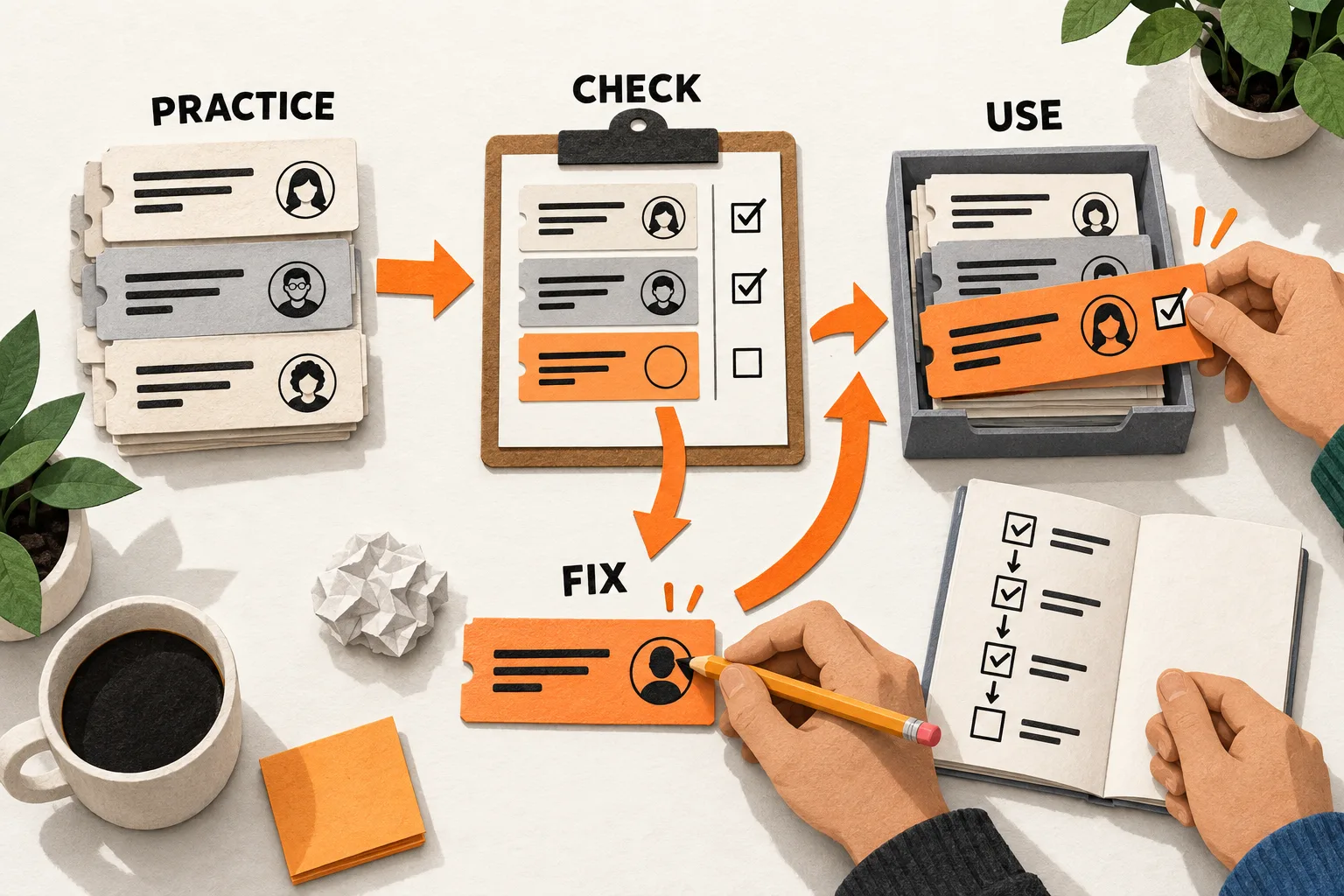
A useful SaaS migration tutorial lets a buyer practice moving their work, check what arrived, and recover from a failed step. Start with one source tool and one supported import method. Test that route before asking readers to follow it with their own data.
The walkthrough should end with a task in the destination product: finding a document, assigning a ticket, or running a report with the imported records. A successful upload is only one checkpoint.
Define the exact switch and its finish line
Before writing instructions, complete this sentence:
This guide helps [role] move [specific records or workflow] from [source] to [destination] using [method], then verify [usable outcome].
For example: “Move a support ticket queue through the CSV importer and confirm that agents can find their assigned tickets.” That scope gives you both a procedure to test and a completion check.
Choose the route from actual switching questions, support requests, or observed onboarding problems. Keep the buyer’s original wording separate from your interpretation, especially when the obstacle is specific: missing owners, lost attachments, or uncertainty about historical records. FindVex’s content brief template built from one customer question can help turn that obstacle into a focused brief.
For an AI knowledge product, the finish line should include access checks. Test whether an authorized user can retrieve imported material and whether a restricted user remains blocked.
Put prerequisites and exclusions before the first click
Readers should discover a missing permission before preparing their export. State the required source and destination roles, supported file format, relevant plan restrictions, and environment used for testing.
These details depend on the product. Linear says only workspace admins can start imports. It also warns that source concepts without a suitable equivalent may not transfer. Check both who can run the import and what the destination can represent. Linear’s importing guidance
Create a short transfer inventory showing what moves automatically, what needs manual reconstruction, and what stays in the old system. Include relationships, attachments, comments, permissions, integrations, and automation rules where relevant.
Notion’s Trello importer illustrates why this matters: Power-Ups, automations, and permissions do not carry over and must be rebuilt. A buyer who needs those features has more work to do after the cards arrive. Notion’s import documentation
Name disqualifying limits near the top. If required history cannot transfer, or rebuilding permissions exceeds the guide’s scope, explain the decision the reader must make before proceeding. Link to another supported route when one exists.
Write each step around a visible result
Run the migration in an isolated test destination while drafting. For each consequential step, record the starting state, action, expected result, and condition that should stop the reader from continuing.
An instruction to “map the fields” needs the source column, destination property, and accepted values. If Closed must become Resolved, show that mapping and tell readers where to inspect the result.
Use a compact step template:
Starting state: [Where the reader is and what must already be true]
Action: [What to select, enter, or upload]
Expected result: [Screen, count, or record state]
Stop if: [Specific mismatch]
Recovery: [Supported action and check before continuing]
Capture screenshots from the tested product when labels or placement are hard to describe. Keep essential instructions in text so readers can search them and follow them when the interface shifts slightly. Use synthetic records in public examples.
Record the test date and importer version, if one is visible. Otherwise, record the plan, role, method, and test conditions without inventing a version number.
Worked example: test a fictional ticket import
Suppose you are writing a migration guide for a fictional support SaaS. The following rules are assumptions for the exercise, not verified behavior of an existing product.
The importer accepts an external ID, subject, status, and owner email. It imports valid rows, rejects rows with unknown owners without creating tickets for them, and identifies those rows in a rejection report. Comments and attachments are outside this route’s scope.
Use this synthetic CSV as the practice file:
external_id,subject,status,owner_email
T-101,Reset sample account,Open,alex@example.com
T-102,Review demo invoice,Pending,sam@example.com
T-103,Update sample address,Closed,alex@example.com
T-104,Check demo access,Open,missing@example.com
The walkthrough would follow this sequence:
- Create an isolated destination queue. Add test users for Alex and Sam using the sample email addresses. Confirm that the queue contains no tickets and that
missing@example.comhas no matching user. - Preserve the original export. Prepare a working copy with the four supported columns. State that comments and attachments will remain in the source system.
- Map
external_idto the legacy reference field,subjectto the ticket title, and owner email to the destination user. KeepOpenasOpen; mapPendingtoWaitingandClosedtoResolved. - Import the practice file. Under these fictional rules, expect three imported tickets and one rejected row, T-104. Stop if the counts or rejected ID differ. Inspect the report and destination records before attempting another import.
- Open T-101 through T-103. Check each title, status, and owner. Three tickets with the wrong owners would still pass a count check.
- Confirm that no ticket with legacy reference T-104 exists. Create a correction file containing only T-104, with
missing@example.comreplaced bysam@example.com. Import that file, then confirm four total tickets and exactly one occurrence of each legacy reference. Recheck T-104’s title, status, and owner. - Sign in as Sam using an ordinary test-agent account. Find T-104 and update its status. Check access against the intended queue permissions, including a queue that Sam should not be able to open.
This exercise gives the tutorial a failure and recovery sequence to explain. Before adapting it to a real importer, test each assumed behavior. If a failed row creates a partial record, or one error rejects the entire file, the correction procedure will need to change.
Explain what retry and rollback actually do
After a partial import, readers need to identify completed work and isolate failures. Explain whether retrying creates duplicates, updates records, or skips them, and give a check for the documented behavior.
For example, Notion says CSV imports and merges add rows rather than update existing rows. Repeating a file can therefore create duplicates. Notion’s CSV import limitations
Rollback needs a defined boundary too. Slack’s Reverse Import removes imported messages and files, plus channels created by the import that have received no new messages. It does not remove newly created user accounts, although those accounts can be deactivated. Slack’s import FAQ
For your route, document what reversal removes, what remains, and whether changes made after import survive. Include any deadline for using the recovery feature. If reversal is unavailable, explain the supported cleanup procedure and its limits.
Separate the practice import from the final switch. Name who authorizes cutover, when edits stop in the source, how intervening changes are reconciled, and which checks must pass before the team starts working in the destination. Keeping the old tool temporarily adds cost; leaving both copies editable also creates a reconciliation problem. Specify which copy the team should use.
Test the instructions without coaching the reader
Give a teammate the draft and practice file without narrating the process. Record where they pause, guess, or need help. Use those observations to clarify the instructions, prerequisites, or product behavior.
Test a rejected row, a missing permission, an unsupported field, and the documented cleanup process as well as the successful route. Keep expected and observed results side by side. Label untested configurations so readers can see where the walkthrough’s evidence ends.
After release, link the guide from the relevant comparison page, import screen, or onboarding message. Where your measurement setup permits, track migration starts, validated completions, and related support requests. Report the observation period and denominator. Those counts can help identify problems; they do not by themselves show that the tutorial increased conversion.
Assign an owner to revisit the guide when the importer, source export, or permission model changes.
Copy the migration tutorial worksheet
Fill this out for one supported route. Repeat the step block for actions that need their own checkpoint.
SCOPE
Source / destination / import method:
Reader role / required permissions / applicable plans:
Included records / exclusions / manual reconstruction:
First useful task after import:
Conditions that make this route unsuitable:

PRACTICE FILE
Synthetic sample file:
Source fields / destination fields / value mappings:
Expected counts / record-level checks / access checks:

STEP CHECK
Starting state and action:
Expected result:
Stop condition:
Failure symptom and supported recovery:

RECOVERY AND CUTOVER
Retry behavior / duplicate check:
Rollback scope / deadline / remaining cleanup:
Cutover owner / when source edits stop:
Treatment of changes since the practice import:
Checks required before destination use:

TEST RECORD
Environment / plan / role / method / version if visible:
Test date / tester / tutorial version:
Expected result / observed result / unresolved issue:
Untested configurations:
Documentation owner / retest triggers:
Start with one practice import
Choose one source tool and run a small synthetic file through a supported route. Record each decision and checkpoint, including one failure and its recovery. Then ask a teammate to follow the written steps without coaching. Revise wherever they have to guess before using the walkthrough for a real switch.