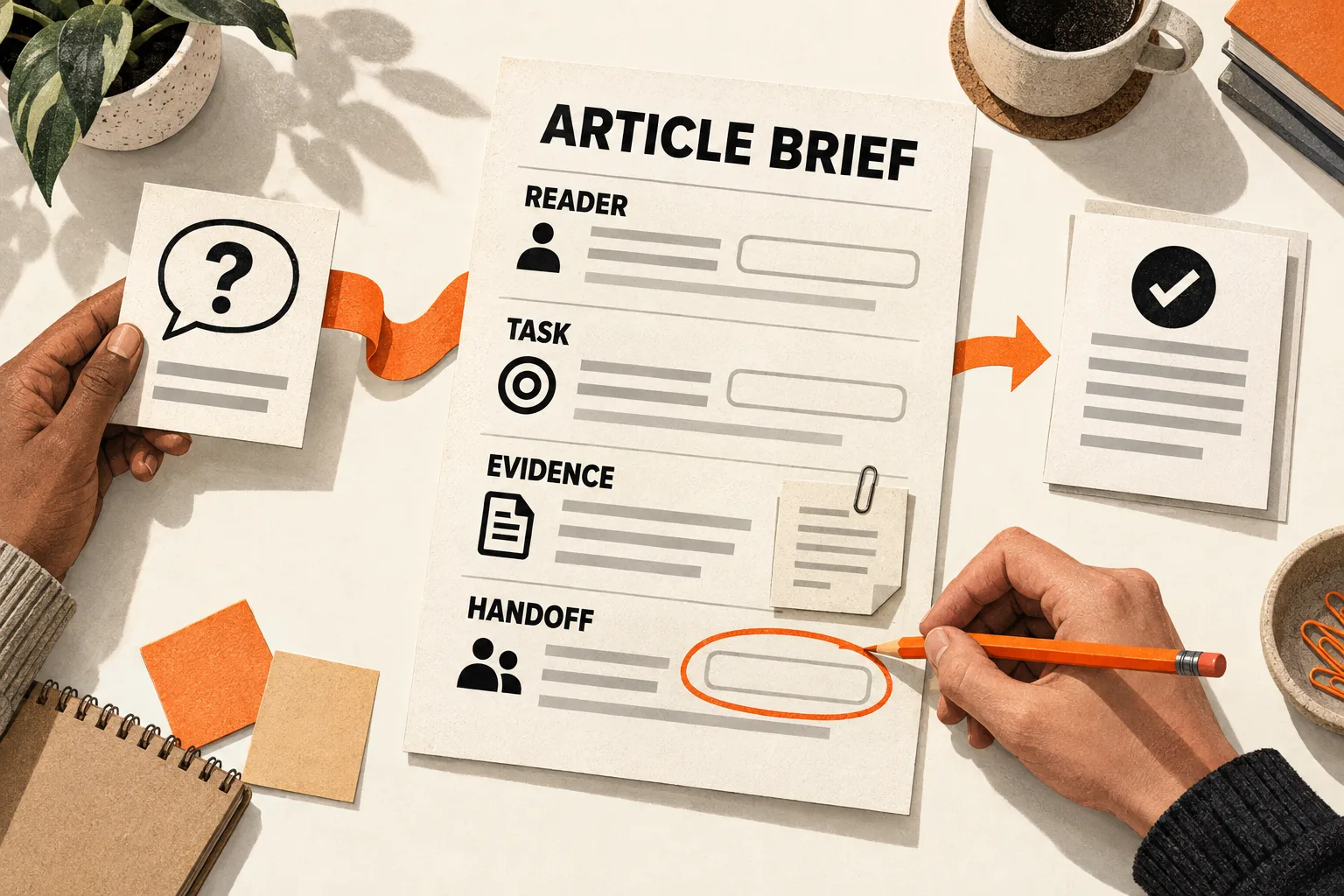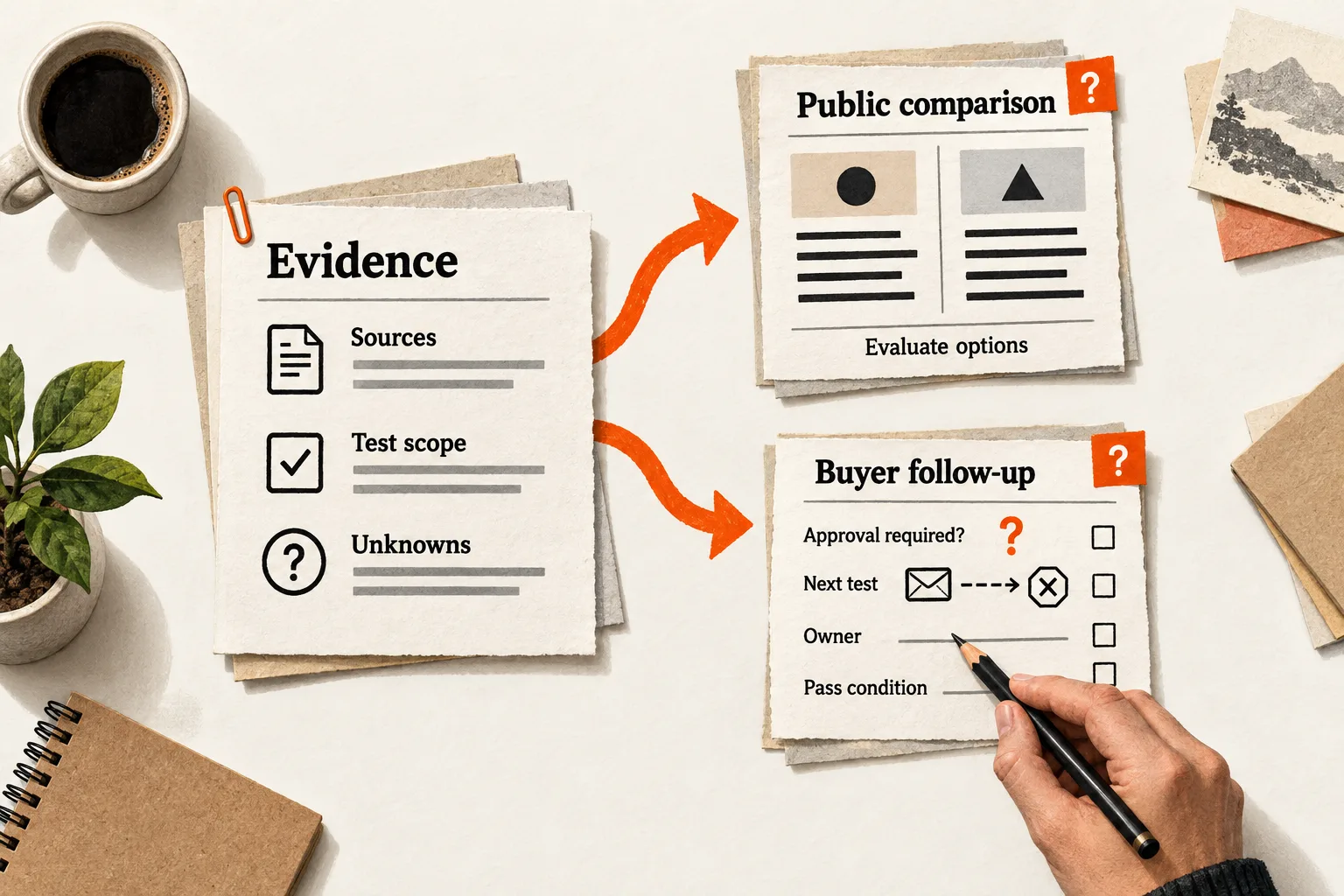
Build your public comparison page and sales follow-up from the same evidence sheet. Give each a different job: help a new reader evaluate the options, then help a known buyer resolve the requirement holding up their decision.
Consider a prospect evaluating your AI support tool. Your comparison page explains features and pricing, but their remaining question is whether every reply can require approval during a pilot. A useful follow-up selects the evidence for that requirement, names what remains untested, and proposes a way to check it.
The facts stay consistent. Their selection, order, and next step change with the reader’s needs.
Decide when a separate follow-up is useful
For this workflow, the public page helps an unfamiliar reader decide which option deserves closer evaluation. The follow-up addresses a known buyer’s open question. It is one use of comparison content within the broader work of sales enablement.
| Question | Public comparison page | Sales follow-up |
|---|---|---|
| What does the reader know? | Possibly only the product names | Their requirements and prior discussion |
| What needs explaining? | Relevant differences and tradeoffs | How those differences affect their situation |
| What supports the answer? | Sources, scope, and test methods | The same evidence plus buyer requirements |
| What happens next? | Shortlist an option or investigate a gap | Confirm a requirement or complete a test |
Send the public page when it answers the buyer’s question. Create a separate follow-up when you need to add requirements, implementation details, or unresolved issues specific to that buyer. Maintaining two documents takes work; a short contextual note may be enough.
Build the evidence sheet before either outline
Start with the alternatives the buyer actually considers. Those may include another SaaS product, an internal workflow, or keeping the current system. April Dunford’s positioning method begins with those alternatives, then connects differentiated capabilities to customer value and the customers who care about it. Her positioning guide explains the sequence.
Choose decision criteria from buyer questions. An AI support comparison might examine human approval, supported knowledge sources, escalation handling, and costs at the expected usage level. Preserve the buyer’s wording separately from your interpretation. A complaint about difficult setup identifies something to investigate; it does not establish that a competitor is difficult to configure.
Copy this record for each claim that could affect the recommendation:
Claim ID:
Decision criterion and why it matters:
Product, plan, version, and region covered:
Exact claim supported:
Primary source URL and section, or recorded test:
Evidence type: documented capability / observed behavior / interpretation
Test configuration and paths checked, if applicable:
Date checked and person responsible:
Conditions, limitations, and unresolved questions:
Public page and follow-up sections using this claim:
Next review date or event that requires a recheck:
A vendor’s documentation establishes what the vendor says is supported. Your test establishes what happened under the conditions you recorded. Neither automatically supports a broad claim such as “easier,” “more accurate,” or “better for every small team.”
Compare equivalent plans and workloads where possible. When they differ, explain why you selected them and how that affects the comparison. Keep an unknown feature marked as unknown; its absence from a pricing page does not establish that it is unavailable.
Outline the public page for a reader arriving without context
The public page should explain the recommendation and its limits without requiring a sales call. State who wrote it and their relationship to the products being compared.
Use these six sections as a starting outline:
- Define the task, intended team, and alternatives covered.
- Explain which option fits which requirements, including where your product is unsuitable.
- Compare the deciding factors in a short table or sections organized around buyer questions.
- Link supporting documentation and describe any hands-on evaluation, including what you did not test.
- Explain costs, plan limits, usage assumptions, and switching work.
- Give the reader a checklist, evaluation task, or documentation link to resolve the remaining uncertainty.
Google’s review guidance recommends evaluating from the user’s perspective, explaining meaningful differences, discussing benefits and drawbacks, and supporting recommendations with evidence. It specifically calls for firsthand supporting evidence when recommending something as best overall or best for a particular purpose. Make a comparison based on documentation explicit about that scope. These recommendations do not guarantee search visibility. Read Google’s review guidance.
For a fuller public-page structure, use FindVex’s SaaS comparison page outline. Then select the parts that answer the buyer’s remaining question.
Outline the follow-up around the unresolved requirement
Include enough context for a colleague who missed the call, then move to the evidence that affects the decision. This outline can also serve as a fill-in template:
Decision to make:
Buyer requirements and who confirmed them:
Relevant differences between the options:
Supporting claim IDs and links:
What documentation establishes:
What completed tests establish:
Open questions and assumptions:
Setup work, dependencies, and responsibilities:
Next test or confirmation:
Owner:
Pass condition and result that would change the recommendation:
Link to the public comparison for broader context. Keep internal discovery prompts and negotiation notes separate from the document you share with the buyer.
Personalization changes which facts receive attention. Preserve any limitation that could change the buyer’s decision, even when it complicates your recommendation.
Worked hypothetical: one approval requirement, two outlines
Tool A and Tool B are fictional AI support products. All capabilities, test findings, and buyer details in this example are hypothetical.
Suppose the evidence sheet contains these entries:
| Claim ID | Hypothetical evidence or requirement | Limit |
|---|---|---|
| A1 | Tool A’s selected plan documents approval before every outbound reply; a recorded test confirmed the setting worked on the paths checked. | Other configurations and sending paths remain untested. |
| B1 | Tool B’s selected plan documents approval for replies matching configured rules. | Whether the rules cover every reply in the buyer’s workflow remains unresolved. |
| R1 | The buyer wants every reply reviewed during the pilot, followed by selective review if the pilot succeeds. | Pilot approval and later selective review need separate checks. |
The two outlines can now use the same entries:
| Section | Public comparison outline | Buyer follow-up outline |
|---|---|---|
| Scope | Tool A vs. Tool B for teams introducing AI-assisted support | Approval requirements for this buyer’s pilot |
| Recommendation | Explain each approach and the conditions that favor it | Explain what A1 supports for R1 and what still needs checking |
| Evidence | Describe the selected plans, documentation, and test scope | Link A1 and B1 to the buyer’s actual sending paths |
| Uncertainty | Leave Tool B’s coverage of every reply unresolved | Assign someone to verify that coverage and any untested Tool A paths |
| Next step | Provide an approval-control evaluation task | Agree on the test owner, pass condition, and implications for the pilot |
The public page could say: “Tool A supports mandatory approval in the configuration and sending paths tested. Tool B supports approval through configured rules; coverage of every reply in this workflow remains unverified.”
That wording preserves Tool B’s documented human review capability and the limits of Tool A’s test. Neither product receives a broader verdict than the evidence supports.
For the follow-up, turn the unknown into a test proposal. In a test inbox, list the sending paths the pilot will use. Record the plan, user roles, and approval settings, then attempt an unapproved reply through each path. Define a pass as every listed path blocking the reply until approval; record any bypass and leave untested paths unresolved. Assign an owner before starting. This is a proposed test, not a completed result.
Tool A’s apparent fit for the pilot still leaves cost, integration work, and later selective review to evaluate. Keep those questions visible in both documents.
Measure whether each piece helps its reader
For the public page, examine search discovery and subsequent reader actions separately. Google’s Search Console Performance report provides clicks, impressions, click-through rate, and query information. Those measures describe search performance; they do not establish whether the comparison resolved a buyer’s concern. Google’s Performance report documentation explains the metrics.
For follow-ups, record the document version, requirement addressed, open question, and next observed action. A buyer might correct an assumption, finish the evaluation, or identify a disqualifying limitation. Each response can reveal whether the document supplied the needed information.
Sending a document during a successful deal does not establish that it caused the win. Buyers who receive detailed follow-ups may already differ from those who do not. With a small sample, use the record to find missing answers and improve the next document; leave conversion-lift claims unproven.
Finish one pair of outlines and check the shared claims
Choose one recurring comparison question. Complete evidence records for its three most important criteria, then write the public and follow-up outlines side by side.
Before using either document, check that the plans, versions, and workloads are explicit; material claims have evidence; and unresolved details remain visible. Read each recommendation alongside the conditions that would change it. The public page should make sense without a call, and the follow-up should assign a concrete next action.
Use the claim IDs to find every section affected when pricing, documentation, or product behavior changes. Give someone responsibility for rechecking those claims and updating both documents.
Your closing task: identify the unanswered requirement in the follow-up and assign its next verification step. If the second outline adds no buyer-specific decision or unresolved requirement, use the public page with a short contextual note.