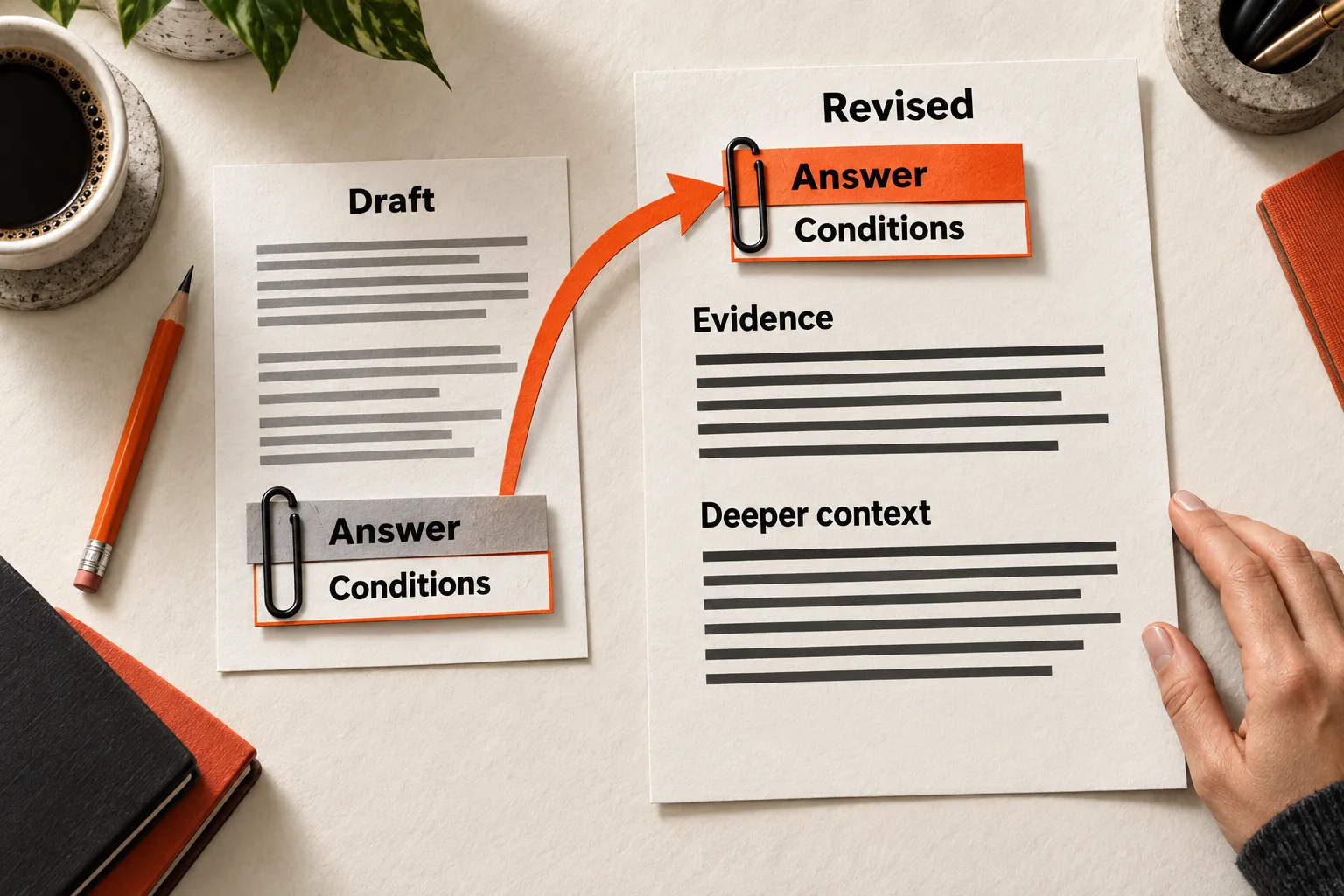
An answer-first content structure opens with the conclusion and any condition that changes it, then provides evidence and deeper context. To revise a technical section, move the answer forward with its prerequisites attached. Keep the explanation readers need to act correctly.
Suppose a reader asks whether your SaaS supports a workflow. A bare “Yes” may hide the plan restriction or setup requirement that determines whether they can use it. Your opening needs to answer their question at that level of detail.
Start with the decision the reader needs to make
Write down the question your section must answer. “Explain exports” leaves the task open. “Can I export this report on my current plan?” gives you a decision to resolve.
Name the reader and their situation. An administrator configuring a feature needs a different explanation from a founder evaluating it. If the question remains vague, use the SaaS content brief template to narrow it before editing.
Find the sentence in your section that answers the question. If there isn’t one, establish what you can truthfully say before rearranging the prose. Then check each paragraph against that answer: does it support the decision, explain a limitation, or belong elsewhere?
Google’s technical writing course recommends opening paragraphs with their central point and keeping each paragraph focused on one topic. Use that guidance to organize the explanation. Google Technical Writing: Paragraphs
Keep conditions that change the answer beside it
A condition belongs in the opening when removing it would change who can act, what they should do, or what outcome they should expect. Plan restrictions, software versions, permissions, supported inputs, and prerequisites can all qualify.
Ask: Could someone follow the opening and still make the wrong decision because they missed a later condition? If so, move that condition forward. Background about how a feature was built can follow, unless it explains a limitation the reader needs immediately.
An answer can begin with “If.” Google’s developer style guide recommends stating circumstances, conditions, or goals before an instruction so readers can recognize whether it applies. Google developer style guide: Sentence structure
For an invented product that allows only administrators to refresh a report, “Refresh the report” omits a permission requirement. “Ask a workspace administrator to refresh the report” gives the reader an action they can take. If you haven’t verified the permission requirement, check it before writing either instruction.
Avoid substituting “usually” or “depending on your setup” for a precise condition. Name the setup that changes the answer. When that information is unknown, identify what needs checking and where the reader can check it.
Give the answer, evidence, and context distinct jobs
Use four parts to organize the section. They can share a paragraph or extend across subsections; they don’t need four separate headings.
| Part | What it needs to do |
|---|---|
| Direct answer | State the conclusion or next action that resolves the reader’s question. |
| Conditions | Define where the answer holds. Put conditions that change the decision in the opening. |
| Evidence | Support the specific claim with current documentation, a reproducible test, or clearly stated reasoning. |
| Deeper context | Explain the mechanism, tradeoff, failure mode, or alternative needed to apply the answer. |
Place supporting links beside the claims they establish. Evidence doesn’t have to occupy a separate paragraph after the conditions. If a recommendation reflects your judgment, explain the reasoning and distinguish it from a documented requirement.
Let the decision determine the section’s length. An opening answer may need several subsections of explanation. A rigid word limit can push a necessary exception out of view.
Worked example: explain when a report refreshes
Imagine a fictional SaaS called Harborboard. All product details below are invented for this exercise. Assume that standard reports refresh every six hours, a workspace administrator can request a manual refresh after an import finishes, and reports continue to show the previous completed import while a new import runs. Reports use completed imports to keep the dataset consistent.
The reader asks: Will my report show the data I just imported?
An explanation might bury the answer this way:
Harborboard separates data imports from report generation. Reports use completed imports so that the reporting process has a consistent dataset. Workspace administrators have access to a manual refresh control. Standard reports also refresh on a six-hour schedule. Depending on when an import finishes and whether someone refreshes the report, newly imported data may not appear immediately.
The reader has to assemble the sequence and work out whom to ask. Rewrite it around their next action:
Your report shows the new data after the import finishes and the report refreshes. Once the import is complete, ask a workspace administrator to run a manual refresh if you need the update before the next scheduled refresh. Standard reports refresh every six hours.
While the import is running, the report continues to show the previous completed import. Check the import status before requesting a refresh.
Harborboard generates reports from completed imports so that each report uses a consistent dataset.
The opening identifies both events required for the new data to appear. It also keeps the permission requirement beside the manual-refresh instruction. The second paragraph explains what the reader sees during an import; the last preserves the architectural explanation.
The evidence part remains outside this fictional rewrite because there is no real product documentation to cite. For an actual product, link the verified schedule and permission documentation beside those claims. If manual-refresh behavior hasn’t been verified, omit that instruction until it has been checked.
Test the opening without the rest of the section
Give a teammate unfamiliar with the explanation only the heading and opening paragraph. Ask them what they would do next, what must happen first, and what remains unclear. Compare their interpretation with the full explanation.
For Harborboard, a reader should identify that the import must finish before a manual refresh can show its data, and that a workspace administrator handles the request. If they think refreshing will reveal an unfinished import, revise the prerequisite’s wording or placement.
Record the wording tested, the misunderstanding observed, and the revision. A teammate’s response can reveal a specific problem; it cannot establish how all readers will interpret the passage or predict search performance.
Also read the opening as though someone had copied it into an email. Replace references such as “this approach” or “the former” if their meaning depends on a preceding section. Repeat a product name or condition when it prevents ambiguity.
Keep AI-search expectations grounded
The editorial goal is for readers to find the answer and understand its limits near the start. This structure does not establish that an AI system will cite the passage or preserve every qualification.
Google says existing SEO practices apply to AI Overviews and AI Mode, with no special optimization required. To appear as a supporting link, a page must be indexed and eligible for a search snippet. Meeting the requirements does not guarantee inclusion. Google Search Central: AI features and your website
Use the four-part structure as a writing method. Claims that a particular paragraph length, heading pattern, or answer block guarantees visibility need separate evidence. Keep material conditions even when they make the opening longer.
Use this worksheet to revise one section
Choose an explanation that prompts recurring questions. Copy the template and fill it in before rewriting:
Section heading:
Reader and situation:
Exact question:
Direct answer:
Conditions that change the answer:
Evidence for each factual claim, including source or test and date checked:
Deeper explanation to retain:
Unresolved facts and how to verify them:

Revised opening:
Supporting explanation:

Reader's interpretation of the opening:
Mismatch with the intended action or prerequisite:
Next revision:
Check the rewrite against the original explanation. Every condition that changes the decision should remain visible, and each source should support the wording beside it. Move background that serves a different task elsewhere; retain explanations that prevent misuse.
Your next task: rewrite one section, give a teammate the heading and opening alone, and record whether they identify the correct action and prerequisite. Use any mismatch to choose the next edit.